



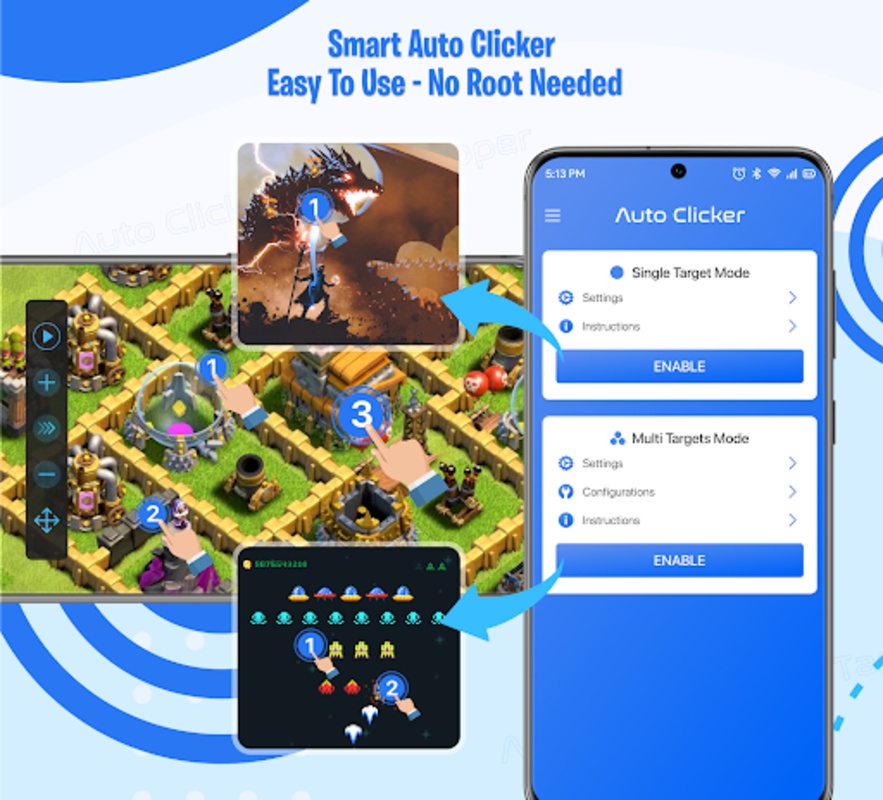
Experience the convenience of automated tapping with the Auto Clicker - Auto Tapper App, which is designed to enhance your mobile usage, particularly when engaged in gaming or managing repetitive tasks on your device. Its primary goal is to save you time and effort by automating clicks and taps, thus improving your productivity and giving you an edge in various applications that require quick and consistent interactions.
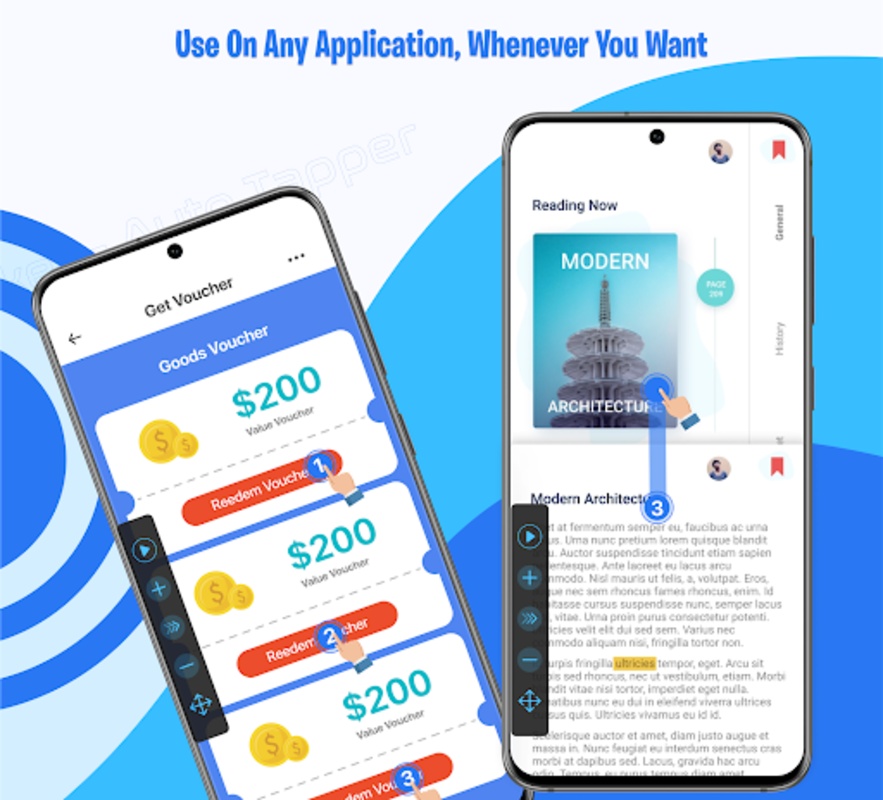
The Auto Clicker - Auto Tapper App brings a suite of tools that simplify your tapping needs. Features such as simple automatic tap recording, a customizable timer, and quick touch response make it a highly efficient tool. Supporting multiple swipes, repeat clicks, and the ability to easily adjust the click points on your screen, the app is a boon to those navigating through content, engaging in games, or performing tasks requiring repetitive actions.
Auto Clicker - Auto Tapper App: A Comprehensive Guide
Introduction
Auto Clicker - Auto Tapper App is an automation tool that allows users to automate repetitive tasks, such as clicking, tapping, and swiping on their mobile devices. This app is particularly useful for games that require frequent input or for users who want to save time and effort.
Features
* Auto-Clicking: Set up multiple auto-clickers to perform repetitive tasks at specific intervals.
* Auto-Tapping: Create custom tapping patterns to simulate human finger actions.
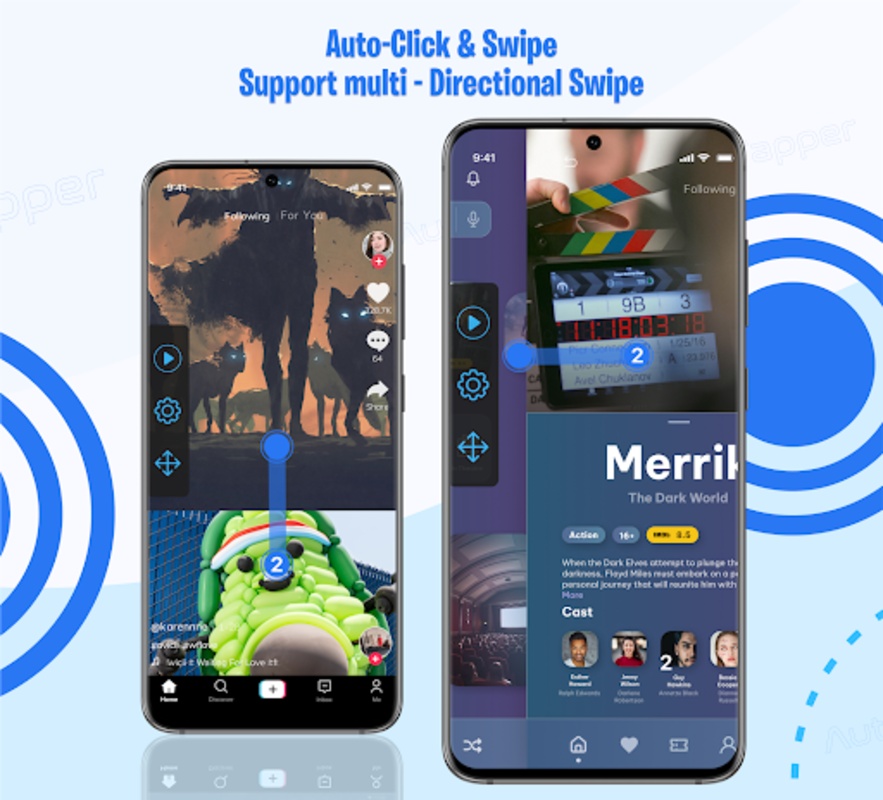
* Swipe Gestures: Record and playback swipe gestures for more complex tasks.
* Task Scheduler: Schedule tasks to run automatically at specified times or intervals.
* Looping: Repeat tasks continuously or for a set number of iterations.
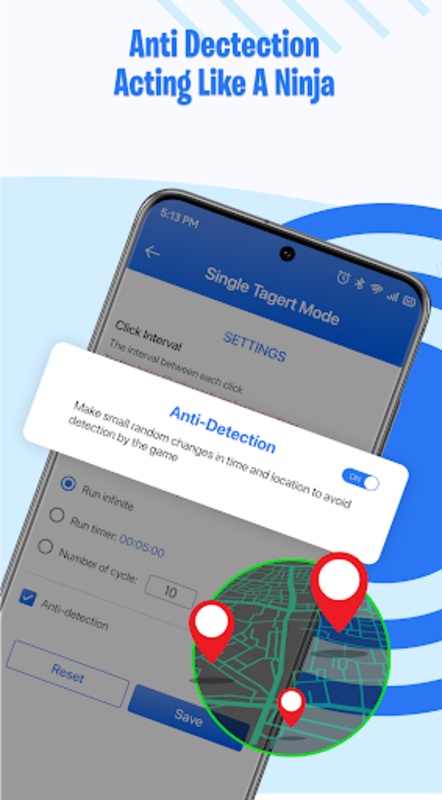
* Randomized Delay: Add randomization to click and tap intervals to avoid detection by anti-cheat systems.
* Multiple Targets: Set multiple targets for each task, allowing for simultaneous actions.
Usage
1. Install the App: Download Auto Clicker - Auto Tapper App from the app store.
2. Grant Permissions: Allow the app to access your device's accessibility settings.
3. Create a Task: Tap the "+" button to create a new task.
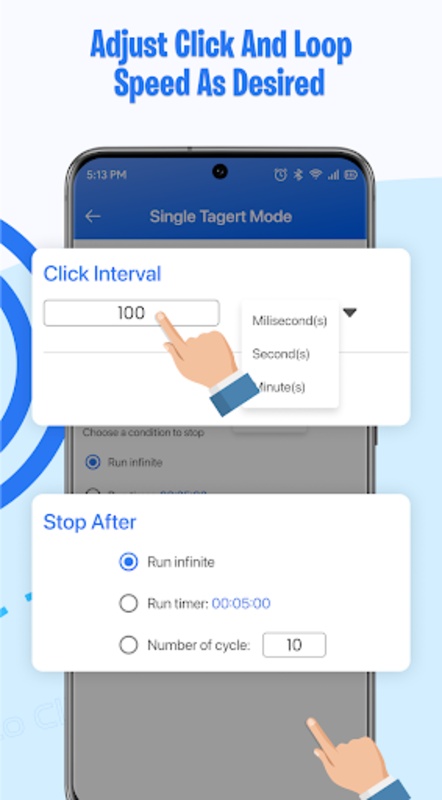
4. Configure Settings: Set the click/tap interval, target area, and any other relevant options.
5. Start the Task: Tap the "Start" button to initiate the task.
6. Stop the Task: Tap the "Stop" button to end the task.
Benefits
* Save Time and Effort: Automate repetitive tasks to free up your time.
* Increase Efficiency: Perform tasks faster and more accurately than manually.
* Enhance Gaming: Gain an advantage in games that require frequent input.
* Accessibility: Enable users with disabilities to interact with mobile devices more easily.
Tips
* Use the randomized delay feature to avoid detection by anti-cheat systems.
* Set up multiple tasks to automate different actions simultaneously.
* Experiment with different click/tap intervals to find the optimal settings for your needs.
* Use the task scheduler to automate tasks at specific times or intervals.
Conclusion
Auto Clicker - Auto Tapper App is a versatile automation tool that can significantly enhance productivity and gaming experiences. Its intuitive interface and customizable settings make it suitable for both novice and experienced users. By leveraging its features, you can save time, increase efficiency, and enjoy a more streamlined mobile experience.
Experience the convenience of automated tapping with the Auto Clicker - Auto Tapper App, which is designed to enhance your mobile usage, particularly when engaged in gaming or managing repetitive tasks on your device. Its primary goal is to save you time and effort by automating clicks and taps, thus improving your productivity and giving you an edge in various applications that require quick and consistent interactions.
The Auto Clicker - Auto Tapper App brings a suite of tools that simplify your tapping needs. Features such as simple automatic tap recording, a customizable timer, and quick touch response make it a highly efficient tool. Supporting multiple swipes, repeat clicks, and the ability to easily adjust the click points on your screen, the app is a boon to those navigating through content, engaging in games, or performing tasks requiring repetitive actions.
Auto Clicker - Auto Tapper App: A Comprehensive Guide
Introduction
Auto Clicker - Auto Tapper App is an automation tool that allows users to automate repetitive tasks, such as clicking, tapping, and swiping on their mobile devices. This app is particularly useful for games that require frequent input or for users who want to save time and effort.
Features
* Auto-Clicking: Set up multiple auto-clickers to perform repetitive tasks at specific intervals.
* Auto-Tapping: Create custom tapping patterns to simulate human finger actions.
* Swipe Gestures: Record and playback swipe gestures for more complex tasks.
* Task Scheduler: Schedule tasks to run automatically at specified times or intervals.
* Looping: Repeat tasks continuously or for a set number of iterations.
* Randomized Delay: Add randomization to click and tap intervals to avoid detection by anti-cheat systems.
* Multiple Targets: Set multiple targets for each task, allowing for simultaneous actions.
Usage
1. Install the App: Download Auto Clicker - Auto Tapper App from the app store.
2. Grant Permissions: Allow the app to access your device's accessibility settings.
3. Create a Task: Tap the "+" button to create a new task.
4. Configure Settings: Set the click/tap interval, target area, and any other relevant options.
5. Start the Task: Tap the "Start" button to initiate the task.
6. Stop the Task: Tap the "Stop" button to end the task.
Benefits
* Save Time and Effort: Automate repetitive tasks to free up your time.
* Increase Efficiency: Perform tasks faster and more accurately than manually.
* Enhance Gaming: Gain an advantage in games that require frequent input.
* Accessibility: Enable users with disabilities to interact with mobile devices more easily.
Tips
* Use the randomized delay feature to avoid detection by anti-cheat systems.
* Set up multiple tasks to automate different actions simultaneously.
* Experiment with different click/tap intervals to find the optimal settings for your needs.
* Use the task scheduler to automate tasks at specific times or intervals.
Conclusion
Auto Clicker - Auto Tapper App is a versatile automation tool that can significantly enhance productivity and gaming experiences. Its intuitive interface and customizable settings make it suitable for both novice and experienced users. By leveraging its features, you can save time, increase efficiency, and enjoy a more streamlined mobile experience.