

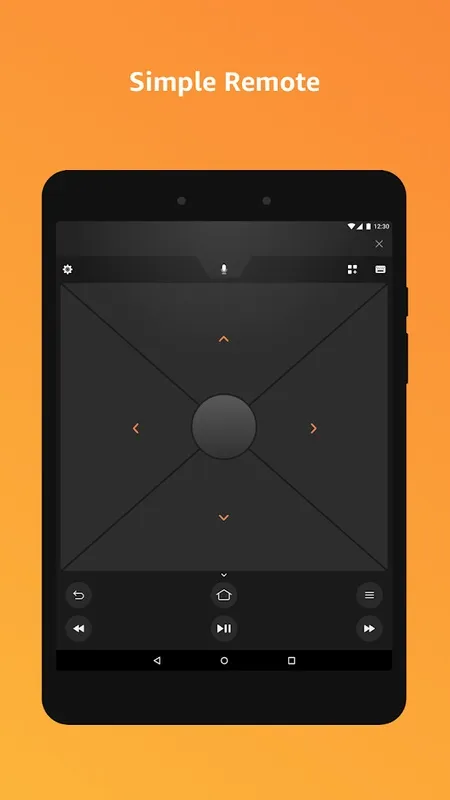
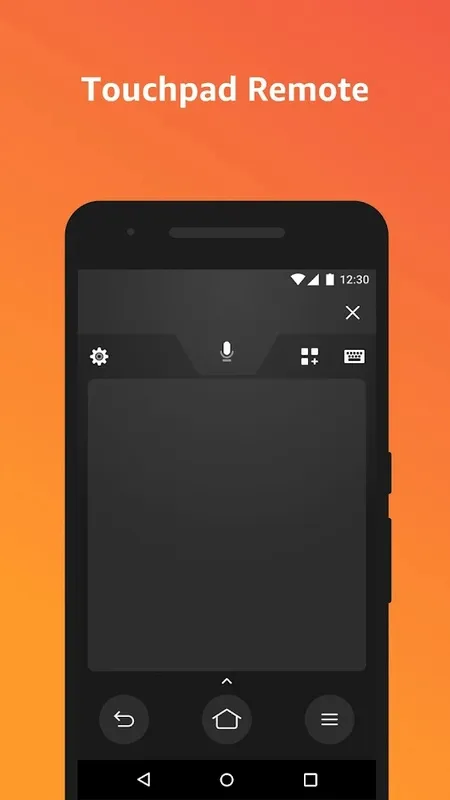
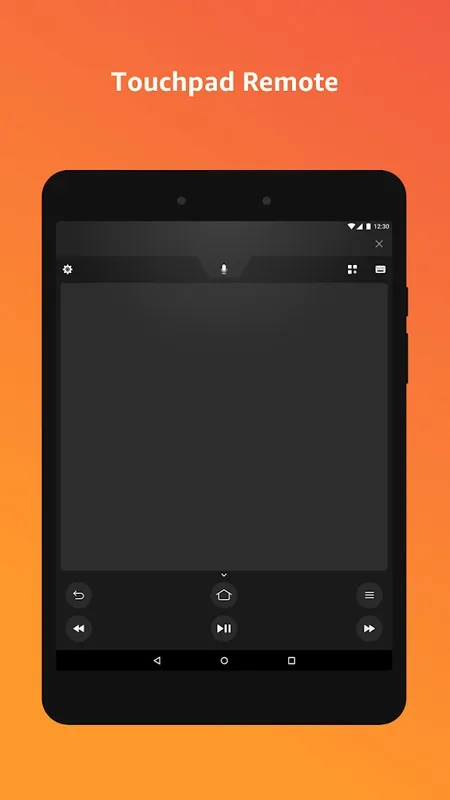
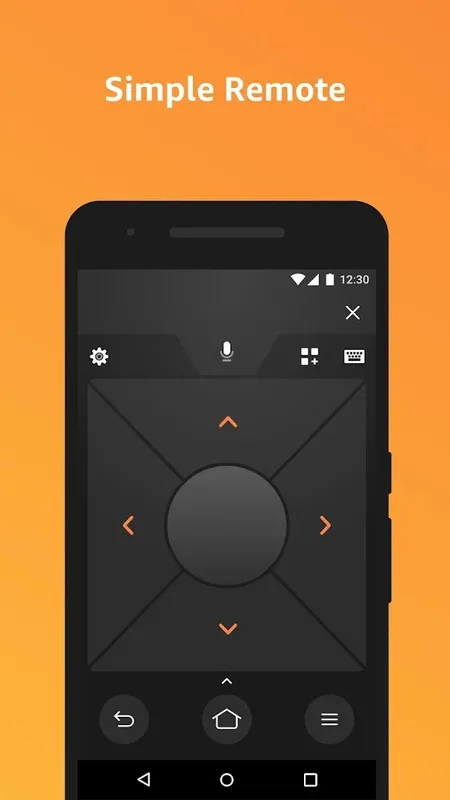
Enhance your streaming experience with the sophisticated Amazon Fire TV mobile app, specifically designed to optimize interaction with your Fire TV device. This complimentary app ensures that you navigate menus seamlessly, type text effortlessly, and access treasured apps and games with ease, right from your Android device.
Quickly access all your media
Key features include efficient voice search capabilities (note that this feature may not be universally available), playback controls, and a user-friendly keyboard that eradicates the frustration commonly associated with remote control typing. Indulge in a responsive and intuitive interface that promises quick access to your multimedia content.
Use your app or your controller, you choose
For those looking to leverage Fire TV Recast, robust support is provided. Ensure that you have a multicast-enabled router to take full advantage of the features. Although optimized for navigation and playback, for an optimal gaming experience, you are encouraged to use the remote that comes with your device or the optional Amazon Fire TV Game Controller.
Enjoy TV the way you want
The app aims to provide a refined and interactive way to manage your media, promising a more enjoyable viewing and gaming session. Remember, by downloading and using it, you are agreeing to adhere to Amazon’s Conditions of Use and Privacy Notice.
Amazon Fire TV: A Comprehensive OverviewAmazon Fire TV is a streaming media player that allows users to access a wide variety of content from various streaming services, including Amazon Prime Video, Netflix, Hulu, and Disney+. It also provides access to live TV, apps, and games.
Key Features:
* Extensive Content Library: Fire TV offers a vast selection of movies, TV shows, live TV channels, apps, and games.
* 4K Ultra HD Streaming: Supports streaming in 4K Ultra HD resolution for a cinematic viewing experience.
* HDR Support: Compatible with High Dynamic Range (HDR) content, delivering vibrant colors and deeper blacks.
* Voice Control with Alexa: Integrated with Amazon's Alexa voice assistant, enabling hands-free control of the device and content playback.
* App Store: Access to a wide range of apps, including streaming services, games, and utilities.
* Game Streaming: Supports cloud gaming services like Amazon Luna, allowing users to play high-end games without dedicated gaming hardware.
* Parental Controls: Customizable parental controls to restrict access to age-inappropriate content.
Device Variants:
Amazon Fire TV is available in several device variants, each with its own unique features:
* Fire TV Stick: A compact and affordable streaming stick that plugs directly into a TV's HDMI port.
* Fire TV Stick 4K: A more powerful version of the Fire TV Stick that supports 4K Ultra HD streaming.
* Fire TV Stick Lite: A budget-friendly option that offers basic streaming capabilities.
* Fire TV Cube: A set-top box with built-in speakers and advanced features like hands-free voice control.
Content Access:
Fire TV provides access to a wide range of content, including:
* Streaming Services: Amazon Prime Video, Netflix, Hulu, Disney+, HBO Max, and more.
* Live TV: Sling TV, YouTube TV, Hulu with Live TV, and others.
* Apps: Thousands of apps, including social media, news, productivity, and more.
* Games: A growing selection of games, from casual to high-end titles.
User Interface:
Fire TV features a user-friendly interface that is easy to navigate. The home screen displays recommended content, recently watched items, and access to all installed apps and services.
Setup and Installation:
Setting up a Fire TV device is straightforward. Users simply connect the device to their TV's HDMI port, connect to a Wi-Fi network, and follow the on-screen instructions.
Overall:
Amazon Fire TV is a versatile streaming media player that offers a wide range of content and features. Its compact size, affordable pricing, and extensive content library make it an excellent choice for users looking to enhance their home entertainment experience.
Enhance your streaming experience with the sophisticated Amazon Fire TV mobile app, specifically designed to optimize interaction with your Fire TV device. This complimentary app ensures that you navigate menus seamlessly, type text effortlessly, and access treasured apps and games with ease, right from your Android device.
Quickly access all your media
Key features include efficient voice search capabilities (note that this feature may not be universally available), playback controls, and a user-friendly keyboard that eradicates the frustration commonly associated with remote control typing. Indulge in a responsive and intuitive interface that promises quick access to your multimedia content.
Use your app or your controller, you choose
For those looking to leverage Fire TV Recast, robust support is provided. Ensure that you have a multicast-enabled router to take full advantage of the features. Although optimized for navigation and playback, for an optimal gaming experience, you are encouraged to use the remote that comes with your device or the optional Amazon Fire TV Game Controller.
Enjoy TV the way you want
The app aims to provide a refined and interactive way to manage your media, promising a more enjoyable viewing and gaming session. Remember, by downloading and using it, you are agreeing to adhere to Amazon’s Conditions of Use and Privacy Notice.
Amazon Fire TV: A Comprehensive OverviewAmazon Fire TV is a streaming media player that allows users to access a wide variety of content from various streaming services, including Amazon Prime Video, Netflix, Hulu, and Disney+. It also provides access to live TV, apps, and games.
Key Features:
* Extensive Content Library: Fire TV offers a vast selection of movies, TV shows, live TV channels, apps, and games.
* 4K Ultra HD Streaming: Supports streaming in 4K Ultra HD resolution for a cinematic viewing experience.
* HDR Support: Compatible with High Dynamic Range (HDR) content, delivering vibrant colors and deeper blacks.
* Voice Control with Alexa: Integrated with Amazon's Alexa voice assistant, enabling hands-free control of the device and content playback.
* App Store: Access to a wide range of apps, including streaming services, games, and utilities.
* Game Streaming: Supports cloud gaming services like Amazon Luna, allowing users to play high-end games without dedicated gaming hardware.
* Parental Controls: Customizable parental controls to restrict access to age-inappropriate content.
Device Variants:
Amazon Fire TV is available in several device variants, each with its own unique features:
* Fire TV Stick: A compact and affordable streaming stick that plugs directly into a TV's HDMI port.
* Fire TV Stick 4K: A more powerful version of the Fire TV Stick that supports 4K Ultra HD streaming.
* Fire TV Stick Lite: A budget-friendly option that offers basic streaming capabilities.
* Fire TV Cube: A set-top box with built-in speakers and advanced features like hands-free voice control.
Content Access:
Fire TV provides access to a wide range of content, including:
* Streaming Services: Amazon Prime Video, Netflix, Hulu, Disney+, HBO Max, and more.
* Live TV: Sling TV, YouTube TV, Hulu with Live TV, and others.
* Apps: Thousands of apps, including social media, news, productivity, and more.
* Games: A growing selection of games, from casual to high-end titles.
User Interface:
Fire TV features a user-friendly interface that is easy to navigate. The home screen displays recommended content, recently watched items, and access to all installed apps and services.
Setup and Installation:
Setting up a Fire TV device is straightforward. Users simply connect the device to their TV's HDMI port, connect to a Wi-Fi network, and follow the on-screen instructions.
Overall:
Amazon Fire TV is a versatile streaming media player that offers a wide range of content and features. Its compact size, affordable pricing, and extensive content library make it an excellent choice for users looking to enhance their home entertainment experience.