


What is Androoster?
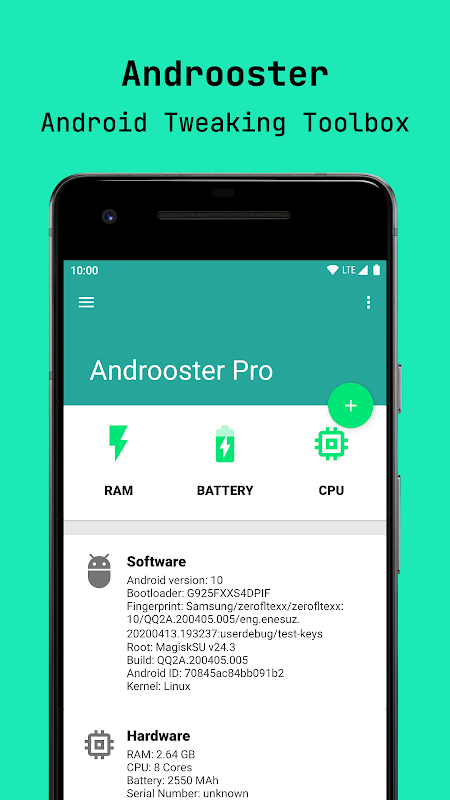
Androoster is an open-source Android tweak toolbox.
It is built to help you keep your device cool, fast and responsive.
Ideally, basing on your device hardware and your personal needs, you can find a set of parameters for Androoster to improve things you value and minimize others you don't require.
Being a collection of on-off tweaks, you can enable/disable whichever set of parameters you desire. Although a certain degree of expertise is required to tune (or eyeball) settings, you can refine your tweaks according to the performance changes you experience incrementally.
The key takeaway is that there is no such thing as a universal tweak / booster. Instead, you can (and should) tune settings according to the things you value the most to maximize performance in those designated areas, and keep the unavoidable consequences within an acceptable margin of degradation.
(i.e, a strong performance improvement degrades battery duration, and vice versa, differently for every device and OS)
Androoster features
• CPU Tuning
• Governor switcher
• Low Memory Killer editor
• Runtime Memory improvement
• Sleep mode tuner
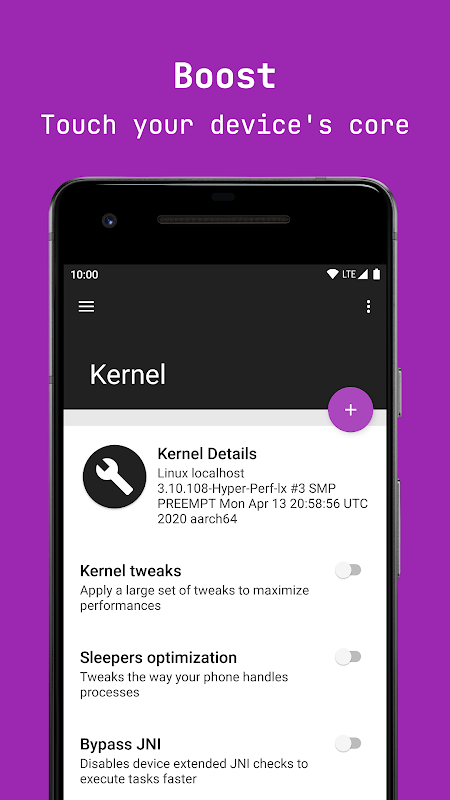
• Sleepers optimization
• Kernel advanced editor
• FStrim utility
• I/O Booster
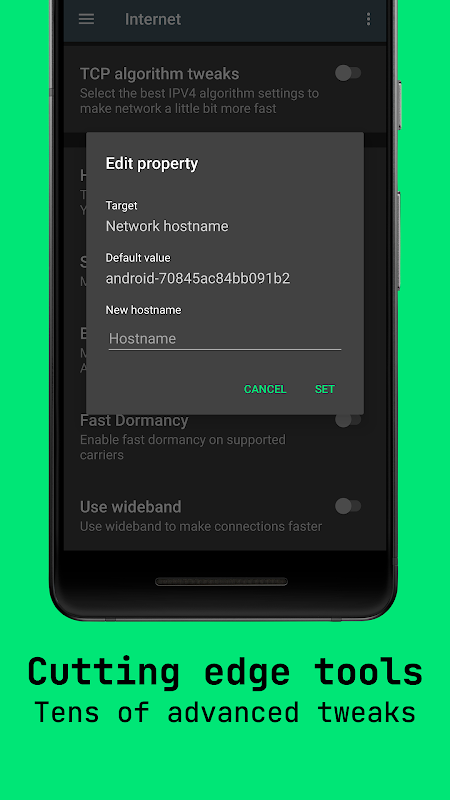
• Hostname editor
• Network buffer
• Fast dormancy
• Advanced debug monitor
• GPS Configuration
• Animations speed tweaker
• JPEG quality optimizer
• 270° Rotation enabler
• 16 bit transparency enabler
• Back buttons light tuner
Prerequisites
- Rooted device
- BusyBox installation
What is Androoster?
Androoster is groundbreaking toolbox, packed with the latest features and tweaks.
It is built to help you keeping your device cool, fast and responsive.
Main features
There are tons of tweaks, both for beginners and advanced users, that when enabled will make your device reach its peak while keeping a low profile.
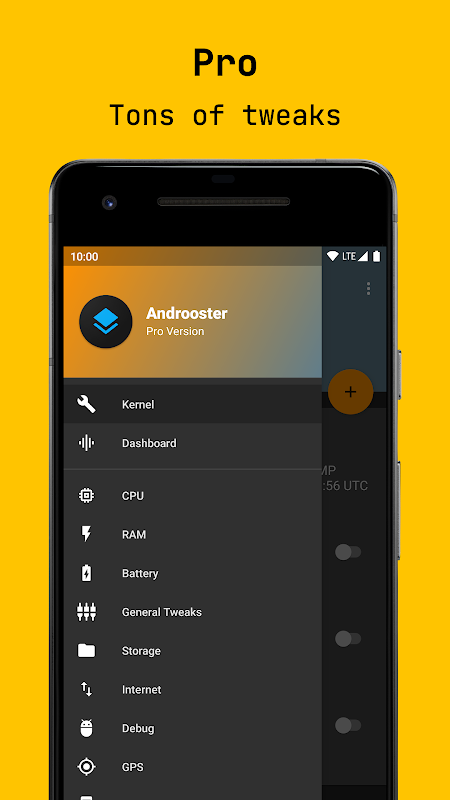
All the hacks are easily grouped under different categories, like “CPU”, “Memory”, “Kernel” or “Graphics”, so that they are easy to find and manage.
Security
To grant complete compatibility and security, every single tweak is reversible. Your device won't be permanently changed, and whenever need it, you can always and quickly restore your original system status from a backup that you can manage from the dedicated page in Androoster.
Furthermore, AES256 encryption is used to keep internal configuration files safe.
Androoster is open source and the code is available at https://github.com/cioccarellia/androoster
Usage & Disclaimers
Androoster is tested and proved to be efficient and safe: however, no warranty comes with it. You are responsible for your actions. If you brick your device, make it unusable, damage it, lose your data or whatever other incident you will be the one and only responsible person for having caused it. I am not responsible for whatever damage you may inflict on your phone in any way.
Introduction
Androoster, a comprehensive tweaking toolbox, empowers Android users to optimize their devices for enhanced performance, battery life, and customization. This versatile tool offers a wide range of options to tailor the Android experience to individual preferences and needs.
Key Features
* CPU Management: Androoster provides granular control over CPU performance, allowing users to adjust clock speeds, governor settings, and thermal thresholds for optimal performance and efficiency.
* Battery Optimization: By monitoring battery usage and identifying power-hungry apps, Androoster helps users extend battery life by disabling unnecessary background processes and adjusting power-saving settings.
* Display Tweaks: Androoster offers a range of display customization options, including screen brightness adjustment, color profiles, and refresh rate control. Users can enhance their visual experience and reduce eye strain.
* Audio Enhancement: Androoster improves audio quality by optimizing speaker settings, adjusting equalization, and enabling Dolby Atmos support for a more immersive audio experience.
* Network Optimization: By managing network settings, Androoster enhances internet connectivity, reduces latency, and improves overall network performance.
* App Management: Androoster provides tools for managing installed apps, including app permissions, auto-update settings, and the ability to freeze or uninstall unwanted apps.
* System Tweaks: Androoster offers a plethora of system tweaks to improve device performance, such as adjusting memory management, optimizing storage space, and enabling developer options.
User Interface
Androoster features a user-friendly interface with a clean and intuitive layout. The main menu provides quick access to all the available categories, and each section offers detailed options with clear explanations. Users can easily navigate through the settings and make adjustments without prior technical knowledge.
Customization Options
Androoster allows users to customize their Android experience to suit their unique preferences. From performance-oriented tweaks to aesthetic enhancements, the tool empowers users to tailor their devices to their specific needs.
Compatibility and Safety
Androoster is compatible with a wide range of Android devices and Android versions. It undergoes regular updates to ensure compatibility with the latest Android releases. The tool is designed with safety in mind, and users are provided with clear instructions to avoid potential risks.
Conclusion
Androoster is an essential tool for Android users who seek to optimize their devices for performance, battery life, and customization. Its comprehensive range of options, user-friendly interface, and compatibility make it an ideal choice for both experienced and novice users. By leveraging Androoster's capabilities, users can unlock the full potential of their Android devices and enhance their mobile experience.
What is Androoster?
Androoster is an open-source Android tweak toolbox.
It is built to help you keep your device cool, fast and responsive.
Ideally, basing on your device hardware and your personal needs, you can find a set of parameters for Androoster to improve things you value and minimize others you don't require.
Being a collection of on-off tweaks, you can enable/disable whichever set of parameters you desire. Although a certain degree of expertise is required to tune (or eyeball) settings, you can refine your tweaks according to the performance changes you experience incrementally.
The key takeaway is that there is no such thing as a universal tweak / booster. Instead, you can (and should) tune settings according to the things you value the most to maximize performance in those designated areas, and keep the unavoidable consequences within an acceptable margin of degradation.
(i.e, a strong performance improvement degrades battery duration, and vice versa, differently for every device and OS)
Androoster features
• CPU Tuning
• Governor switcher
• Low Memory Killer editor
• Runtime Memory improvement
• Sleep mode tuner
• Sleepers optimization
• Kernel advanced editor
• FStrim utility
• I/O Booster
• Hostname editor
• Network buffer
• Fast dormancy
• Advanced debug monitor
• GPS Configuration
• Animations speed tweaker
• JPEG quality optimizer
• 270° Rotation enabler
• 16 bit transparency enabler
• Back buttons light tuner
Prerequisites
- Rooted device
- BusyBox installation
What is Androoster?
Androoster is groundbreaking toolbox, packed with the latest features and tweaks.
It is built to help you keeping your device cool, fast and responsive.
Main features
There are tons of tweaks, both for beginners and advanced users, that when enabled will make your device reach its peak while keeping a low profile.
All the hacks are easily grouped under different categories, like “CPU”, “Memory”, “Kernel” or “Graphics”, so that they are easy to find and manage.
Security
To grant complete compatibility and security, every single tweak is reversible. Your device won't be permanently changed, and whenever need it, you can always and quickly restore your original system status from a backup that you can manage from the dedicated page in Androoster.
Furthermore, AES256 encryption is used to keep internal configuration files safe.
Androoster is open source and the code is available at https://github.com/cioccarellia/androoster
Usage & Disclaimers
Androoster is tested and proved to be efficient and safe: however, no warranty comes with it. You are responsible for your actions. If you brick your device, make it unusable, damage it, lose your data or whatever other incident you will be the one and only responsible person for having caused it. I am not responsible for whatever damage you may inflict on your phone in any way.
Introduction
Androoster, a comprehensive tweaking toolbox, empowers Android users to optimize their devices for enhanced performance, battery life, and customization. This versatile tool offers a wide range of options to tailor the Android experience to individual preferences and needs.
Key Features
* CPU Management: Androoster provides granular control over CPU performance, allowing users to adjust clock speeds, governor settings, and thermal thresholds for optimal performance and efficiency.
* Battery Optimization: By monitoring battery usage and identifying power-hungry apps, Androoster helps users extend battery life by disabling unnecessary background processes and adjusting power-saving settings.
* Display Tweaks: Androoster offers a range of display customization options, including screen brightness adjustment, color profiles, and refresh rate control. Users can enhance their visual experience and reduce eye strain.
* Audio Enhancement: Androoster improves audio quality by optimizing speaker settings, adjusting equalization, and enabling Dolby Atmos support for a more immersive audio experience.
* Network Optimization: By managing network settings, Androoster enhances internet connectivity, reduces latency, and improves overall network performance.
* App Management: Androoster provides tools for managing installed apps, including app permissions, auto-update settings, and the ability to freeze or uninstall unwanted apps.
* System Tweaks: Androoster offers a plethora of system tweaks to improve device performance, such as adjusting memory management, optimizing storage space, and enabling developer options.
User Interface
Androoster features a user-friendly interface with a clean and intuitive layout. The main menu provides quick access to all the available categories, and each section offers detailed options with clear explanations. Users can easily navigate through the settings and make adjustments without prior technical knowledge.
Customization Options
Androoster allows users to customize their Android experience to suit their unique preferences. From performance-oriented tweaks to aesthetic enhancements, the tool empowers users to tailor their devices to their specific needs.
Compatibility and Safety
Androoster is compatible with a wide range of Android devices and Android versions. It undergoes regular updates to ensure compatibility with the latest Android releases. The tool is designed with safety in mind, and users are provided with clear instructions to avoid potential risks.
Conclusion
Androoster is an essential tool for Android users who seek to optimize their devices for performance, battery life, and customization. Its comprehensive range of options, user-friendly interface, and compatibility make it an ideal choice for both experienced and novice users. By leveraging Androoster's capabilities, users can unlock the full potential of their Android devices and enhance their mobile experience.





