


Get the Stylish Calculator with advanced calculator functions:
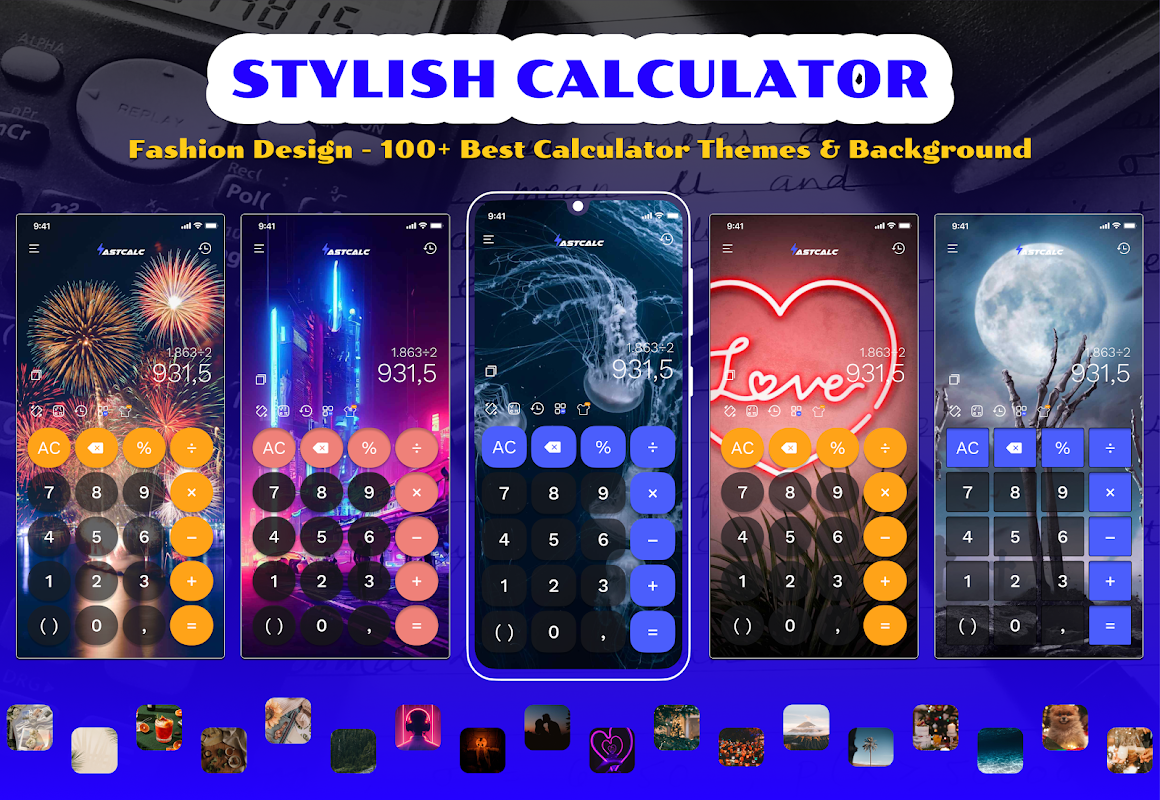
👉 Custom themes with amazing theme collection
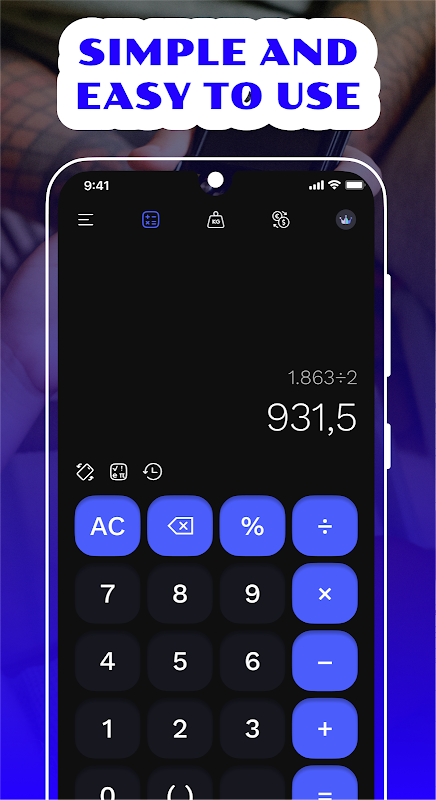
👉 Mathematics calculation with auto save history
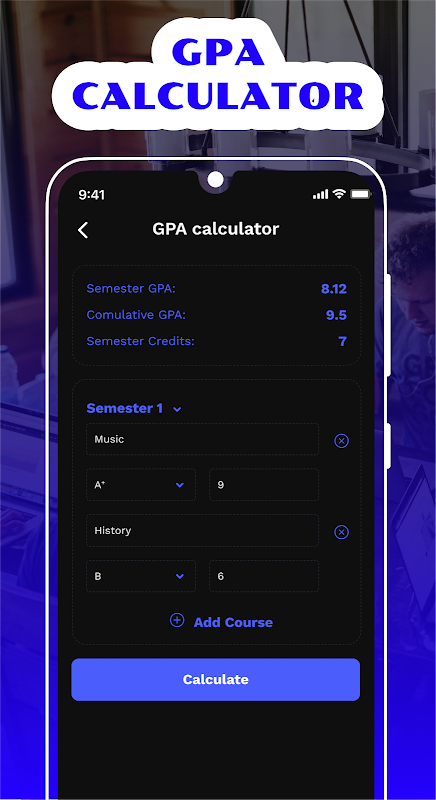
👉 GPA calculator
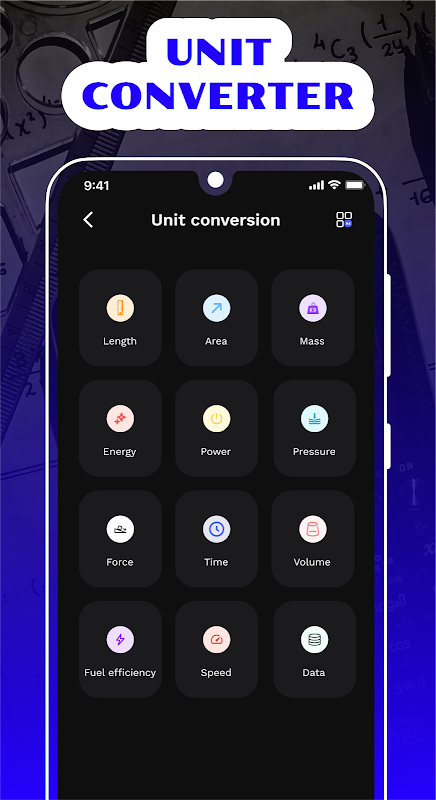
👉 Unit converter
👉 BMI calculator
👉 World time converter
👉 Simple user-interface
👉 Offline use
This Calculator help you master all calculations from basic math equations to scientific calculator. Plus, our new custom themes options will get you excited to use for work and school.
Main features of this simple calculator:
🎓 Basic calculator for mathematics:
- Simple math solver: +, -, x, ÷, %, =
- Advanced math solver: π, e,^, log, ln, √, sin, cos, tan...
- Expand button for advanced calculator
- Easy moving cursor for modification and copy
- Auto-save calculation history with delete button
🔄 Unit Converter:
- Convert all units for length, weight, volume, time, temperature, pressure, speed, fuel efficiency, and data
🕐 World Time Converter:
- Convert the time for worldwide cities
💪 Health Calculator:
- Compute body mass index (BMI) with our easy calculator with health evaluation
🎓 GPA Calculator:
- Compute your GPA with our easy grade calculator in different semesters
📌 Custom Themes:
- Choose your favourite themes from our wide-range theme collection: universe, holiday, aesthetic, minimal, nature, travel, love
UNLIMITED ACCESS MEMBERSHIP SUBSCRIPTION:
- The premium version of the calculator gives you access to all feature and Ads will be removed.
- Subscriptions are billed weekly, monthly, quarterly, or annually at the rate based on the subscription plan.
- Payment will be charged to Google Play Store at confirmation of purchase.
- You can manage your subscription and auto-renewal settings in your Google Play settings. Canceling during the trial period will not result in any charges.
- You won’t be charged if subscription is canceled before trial period ends.
- Subscription is not required to use the calculator.
We'd appreciate your feedback:
Custom Calculator Color Theme is a simple yet effective customization tool that allows users to personalize the appearance of their calculator app. With a wide range of color options and customizable themes, users can create a calculator that matches their personal style or complements the overall aesthetic of their device.
Key Features
* Color Customization: Users can choose from a wide range of colors to change the appearance of their calculator's buttons, display, and background.
* Theme Presets: Custom Calculator Color Theme offers a selection of pre-designed themes that combine different color combinations for a cohesive look.
* Custom Themes: Users can create and save their own custom themes by combining different colors and styles.
* Easy to Use: The app features an intuitive interface that makes it easy to customize the calculator's appearance.
* Lightweight and Efficient: Custom Calculator Color Theme is a lightweight app that does not consume significant system resources.
Benefits
* Personalization: Custom Calculator Color Theme allows users to express their individuality by creating a calculator that reflects their personal style.
* Improved Visibility: By choosing high-contrast colors, users can improve the visibility of the calculator's display, making it easier to read calculations.
* Enhanced User Experience: A customized calculator can provide a more enjoyable and personalized user experience.
* Complements Device Aesthetic: Custom Calculator Color Theme can be used to match the color scheme of a user's device, creating a cohesive and aesthetically pleasing experience.
How to Use
1. Install the App: Download and install Custom Calculator Color Theme from the app store.
2. Open the App: Launch the app and grant it permission to access the calculator.
3. Customize Colors: Choose a color for the calculator's buttons, display, and background.
4. Select a Theme: Browse the available themes or create your own custom theme.
5. Apply Changes: Tap the "Apply" button to save the changes and apply the new color scheme to the calculator.
Conclusion
Custom Calculator Color Theme is a versatile and user-friendly tool that empowers users to customize the appearance of their calculator app. With a wide range of color options, customizable themes, and an intuitive interface, users can create a calculator that matches their personal style, enhances visibility, and provides a more enjoyable user experience.
Get the Stylish Calculator with advanced calculator functions:
👉 Custom themes with amazing theme collection
👉 Mathematics calculation with auto save history
👉 GPA calculator
👉 Unit converter
👉 BMI calculator
👉 World time converter
👉 Simple user-interface
👉 Offline use
This Calculator help you master all calculations from basic math equations to scientific calculator. Plus, our new custom themes options will get you excited to use for work and school.
Main features of this simple calculator:
🎓 Basic calculator for mathematics:
- Simple math solver: +, -, x, ÷, %, =
- Advanced math solver: π, e,^, log, ln, √, sin, cos, tan...
- Expand button for advanced calculator
- Easy moving cursor for modification and copy
- Auto-save calculation history with delete button
🔄 Unit Converter:
- Convert all units for length, weight, volume, time, temperature, pressure, speed, fuel efficiency, and data
🕐 World Time Converter:
- Convert the time for worldwide cities
💪 Health Calculator:
- Compute body mass index (BMI) with our easy calculator with health evaluation
🎓 GPA Calculator:
- Compute your GPA with our easy grade calculator in different semesters
📌 Custom Themes:
- Choose your favourite themes from our wide-range theme collection: universe, holiday, aesthetic, minimal, nature, travel, love
UNLIMITED ACCESS MEMBERSHIP SUBSCRIPTION:
- The premium version of the calculator gives you access to all feature and Ads will be removed.
- Subscriptions are billed weekly, monthly, quarterly, or annually at the rate based on the subscription plan.
- Payment will be charged to Google Play Store at confirmation of purchase.
- You can manage your subscription and auto-renewal settings in your Google Play settings. Canceling during the trial period will not result in any charges.
- You won’t be charged if subscription is canceled before trial period ends.
- Subscription is not required to use the calculator.
We'd appreciate your feedback:
Custom Calculator Color Theme is a simple yet effective customization tool that allows users to personalize the appearance of their calculator app. With a wide range of color options and customizable themes, users can create a calculator that matches their personal style or complements the overall aesthetic of their device.
Key Features
* Color Customization: Users can choose from a wide range of colors to change the appearance of their calculator's buttons, display, and background.
* Theme Presets: Custom Calculator Color Theme offers a selection of pre-designed themes that combine different color combinations for a cohesive look.
* Custom Themes: Users can create and save their own custom themes by combining different colors and styles.
* Easy to Use: The app features an intuitive interface that makes it easy to customize the calculator's appearance.
* Lightweight and Efficient: Custom Calculator Color Theme is a lightweight app that does not consume significant system resources.
Benefits
* Personalization: Custom Calculator Color Theme allows users to express their individuality by creating a calculator that reflects their personal style.
* Improved Visibility: By choosing high-contrast colors, users can improve the visibility of the calculator's display, making it easier to read calculations.
* Enhanced User Experience: A customized calculator can provide a more enjoyable and personalized user experience.
* Complements Device Aesthetic: Custom Calculator Color Theme can be used to match the color scheme of a user's device, creating a cohesive and aesthetically pleasing experience.
How to Use
1. Install the App: Download and install Custom Calculator Color Theme from the app store.
2. Open the App: Launch the app and grant it permission to access the calculator.
3. Customize Colors: Choose a color for the calculator's buttons, display, and background.
4. Select a Theme: Browse the available themes or create your own custom theme.
5. Apply Changes: Tap the "Apply" button to save the changes and apply the new color scheme to the calculator.
Conclusion
Custom Calculator Color Theme is a versatile and user-friendly tool that empowers users to customize the appearance of their calculator app. With a wide range of color options, customizable themes, and an intuitive interface, users can create a calculator that matches their personal style, enhances visibility, and provides a more enjoyable user experience.





