

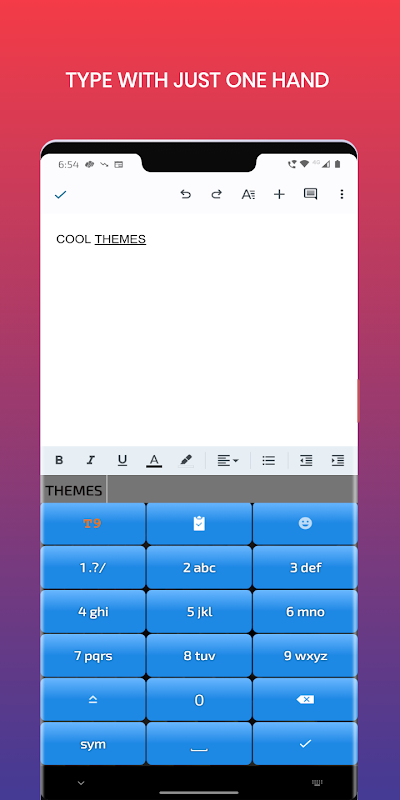
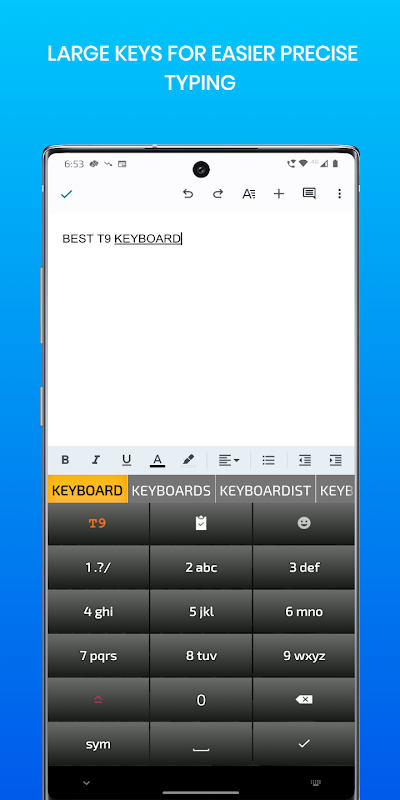
Who needs the old T9 keyboard do you say? The T9 keypad is still relevant for smartphones with small screens. Typing on a T9 keyboard is fast and more accurate because of the large buttons and 9 simple grids. Long time users of the old T9 keyboard can still type out an SMS with their eyes closed. You can also type with just one hand, can you say that of a full keyboard? People with large fingers will find the Old T9 keyboard, a God send. The large keyboard layout and big buttons on the old keyboard makes typing easy for people with big fingers.
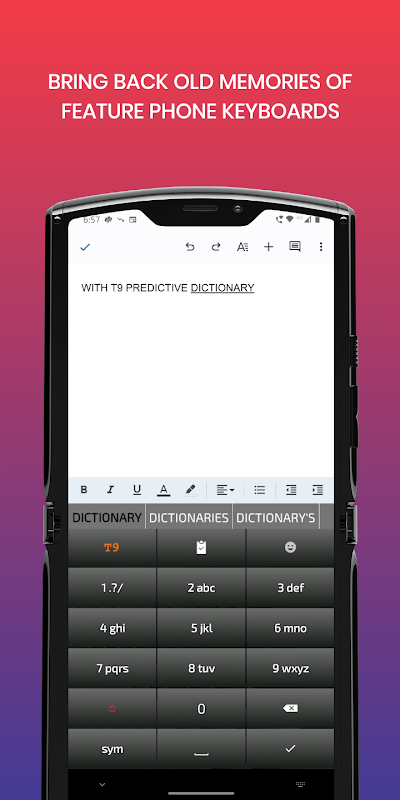
The Old T9 keyboard also features a predictive word suggestions or predictive text, just like on the old feature phones, so typing is fast and takes lesser clicks. The Old keyboard also learns new words that you type and are not part of the original dictionary and provides the word as suggestion the next time you hit the same sequence of keys.
You also get a full fledged emoji keyboard with hundreds of emojis on the Old T9 keyboard.
With the old keyboard, you also get 'Voice input' using the inbuilt voice assistant on the device.
We have also added recently many keyboard themes in the old keyboard so that you can choose a look that suits your device.
The old keyboard features a full fledged symbols layout so that your can type any symbol you want easily.
The old keyboard also features a clipboard paste key, to paste from clipboard with just a key press.
We support typing in the following languages in the old keyboard
English, French, Italian, Spanish, German, Russian, Ukrainian, Turkish,
Hungarian, Portuguese(Brazilian), Czech, Arabic, Filipino(Tagalog), Polish(Polski) , Dutch, Danish, Indonesian, Finnish, Swedish, Greek, Vietnamese, Hebrew, Malay and Norwegian language.
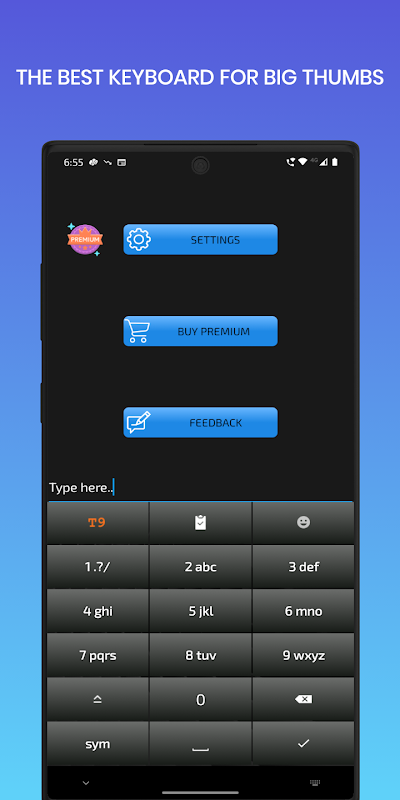
The Old T9 Keyboard also has features like keyboard height resizing, vibration and sounds on key press.
Keyboard for Seniors
=================
The old t9 keyboard, is also a great keyboard for seniors, because with its alphabetical layout instead of QWERTY, it is the easiest keyboard for seniors to learn. Each key holds three characters and hence it is much easier keyboard for seniors to type on. Many seniors, would have used the t9 keyboard before they migrated to a smartphone, so it offers seniors a seamless transition to a smartphone, with the same great 3x4 keyboard seniors typed on before.
Since each key is much wider occupying almost 1/3rd of the screen, it is the best keyboard for seniors to type on with minimal errors. With keyboard resizing in Settings, the height of the keyboard for seniors can be resized to suit each seniors' preferences.
With the clipboard, voice input and emojis thoughtfully placed at the top of the screen for ease of access, it is the best keyboard for seniors.
The keys are big but the fonts are not embarrassingly huge to suggest all seniors are visually impaired and hence it is a more thoughtful layout and keyboard for seniors.
Gameplay:
Old T9 Keyboard is a text messaging game that simulates the old T9 predictive text system used on mobile phones in the early 2000s. Players must type a word or phrase using the T9 keypad, which assigns multiple letters to each number key. The game challenges players to accurately predict the intended word based on the limited number of keystrokes.
Gameplay Mechanics:
The game presents a list of words or phrases and a T9 keypad on the screen. Players must press the number keys corresponding to the letters in the word or phrase, with each keystroke cycling through the available letters. For example, to type "hello," players would press the number 4 key twice (for "h" and "e"), then the number 5 key three times (for "l," "l," and "o").
Scoring and Difficulty:
Players earn points for each correct word or phrase they type. The difficulty increases as the game progresses, with longer words and more complex phrases being introduced. Incorrect keystrokes result in penalties, and players must complete the word or phrase within a limited number of attempts.
Nostalgia and Challenge:
Old T9 Keyboard taps into the nostalgia of early mobile phone users who navigated the limitations of T9 predictive text. The game presents a fun and challenging way to test typing skills and recall the frustrations and triumphs of the pre-smartphone era.
Customization and Accessibility:
The game offers customization options to adjust the difficulty level, word list, and appearance. It is accessible to players of all ages and skill levels, making it a suitable choice for both casual and experienced gamers.
Educational Value:
In addition to its entertainment value, Old T9 Keyboard can also have educational benefits. It helps players develop typing skills, improve their vocabulary, and gain an appreciation for the evolution of mobile technology.
Who needs the old T9 keyboard do you say? The T9 keypad is still relevant for smartphones with small screens. Typing on a T9 keyboard is fast and more accurate because of the large buttons and 9 simple grids. Long time users of the old T9 keyboard can still type out an SMS with their eyes closed. You can also type with just one hand, can you say that of a full keyboard? People with large fingers will find the Old T9 keyboard, a God send. The large keyboard layout and big buttons on the old keyboard makes typing easy for people with big fingers.
The Old T9 keyboard also features a predictive word suggestions or predictive text, just like on the old feature phones, so typing is fast and takes lesser clicks. The Old keyboard also learns new words that you type and are not part of the original dictionary and provides the word as suggestion the next time you hit the same sequence of keys.
You also get a full fledged emoji keyboard with hundreds of emojis on the Old T9 keyboard.
With the old keyboard, you also get 'Voice input' using the inbuilt voice assistant on the device.
We have also added recently many keyboard themes in the old keyboard so that you can choose a look that suits your device.
The old keyboard features a full fledged symbols layout so that your can type any symbol you want easily.
The old keyboard also features a clipboard paste key, to paste from clipboard with just a key press.
We support typing in the following languages in the old keyboard
English, French, Italian, Spanish, German, Russian, Ukrainian, Turkish,
Hungarian, Portuguese(Brazilian), Czech, Arabic, Filipino(Tagalog), Polish(Polski) , Dutch, Danish, Indonesian, Finnish, Swedish, Greek, Vietnamese, Hebrew, Malay and Norwegian language.
The Old T9 Keyboard also has features like keyboard height resizing, vibration and sounds on key press.
Keyboard for Seniors
=================
The old t9 keyboard, is also a great keyboard for seniors, because with its alphabetical layout instead of QWERTY, it is the easiest keyboard for seniors to learn. Each key holds three characters and hence it is much easier keyboard for seniors to type on. Many seniors, would have used the t9 keyboard before they migrated to a smartphone, so it offers seniors a seamless transition to a smartphone, with the same great 3x4 keyboard seniors typed on before.
Since each key is much wider occupying almost 1/3rd of the screen, it is the best keyboard for seniors to type on with minimal errors. With keyboard resizing in Settings, the height of the keyboard for seniors can be resized to suit each seniors' preferences.
With the clipboard, voice input and emojis thoughtfully placed at the top of the screen for ease of access, it is the best keyboard for seniors.
The keys are big but the fonts are not embarrassingly huge to suggest all seniors are visually impaired and hence it is a more thoughtful layout and keyboard for seniors.
Gameplay:
Old T9 Keyboard is a text messaging game that simulates the old T9 predictive text system used on mobile phones in the early 2000s. Players must type a word or phrase using the T9 keypad, which assigns multiple letters to each number key. The game challenges players to accurately predict the intended word based on the limited number of keystrokes.
Gameplay Mechanics:
The game presents a list of words or phrases and a T9 keypad on the screen. Players must press the number keys corresponding to the letters in the word or phrase, with each keystroke cycling through the available letters. For example, to type "hello," players would press the number 4 key twice (for "h" and "e"), then the number 5 key three times (for "l," "l," and "o").
Scoring and Difficulty:
Players earn points for each correct word or phrase they type. The difficulty increases as the game progresses, with longer words and more complex phrases being introduced. Incorrect keystrokes result in penalties, and players must complete the word or phrase within a limited number of attempts.
Nostalgia and Challenge:
Old T9 Keyboard taps into the nostalgia of early mobile phone users who navigated the limitations of T9 predictive text. The game presents a fun and challenging way to test typing skills and recall the frustrations and triumphs of the pre-smartphone era.
Customization and Accessibility:
The game offers customization options to adjust the difficulty level, word list, and appearance. It is accessible to players of all ages and skill levels, making it a suitable choice for both casual and experienced gamers.
Educational Value:
In addition to its entertainment value, Old T9 Keyboard can also have educational benefits. It helps players develop typing skills, improve their vocabulary, and gain an appreciation for the evolution of mobile technology.





