


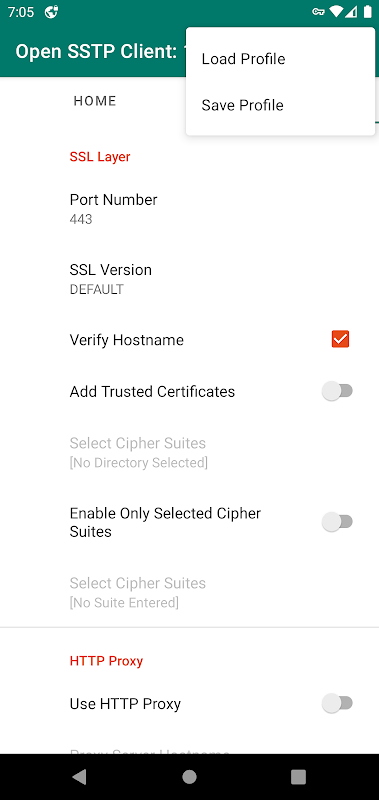
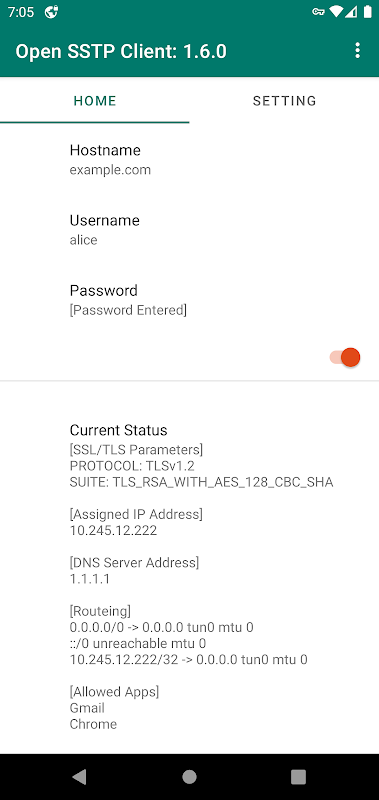

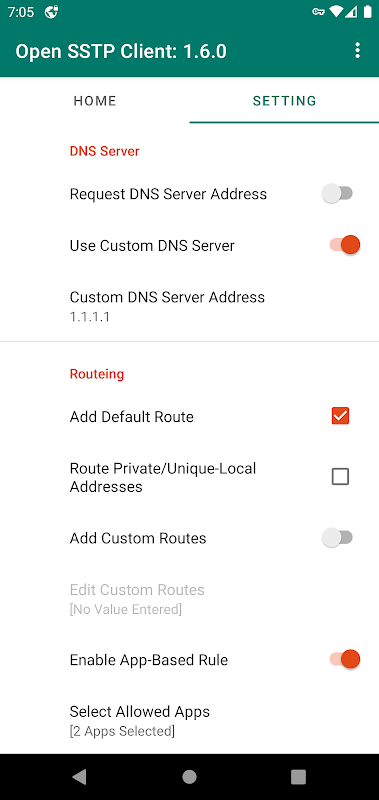
This is a VPN client app for Secure Socket Tunneling Protocol.
Features:
- Simple for maintainability
- No Ads
- Open source (https://github.com/kittoku/Open-SSTP-Client)
License:
This app and its source code are under MIT License. I'll do my best, but be sure that you use this app at your own risk.
Notice:
- Only SoftEther server is officially supported.
- This app uses VpnService class to establish SSTP connections.
False positive detections:
I tested this app's apk on VirusTotal and confirmed nothing detected as of 2022-11-18. I think I made this app as secure as I can by publishing its source, but it seems that some anti-virus softwares are still warning about this app. I'm sorry to say I cannot handle all false positive detections alone. Your available options may be,
1. Ignore the alert.
2. Submit a false positive report to your anti-virus software's vendor.
3. Build this app from its source.
4. Try another SSTP client.
I hope you will achieve secure communication in some way.
Open SSTP Client is an open-source implementation of the Secure Socket Tunneling Protocol (SSTP) for Linux, Windows, and macOS. SSTP is a VPN protocol that encrypts data in transit between a client and a server, providing a secure connection over an untrusted network.
Features
* Open source and free to use
* Supports SSTP encryption
* Cross-platform compatibility
* Easy to configure and use
* Command-line interface for advanced users
Benefits
* Provides a secure connection over untrusted networks
* Protects data from eavesdropping and interception
* Can be used to bypass firewalls and censorship
* Can be used to access geo-restricted content
How to Use
1. Install Open SSTP Client on your device.
2. Configure the client with the following information:
* Server address
* Username
* Password
3. Connect to the VPN server.
4. Once connected, all traffic will be encrypted and routed through the VPN tunnel.
Troubleshooting
* If you are having trouble connecting to the VPN server, check the following:
* Make sure that the server address is correct.
* Make sure that your username and password are correct.
* Make sure that the VPN server is online.
* If you are still having trouble, you can consult the Open SSTP Client documentation or contact the VPN server provider for support.
Conclusion
Open SSTP Client is a powerful and easy-to-use VPN client that provides a secure connection over untrusted networks. It is a great choice for users who need to protect their privacy and security online.
This is a VPN client app for Secure Socket Tunneling Protocol.
Features:
- Simple for maintainability
- No Ads
- Open source (https://github.com/kittoku/Open-SSTP-Client)
License:
This app and its source code are under MIT License. I'll do my best, but be sure that you use this app at your own risk.
Notice:
- Only SoftEther server is officially supported.
- This app uses VpnService class to establish SSTP connections.
False positive detections:
I tested this app's apk on VirusTotal and confirmed nothing detected as of 2022-11-18. I think I made this app as secure as I can by publishing its source, but it seems that some anti-virus softwares are still warning about this app. I'm sorry to say I cannot handle all false positive detections alone. Your available options may be,
1. Ignore the alert.
2. Submit a false positive report to your anti-virus software's vendor.
3. Build this app from its source.
4. Try another SSTP client.
I hope you will achieve secure communication in some way.
Open SSTP Client is an open-source implementation of the Secure Socket Tunneling Protocol (SSTP) for Linux, Windows, and macOS. SSTP is a VPN protocol that encrypts data in transit between a client and a server, providing a secure connection over an untrusted network.
Features
* Open source and free to use
* Supports SSTP encryption
* Cross-platform compatibility
* Easy to configure and use
* Command-line interface for advanced users
Benefits
* Provides a secure connection over untrusted networks
* Protects data from eavesdropping and interception
* Can be used to bypass firewalls and censorship
* Can be used to access geo-restricted content
How to Use
1. Install Open SSTP Client on your device.
2. Configure the client with the following information:
* Server address
* Username
* Password
3. Connect to the VPN server.
4. Once connected, all traffic will be encrypted and routed through the VPN tunnel.
Troubleshooting
* If you are having trouble connecting to the VPN server, check the following:
* Make sure that the server address is correct.
* Make sure that your username and password are correct.
* Make sure that the VPN server is online.
* If you are still having trouble, you can consult the Open SSTP Client documentation or contact the VPN server provider for support.
Conclusion
Open SSTP Client is a powerful and easy-to-use VPN client that provides a secure connection over untrusted networks. It is a great choice for users who need to protect their privacy and security online.





