


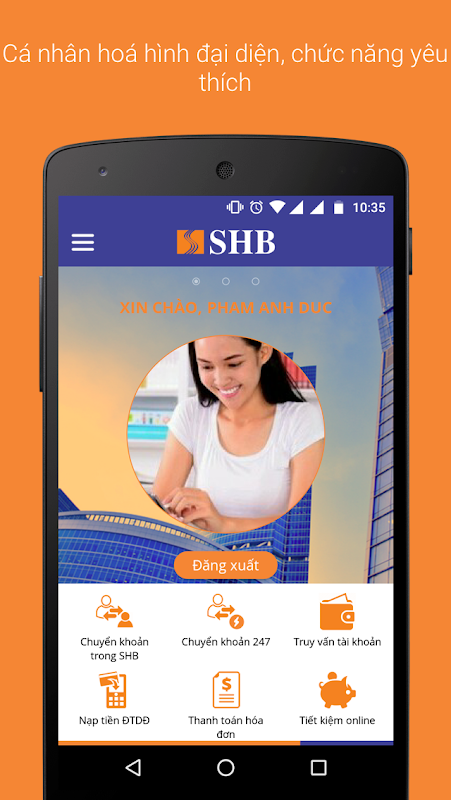
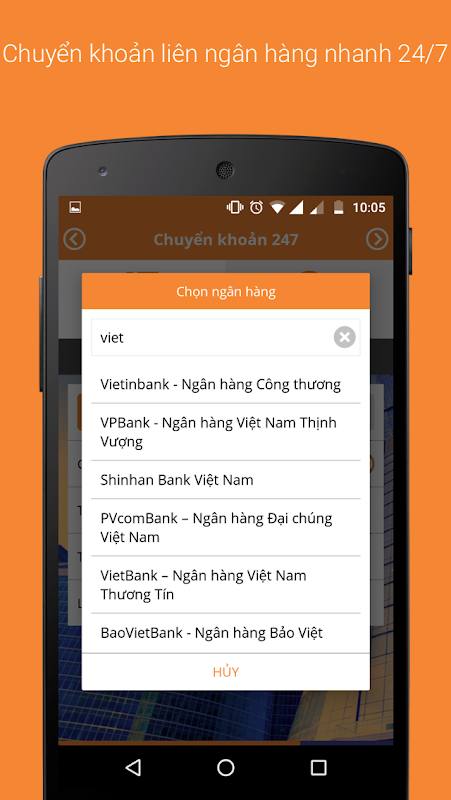
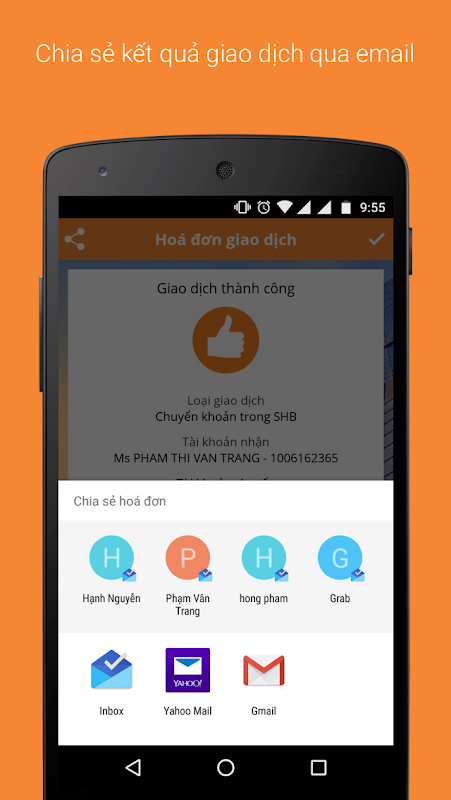

SHB Mobile gives you a secure and convenient way to do transaction with bank anywhere, anytime. With this application, you can:
- SHB Smart OTP
- Check your account balance and your transaction history.
- Transfer instantly to another SHB's account and another bank's account.
- Open/ Close online savings
- TOP-UP your mobile phone, prepaid services (game online, e-wallet....)
- Pay many types of bills: mobile phone, landline phone, Internet, electricity,…
- Buy airline tickets, railway tickets
- Card services: view information, change spending limit, lock/ unlock card
- View interest rate, exchange rate, promotion.
- Find ATM locations and SHB branches near you.
You can register online at https://ibanking.shb.com.vn/ if you have already registered Internet Banking service or go to any SHB branches.
For further information, please call 1800 5888 56 (toll free) or visit http://www.shb.com.vn.
===Support URL====
https://ibanking.shb.com.vn/
===Marketing URL====
https://ibanking.shb.com.vn/
Introduction
SHB Mobile Banking is a convenient and secure mobile application offered by Saigon-Hanoi Commercial Joint Stock Bank (SHB). It empowers customers to manage their finances on the go, anytime, anywhere. This comprehensive guide will provide an in-depth overview of SHB Mobile Banking, highlighting its features, benefits, and usage instructions.
Features
* Account Management: View account balances, transaction history, and statements for all linked SHB accounts.
* Fund Transfers: Transfer funds seamlessly within SHB accounts or to other banks via domestic and international transfer options.
* Bill Payments: Pay utility bills, credit card bills, and other recurring expenses conveniently.
* Mobile Top-Up: Purchase airtime and data bundles for your mobile phone with ease.
* QR Code Payments: Scan QR codes to make instant payments at merchants that support SHB's QR Pay feature.
* Card Management: Activate, deactivate, and manage your SHB debit and credit cards.
* Personalization: Customize your app experience by setting transaction limits, enabling push notifications, and managing beneficiaries.
* Security: Enhanced security measures such as biometric authentication, OTP (One-Time Password) verification, and transaction confirmation messages ensure the safety of your financial data.
Benefits
* Convenience: Access your finances anytime, anywhere, without the need to visit a physical branch.
* Time-Saving: Streamline your banking tasks with quick and easy-to-use features.
* Cost-Effective: Save on banking fees by conducting transactions through the app.
* Security: Protect your finances with robust security protocols and advanced encryption technologies.
* 24/7 Support: Get assistance from SHB's dedicated customer support team whenever you need it.
Usage Instructions
Registration:
1. Download the SHB Mobile Banking app from the App Store (iOS) or Google Play (Android).
2. Open the app and select "Register."
3. Enter your SHB account number and phone number associated with the account.
4. Follow the on-screen instructions to complete the registration process.
Login:
1. Open the SHB Mobile Banking app.
2. Enter your username and password.
3. Use biometric authentication (e.g., fingerprint or facial recognition) for added security.
Account Management:
1. Tap on the "Account" tab.
2. View your account balances, transaction history, and statements.
Fund Transfers:
1. Tap on the "Transfer" tab.
2. Select the source and destination accounts.
3. Enter the transfer amount and confirm the transaction.
Bill Payments:
1. Tap on the "Bill Payment" tab.
2. Select the biller and enter the payment details.
3. Confirm the payment and schedule it for execution.
Other Features:
* Explore the "More" tab to access additional features such as card management, QR code payments, and personalization options.
* Contact SHB's customer support via the "Help" section for any queries or assistance.
Conclusion
SHB Mobile Banking is a versatile and user-friendly mobile banking application that empowers customers with the convenience, security, and efficiency they need to manage their finances. By leveraging the app's comprehensive features and benefits, users can streamline their banking tasks, save time and money, and enjoy peace of mind knowing their financial data is well-protected.
SHB Mobile gives you a secure and convenient way to do transaction with bank anywhere, anytime. With this application, you can:
- SHB Smart OTP
- Check your account balance and your transaction history.
- Transfer instantly to another SHB's account and another bank's account.
- Open/ Close online savings
- TOP-UP your mobile phone, prepaid services (game online, e-wallet....)
- Pay many types of bills: mobile phone, landline phone, Internet, electricity,…
- Buy airline tickets, railway tickets
- Card services: view information, change spending limit, lock/ unlock card
- View interest rate, exchange rate, promotion.
- Find ATM locations and SHB branches near you.
You can register online at https://ibanking.shb.com.vn/ if you have already registered Internet Banking service or go to any SHB branches.
For further information, please call 1800 5888 56 (toll free) or visit http://www.shb.com.vn.
===Support URL====
https://ibanking.shb.com.vn/
===Marketing URL====
https://ibanking.shb.com.vn/
Introduction
SHB Mobile Banking is a convenient and secure mobile application offered by Saigon-Hanoi Commercial Joint Stock Bank (SHB). It empowers customers to manage their finances on the go, anytime, anywhere. This comprehensive guide will provide an in-depth overview of SHB Mobile Banking, highlighting its features, benefits, and usage instructions.
Features
* Account Management: View account balances, transaction history, and statements for all linked SHB accounts.
* Fund Transfers: Transfer funds seamlessly within SHB accounts or to other banks via domestic and international transfer options.
* Bill Payments: Pay utility bills, credit card bills, and other recurring expenses conveniently.
* Mobile Top-Up: Purchase airtime and data bundles for your mobile phone with ease.
* QR Code Payments: Scan QR codes to make instant payments at merchants that support SHB's QR Pay feature.
* Card Management: Activate, deactivate, and manage your SHB debit and credit cards.
* Personalization: Customize your app experience by setting transaction limits, enabling push notifications, and managing beneficiaries.
* Security: Enhanced security measures such as biometric authentication, OTP (One-Time Password) verification, and transaction confirmation messages ensure the safety of your financial data.
Benefits
* Convenience: Access your finances anytime, anywhere, without the need to visit a physical branch.
* Time-Saving: Streamline your banking tasks with quick and easy-to-use features.
* Cost-Effective: Save on banking fees by conducting transactions through the app.
* Security: Protect your finances with robust security protocols and advanced encryption technologies.
* 24/7 Support: Get assistance from SHB's dedicated customer support team whenever you need it.
Usage Instructions
Registration:
1. Download the SHB Mobile Banking app from the App Store (iOS) or Google Play (Android).
2. Open the app and select "Register."
3. Enter your SHB account number and phone number associated with the account.
4. Follow the on-screen instructions to complete the registration process.
Login:
1. Open the SHB Mobile Banking app.
2. Enter your username and password.
3. Use biometric authentication (e.g., fingerprint or facial recognition) for added security.
Account Management:
1. Tap on the "Account" tab.
2. View your account balances, transaction history, and statements.
Fund Transfers:
1. Tap on the "Transfer" tab.
2. Select the source and destination accounts.
3. Enter the transfer amount and confirm the transaction.
Bill Payments:
1. Tap on the "Bill Payment" tab.
2. Select the biller and enter the payment details.
3. Confirm the payment and schedule it for execution.
Other Features:
* Explore the "More" tab to access additional features such as card management, QR code payments, and personalization options.
* Contact SHB's customer support via the "Help" section for any queries or assistance.
Conclusion
SHB Mobile Banking is a versatile and user-friendly mobile banking application that empowers customers with the convenience, security, and efficiency they need to manage their finances. By leveraging the app's comprehensive features and benefits, users can streamline their banking tasks, save time and money, and enjoy peace of mind knowing their financial data is well-protected.





