


Increase sales, save time and reduce costs by using CloudShop. Over 6000 retail businesses in 28 countries choose CloudShop to run their POS and store management platform.
Store management
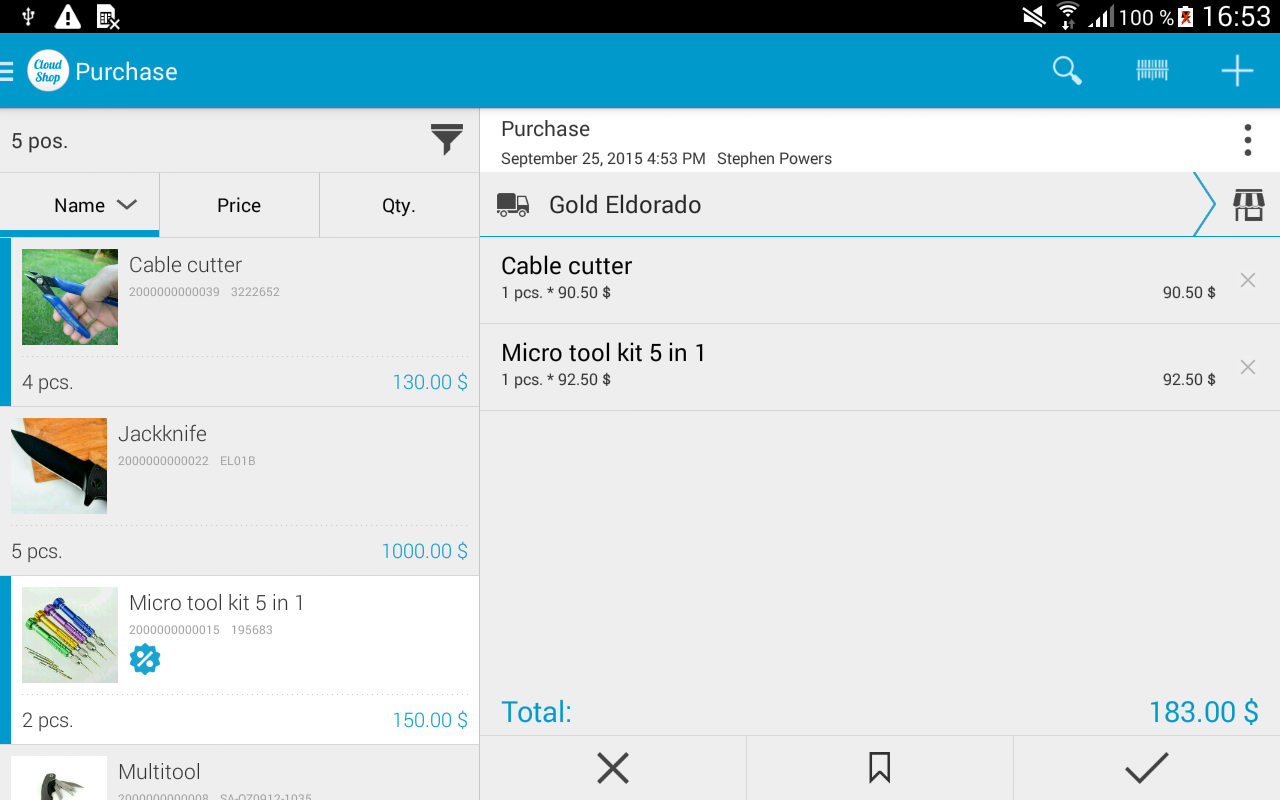
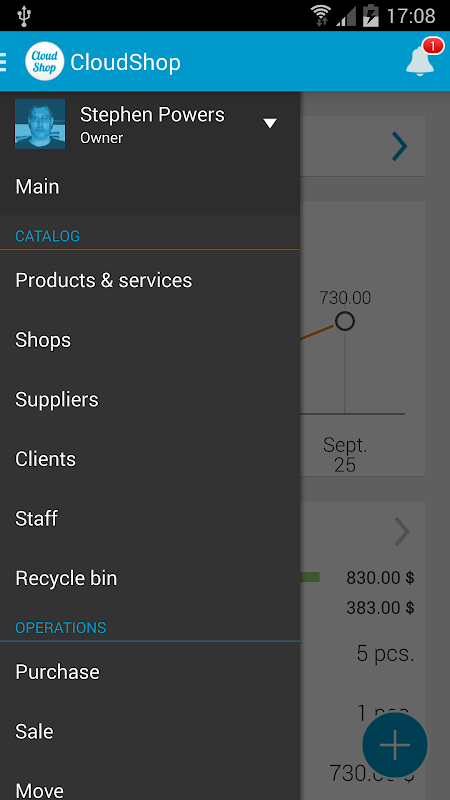
Manage your retail business with any number of store locations with global inventory control across all of them. List of shops, clients, employees and goods/services are always at hand on your mobile device.
Customer control
Manage your customer and vendor base , loyalty programs and individual discounts. Complete history of purchases and sales for each client.
Staff management
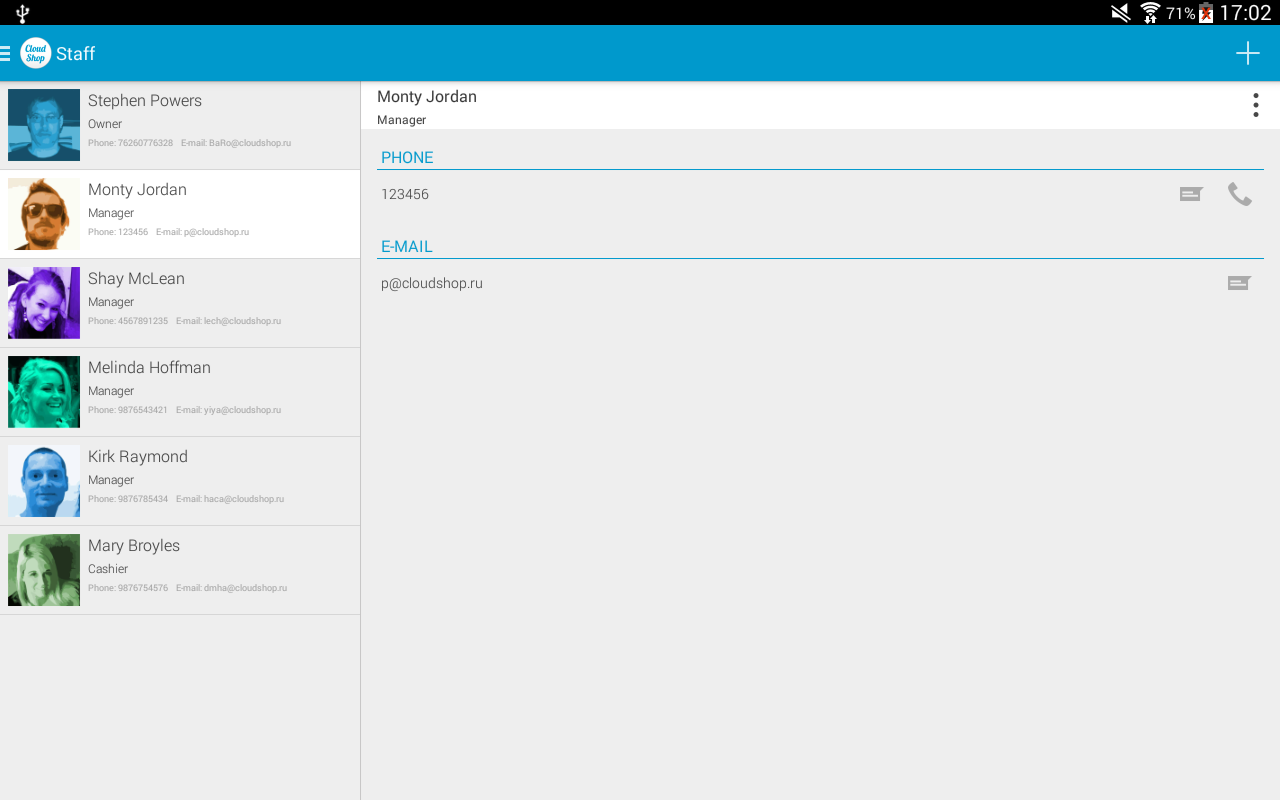
Create individual employee profiles with roles, access control and permissions. Cashier may not be allowed to view costs and margin but only prices while only Manager may be allowed to hire/fire staff, etc.
Realtime reports
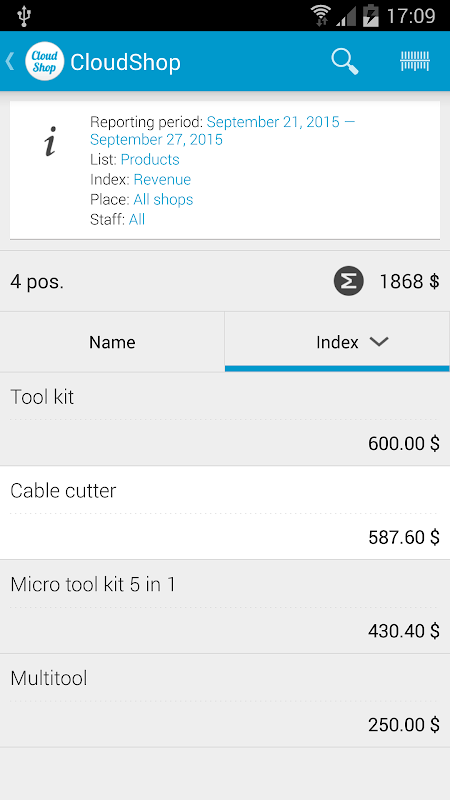
Dive into detailed information about every transaction in real time or view summary reports by store, location, etc. for the overall business performance.
Introduction
Inventory management is crucial for any retail business. An efficient inventory management system helps businesses track their stock levels, optimize orders, prevent stockouts, and reduce losses due to overstocking or spoilage. In today's digital age, store inventory management apps offer a convenient and cost-effective solution for businesses of all sizes.
Key Features of a Store Inventory Management App
A comprehensive store inventory management app typically offers a range of features to streamline inventory management processes, including:
* Item Management: Create and maintain a detailed database of all inventory items, including product descriptions, SKUs, barcodes, and images.
* Stock Level Tracking: Real-time tracking of inventory levels across multiple locations, providing accurate visibility into stock availability.
* Order Management: Efficient order processing, including order creation, tracking, and fulfillment.
* Purchase Order Management: Automated generation and management of purchase orders to replenish stock levels.
* Receiving and Put-Away: Simplified receiving and put-away processes, ensuring accurate inventory updates and efficient warehouse operations.
* Stock Adjustments: Flexible adjustment options for inventory changes due to returns, damages, or stock transfers.
* Reporting and Analytics: Comprehensive reporting and analytics to monitor inventory performance, identify trends, and make informed decisions.
Benefits of Using a Store Inventory Management App
Implementing a store inventory management app offers numerous benefits for businesses:
* Improved Accuracy: Real-time inventory tracking eliminates manual errors and ensures accurate stock levels.
* Reduced Stockouts: Accurate inventory visibility helps prevent stockouts, ensuring customer satisfaction and sales opportunities.
* Optimized Ordering: Automated purchase order generation based on inventory levels optimizes ordering quantities and minimizes overstocking.
* Increased Efficiency: Streamlined inventory processes, such as receiving and put-away, save time and improve warehouse productivity.
* Better Decision-Making: Comprehensive reporting and analytics provide insights into inventory performance, enabling data-driven decision-making.
Choosing the Right Store Inventory Management App
Selecting the right store inventory management app is crucial for businesses. Consider the following factors when choosing an app:
* Business Size and Needs: Choose an app that meets the specific requirements of your business size and industry.
* Features and Functionality: Ensure the app offers the features you need, such as item management, stock level tracking, and order management.
* Integration: Consider apps that integrate with your existing systems, such as POS or accounting software.
* Cost and Pricing: Evaluate the cost of the app and its pricing model to ensure it fits within your budget.
* Support and Customer Service: Look for apps that provide reliable support and customer service to ensure a smooth implementation and ongoing assistance.
Conclusion
Store inventory management apps are essential tools for businesses looking to streamline inventory processes, improve accuracy, reduce stockouts, and optimize ordering. By choosing the right app and implementing it effectively, businesses can unlock the benefits of efficient inventory management and drive growth and profitability.
Increase sales, save time and reduce costs by using CloudShop. Over 6000 retail businesses in 28 countries choose CloudShop to run their POS and store management platform.
Store management
Manage your retail business with any number of store locations with global inventory control across all of them. List of shops, clients, employees and goods/services are always at hand on your mobile device.
Customer control
Manage your customer and vendor base , loyalty programs and individual discounts. Complete history of purchases and sales for each client.
Staff management
Create individual employee profiles with roles, access control and permissions. Cashier may not be allowed to view costs and margin but only prices while only Manager may be allowed to hire/fire staff, etc.
Realtime reports
Dive into detailed information about every transaction in real time or view summary reports by store, location, etc. for the overall business performance.
Introduction
Inventory management is crucial for any retail business. An efficient inventory management system helps businesses track their stock levels, optimize orders, prevent stockouts, and reduce losses due to overstocking or spoilage. In today's digital age, store inventory management apps offer a convenient and cost-effective solution for businesses of all sizes.
Key Features of a Store Inventory Management App
A comprehensive store inventory management app typically offers a range of features to streamline inventory management processes, including:
* Item Management: Create and maintain a detailed database of all inventory items, including product descriptions, SKUs, barcodes, and images.
* Stock Level Tracking: Real-time tracking of inventory levels across multiple locations, providing accurate visibility into stock availability.
* Order Management: Efficient order processing, including order creation, tracking, and fulfillment.
* Purchase Order Management: Automated generation and management of purchase orders to replenish stock levels.
* Receiving and Put-Away: Simplified receiving and put-away processes, ensuring accurate inventory updates and efficient warehouse operations.
* Stock Adjustments: Flexible adjustment options for inventory changes due to returns, damages, or stock transfers.
* Reporting and Analytics: Comprehensive reporting and analytics to monitor inventory performance, identify trends, and make informed decisions.
Benefits of Using a Store Inventory Management App
Implementing a store inventory management app offers numerous benefits for businesses:
* Improved Accuracy: Real-time inventory tracking eliminates manual errors and ensures accurate stock levels.
* Reduced Stockouts: Accurate inventory visibility helps prevent stockouts, ensuring customer satisfaction and sales opportunities.
* Optimized Ordering: Automated purchase order generation based on inventory levels optimizes ordering quantities and minimizes overstocking.
* Increased Efficiency: Streamlined inventory processes, such as receiving and put-away, save time and improve warehouse productivity.
* Better Decision-Making: Comprehensive reporting and analytics provide insights into inventory performance, enabling data-driven decision-making.
Choosing the Right Store Inventory Management App
Selecting the right store inventory management app is crucial for businesses. Consider the following factors when choosing an app:
* Business Size and Needs: Choose an app that meets the specific requirements of your business size and industry.
* Features and Functionality: Ensure the app offers the features you need, such as item management, stock level tracking, and order management.
* Integration: Consider apps that integrate with your existing systems, such as POS or accounting software.
* Cost and Pricing: Evaluate the cost of the app and its pricing model to ensure it fits within your budget.
* Support and Customer Service: Look for apps that provide reliable support and customer service to ensure a smooth implementation and ongoing assistance.
Conclusion
Store inventory management apps are essential tools for businesses looking to streamline inventory processes, improve accuracy, reduce stockouts, and optimize ordering. By choosing the right app and implementing it effectively, businesses can unlock the benefits of efficient inventory management and drive growth and profitability.





