


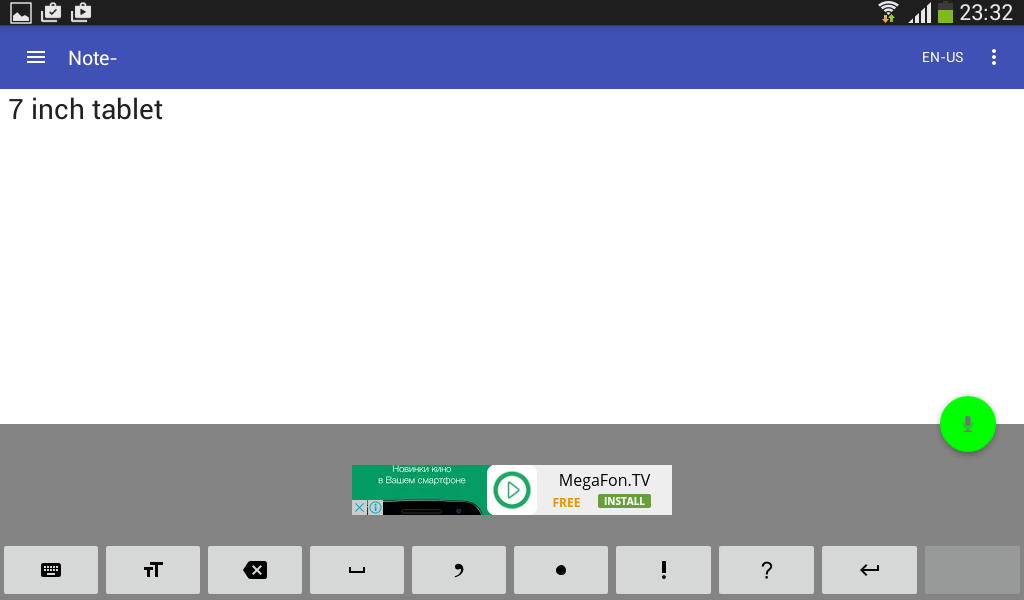
The speech to text application that allows you to take voice notes and save them locally or send them to cloud services. Suitable for communication with deaf people.
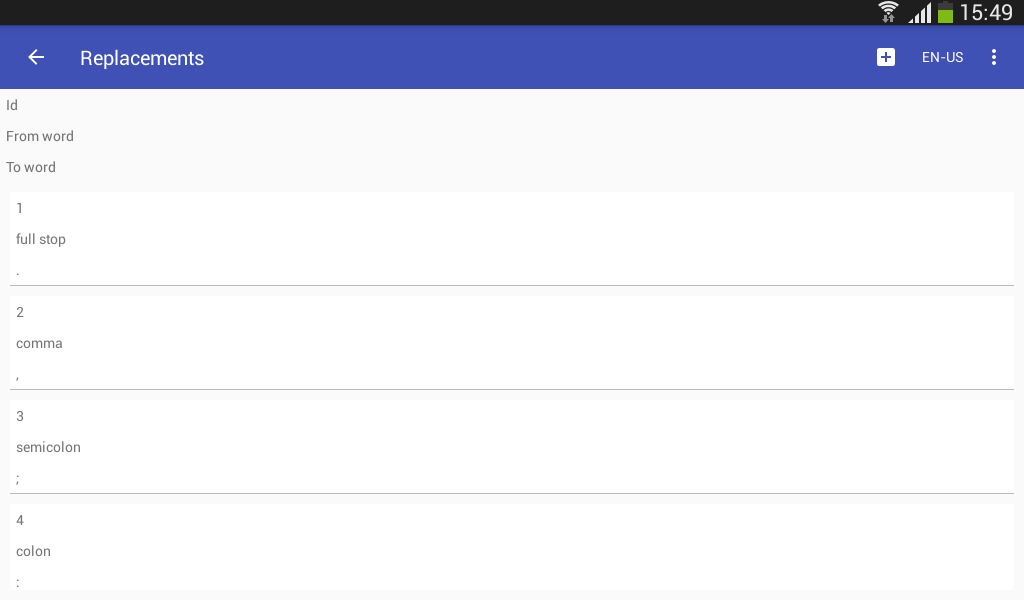
Supports a customizable list of replaceable words and punctuation for voice input; continuous speech recognition; letter capitalization control; undo command for the last speech input, triggered by a button or by voice.
Can recognize speech in online and in offline mode (offline mode not available for some devices and languages).
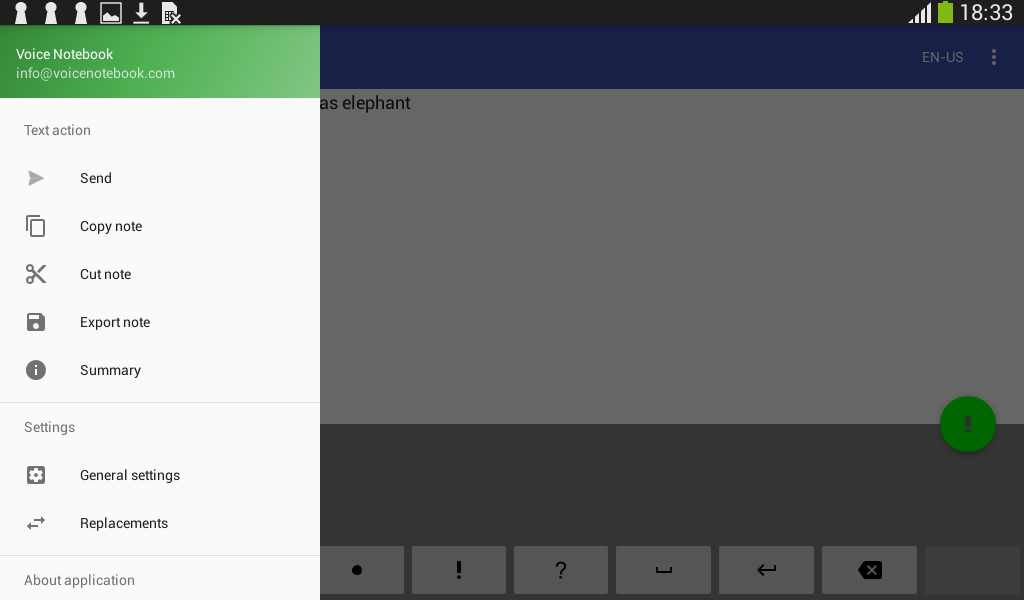
Contains words and characters counter. Convenient for bilingual voice input. Exports notes to Documents or Download folder or sends them to any text program. Can import text files from file managers or Google drive.
Allows you to save backup copies of notes with a customizable history depth.
Has a widget for convenient start. Integrated with Google Assistant, note recording can be started and stopped by voice.
The notes can be read aloud by android TTS engine.
Requirements for work:
1. The application uses default Android speech recognizer and optimized to use voice input from Google, so the device (phone or tablet) must have Google speech recognizer App installed and updated(!)
2. To improve the speech recognition it is desirable to have an Internet connection and also need to install a language pack for local voice recognition. Without a local language pack, if the Internet is lost, the application will stop and give an error. To install the package, read the application help.
Since version 2.1.5 include Wear OS App. Wear OS app Includes complication for easy starting.
Premium mode removes ads and unlock settings for:
Dark Mode (gives you more time for dictation)
"Always on Screen" mode with non stopping dictation
Setting Predefined email for sending voice notes by minimum clicks
Live word counter
Bluetooth support
Inserting date stamp in the beginning of new note
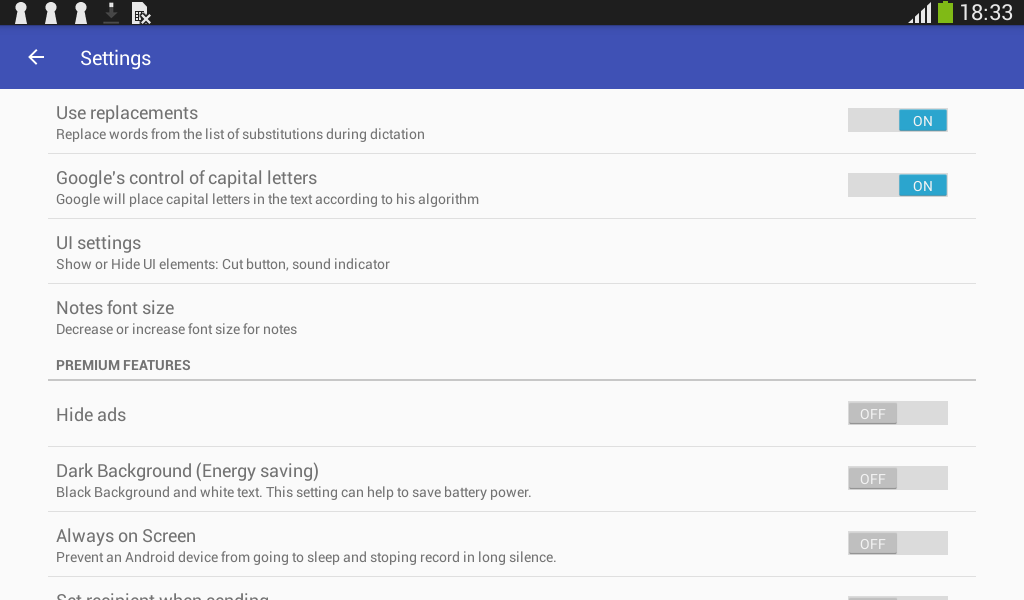
Premium settings are located at the bottom of the general settings page in the mobile version of the app. Premium mode only applies to the mobile version and does not apply to the Wear OS version.
Voice Notebook is a robust speech-to-text (STT) application that empowers users to effortlessly transcribe spoken words into written text. Its advanced AI-powered engine delivers highly accurate transcriptions in real-time, making it an indispensable tool for a wide range of use cases.
Key Features:
* Real-Time Transcription: Voice Notebook transcribes speech into text as it's spoken, providing immediate and accurate results.
* Multi-Language Support: The app supports over 120 languages, ensuring seamless transcription regardless of the speaker's native tongue.
* Customizable Vocabulary: Users can create custom vocabularies to optimize transcription accuracy for specific domains or industries.
* Advanced Noise Cancellation: Voice Notebook effectively filters out background noise, ensuring clear and accurate transcriptions even in noisy environments.
* Integration with Other Apps: The app integrates seamlessly with other productivity tools, allowing users to import and export transcripts effortlessly.
Benefits:
* Enhanced Productivity: Voice Notebook eliminates the need for manual transcription, saving time and improving efficiency.
* Improved Accuracy: The AI-powered engine delivers highly accurate transcriptions, reducing the risk of errors and misinterpretations.
* Enhanced Accessibility: The app makes communication more accessible for individuals with hearing impairments or language barriers.
* Versatile Applications: Voice Notebook finds applications in various fields, including journalism, education, business, and healthcare.
Use Cases:
* Journalism: Journalists can use Voice Notebook to transcribe interviews, speeches, and press conferences, speeding up the reporting process.
* Education: Students can record lectures and transcribe them for review and study, improving comprehension and retention.
* Business: Business professionals can transcribe meetings, presentations, and client calls to capture important information and follow up efficiently.
* Healthcare: Medical professionals can use Voice Notebook to document patient interactions, reducing errors and improving patient care.
Conclusion:
Voice Notebook is an invaluable tool for anyone seeking to streamline transcription tasks and improve communication accuracy. Its advanced features, versatility, and ease of use make it an essential addition to the productivity toolkit of individuals and organizations alike.
The speech to text application that allows you to take voice notes and save them locally or send them to cloud services. Suitable for communication with deaf people.
Supports a customizable list of replaceable words and punctuation for voice input; continuous speech recognition; letter capitalization control; undo command for the last speech input, triggered by a button or by voice.
Can recognize speech in online and in offline mode (offline mode not available for some devices and languages).
Contains words and characters counter. Convenient for bilingual voice input. Exports notes to Documents or Download folder or sends them to any text program. Can import text files from file managers or Google drive.
Allows you to save backup copies of notes with a customizable history depth.
Has a widget for convenient start. Integrated with Google Assistant, note recording can be started and stopped by voice.
The notes can be read aloud by android TTS engine.
Requirements for work:
1. The application uses default Android speech recognizer and optimized to use voice input from Google, so the device (phone or tablet) must have Google speech recognizer App installed and updated(!)
2. To improve the speech recognition it is desirable to have an Internet connection and also need to install a language pack for local voice recognition. Without a local language pack, if the Internet is lost, the application will stop and give an error. To install the package, read the application help.
Since version 2.1.5 include Wear OS App. Wear OS app Includes complication for easy starting.
Premium mode removes ads and unlock settings for:
Dark Mode (gives you more time for dictation)
"Always on Screen" mode with non stopping dictation
Setting Predefined email for sending voice notes by minimum clicks
Live word counter
Bluetooth support
Inserting date stamp in the beginning of new note
Premium settings are located at the bottom of the general settings page in the mobile version of the app. Premium mode only applies to the mobile version and does not apply to the Wear OS version.
Voice Notebook is a robust speech-to-text (STT) application that empowers users to effortlessly transcribe spoken words into written text. Its advanced AI-powered engine delivers highly accurate transcriptions in real-time, making it an indispensable tool for a wide range of use cases.
Key Features:
* Real-Time Transcription: Voice Notebook transcribes speech into text as it's spoken, providing immediate and accurate results.
* Multi-Language Support: The app supports over 120 languages, ensuring seamless transcription regardless of the speaker's native tongue.
* Customizable Vocabulary: Users can create custom vocabularies to optimize transcription accuracy for specific domains or industries.
* Advanced Noise Cancellation: Voice Notebook effectively filters out background noise, ensuring clear and accurate transcriptions even in noisy environments.
* Integration with Other Apps: The app integrates seamlessly with other productivity tools, allowing users to import and export transcripts effortlessly.
Benefits:
* Enhanced Productivity: Voice Notebook eliminates the need for manual transcription, saving time and improving efficiency.
* Improved Accuracy: The AI-powered engine delivers highly accurate transcriptions, reducing the risk of errors and misinterpretations.
* Enhanced Accessibility: The app makes communication more accessible for individuals with hearing impairments or language barriers.
* Versatile Applications: Voice Notebook finds applications in various fields, including journalism, education, business, and healthcare.
Use Cases:
* Journalism: Journalists can use Voice Notebook to transcribe interviews, speeches, and press conferences, speeding up the reporting process.
* Education: Students can record lectures and transcribe them for review and study, improving comprehension and retention.
* Business: Business professionals can transcribe meetings, presentations, and client calls to capture important information and follow up efficiently.
* Healthcare: Medical professionals can use Voice Notebook to document patient interactions, reducing errors and improving patient care.
Conclusion:
Voice Notebook is an invaluable tool for anyone seeking to streamline transcription tasks and improve communication accuracy. Its advanced features, versatility, and ease of use make it an essential addition to the productivity toolkit of individuals and organizations alike.





