



Effortlessly edit photos like a pro with Chromata AI Photo Editor
Chromata AI Photo Editor is your one-stop shop for transforming your photos into stunning masterpieces. Packed with powerful AI tools and a range of creative effects, it's the perfect app for both photo enthusiasts and editing novices.
Effortlessly Enhance Your Photos:
AI-Powered Editing: Remove backgrounds with ease using our intelligent background removal tool. Let AI handle the heavy lifting and focus on unleashing your creativity.
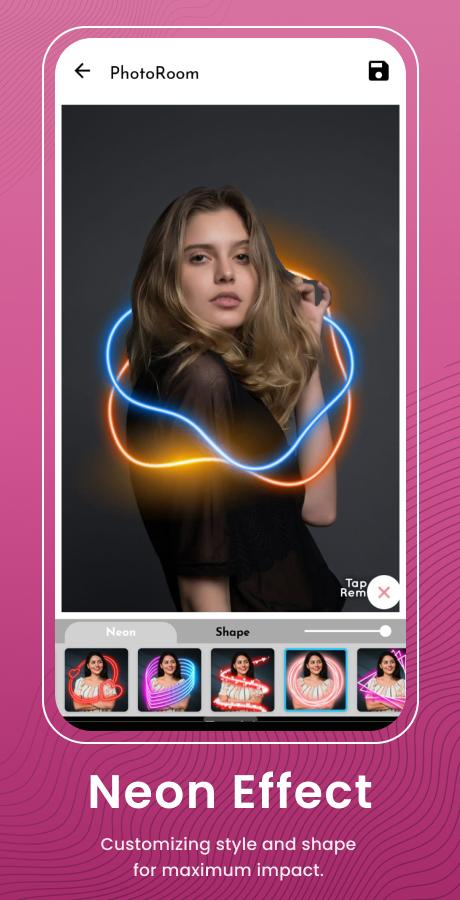
Eye-Catching Effects: Dive into a world of artistic possibilities with our vast collection of effects. From neon glows and dazzling wings to classic black and white and trendy drip art, express yourself with endless styles.
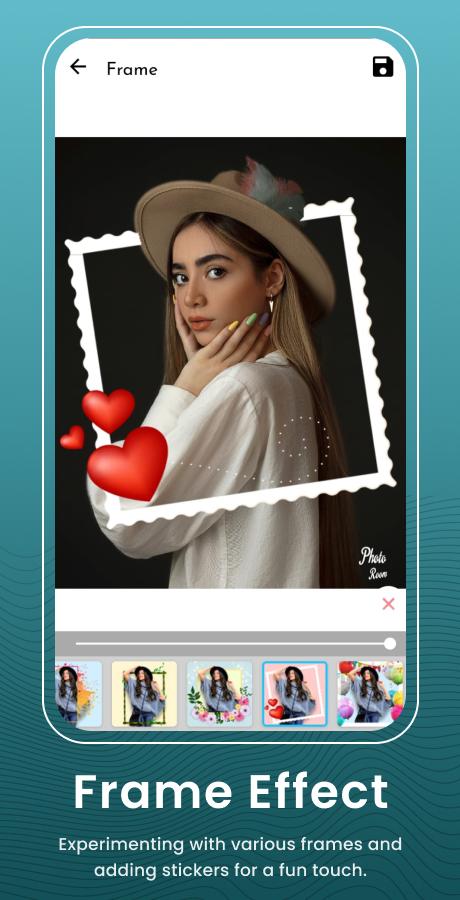
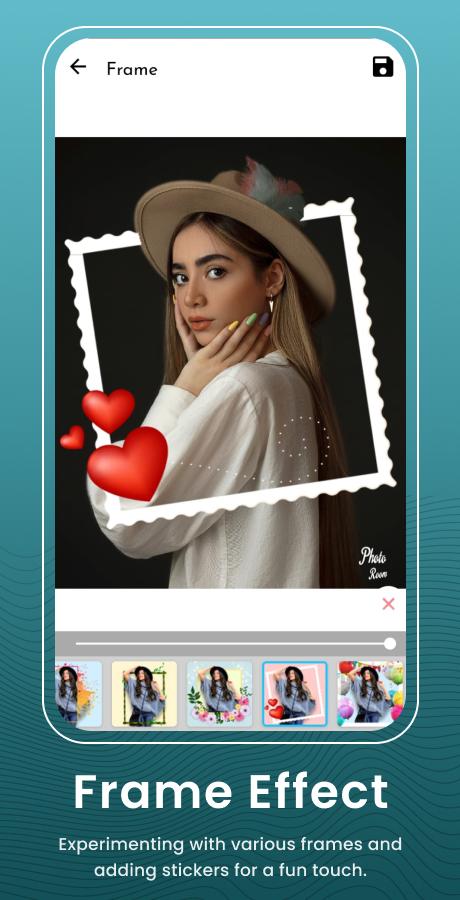
Frame & Overlay Magic: Elevate your photos with a diverse library of customizable frames and overlays. Find the perfect finishing touch to match your unique style.
Express Yourself in Every Detail:
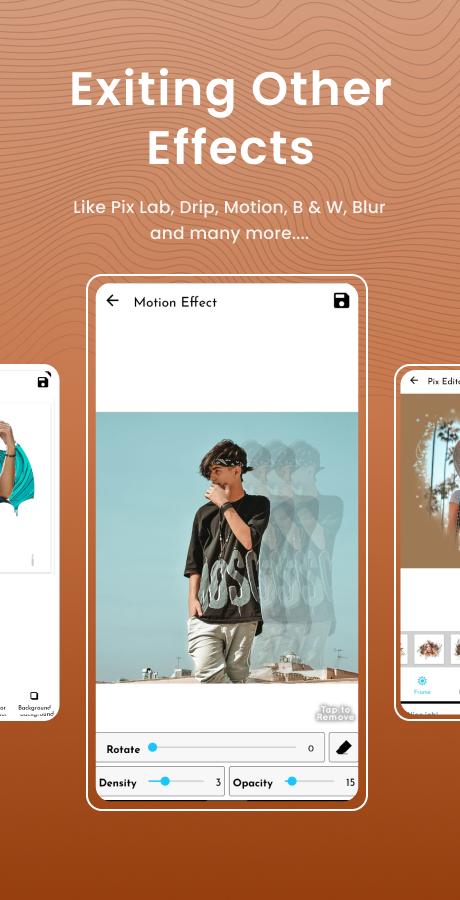
Pix Lab: Unleash your inner artist with Pix Lab, allowing you to add text, stickers, and unique effects directly onto your photos for a personalized touch.
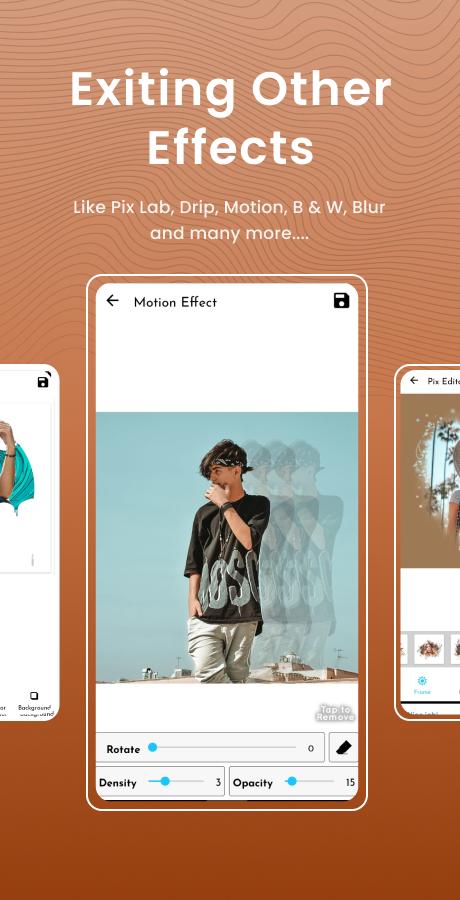
Motion Blur: Create a dynamic sense of movement with our motion blur effect, perfect for capturing the energy of action shots.
Background Blur: Put the spotlight on your subject with our adjustable background blur tool, creating a professional and polished look.
Edits Made Easy: Intuitive interface & smooth performance for a frustration-free experience.
Chromata AI Photo Editor: A Comprehensive SummaryChromata AI Photo Editor is a cutting-edge image editing software that harnesses the power of artificial intelligence (AI) to enhance and transform digital photographs. With an intuitive interface and a vast array of features, Chromata AI empowers users of all skill levels to unleash their creativity and produce stunning visual masterpieces.
Key Features
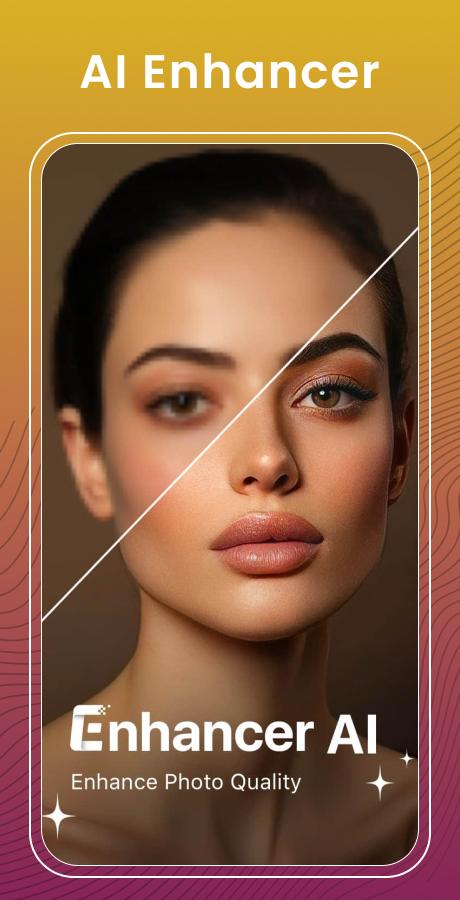
* AI-Powered Enhancements: Chromata AI employs advanced algorithms to automatically analyze and improve images. It can enhance colors, adjust lighting, remove noise, and sharpen details, resulting in vibrant and visually appealing photographs.
* Professional Editing Tools: Beyond AI enhancements, Chromata AI provides a comprehensive suite of professional editing tools. Users can crop, rotate, resize, and adjust exposure, contrast, and white balance. They can also apply filters, create masks, and make precise adjustments to specific areas of an image.
* Object Removal and Background Replacement: Chromata AI's advanced object removal feature allows users to seamlessly remove unwanted objects from their images. The AI technology intelligently fills in the background, ensuring a natural and realistic result. Additionally, users can replace the background with a custom image or a solid color.
* Portrait Retouching: Chromata AI specializes in portrait retouching, offering a range of tools specifically designed to enhance facial features. Users can smooth skin, remove blemishes, whiten teeth, and adjust eye color. The AI algorithms ensure natural-looking results, preserving the subject's unique characteristics.
* Batch Processing: Chromata AI supports batch processing, allowing users to apply edits to multiple images simultaneously. This feature is ideal for photographers who need to quickly process large volumes of photos, saving time and effort.
User Interface and Usability
Chromata AI boasts a user-friendly interface that is accessible to both beginners and experienced editors. The intuitive layout and clear labeling of tools make it easy to navigate and apply edits. The software also provides detailed documentation and tutorials to guide users through its various features.
Supported File Formats
Chromata AI supports a wide range of image file formats, including JPEG, PNG, TIFF, and RAW. This allows users to edit images from various sources, including digital cameras, smartphones, and scanners.
Conclusion
Chromata AI Photo Editor is a powerful and versatile image editing tool that combines AI technology with professional editing capabilities. Its intuitive interface, advanced features, and support for various file formats make it an ideal choice for photographers, designers, and anyone who wants to enhance their digital images. With Chromata AI, users can unlock their creativity and produce stunning visual results with ease.
Effortlessly edit photos like a pro with Chromata AI Photo Editor
Chromata AI Photo Editor is your one-stop shop for transforming your photos into stunning masterpieces. Packed with powerful AI tools and a range of creative effects, it's the perfect app for both photo enthusiasts and editing novices.
Effortlessly Enhance Your Photos:
AI-Powered Editing: Remove backgrounds with ease using our intelligent background removal tool. Let AI handle the heavy lifting and focus on unleashing your creativity.
Eye-Catching Effects: Dive into a world of artistic possibilities with our vast collection of effects. From neon glows and dazzling wings to classic black and white and trendy drip art, express yourself with endless styles.
Frame & Overlay Magic: Elevate your photos with a diverse library of customizable frames and overlays. Find the perfect finishing touch to match your unique style.
Express Yourself in Every Detail:
Pix Lab: Unleash your inner artist with Pix Lab, allowing you to add text, stickers, and unique effects directly onto your photos for a personalized touch.
Motion Blur: Create a dynamic sense of movement with our motion blur effect, perfect for capturing the energy of action shots.
Background Blur: Put the spotlight on your subject with our adjustable background blur tool, creating a professional and polished look.
Edits Made Easy: Intuitive interface & smooth performance for a frustration-free experience.
Chromata AI Photo Editor: A Comprehensive SummaryChromata AI Photo Editor is a cutting-edge image editing software that harnesses the power of artificial intelligence (AI) to enhance and transform digital photographs. With an intuitive interface and a vast array of features, Chromata AI empowers users of all skill levels to unleash their creativity and produce stunning visual masterpieces.
Key Features
* AI-Powered Enhancements: Chromata AI employs advanced algorithms to automatically analyze and improve images. It can enhance colors, adjust lighting, remove noise, and sharpen details, resulting in vibrant and visually appealing photographs.
* Professional Editing Tools: Beyond AI enhancements, Chromata AI provides a comprehensive suite of professional editing tools. Users can crop, rotate, resize, and adjust exposure, contrast, and white balance. They can also apply filters, create masks, and make precise adjustments to specific areas of an image.
* Object Removal and Background Replacement: Chromata AI's advanced object removal feature allows users to seamlessly remove unwanted objects from their images. The AI technology intelligently fills in the background, ensuring a natural and realistic result. Additionally, users can replace the background with a custom image or a solid color.
* Portrait Retouching: Chromata AI specializes in portrait retouching, offering a range of tools specifically designed to enhance facial features. Users can smooth skin, remove blemishes, whiten teeth, and adjust eye color. The AI algorithms ensure natural-looking results, preserving the subject's unique characteristics.
* Batch Processing: Chromata AI supports batch processing, allowing users to apply edits to multiple images simultaneously. This feature is ideal for photographers who need to quickly process large volumes of photos, saving time and effort.
User Interface and Usability
Chromata AI boasts a user-friendly interface that is accessible to both beginners and experienced editors. The intuitive layout and clear labeling of tools make it easy to navigate and apply edits. The software also provides detailed documentation and tutorials to guide users through its various features.
Supported File Formats
Chromata AI supports a wide range of image file formats, including JPEG, PNG, TIFF, and RAW. This allows users to edit images from various sources, including digital cameras, smartphones, and scanners.
Conclusion
Chromata AI Photo Editor is a powerful and versatile image editing tool that combines AI technology with professional editing capabilities. Its intuitive interface, advanced features, and support for various file formats make it an ideal choice for photographers, designers, and anyone who wants to enhance their digital images. With Chromata AI, users can unlock their creativity and produce stunning visual results with ease.





