


Cast & mirror movie, tv program, image, local file to chromecast, Fire TV, DLNA
If you are searching for "How to Connect Phone to TV Without HDMI?" or "How do I Cast my phone to my TV wirelessly?" or " How do I mirror my phone to my TV?", you have come to the right place.
Cast To TV - Chromecast is a 2 in 1 app - Cast movie, image, mira cast, screen mirroring phone to TV app and screen mirroring, miracast phone to TV.
Do you know you can cast videos, songs, recordings, photos from your phone to your TV? You can connect your phone to your TV and enjoy your favorite entertainment program!
TapCast - Cast phone to Firestick, Roku, Xbox, Chromecast simply has all the functions you need and more. Like a TV assist, you can share data, music, recording files, videos wirelessly via wifi network to TV without any other wires!
**** Cast features ****
- Automatically search for TV in connected wifi system
- Scan music, audio, video, image files in phone internal memory and SD card
- Smart share your video, audio, photo from phone to TV
- Arrange to play files in preset or random order
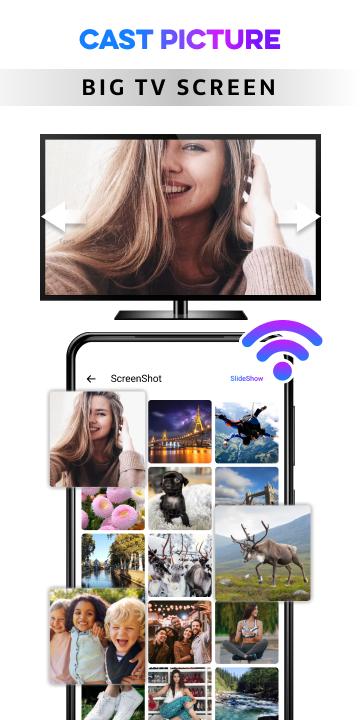
- Cast photos of your and your loved ones' impressive moments as slides.
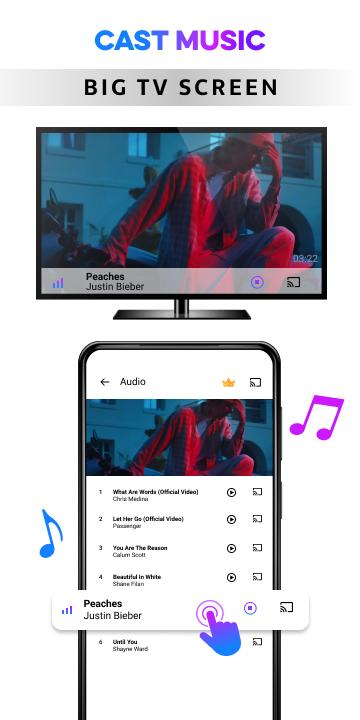
- Play back your favorite audio tracks on your TV in super sound quality
- Remote control: Volume up and down, watch the next video... just like using a normal phone
- You can project while still handling private messages, without compromising your privacy
**** Screen Mirroring features ****
✦ Show exact your phone’s screen on your desktop, laptop, smart TV. All your movements in mobile screen will display on your smart TV.
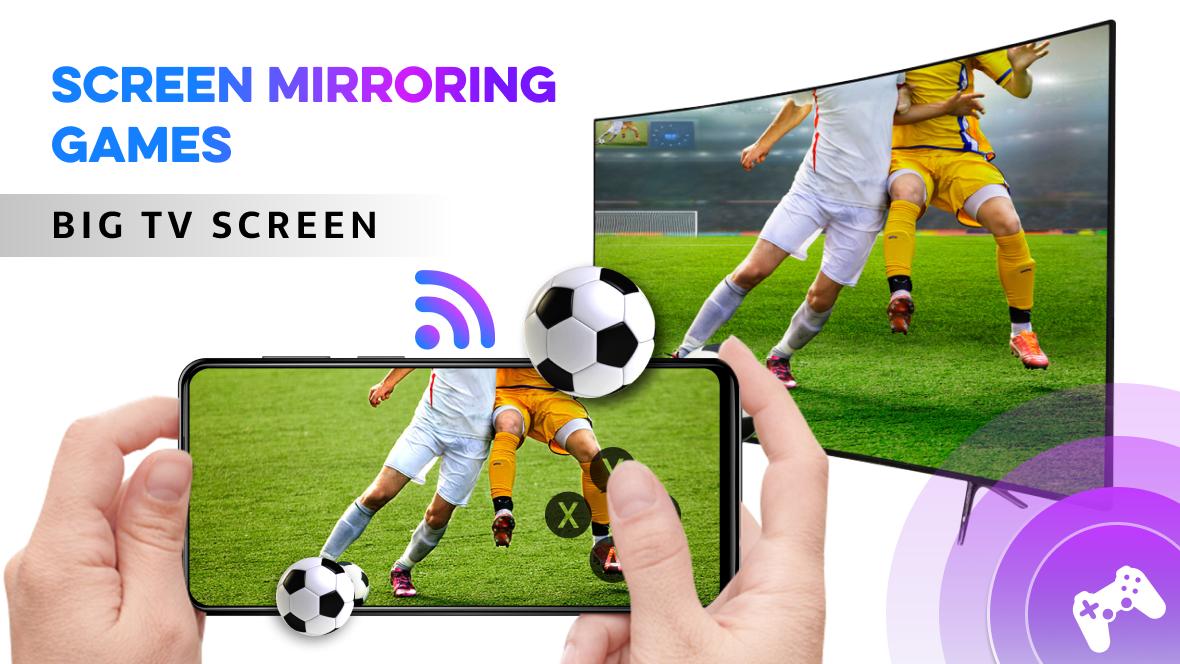
✦ Cast the mobile game or any apps to your big-screen TV
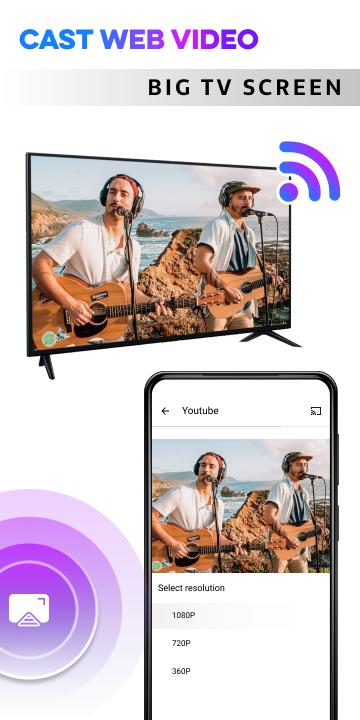
✦ Cast to TV, Live video on Twitch, YouTube and BIGO LIVE
✦ Show all media files, including photographs, audios, E-books, PDFs, and more.
✦ Show demos in an exceedingly conference, and image slideshows to your family.
✦ Screen share in period of time speed.
**** How to cast phone to tv ****
- Before you start, make sure that you check the connection conditions: You need to turn off the VPN, or the devices redirect the data.
- Connect your TV and phone to the same wifi network
- Launch the app
- Press the cast button to have the app rescan the device
- Select the video, audio, and image files you want
- Data transmission is successful, you can enjoy your favorite content without much fuss
- In addition, you can use the screen mirroring feature to browse the web, netflix... find good movies and watch them on big screen TVs
**** Some common issues ****
- Sometimes The network connection is not stable: We got a lot of feedback that sometimes the system connects, sometimes it doesn't. Solution: unplug the wifi device and then plug it back in. Then you connect your phone, your TV to wifi again, then launch the application again.
- The system does not find the TV. Solution: Please check your home wifi first, because the system needs to be connected to the same wifi network. Also you need to make sure your TV device hardware supports this feature. Please check if your phone is up to date with the operating system. TapCast software requires Android 5.0 or higher. In some cases, we have noticed that the TV also needs an operating system upgrade, please upgrade the operating system on the TV side to minimize the system errors encountered.
**** Devices we support casting ****
- Google Chromecast
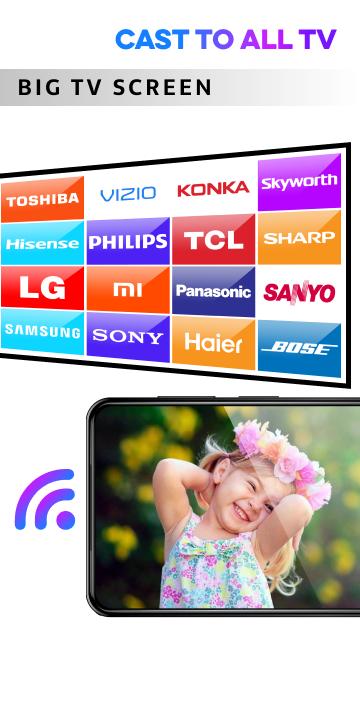
- Smart TV with chromecast built in: Vizio, Sharp, Sony, Toshiba, Philips, Polaroid, Skyworth, Soniq, LG, Samsung, Hinsense, Panasonic, Mi TV, Huawei TV, Sanyo, Daewoo, Sansui, JVC…
- Amazon Fire TV, FireStick TV
- Microsoft XBox
- Roku TV
- DLNA devices
You will love this TV Connect app when you see how easy and convenient it is to use. We hope you have free moments to relax with your favorite programs. Any suggestions, please send to email . We look forward to receiving your contribution.
What's New in the Latest Version 1.6.1
Last updated on Jun 25, 2024
Minor bug fixes and improvements. Install or update to the newest version to check it out!
Cast to TV: Phone Screen to TVCast to TV is a versatile app that seamlessly mirrors your phone's screen onto a compatible TV, allowing you to enjoy movies, photos, videos, and other content on a larger display. With its intuitive interface and wide compatibility, Cast to TV empowers you to effortlessly share your mobile experiences with others.
Seamless Screen Mirroring
Cast to TV establishes a secure connection between your phone and TV, ensuring smooth and uninterrupted screen mirroring. The app's advanced technology eliminates lag and buffering, delivering a pristine viewing experience for all your favorite content.
Wide Compatibility
Cast to TV is compatible with a vast array of devices, including smart TVs, gaming consoles, and streaming sticks. It supports popular casting protocols such as Miracast, DLNA, and AirPlay, enabling you to cast from a wide range of Android and iOS devices.
Exceptional Features
Beyond screen mirroring, Cast to TV offers a suite of exceptional features to enhance your viewing experience:
* Real-time casting: Share your phone's screen in real-time, making it ideal for presentations, video calls, and gaming.
* High-quality video and audio: Enjoy crystal-clear video and immersive audio on your TV, thanks to Cast to TV's support for high-definition content.
* Customizable settings: Adjust the resolution, frame rate, and other settings to optimize the casting experience for your specific TV and network.
Intuitive Interface
Cast to TV features an intuitive and user-friendly interface that makes it easy to navigate and control. With just a few taps, you can connect to your TV, start casting, and adjust settings.
Multiple Casting Options
Cast to TV provides multiple casting options to cater to your needs:
* Wi-Fi: Cast your screen wirelessly over a Wi-Fi network.
* HDMI cable: Connect your phone to your TV directly via an HDMI cable for a stable and high-quality connection.
Endless Possibilities
Cast to TV opens up endless possibilities for entertainment and productivity:
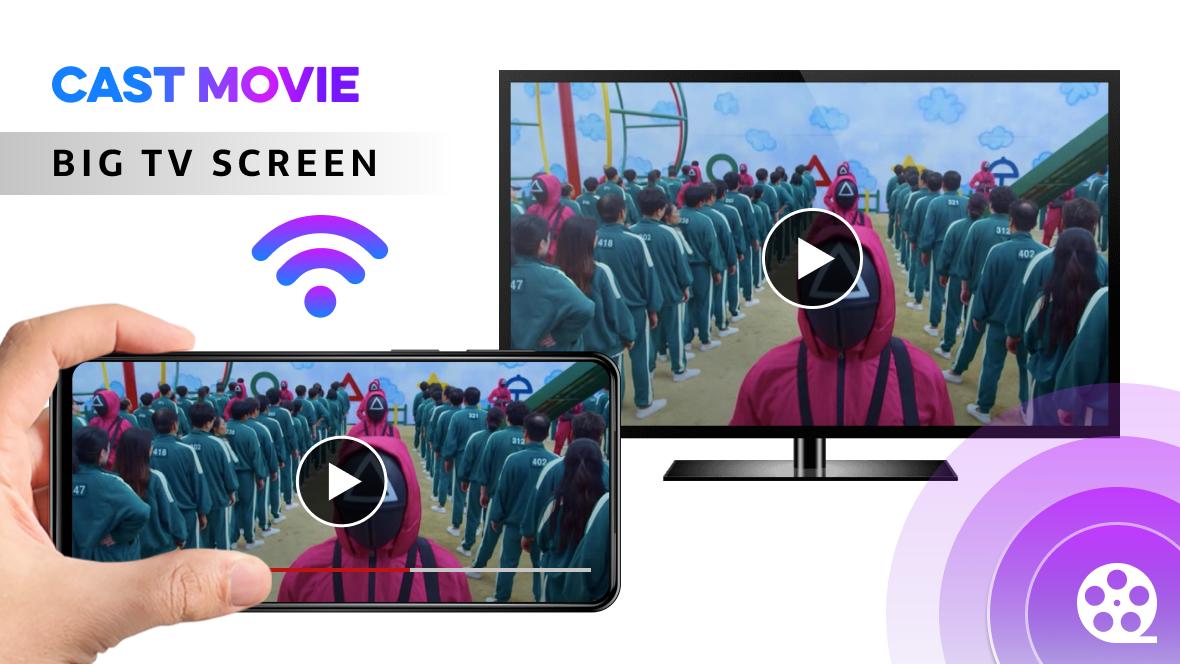
* Movie nights: Enjoy your favorite movies and TV shows on the big screen with friends and family.
* Photo and video sharing: Showcase your memories and travel experiences on a larger display.
* Gaming: Immerse yourself in mobile games on your TV for an enhanced gaming experience.
* Presentations: Deliver captivating presentations by mirroring your phone's screen onto a projector or TV.
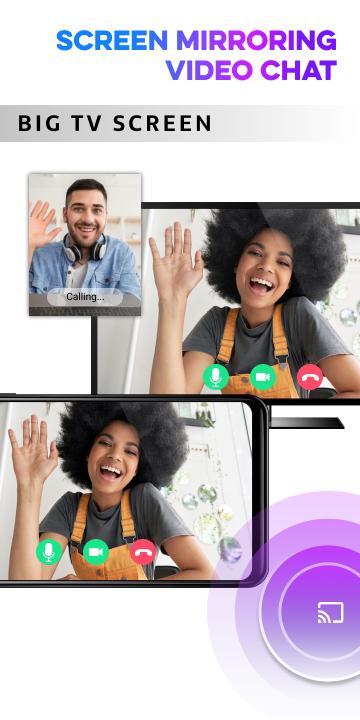
* Video calls: Connect with loved ones on a bigger screen for more personal and engaging video calls.
Enhanced User Experience
Cast to TV is constantly updated to improve the user experience and introduce new features. The app's developers are committed to providing reliable and efficient screen mirroring for all users.
Cast & mirror movie, tv program, image, local file to chromecast, Fire TV, DLNA
If you are searching for "How to Connect Phone to TV Without HDMI?" or "How do I Cast my phone to my TV wirelessly?" or " How do I mirror my phone to my TV?", you have come to the right place.
Cast To TV - Chromecast is a 2 in 1 app - Cast movie, image, mira cast, screen mirroring phone to TV app and screen mirroring, miracast phone to TV.
Do you know you can cast videos, songs, recordings, photos from your phone to your TV? You can connect your phone to your TV and enjoy your favorite entertainment program!
TapCast - Cast phone to Firestick, Roku, Xbox, Chromecast simply has all the functions you need and more. Like a TV assist, you can share data, music, recording files, videos wirelessly via wifi network to TV without any other wires!
**** Cast features ****
- Automatically search for TV in connected wifi system
- Scan music, audio, video, image files in phone internal memory and SD card
- Smart share your video, audio, photo from phone to TV
- Arrange to play files in preset or random order
- Cast photos of your and your loved ones' impressive moments as slides.
- Play back your favorite audio tracks on your TV in super sound quality
- Remote control: Volume up and down, watch the next video... just like using a normal phone
- You can project while still handling private messages, without compromising your privacy
**** Screen Mirroring features ****
✦ Show exact your phone’s screen on your desktop, laptop, smart TV. All your movements in mobile screen will display on your smart TV.
✦ Cast the mobile game or any apps to your big-screen TV
✦ Cast to TV, Live video on Twitch, YouTube and BIGO LIVE
✦ Show all media files, including photographs, audios, E-books, PDFs, and more.
✦ Show demos in an exceedingly conference, and image slideshows to your family.
✦ Screen share in period of time speed.
**** How to cast phone to tv ****
- Before you start, make sure that you check the connection conditions: You need to turn off the VPN, or the devices redirect the data.
- Connect your TV and phone to the same wifi network
- Launch the app
- Press the cast button to have the app rescan the device
- Select the video, audio, and image files you want
- Data transmission is successful, you can enjoy your favorite content without much fuss
- In addition, you can use the screen mirroring feature to browse the web, netflix... find good movies and watch them on big screen TVs
**** Some common issues ****
- Sometimes The network connection is not stable: We got a lot of feedback that sometimes the system connects, sometimes it doesn't. Solution: unplug the wifi device and then plug it back in. Then you connect your phone, your TV to wifi again, then launch the application again.
- The system does not find the TV. Solution: Please check your home wifi first, because the system needs to be connected to the same wifi network. Also you need to make sure your TV device hardware supports this feature. Please check if your phone is up to date with the operating system. TapCast software requires Android 5.0 or higher. In some cases, we have noticed that the TV also needs an operating system upgrade, please upgrade the operating system on the TV side to minimize the system errors encountered.
**** Devices we support casting ****
- Google Chromecast
- Smart TV with chromecast built in: Vizio, Sharp, Sony, Toshiba, Philips, Polaroid, Skyworth, Soniq, LG, Samsung, Hinsense, Panasonic, Mi TV, Huawei TV, Sanyo, Daewoo, Sansui, JVC…
- Amazon Fire TV, FireStick TV
- Microsoft XBox
- Roku TV
- DLNA devices
You will love this TV Connect app when you see how easy and convenient it is to use. We hope you have free moments to relax with your favorite programs. Any suggestions, please send to email . We look forward to receiving your contribution.
What's New in the Latest Version 1.6.1
Last updated on Jun 25, 2024
Minor bug fixes and improvements. Install or update to the newest version to check it out!
Cast to TV: Phone Screen to TVCast to TV is a versatile app that seamlessly mirrors your phone's screen onto a compatible TV, allowing you to enjoy movies, photos, videos, and other content on a larger display. With its intuitive interface and wide compatibility, Cast to TV empowers you to effortlessly share your mobile experiences with others.
Seamless Screen Mirroring
Cast to TV establishes a secure connection between your phone and TV, ensuring smooth and uninterrupted screen mirroring. The app's advanced technology eliminates lag and buffering, delivering a pristine viewing experience for all your favorite content.
Wide Compatibility
Cast to TV is compatible with a vast array of devices, including smart TVs, gaming consoles, and streaming sticks. It supports popular casting protocols such as Miracast, DLNA, and AirPlay, enabling you to cast from a wide range of Android and iOS devices.
Exceptional Features
Beyond screen mirroring, Cast to TV offers a suite of exceptional features to enhance your viewing experience:
* Real-time casting: Share your phone's screen in real-time, making it ideal for presentations, video calls, and gaming.
* High-quality video and audio: Enjoy crystal-clear video and immersive audio on your TV, thanks to Cast to TV's support for high-definition content.
* Customizable settings: Adjust the resolution, frame rate, and other settings to optimize the casting experience for your specific TV and network.
Intuitive Interface
Cast to TV features an intuitive and user-friendly interface that makes it easy to navigate and control. With just a few taps, you can connect to your TV, start casting, and adjust settings.
Multiple Casting Options
Cast to TV provides multiple casting options to cater to your needs:
* Wi-Fi: Cast your screen wirelessly over a Wi-Fi network.
* HDMI cable: Connect your phone to your TV directly via an HDMI cable for a stable and high-quality connection.
Endless Possibilities
Cast to TV opens up endless possibilities for entertainment and productivity:
* Movie nights: Enjoy your favorite movies and TV shows on the big screen with friends and family.
* Photo and video sharing: Showcase your memories and travel experiences on a larger display.
* Gaming: Immerse yourself in mobile games on your TV for an enhanced gaming experience.
* Presentations: Deliver captivating presentations by mirroring your phone's screen onto a projector or TV.
* Video calls: Connect with loved ones on a bigger screen for more personal and engaging video calls.
Enhanced User Experience
Cast to TV is constantly updated to improve the user experience and introduce new features. The app's developers are committed to providing reliable and efficient screen mirroring for all users.





