

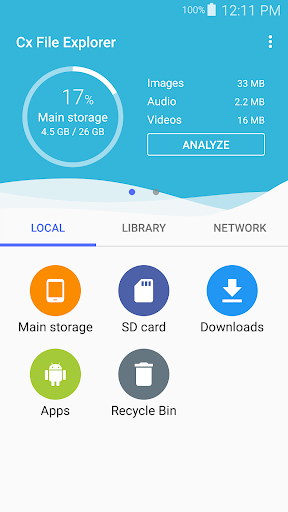


Cx File Explorer is a powerful file manager & storage cleaner app with a clean and intuitive interface. With this file manager app, you can quickly browse and manage the files on your mobile device, PC, and cloud storage, just like you use Windows Explorer or Finder on your PC or Mac. Also it provides a rich set of features that advanced users are looking for without feeling bloated. You can even manage the space used on your mobile device with a visualized storage analysis.
Key features
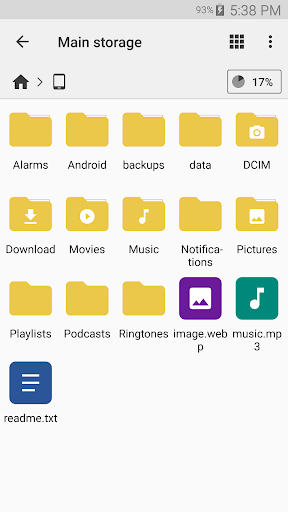
Organize your files and folders: With a user-friendly UI, you can easily browse, move, copy, compress, rename, extract, delete, create and share files (folders) on both internal and external storage of your mobile device.
Access files on cloud storage: You can manage the files on cloud storages.
Access files on NAS (Network-attached storage): You can access files within remote or shared storage like FTP, FTPS, SFTP, SMB, WebDAV, and LAN. Also you can access your mobile device from PC using FTP(File Transfer Protocol).
Manage your apps: You can manage the apps installed on your mobile device.
Analyze and manage your storage: Cx File Explorer provides visualized storage analysis so that you can quickly scan the available space and manage it. The Recycle bin also helps you easily manage your storage.
Clean up storage quickly: Discover and clean junk files, duplicate files and unused apps in storage cleaner.
Supported devices: Android TV, phone and tablet
Material Design interface: Cx File Explorer uses the Material Design interface.
If you are looking for a file manager app that has simple and sleek interface with full features, Cx File Explorer would be the best choice.
Cx File Explorer is a feature-rich file management application designed for Android devices. It offers a comprehensive suite of tools to efficiently organize, navigate, and access files stored on both the device and cloud storage services.
Intuitive Interface and User-Friendly Navigation
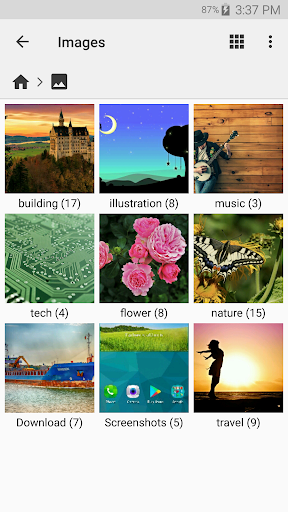
Cx File Explorer boasts an intuitive user interface that makes file management effortless. The home screen provides quick access to frequently used folders, recently accessed files, and cloud storage accounts. The file browser allows for seamless navigation through directories, with options to sort files by name, date, size, and type.
Comprehensive File Management Capabilities
Cx File Explorer empowers users with a wide range of file management capabilities. It supports basic operations such as copying, moving, renaming, and deleting files. Advanced features include file compression and decompression, batch operations, and the ability to create and manage shortcuts.
Cloud Storage Integration
The app seamlessly integrates with popular cloud storage services such as Google Drive, Dropbox, OneDrive, and Box. Users can easily access, manage, and transfer files between their device and cloud accounts. The app also supports multiple cloud accounts, allowing for convenient file management across different services.
Multimedia Support
Cx File Explorer is not limited to file management; it also offers multimedia playback capabilities. The built-in media player supports a wide range of audio and video formats, providing a convenient way to enjoy music and videos directly from the app.
Additional Features
Beyond its core functionality, Cx File Explorer offers a host of additional features to enhance user experience:
* File Security: The app includes options to hide private files and folders, password-protect sensitive data, and encrypt files for added security.
* File Sharing: Files can be easily shared with others via email, social media, or cloud storage services.
* Customizable Themes: Users can personalize the app's appearance by choosing from a variety of themes and color schemes.
* Root Explorer (Pro Version): The Pro version of Cx File Explorer provides root access, allowing users to manage files and folders in the system partition.
Conclusion
Cx File Explorer is a robust and versatile file management solution that caters to the needs of both casual and power users. Its intuitive interface, comprehensive features, cloud storage integration, and multimedia support make it an essential tool for organizing, managing, and accessing files on Android devices.
Cx File Explorer is a powerful file manager & storage cleaner app with a clean and intuitive interface. With this file manager app, you can quickly browse and manage the files on your mobile device, PC, and cloud storage, just like you use Windows Explorer or Finder on your PC or Mac. Also it provides a rich set of features that advanced users are looking for without feeling bloated. You can even manage the space used on your mobile device with a visualized storage analysis.
Key features
Organize your files and folders: With a user-friendly UI, you can easily browse, move, copy, compress, rename, extract, delete, create and share files (folders) on both internal and external storage of your mobile device.
Access files on cloud storage: You can manage the files on cloud storages.
Access files on NAS (Network-attached storage): You can access files within remote or shared storage like FTP, FTPS, SFTP, SMB, WebDAV, and LAN. Also you can access your mobile device from PC using FTP(File Transfer Protocol).
Manage your apps: You can manage the apps installed on your mobile device.
Analyze and manage your storage: Cx File Explorer provides visualized storage analysis so that you can quickly scan the available space and manage it. The Recycle bin also helps you easily manage your storage.
Clean up storage quickly: Discover and clean junk files, duplicate files and unused apps in storage cleaner.
Supported devices: Android TV, phone and tablet
Material Design interface: Cx File Explorer uses the Material Design interface.
If you are looking for a file manager app that has simple and sleek interface with full features, Cx File Explorer would be the best choice.
Cx File Explorer is a feature-rich file management application designed for Android devices. It offers a comprehensive suite of tools to efficiently organize, navigate, and access files stored on both the device and cloud storage services.
Intuitive Interface and User-Friendly Navigation
Cx File Explorer boasts an intuitive user interface that makes file management effortless. The home screen provides quick access to frequently used folders, recently accessed files, and cloud storage accounts. The file browser allows for seamless navigation through directories, with options to sort files by name, date, size, and type.
Comprehensive File Management Capabilities
Cx File Explorer empowers users with a wide range of file management capabilities. It supports basic operations such as copying, moving, renaming, and deleting files. Advanced features include file compression and decompression, batch operations, and the ability to create and manage shortcuts.
Cloud Storage Integration
The app seamlessly integrates with popular cloud storage services such as Google Drive, Dropbox, OneDrive, and Box. Users can easily access, manage, and transfer files between their device and cloud accounts. The app also supports multiple cloud accounts, allowing for convenient file management across different services.
Multimedia Support
Cx File Explorer is not limited to file management; it also offers multimedia playback capabilities. The built-in media player supports a wide range of audio and video formats, providing a convenient way to enjoy music and videos directly from the app.
Additional Features
Beyond its core functionality, Cx File Explorer offers a host of additional features to enhance user experience:
* File Security: The app includes options to hide private files and folders, password-protect sensitive data, and encrypt files for added security.
* File Sharing: Files can be easily shared with others via email, social media, or cloud storage services.
* Customizable Themes: Users can personalize the app's appearance by choosing from a variety of themes and color schemes.
* Root Explorer (Pro Version): The Pro version of Cx File Explorer provides root access, allowing users to manage files and folders in the system partition.
Conclusion
Cx File Explorer is a robust and versatile file management solution that caters to the needs of both casual and power users. Its intuitive interface, comprehensive features, cloud storage integration, and multimedia support make it an essential tool for organizing, managing, and accessing files on Android devices.





