


Manage access to your events
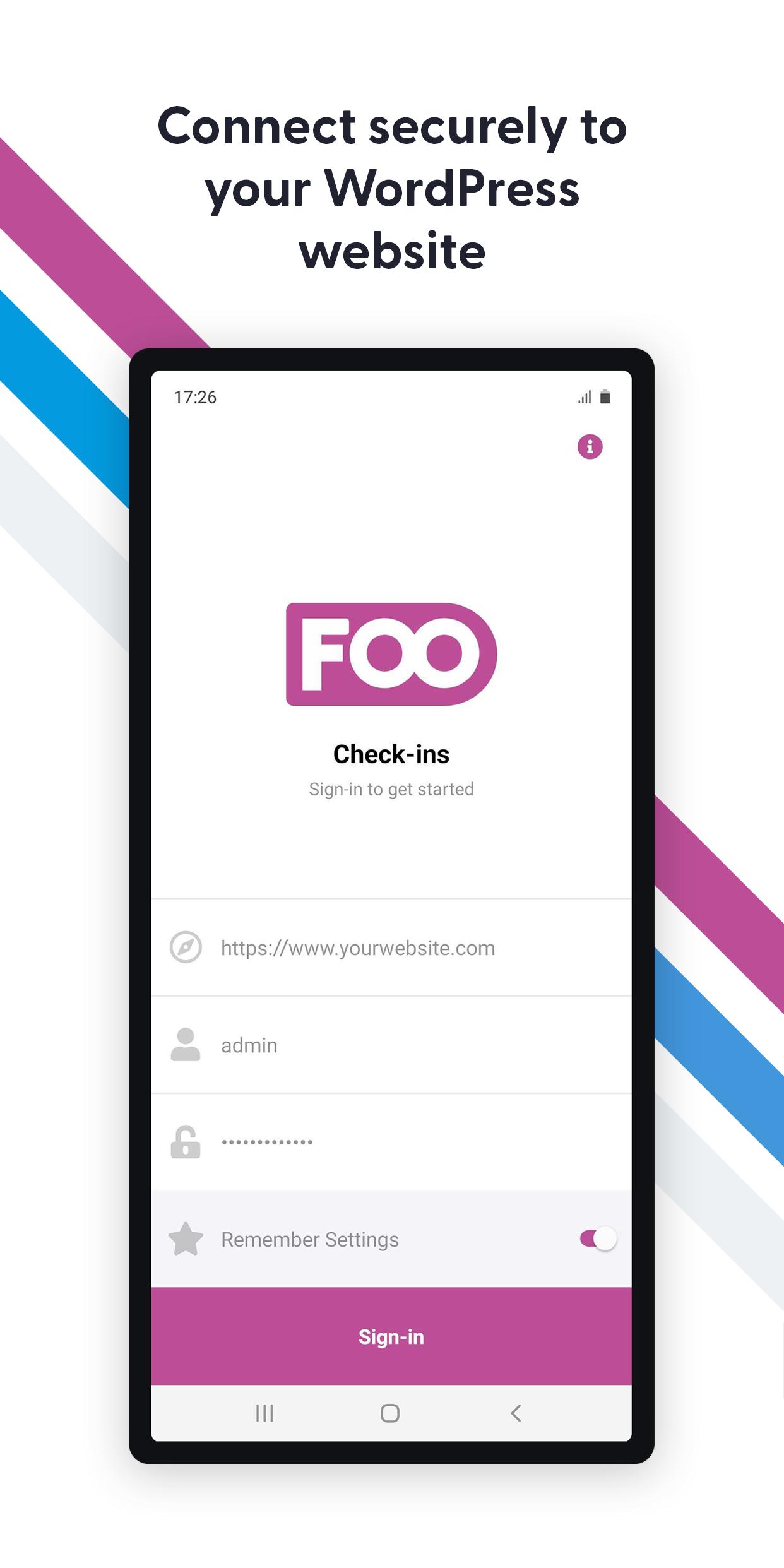
The FooEvents Check-ins app connects securely to any WordPress website that uses FooEvents, the #1 ticket plugin for WooCommerce. This app makes it easier than ever to manage access to your events, venues and other services like a pro!
Attendee Search
Easily find attendees that are registered for your event and view their information by searching for them by name or ticket ID.
Auto Check-ins
Speed up check-ins using the lightning fast auto check-ins option, which will automatically check-in an attendee and return to the scanning screen once their ticket has been successfully validated.
Barcode and QR Code Support
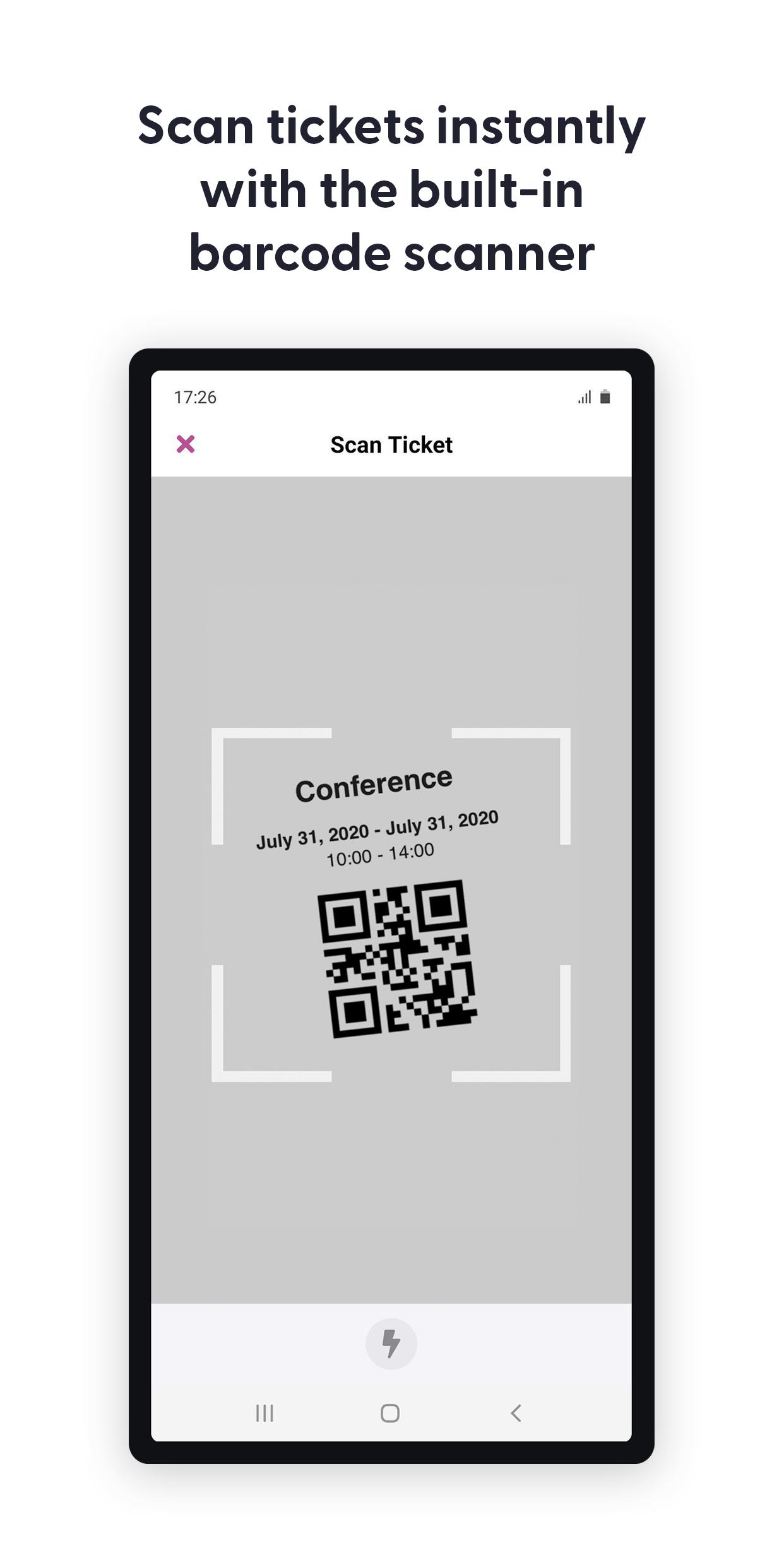
Scan the 1D barcode or QR code contained on the attendee's ticket directly from your device using the built-in camera or a handheld Bluetooth barcode scanner.
Bluetooth Scanner Integration
Scan tickets using your mobile device's built-in camera or pair your device to any handheld Bluetooth barcode scanner.
Bulk Status Updates
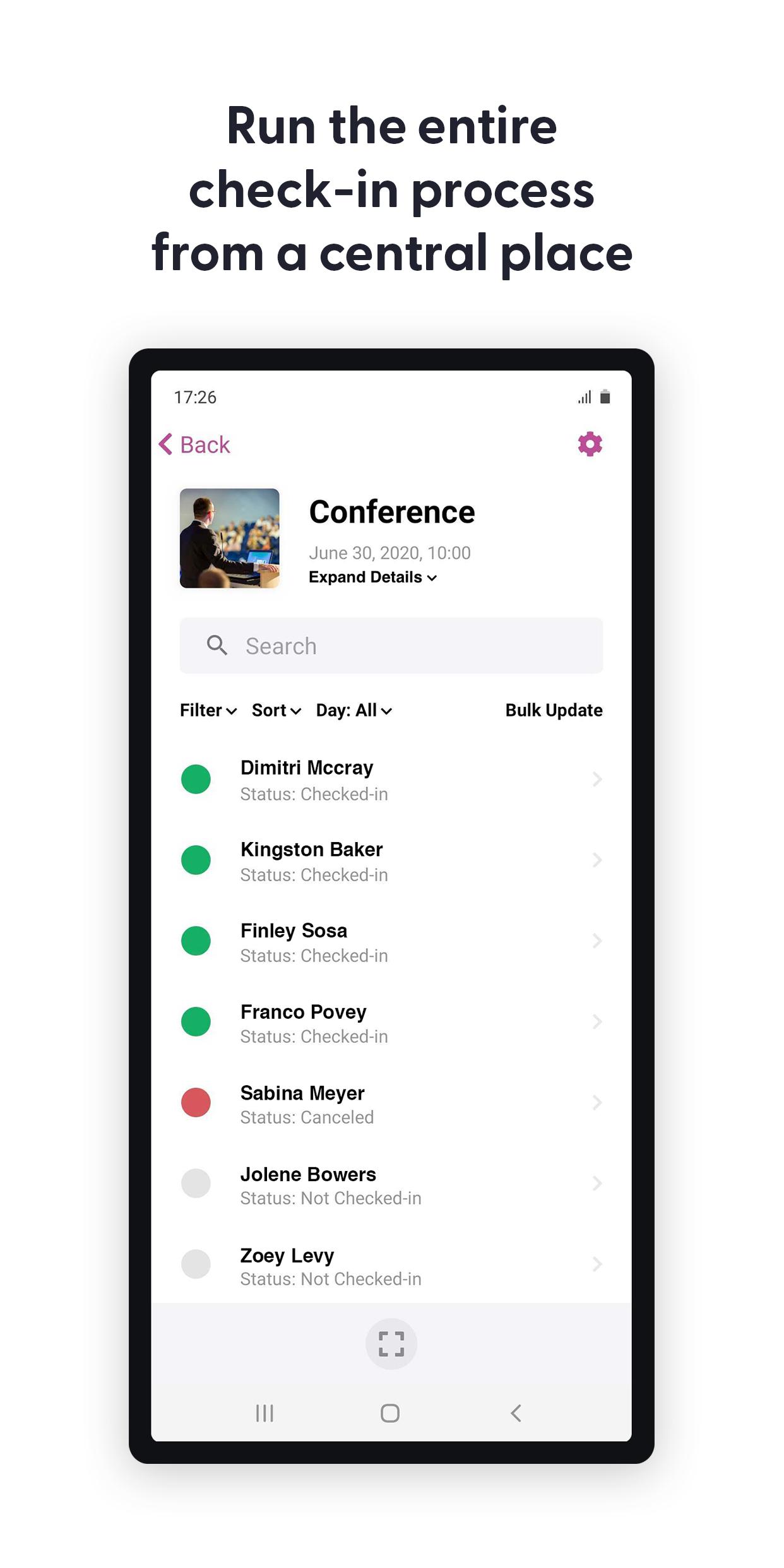
Quickly change the ticket status of multiple attendees by using the bulk update feature. Simply select the tickets and mark them as checked-in, checked-out or canceled.
Calendar and Image List Styles
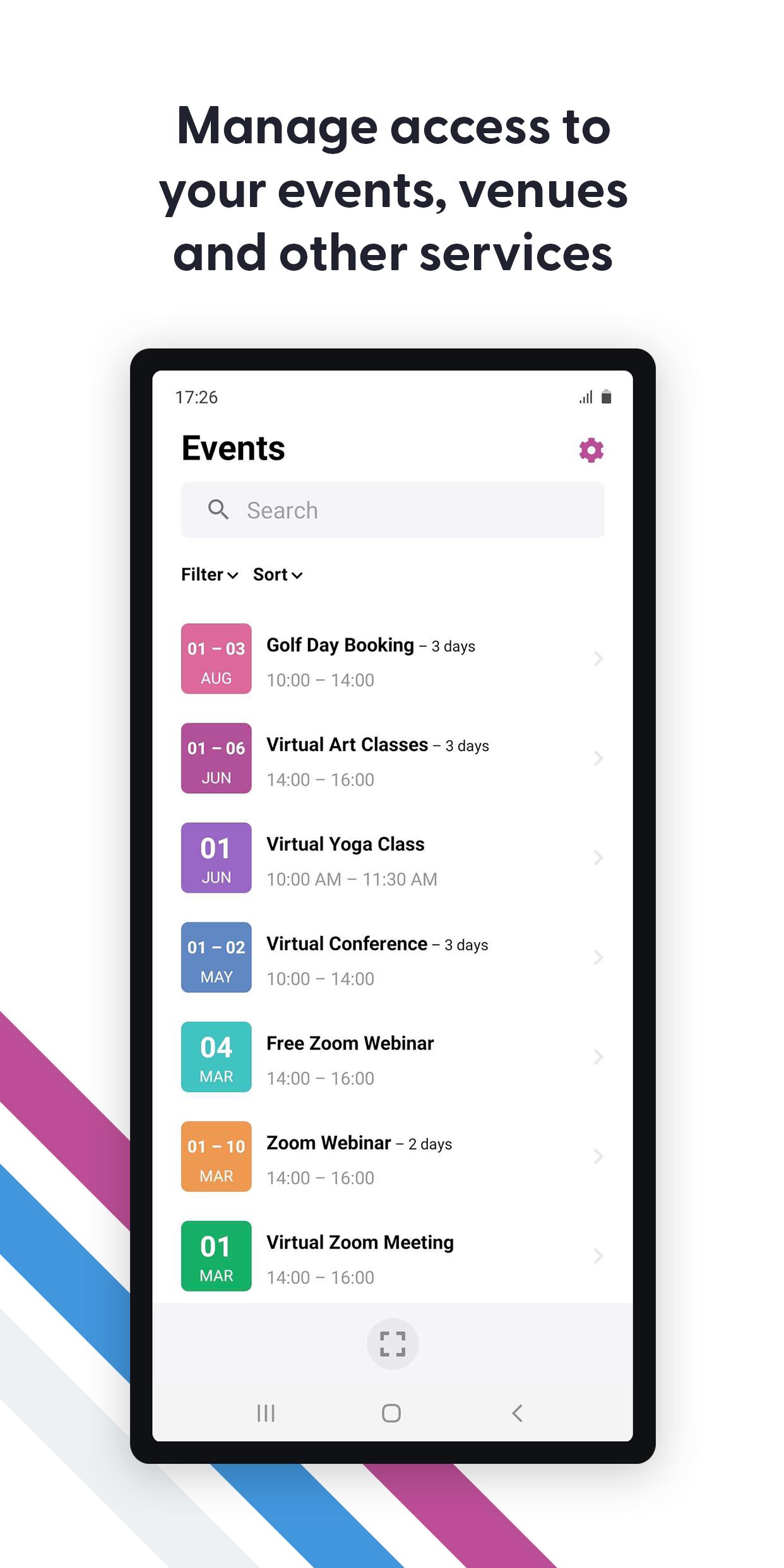
Set the list style in the app to display events using their featured image or use the new date mode. The date mode will display a customizable color-coded date icon that will help make your events easy to spot even when you're in a rush.
Customizable Branding
Make the Check-ins apps your own by changing the logo and color scheme from the plugin settings to match your website.
Custom Terminology
Customize various terms used within the app including 'Events', 'Attendees' and 'Check-ins' to suit your business needs.
Dark Mode
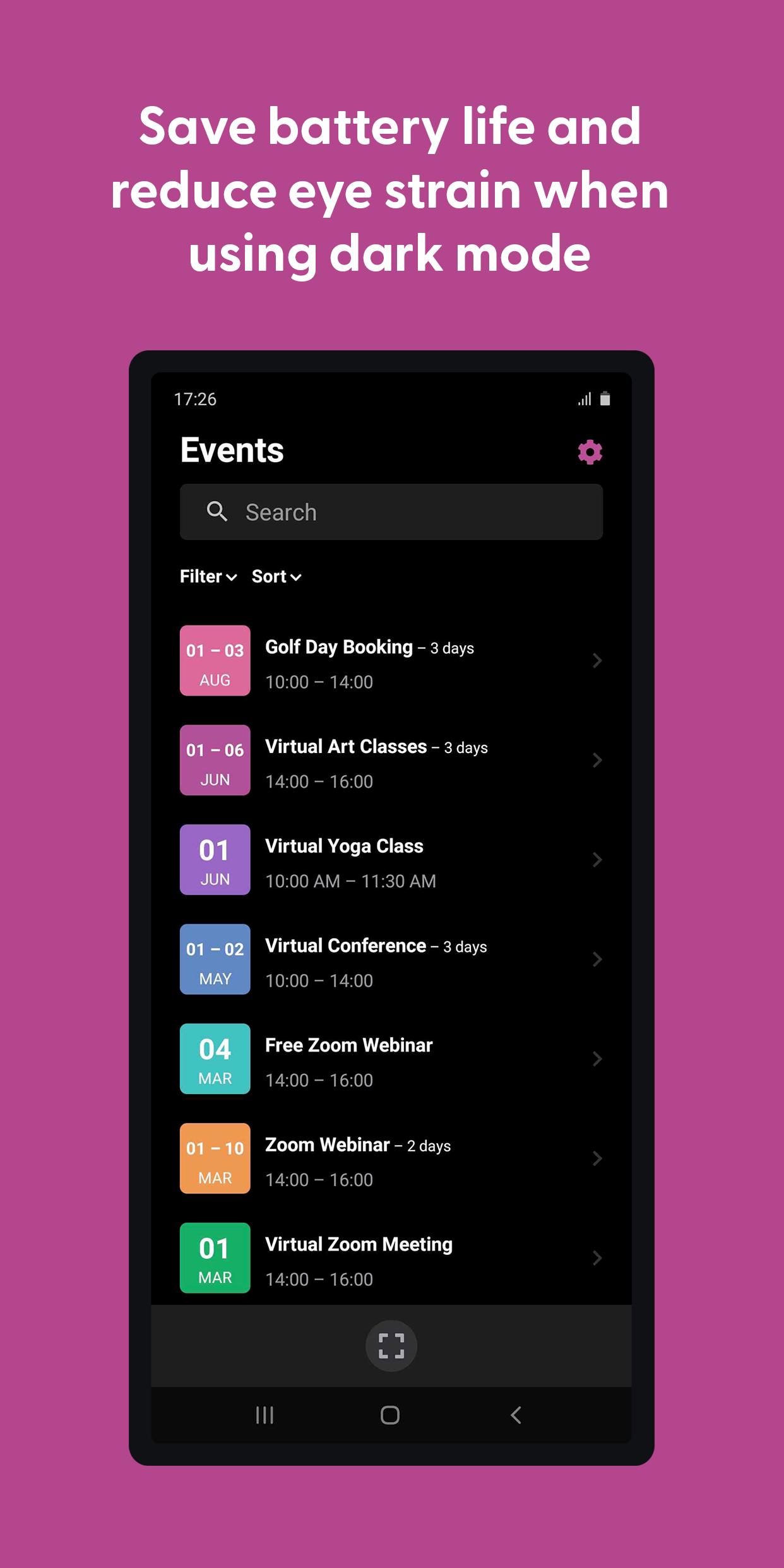
The Check-ins app supports dark mode so you can save battery life and reduce eye strain and screen glare.
Filters and Sorting
New filter and sorting options are available for both events and attendees which helps to keep things organized and makes information easier to find, even for large events.
Flexible Event Scanning
Scan tickets for a specific event or use the global scan option to scan tickets from any screen.
Multi-language Support
Bonjour Hallo Hola Olá Hallå. Use the Check-ins app in your own language thanks to native support for 17 different languages. Change your language preferences at any time from your device settings.
Offline Mode
Don't stress if the power goes out or the internet connection drops as you can still do check-ins using the built-in offline mode until your connection is reestablished and the data automatically syncs.
Privacy Mode
Hide all personal information for attendees and/or ticket purchasers in the app. Only attendee names will be visible for check-in purposes.
Restricted Event Display
Manage which events are displayed in the app. By default, the Check-ins app displays all published events but you also have the option to display only the events that were created by the signed-in user or you can pre-select which events to display.
View Attendee Information
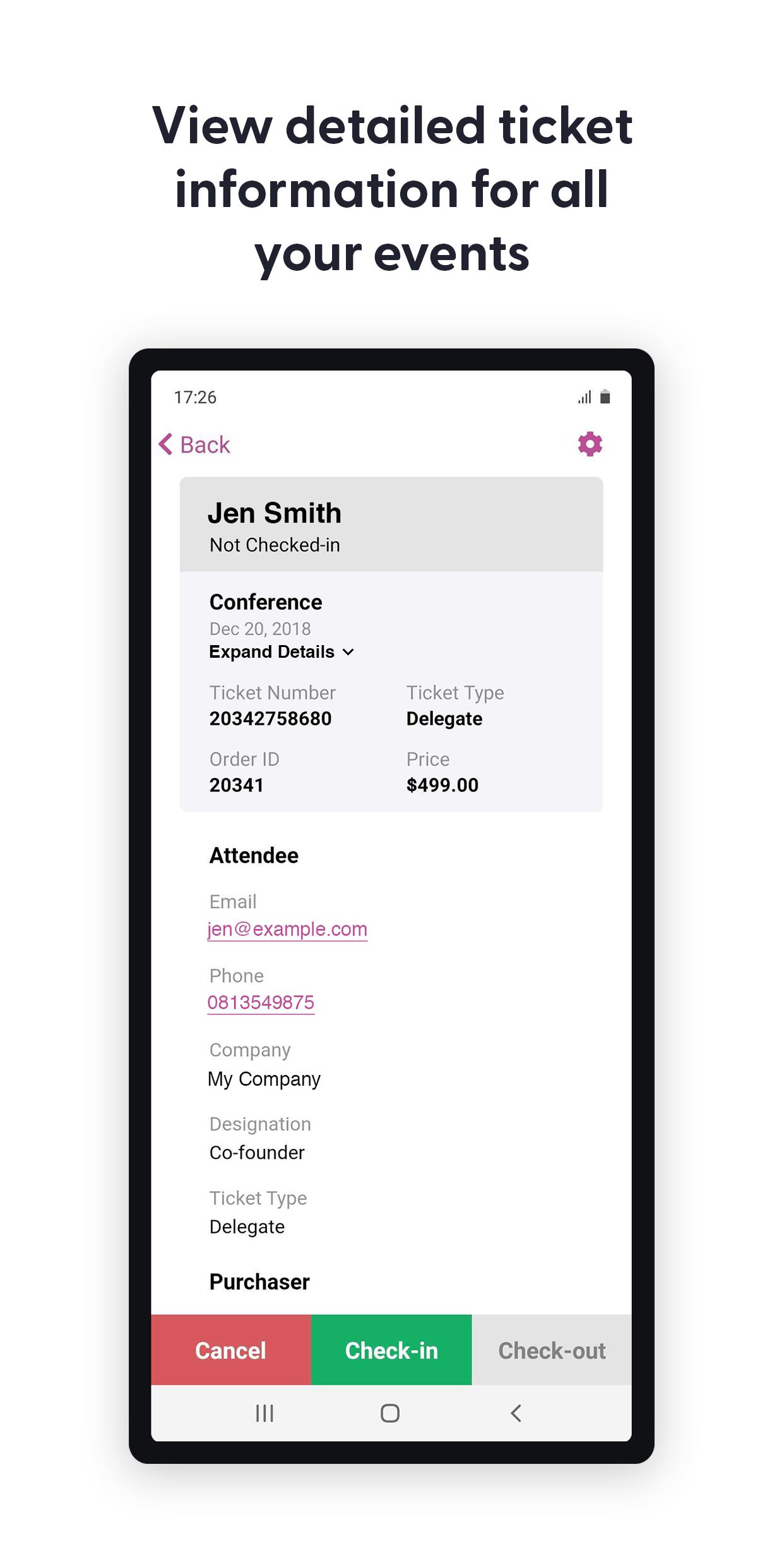
View information for attendees as well as any custom attendee fields that were captured when the ticket was purchased.
What's New in the Latest Version 2.4.10
Last updated on Apr 18, 2024
Additional improvements to analytics
Updated libraries to their latest versions
Purpose
FooEvents Check-ins is a mobile application designed to streamline the event check-in process, providing a seamless and efficient experience for both attendees and event organizers.
Key Features
* Fast and Easy Check-in: Attendees can quickly and easily check in to events using their smartphones, eliminating the need for manual sign-in sheets or wristbands.
* Real-Time Attendance Tracking: Organizers can track attendance in real-time, providing accurate insights into the number of attendees and their arrival times.
* Customizable Check-in Questions: Organizers can tailor the check-in process by adding custom questions to gather additional information from attendees.
* NFC and QR Code Support: The app supports both NFC and QR code scanning, allowing attendees to check in using their smartphones or physical tickets.
* Seamless Integration: FooEvents Check-ins seamlessly integrates with the FooEvents platform, allowing organizers to manage event check-ins and attendee data from a central location.
Benefits for Attendees
* Convenience: Attendees can check in to events quickly and easily, eliminating the hassle of waiting in lines or filling out forms.
* Contactless Check-in: The app supports contactless check-in, ensuring a safe and hygienic experience for attendees.
* Personalized Experience: Attendees can receive personalized messages and event updates upon check-in, enhancing their overall experience.
Benefits for Event Organizers
* Increased Efficiency: Organizers can save time and resources by automating the check-in process, freeing up staff for other tasks.
* Improved Accuracy: Real-time attendance tracking provides organizers with accurate data on attendee numbers, allowing them to make informed decisions.
* Data Collection: Custom check-in questions enable organizers to gather valuable insights into attendee demographics and preferences.
* Enhanced Security: The app supports multiple authentication methods, ensuring the security of attendee data and preventing unauthorized access.
Additional Features
* Bulk Check-in: Organizers can quickly check in multiple attendees simultaneously using the bulk check-in feature.
* Check-out Management: The app allows organizers to track attendee departures, providing a comprehensive view of event attendance patterns.
* Reporting and Analytics: Organizers can generate detailed reports and analytics on check-in data, providing valuable insights for future event planning.
Conclusion
FooEvents Check-ins is a powerful and user-friendly mobile application that revolutionizes the event check-in process. By providing a fast, accurate, and customizable solution, it empowers both attendees and organizers to enhance the overall event experience.
Manage access to your events
The FooEvents Check-ins app connects securely to any WordPress website that uses FooEvents, the #1 ticket plugin for WooCommerce. This app makes it easier than ever to manage access to your events, venues and other services like a pro!
Attendee Search
Easily find attendees that are registered for your event and view their information by searching for them by name or ticket ID.
Auto Check-ins
Speed up check-ins using the lightning fast auto check-ins option, which will automatically check-in an attendee and return to the scanning screen once their ticket has been successfully validated.
Barcode and QR Code Support
Scan the 1D barcode or QR code contained on the attendee's ticket directly from your device using the built-in camera or a handheld Bluetooth barcode scanner.
Bluetooth Scanner Integration
Scan tickets using your mobile device's built-in camera or pair your device to any handheld Bluetooth barcode scanner.
Bulk Status Updates
Quickly change the ticket status of multiple attendees by using the bulk update feature. Simply select the tickets and mark them as checked-in, checked-out or canceled.
Calendar and Image List Styles
Set the list style in the app to display events using their featured image or use the new date mode. The date mode will display a customizable color-coded date icon that will help make your events easy to spot even when you're in a rush.
Customizable Branding
Make the Check-ins apps your own by changing the logo and color scheme from the plugin settings to match your website.
Custom Terminology
Customize various terms used within the app including 'Events', 'Attendees' and 'Check-ins' to suit your business needs.
Dark Mode
The Check-ins app supports dark mode so you can save battery life and reduce eye strain and screen glare.
Filters and Sorting
New filter and sorting options are available for both events and attendees which helps to keep things organized and makes information easier to find, even for large events.
Flexible Event Scanning
Scan tickets for a specific event or use the global scan option to scan tickets from any screen.
Multi-language Support
Bonjour Hallo Hola Olá Hallå. Use the Check-ins app in your own language thanks to native support for 17 different languages. Change your language preferences at any time from your device settings.
Offline Mode
Don't stress if the power goes out or the internet connection drops as you can still do check-ins using the built-in offline mode until your connection is reestablished and the data automatically syncs.
Privacy Mode
Hide all personal information for attendees and/or ticket purchasers in the app. Only attendee names will be visible for check-in purposes.
Restricted Event Display
Manage which events are displayed in the app. By default, the Check-ins app displays all published events but you also have the option to display only the events that were created by the signed-in user or you can pre-select which events to display.
View Attendee Information
View information for attendees as well as any custom attendee fields that were captured when the ticket was purchased.
What's New in the Latest Version 2.4.10
Last updated on Apr 18, 2024
Additional improvements to analytics
Updated libraries to their latest versions
Purpose
FooEvents Check-ins is a mobile application designed to streamline the event check-in process, providing a seamless and efficient experience for both attendees and event organizers.
Key Features
* Fast and Easy Check-in: Attendees can quickly and easily check in to events using their smartphones, eliminating the need for manual sign-in sheets or wristbands.
* Real-Time Attendance Tracking: Organizers can track attendance in real-time, providing accurate insights into the number of attendees and their arrival times.
* Customizable Check-in Questions: Organizers can tailor the check-in process by adding custom questions to gather additional information from attendees.
* NFC and QR Code Support: The app supports both NFC and QR code scanning, allowing attendees to check in using their smartphones or physical tickets.
* Seamless Integration: FooEvents Check-ins seamlessly integrates with the FooEvents platform, allowing organizers to manage event check-ins and attendee data from a central location.
Benefits for Attendees
* Convenience: Attendees can check in to events quickly and easily, eliminating the hassle of waiting in lines or filling out forms.
* Contactless Check-in: The app supports contactless check-in, ensuring a safe and hygienic experience for attendees.
* Personalized Experience: Attendees can receive personalized messages and event updates upon check-in, enhancing their overall experience.
Benefits for Event Organizers
* Increased Efficiency: Organizers can save time and resources by automating the check-in process, freeing up staff for other tasks.
* Improved Accuracy: Real-time attendance tracking provides organizers with accurate data on attendee numbers, allowing them to make informed decisions.
* Data Collection: Custom check-in questions enable organizers to gather valuable insights into attendee demographics and preferences.
* Enhanced Security: The app supports multiple authentication methods, ensuring the security of attendee data and preventing unauthorized access.
Additional Features
* Bulk Check-in: Organizers can quickly check in multiple attendees simultaneously using the bulk check-in feature.
* Check-out Management: The app allows organizers to track attendee departures, providing a comprehensive view of event attendance patterns.
* Reporting and Analytics: Organizers can generate detailed reports and analytics on check-in data, providing valuable insights for future event planning.
Conclusion
FooEvents Check-ins is a powerful and user-friendly mobile application that revolutionizes the event check-in process. By providing a fast, accurate, and customizable solution, it empowers both attendees and organizers to enhance the overall event experience.





