


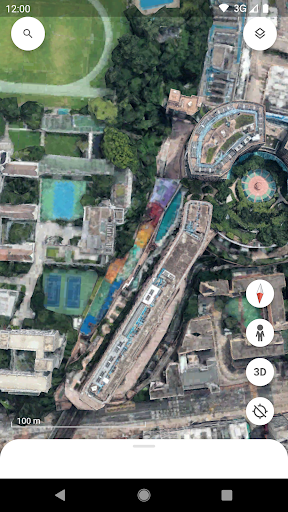
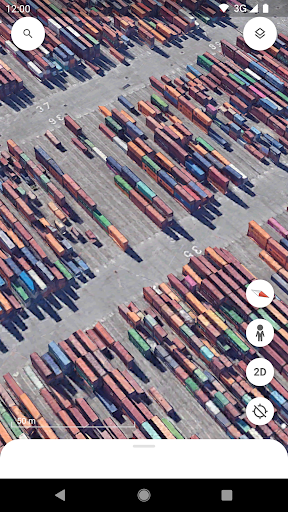
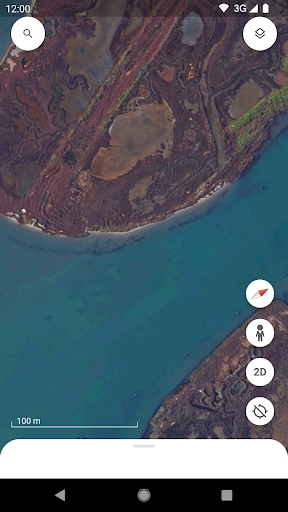

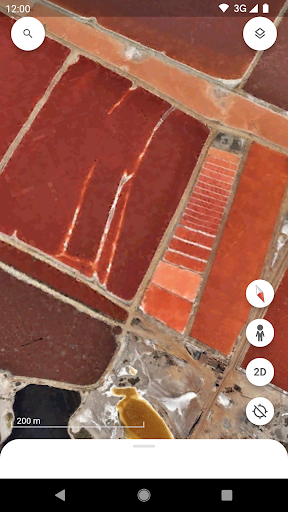
Create and collaborate on immersive, data-driven maps from anywhere, with the new Google Earth. See the world from above with high-resolution satellite imagery, explore 3D terrain and buildings in hundreds of cities, and dive in to streets and neighborhoods with Street View's 360° perspectives.
Google EarthOverview:
Google Earth is a virtual globe, map, and geographic information program that allows users to explore the world from a satellite's perspective. It provides detailed imagery, 3D models, and a variety of tools for navigation, measurement, and information retrieval.
Key Features:
* 3D Globe: Google Earth presents the Earth as a realistic 3D globe, allowing users to zoom in and out, rotate, and tilt the globe to view it from different angles.
* High-Resolution Imagery: Google Earth features high-resolution satellite imagery from multiple sources, providing detailed views of cities, landmarks, and natural features.
* 3D Buildings and Terrain: In addition to satellite imagery, Google Earth also includes 3D models of buildings, bridges, and other structures, creating a more immersive and realistic experience.
* Street View Integration: Google Earth seamlessly integrates with Google Street View, allowing users to explore streets and landmarks at ground level.
* Historical Imagery: Google Earth offers access to historical imagery, enabling users to compare changes over time and observe the evolution of landscapes.
* Measurement Tools: Google Earth provides a range of measurement tools, including distance, area, and elevation measurements, for accurate geographic calculations.
* Location Search and Navigation: Users can search for specific locations or navigate using a variety of controls, including a search bar, zoom controls, and a navigation panel.
* Geographic Information: Google Earth integrates with other Google services, such as Google Maps and Google Earth Engine, providing access to a vast repository of geographic information.
Applications:
Google Earth has a wide range of applications, including:
* Education: Exploring geography, history, and environmental science in an interactive and engaging way.
* Travel Planning: Visualizing destinations, planning routes, and getting a sense of the terrain.
* Real Estate and Construction: Evaluating properties, planning development projects, and assessing environmental impacts.
* Environmental Monitoring: Tracking deforestation, land use changes, and other environmental indicators.
* Disaster Relief: Assessing damage, coordinating response efforts, and communicating with affected communities.
* Historical Research: Exploring historical maps, comparing historical and present-day imagery, and studying the evolution of landscapes.
* Personal Exploration: Discovering new places, exploring different cultures, and gaining a global perspective.
Benefits:
* Immersive Experience: Google Earth provides an immersive and engaging experience, allowing users to explore the world from a unique perspective.
* Accessibility: Google Earth is accessible on a variety of platforms, including computers, mobile devices, and virtual reality headsets.
* Free and Open Source: Google Earth is free to download and use, making it widely accessible to users worldwide.
* Continuous Updates: Google Earth is constantly updated with new imagery, 3D models, and features, ensuring the most up-to-date and comprehensive experience.
* Educational Value: Google Earth is an invaluable educational tool, providing a rich source of geographic information and promoting exploration and discovery.
Create and collaborate on immersive, data-driven maps from anywhere, with the new Google Earth. See the world from above with high-resolution satellite imagery, explore 3D terrain and buildings in hundreds of cities, and dive in to streets and neighborhoods with Street View's 360° perspectives.
Google EarthOverview:
Google Earth is a virtual globe, map, and geographic information program that allows users to explore the world from a satellite's perspective. It provides detailed imagery, 3D models, and a variety of tools for navigation, measurement, and information retrieval.
Key Features:
* 3D Globe: Google Earth presents the Earth as a realistic 3D globe, allowing users to zoom in and out, rotate, and tilt the globe to view it from different angles.
* High-Resolution Imagery: Google Earth features high-resolution satellite imagery from multiple sources, providing detailed views of cities, landmarks, and natural features.
* 3D Buildings and Terrain: In addition to satellite imagery, Google Earth also includes 3D models of buildings, bridges, and other structures, creating a more immersive and realistic experience.
* Street View Integration: Google Earth seamlessly integrates with Google Street View, allowing users to explore streets and landmarks at ground level.
* Historical Imagery: Google Earth offers access to historical imagery, enabling users to compare changes over time and observe the evolution of landscapes.
* Measurement Tools: Google Earth provides a range of measurement tools, including distance, area, and elevation measurements, for accurate geographic calculations.
* Location Search and Navigation: Users can search for specific locations or navigate using a variety of controls, including a search bar, zoom controls, and a navigation panel.
* Geographic Information: Google Earth integrates with other Google services, such as Google Maps and Google Earth Engine, providing access to a vast repository of geographic information.
Applications:
Google Earth has a wide range of applications, including:
* Education: Exploring geography, history, and environmental science in an interactive and engaging way.
* Travel Planning: Visualizing destinations, planning routes, and getting a sense of the terrain.
* Real Estate and Construction: Evaluating properties, planning development projects, and assessing environmental impacts.
* Environmental Monitoring: Tracking deforestation, land use changes, and other environmental indicators.
* Disaster Relief: Assessing damage, coordinating response efforts, and communicating with affected communities.
* Historical Research: Exploring historical maps, comparing historical and present-day imagery, and studying the evolution of landscapes.
* Personal Exploration: Discovering new places, exploring different cultures, and gaining a global perspective.
Benefits:
* Immersive Experience: Google Earth provides an immersive and engaging experience, allowing users to explore the world from a unique perspective.
* Accessibility: Google Earth is accessible on a variety of platforms, including computers, mobile devices, and virtual reality headsets.
* Free and Open Source: Google Earth is free to download and use, making it widely accessible to users worldwide.
* Continuous Updates: Google Earth is constantly updated with new imagery, 3D models, and features, ensuring the most up-to-date and comprehensive experience.
* Educational Value: Google Earth is an invaluable educational tool, providing a rich source of geographic information and promoting exploration and discovery.





