


Google Slides is the official Google presentation app that lets you work with this type of file directly on your Android device. You can thus both open files created on your computer and also create new ones.
With Google Slides, not only will you be able to work with this type of file, but you'll also be able to share them easily with other users in your work group. Just like with all other Google tools, several users can work on the same file simultaneously. You can even work without an Internet connection and then apply the changes as soon as you go back online.
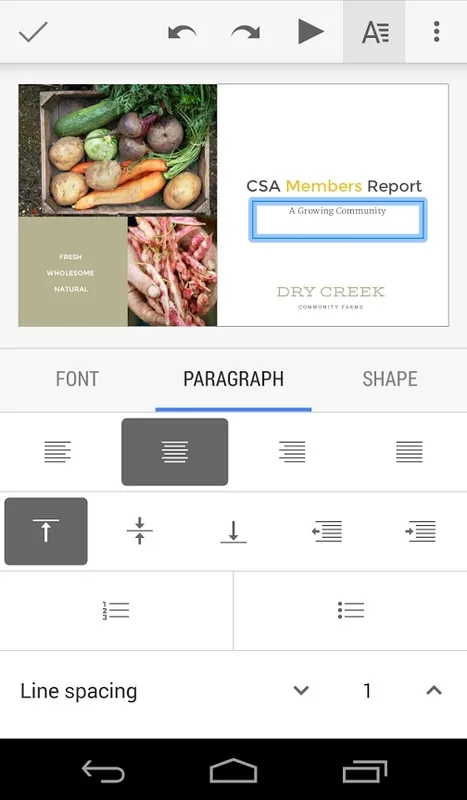
Google Slides users can add and reorganize slides, format text, insert images, manage numbered lists and spacing, and much more.
Google Slides is a very useful app for people who regularly work with presentations and need to have the best tool for doing so with them at all times.
Google SlidesOverview
Google Slides is a free, web-based presentation software developed by Google within its Google Workspace suite. It allows users to create, edit, collaborate, and present slideshows online.
Key Features
* Online Collaboration: Multiple users can simultaneously edit and comment on a presentation in real-time, facilitating seamless collaboration.
* Template Library: A vast collection of professionally designed templates provides a quick starting point for creating visually appealing presentations.
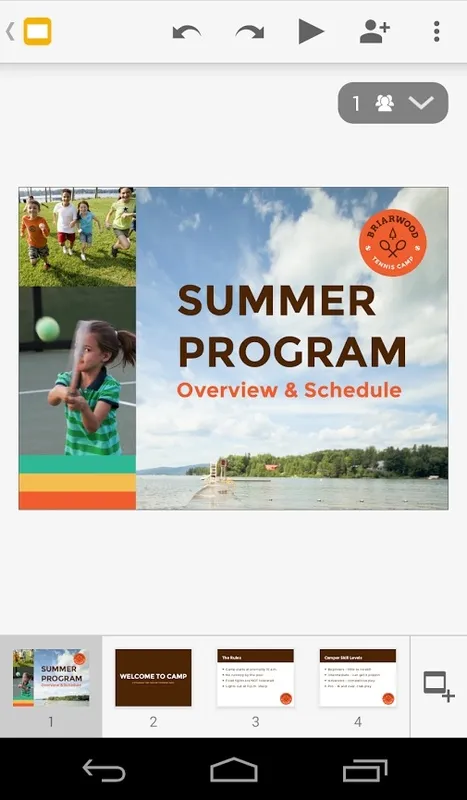
* Presentation Builder: Users can add slides, text, images, videos, and other elements using an intuitive drag-and-drop interface.
* Animation and Transitions: Slideshows can be enhanced with animations, transitions, and effects to create engaging presentations.
* Presentation Control: Presenters can control the flow of their presentation from any device, including their mobile phones.
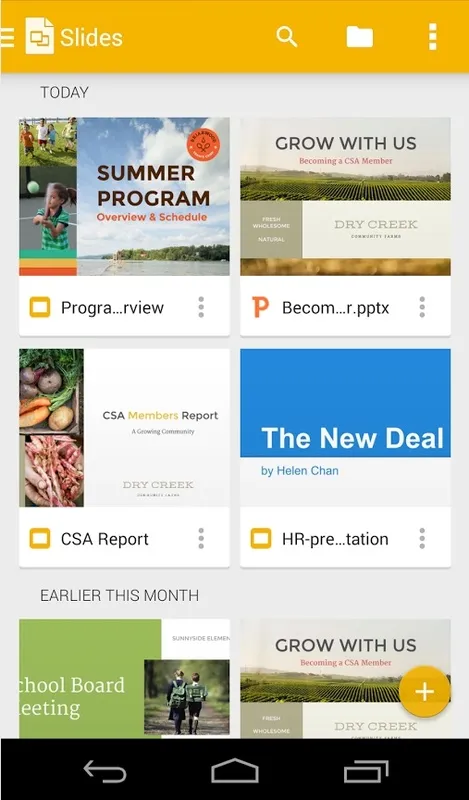
* Integration with Google Workspace: Google Slides seamlessly integrates with other Google Workspace tools such as Drive, Docs, and Sheets, enabling easy access to files and data.
* Export and Sharing Options: Presentations can be exported in various formats (e.g., PDF, PPTX) and shared via email, social media, or embedded on websites.
Benefits
* Collaboration: Enhances teamwork and facilitates efficient document editing.
* Convenience: Accessible from any device with an internet connection, providing flexibility and portability.
* Visual Appeal: Pre-designed templates and customization options ensure visually stunning presentations.
* Cost-Effectiveness: Free to use, eliminating the need for expensive software purchases.
* Cross-Platform Compatibility: Supports various browsers and operating systems, enabling collaboration across different devices.
Applications
Google Slides is widely used in various settings, including:
* Education: Creating engaging presentations for students and educators.
* Business: Presenting ideas, proposals, and reports to colleagues and clients.
* Marketing: Designing promotional materials, presentations, and brochures.
* Personal Use: Creating slideshows for special events, photo albums, or sharing stories.
Alternatives
* Microsoft PowerPoint
* Apple Keynote
* Prezi
* Canva
* Zoho Show
Google Slides is the official Google presentation app that lets you work with this type of file directly on your Android device. You can thus both open files created on your computer and also create new ones.
With Google Slides, not only will you be able to work with this type of file, but you'll also be able to share them easily with other users in your work group. Just like with all other Google tools, several users can work on the same file simultaneously. You can even work without an Internet connection and then apply the changes as soon as you go back online.
Google Slides users can add and reorganize slides, format text, insert images, manage numbered lists and spacing, and much more.
Google Slides is a very useful app for people who regularly work with presentations and need to have the best tool for doing so with them at all times.
Google SlidesOverview
Google Slides is a free, web-based presentation software developed by Google within its Google Workspace suite. It allows users to create, edit, collaborate, and present slideshows online.
Key Features
* Online Collaboration: Multiple users can simultaneously edit and comment on a presentation in real-time, facilitating seamless collaboration.
* Template Library: A vast collection of professionally designed templates provides a quick starting point for creating visually appealing presentations.
* Presentation Builder: Users can add slides, text, images, videos, and other elements using an intuitive drag-and-drop interface.
* Animation and Transitions: Slideshows can be enhanced with animations, transitions, and effects to create engaging presentations.
* Presentation Control: Presenters can control the flow of their presentation from any device, including their mobile phones.
* Integration with Google Workspace: Google Slides seamlessly integrates with other Google Workspace tools such as Drive, Docs, and Sheets, enabling easy access to files and data.
* Export and Sharing Options: Presentations can be exported in various formats (e.g., PDF, PPTX) and shared via email, social media, or embedded on websites.
Benefits
* Collaboration: Enhances teamwork and facilitates efficient document editing.
* Convenience: Accessible from any device with an internet connection, providing flexibility and portability.
* Visual Appeal: Pre-designed templates and customization options ensure visually stunning presentations.
* Cost-Effectiveness: Free to use, eliminating the need for expensive software purchases.
* Cross-Platform Compatibility: Supports various browsers and operating systems, enabling collaboration across different devices.
Applications
Google Slides is widely used in various settings, including:
* Education: Creating engaging presentations for students and educators.
* Business: Presenting ideas, proposals, and reports to colleagues and clients.
* Marketing: Designing promotional materials, presentations, and brochures.
* Personal Use: Creating slideshows for special events, photo albums, or sharing stories.
Alternatives
* Microsoft PowerPoint
* Apple Keynote
* Prezi
* Canva
* Zoho Show





