


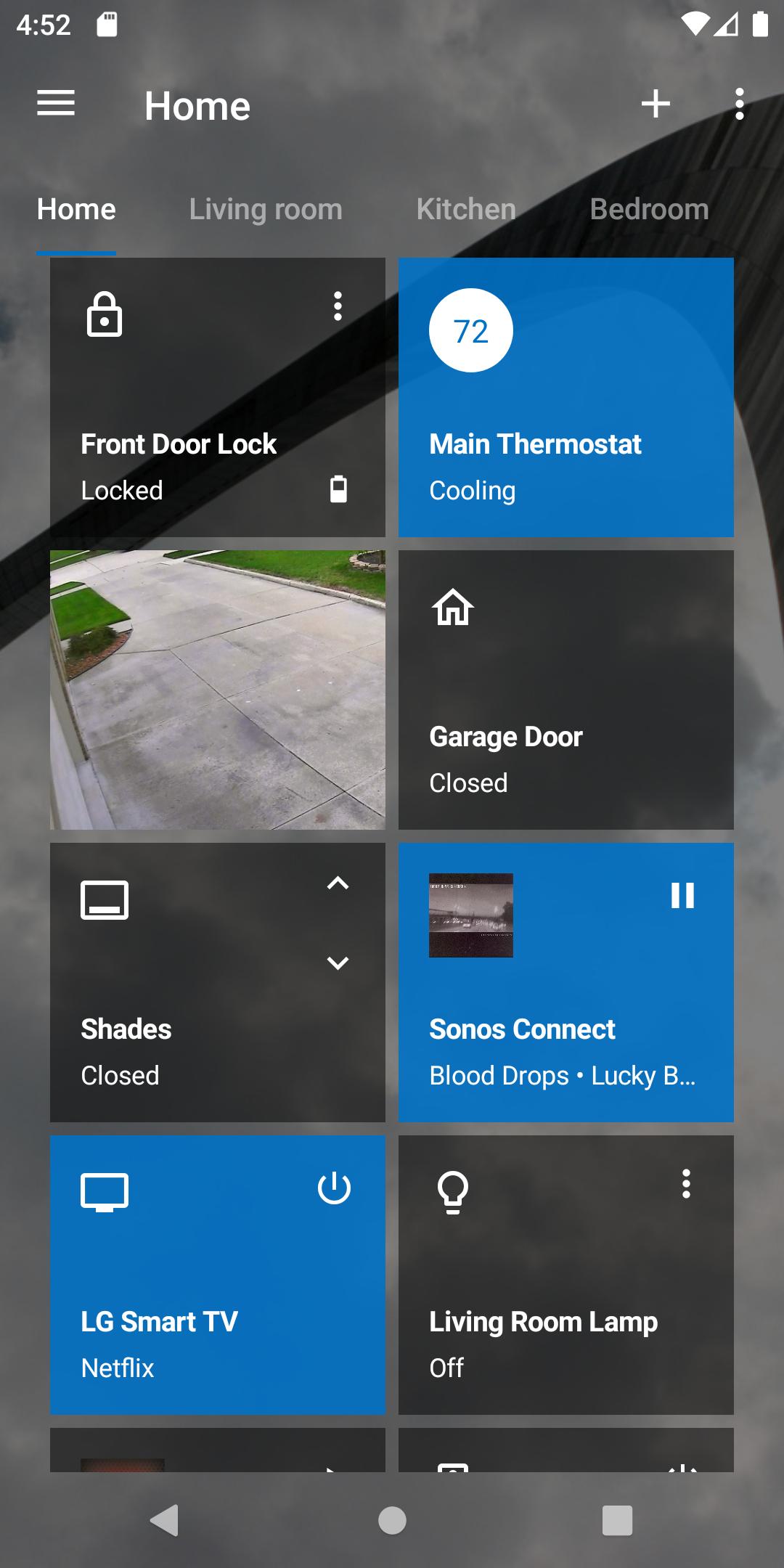
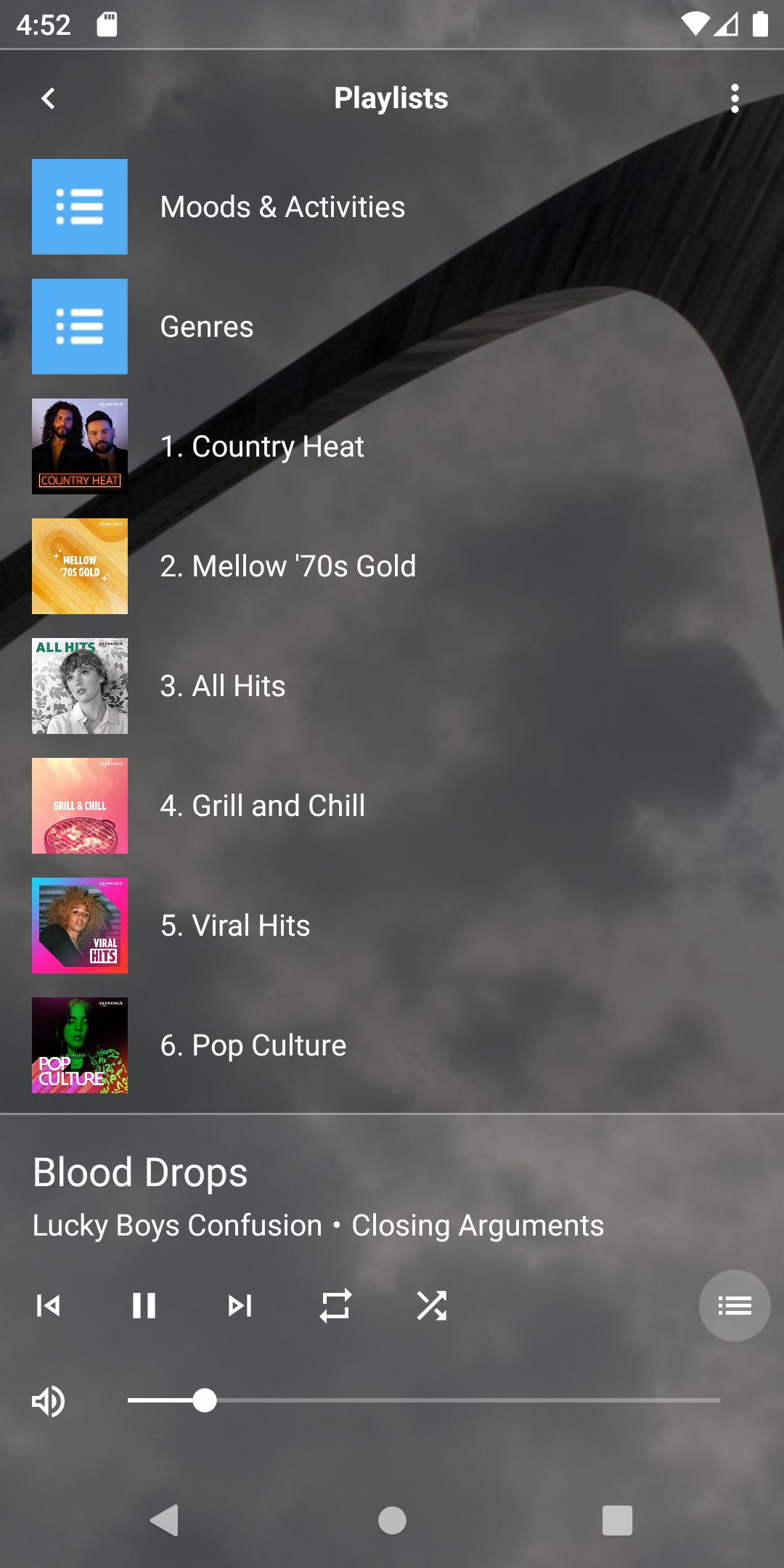
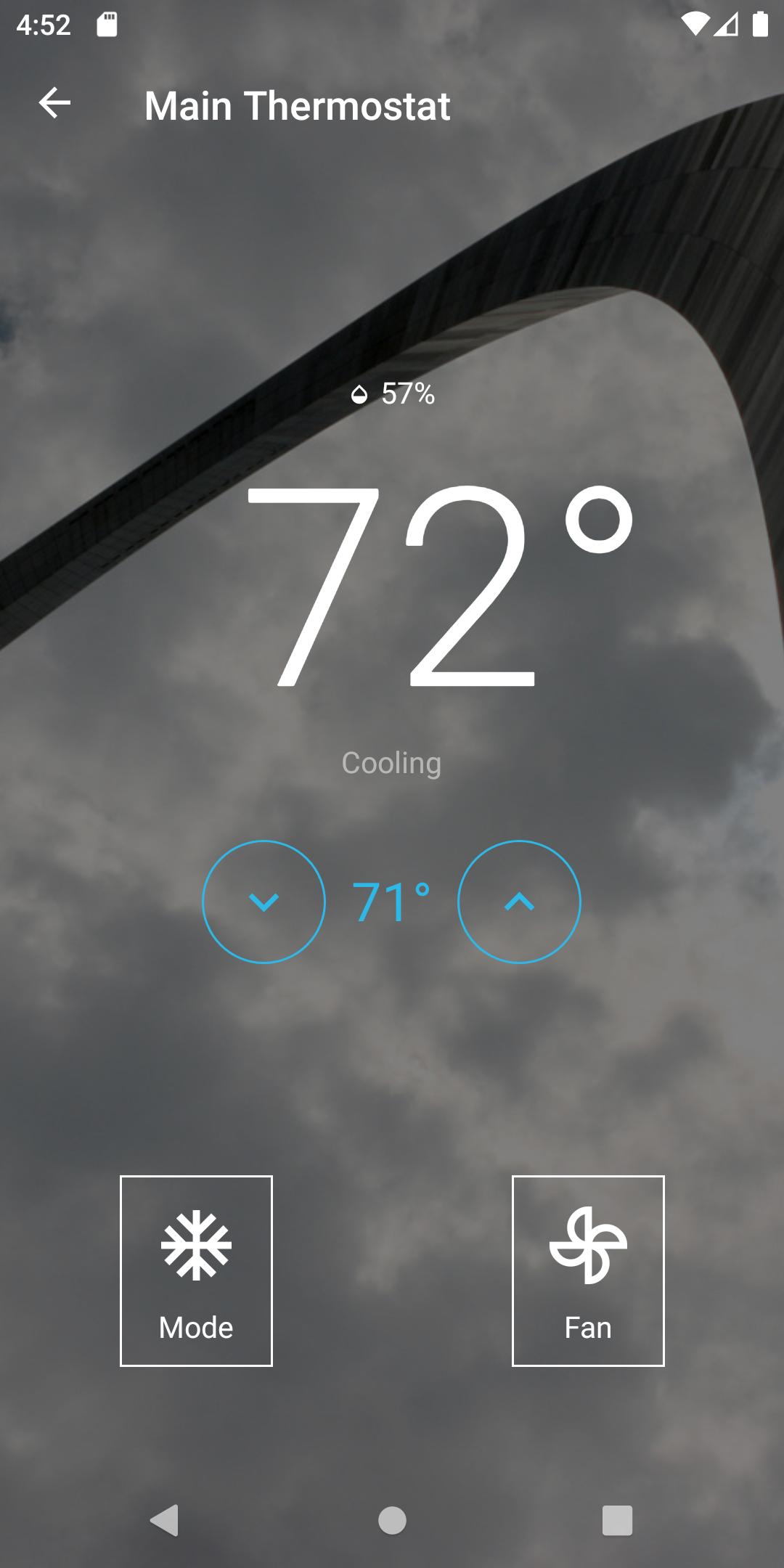
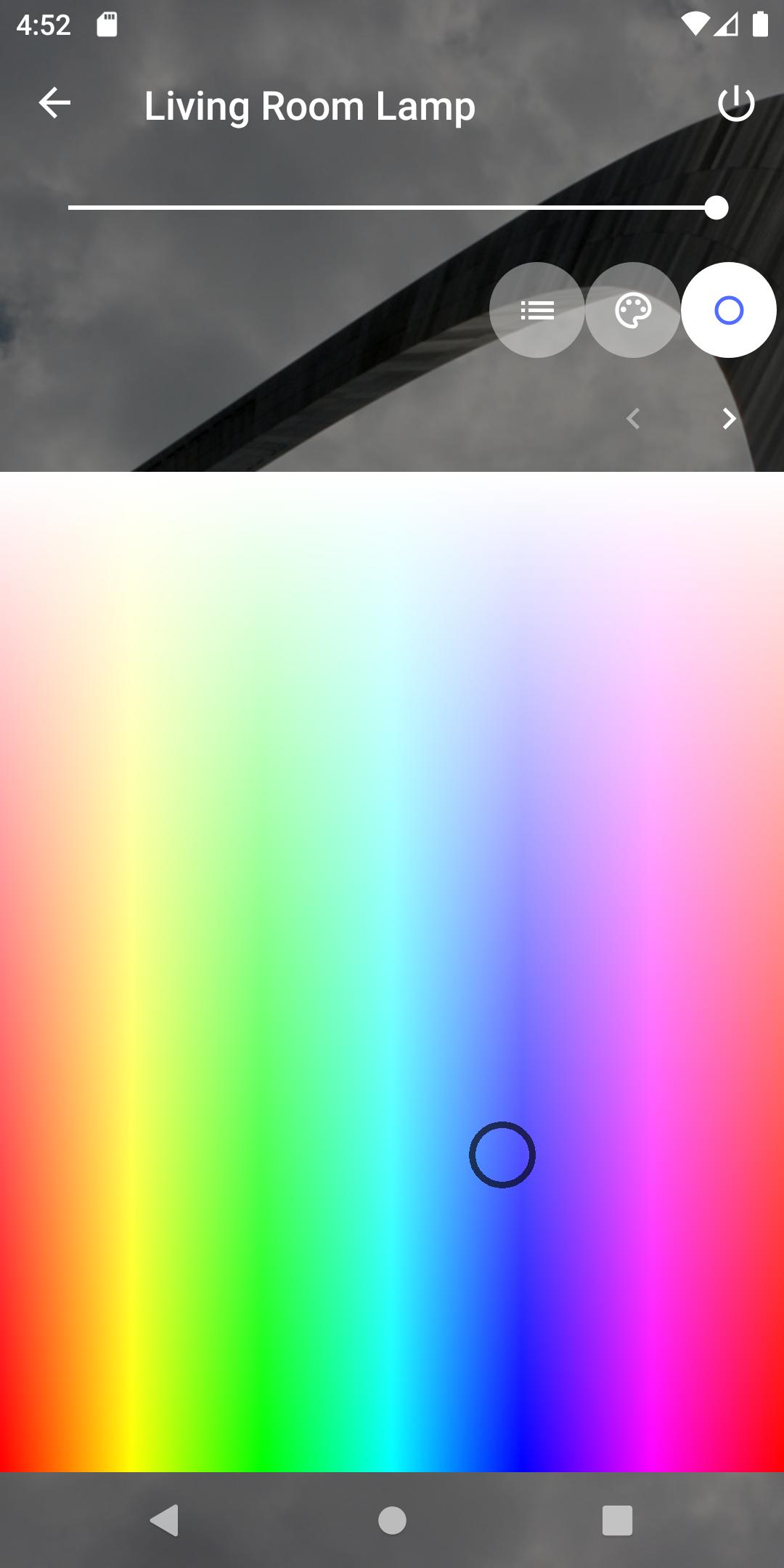

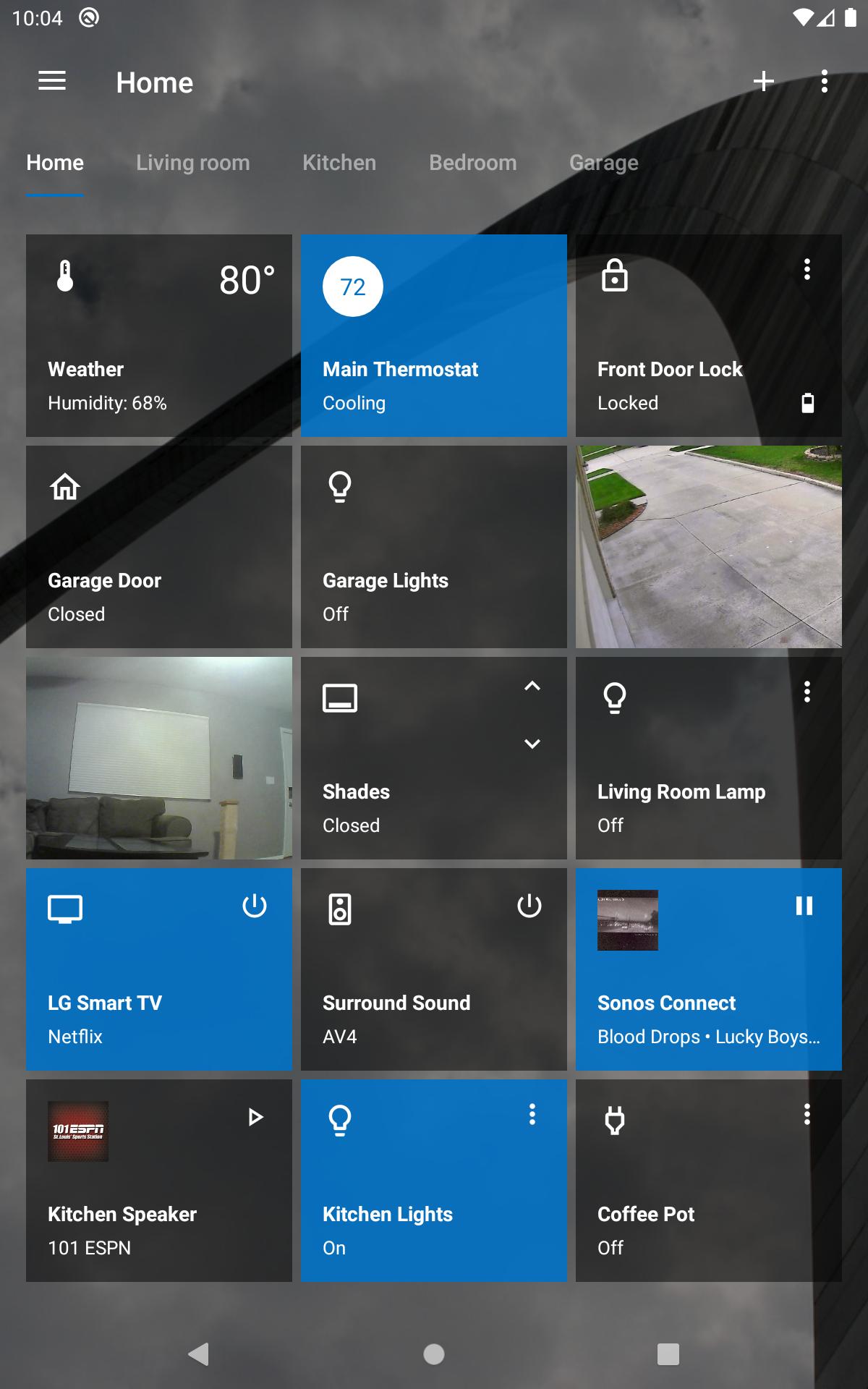
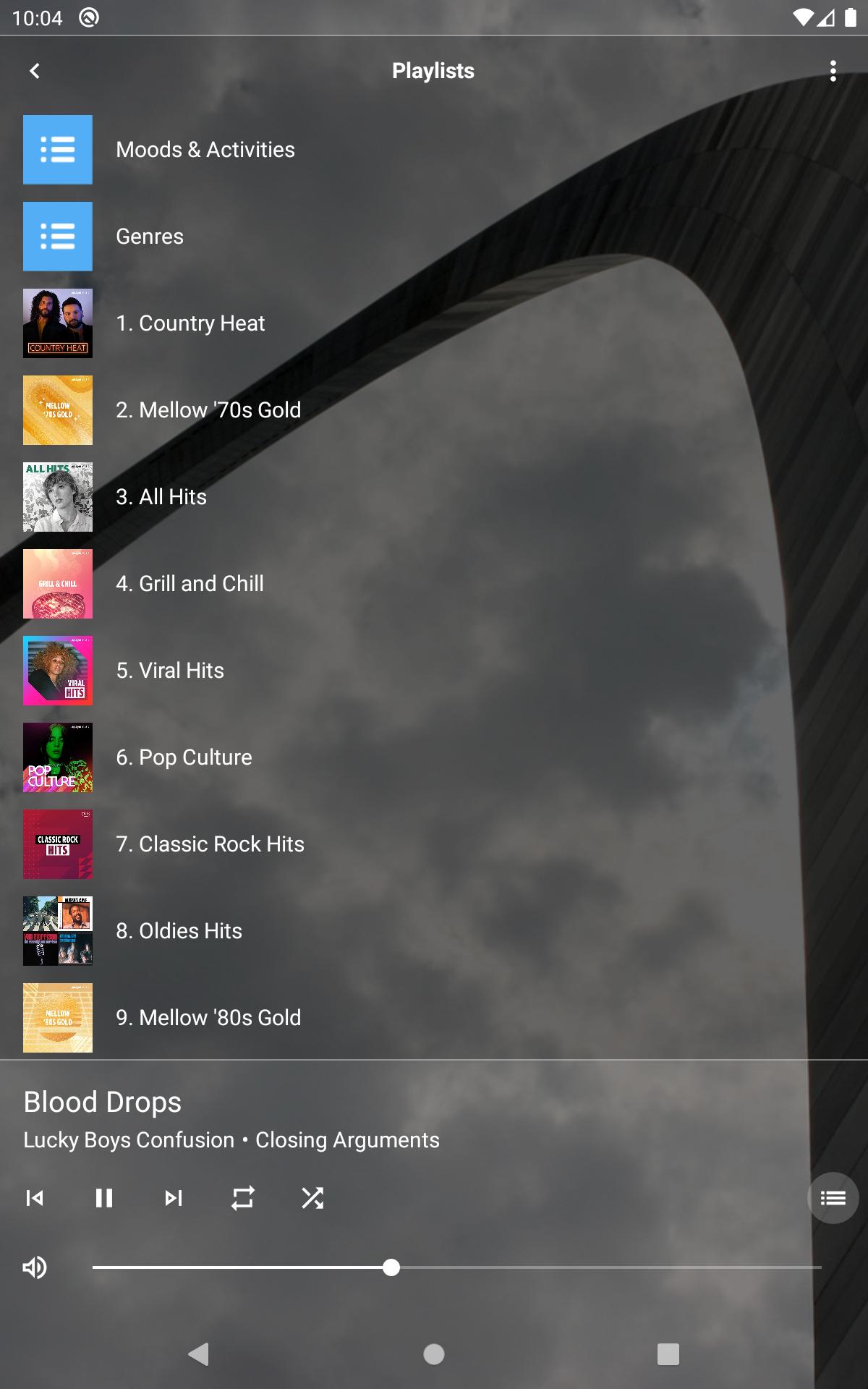
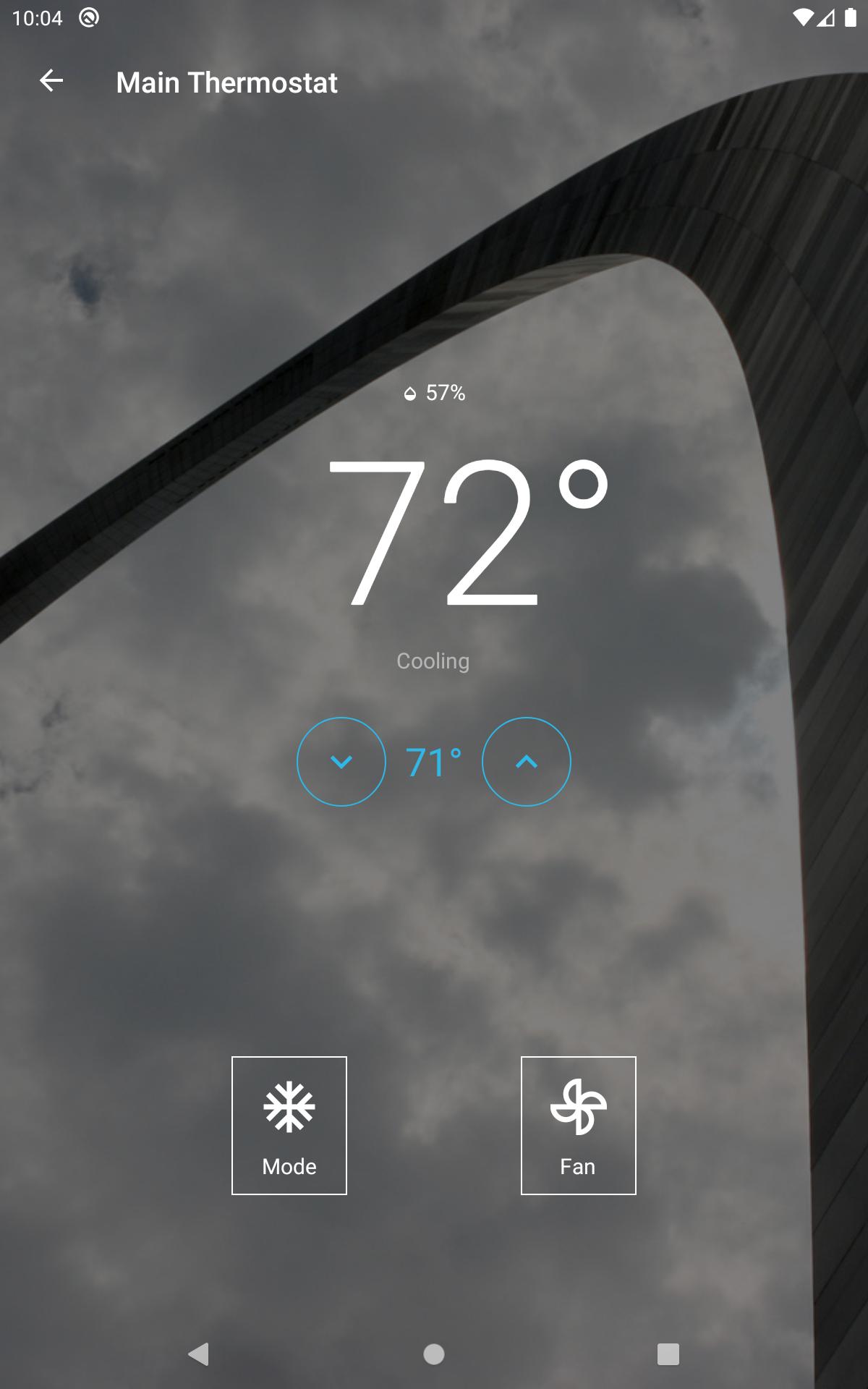
Compatible with brands like Samsung SmartThings, Sonos, Philips Hue, LG, etc.
Control all of your home automation and AV devices from one app. Simply click the '+' button to begin adding your devices.
For our advanced users that want to create custom layouts & dashboards be sure to check our Designer program which can be downloaded from our website. It'll give you complete control & access to all of the Home Remote features.
Use of projects created with the Home Remote Designer will require the purchase of a "Home Remote Pro" license. This is a one-time In-App Purchase (it's not a subscription).
Here is a list of devices we currently support:
AMAZON ALEXA
• Alexa Voice Service (AVS)
AUGUST HOME
• August Home Smart Locks
BRYANT
• Bryant Evolution Connex Thermostat (MyEvolution Connex)
CARRIER
• Carrier Côr Thermostat
• Carrier Infinity Touch Thermostat (MyInfinity Touch)
CRESTRON
• Crestron 2-Series Control Systems
• Crestron 3-Series Control Systems
DENON
• Denon AV Receivers
• Denon HEOS Speakers
DIRECTV
• DIRECTV Standard Receivers
• DIRECTV HD Receivers
• DIRECTV Genie Receivers
DOORBIRD
• DoorBird video door stations
ECOBEE
• ecobee2 Thermostat
• ecobee3 Thermostat
• ecobee4 Thermostat
FIBARO
• Fibaro Home Center 2
• Fibaro Home Center 3
• Fibaro Home Center Lite
GLOBAL CACHÉ
• Global Caché Global Connect
• Global Caché Flex
• Global Caché iTach
• Global Caché GC-100
GOOGLE CAST
• Chromecast
• Chromecast Audio
• Google Home Max
• Google Home Mini
• Nest Audio
• Nest Mini
HOME ASSISTANT
• Home Assistant
HOMESEER
• HomeSeer HomeTroller w/ HS3
• HomeSeer HomeTroller w/ HS4
HONEYWELL
• Honeywell Evohome Thermostat Systems
• Honeywell Round Smart Thermostat
• Honeywell T5 & T6 Series Smart Thermostats
• Honeywell Total Connect Comfort Thermostats
HUBITAT ELEVATION
• Hubitat Elevation Hub
INSTEON
• Insteon Hub 2245-222
INTEGRA
• Integra AV Receivers
IP Cameras
• MJPEG / JPEG / RTSP / ONVIF
KASA SMART
• TP-Link Kasa Smart Light Bulbs
• TP-Link Kasa Smart Light Switches
• TP-Link Kasa Smart Plugs
KNX
• KNX IP Interface
• KNX IP Router
LG
• LG webOS Smart TVs
LIFX
• LIFX Bulbs
• LIFX Lightstrips
LOGITECH
• Logitech Harmony Hubs
LUTRON
• Caséta Smart Bridge
• Caséta Smart Bridge Pro
• Lutron RA2 Select
• Lutron RadioRA 2 Main Repeater
Marantz
• Marantz AV Receivers
MQTT
• MQTT Requires Configuration with Home Remote Designer
MYQ
• Chamberlain myQ Garage Door Openers
• LiftMaster myQ Garage Door Openers
• myQ Light Switches
NETATMO
• Netatmo Smart Weather Station
• Netatmo Smart Anemometer
• Netatmo Smart Rain Gauge
• Netatmo Smart Indoor Air Quality Monitor
• Netatmo Smart Thermostat
• Netatmo Smart Radiator Valve
NEXIA
• Trane XL Thermostats Featuring Nexia
ONKYO
• Onkyo AV Receivers
OSRAM
• Osram Lightify Bulbs
• Osram Lightify Lightstrips
ONVIF
• ONVIF Security Cameras
PHILIPS HUE
• Philips Hue Bulbs
• Philips Hue Lightstrips
• Philips Hue Lamps & Fixtures
PIONEER
• Pioneer AV Receivers (2016+)
RUSSOUND
• Russound MCA-Series Controllers
• Russound C-Series Controllers
• Russound X5 Controllers
SMART LIFE
• Smart Life Light Bulbs
• Smart Life Light Switches
• Smart Life Smart Plugs
• Smart Life Window Shades
SMARTTHINGS
• Samsung SmartThings Hub
• Samsung SmartThings ADT Security Hub
• Samsung SmartThings Wifi
• Samsung SmartThings Link for NVIDIA SHIELD TV
Sonos
• Sonos Speakers
• Sonos Connect
• Sonos Port
• Sonos Amp
TUYA
• Tuya Light Bulbs
• Tuya Light Switches
• Tuya Smart Plugs
• Tuya Window Shades
UPnP
• UPnP Media Renderers
• UPnP Media Servers
• UPnP Binary Lights
• UPnP Dimmable Lights
VERA
• Vera Edge
• Vera Lite
• Vera Plus
• Vera Secure
WEMO
• Wemo Light Switch
• Wemo Dimmer
• Wemo Mini Smart Plug
• Wemo Insight Smart Plug
• Wemo Link LED Lighting
WINK
• Wink Hub
• Wink Hub 2
YAMAHA
• Yamaha AV Receivers
• Yamaha MusicCast AV Receivers
• Yamaha MusicCast Speakers
ZIPATO
• Zipato ZipaTile
• Zipato Zipabox2
Home Remote: A Comprehensive GuideIntroduction
Home Remote is a mobile application that allows users to control various home devices, including lights, appliances, and smart home hubs, from their smartphones or tablets. It provides a convenient and centralized platform for managing and automating home functions, enhancing comfort, security, and energy efficiency.
Key Features
* Device Control: Home Remote enables users to remotely turn on/off, adjust settings, and monitor the status of compatible smart devices.
* Scene Creation: Users can create custom scenes that trigger multiple actions simultaneously. For example, a "Movie Night" scene could dim the lights, turn on the TV, and set the thermostat to a comfortable temperature.
* Scheduling: Home Remote allows users to schedule actions for specific times or days. This feature is useful for automating tasks such as turning on lights at sunset or adjusting the thermostat before bedtime.
* Location-Based Control: With GPS enabled, Home Remote can automatically trigger actions based on the user's location. For instance, it can turn on the lights when the user arrives home or turn off the thermostat when they leave.
* Voice Control: Home Remote integrates with popular voice assistants such as Amazon Alexa and Google Assistant, allowing users to control devices hands-free.
Supported Devices
Home Remote is compatible with a wide range of smart home devices, including:
* Smart Lights (e.g., Philips Hue, LIFX)
* Smart Plugs (e.g., Belkin WeMo, TP-Link Kasa)
* Smart Thermostats (e.g., Nest, Ecobee)
* Smart Home Hubs (e.g., Amazon Echo, Google Nest Hub)
Setup and Configuration
Setting up Home Remote is relatively straightforward:
1. Download the app from the App Store or Google Play.
2. Create an account and connect your smart home devices by following the app's instructions.
3. Configure scenes, schedules, and location-based controls as desired.
User Interface
Home Remote features an intuitive and user-friendly interface:
* Dashboard: Displays a summary of connected devices and recent activities.
* Devices: Provides a list of all connected devices, allowing users to manage and control them individually.
* Scenes: Lists user-created scenes and allows for their customization and execution.
* Schedules: Displays scheduled actions and enables users to add, edit, or delete them.
* Settings: Provides access to account management, app preferences, and integrations with other services.
Benefits
Using Home Remote offers numerous benefits:
* Convenience: Control home devices from anywhere with an internet connection.
* Automation: Automate tasks and reduce the need for manual operation.
* Energy Savings: Optimize energy consumption by scheduling devices and using location-based control.
* Security: Monitor home activity and control devices remotely for enhanced security.
* Centralized Control: Manage all smart home devices from a single platform.
Conclusion
Home Remote is a powerful and versatile mobile application that empowers users to take control of their smart home devices. Its comprehensive features, intuitive interface, and wide compatibility make it an indispensable tool for enhancing comfort, security, and energy efficiency in the modern home.
Compatible with brands like Samsung SmartThings, Sonos, Philips Hue, LG, etc.
Control all of your home automation and AV devices from one app. Simply click the '+' button to begin adding your devices.
For our advanced users that want to create custom layouts & dashboards be sure to check our Designer program which can be downloaded from our website. It'll give you complete control & access to all of the Home Remote features.
Use of projects created with the Home Remote Designer will require the purchase of a "Home Remote Pro" license. This is a one-time In-App Purchase (it's not a subscription).
Here is a list of devices we currently support:
AMAZON ALEXA
• Alexa Voice Service (AVS)
AUGUST HOME
• August Home Smart Locks
BRYANT
• Bryant Evolution Connex Thermostat (MyEvolution Connex)
CARRIER
• Carrier Côr Thermostat
• Carrier Infinity Touch Thermostat (MyInfinity Touch)
CRESTRON
• Crestron 2-Series Control Systems
• Crestron 3-Series Control Systems
DENON
• Denon AV Receivers
• Denon HEOS Speakers
DIRECTV
• DIRECTV Standard Receivers
• DIRECTV HD Receivers
• DIRECTV Genie Receivers
DOORBIRD
• DoorBird video door stations
ECOBEE
• ecobee2 Thermostat
• ecobee3 Thermostat
• ecobee4 Thermostat
FIBARO
• Fibaro Home Center 2
• Fibaro Home Center 3
• Fibaro Home Center Lite
GLOBAL CACHÉ
• Global Caché Global Connect
• Global Caché Flex
• Global Caché iTach
• Global Caché GC-100
GOOGLE CAST
• Chromecast
• Chromecast Audio
• Google Home Max
• Google Home Mini
• Nest Audio
• Nest Mini
HOME ASSISTANT
• Home Assistant
HOMESEER
• HomeSeer HomeTroller w/ HS3
• HomeSeer HomeTroller w/ HS4
HONEYWELL
• Honeywell Evohome Thermostat Systems
• Honeywell Round Smart Thermostat
• Honeywell T5 & T6 Series Smart Thermostats
• Honeywell Total Connect Comfort Thermostats
HUBITAT ELEVATION
• Hubitat Elevation Hub
INSTEON
• Insteon Hub 2245-222
INTEGRA
• Integra AV Receivers
IP Cameras
• MJPEG / JPEG / RTSP / ONVIF
KASA SMART
• TP-Link Kasa Smart Light Bulbs
• TP-Link Kasa Smart Light Switches
• TP-Link Kasa Smart Plugs
KNX
• KNX IP Interface
• KNX IP Router
LG
• LG webOS Smart TVs
LIFX
• LIFX Bulbs
• LIFX Lightstrips
LOGITECH
• Logitech Harmony Hubs
LUTRON
• Caséta Smart Bridge
• Caséta Smart Bridge Pro
• Lutron RA2 Select
• Lutron RadioRA 2 Main Repeater
Marantz
• Marantz AV Receivers
MQTT
• MQTT Requires Configuration with Home Remote Designer
MYQ
• Chamberlain myQ Garage Door Openers
• LiftMaster myQ Garage Door Openers
• myQ Light Switches
NETATMO
• Netatmo Smart Weather Station
• Netatmo Smart Anemometer
• Netatmo Smart Rain Gauge
• Netatmo Smart Indoor Air Quality Monitor
• Netatmo Smart Thermostat
• Netatmo Smart Radiator Valve
NEXIA
• Trane XL Thermostats Featuring Nexia
ONKYO
• Onkyo AV Receivers
OSRAM
• Osram Lightify Bulbs
• Osram Lightify Lightstrips
ONVIF
• ONVIF Security Cameras
PHILIPS HUE
• Philips Hue Bulbs
• Philips Hue Lightstrips
• Philips Hue Lamps & Fixtures
PIONEER
• Pioneer AV Receivers (2016+)
RUSSOUND
• Russound MCA-Series Controllers
• Russound C-Series Controllers
• Russound X5 Controllers
SMART LIFE
• Smart Life Light Bulbs
• Smart Life Light Switches
• Smart Life Smart Plugs
• Smart Life Window Shades
SMARTTHINGS
• Samsung SmartThings Hub
• Samsung SmartThings ADT Security Hub
• Samsung SmartThings Wifi
• Samsung SmartThings Link for NVIDIA SHIELD TV
Sonos
• Sonos Speakers
• Sonos Connect
• Sonos Port
• Sonos Amp
TUYA
• Tuya Light Bulbs
• Tuya Light Switches
• Tuya Smart Plugs
• Tuya Window Shades
UPnP
• UPnP Media Renderers
• UPnP Media Servers
• UPnP Binary Lights
• UPnP Dimmable Lights
VERA
• Vera Edge
• Vera Lite
• Vera Plus
• Vera Secure
WEMO
• Wemo Light Switch
• Wemo Dimmer
• Wemo Mini Smart Plug
• Wemo Insight Smart Plug
• Wemo Link LED Lighting
WINK
• Wink Hub
• Wink Hub 2
YAMAHA
• Yamaha AV Receivers
• Yamaha MusicCast AV Receivers
• Yamaha MusicCast Speakers
ZIPATO
• Zipato ZipaTile
• Zipato Zipabox2
Home Remote: A Comprehensive GuideIntroduction
Home Remote is a mobile application that allows users to control various home devices, including lights, appliances, and smart home hubs, from their smartphones or tablets. It provides a convenient and centralized platform for managing and automating home functions, enhancing comfort, security, and energy efficiency.
Key Features
* Device Control: Home Remote enables users to remotely turn on/off, adjust settings, and monitor the status of compatible smart devices.
* Scene Creation: Users can create custom scenes that trigger multiple actions simultaneously. For example, a "Movie Night" scene could dim the lights, turn on the TV, and set the thermostat to a comfortable temperature.
* Scheduling: Home Remote allows users to schedule actions for specific times or days. This feature is useful for automating tasks such as turning on lights at sunset or adjusting the thermostat before bedtime.
* Location-Based Control: With GPS enabled, Home Remote can automatically trigger actions based on the user's location. For instance, it can turn on the lights when the user arrives home or turn off the thermostat when they leave.
* Voice Control: Home Remote integrates with popular voice assistants such as Amazon Alexa and Google Assistant, allowing users to control devices hands-free.
Supported Devices
Home Remote is compatible with a wide range of smart home devices, including:
* Smart Lights (e.g., Philips Hue, LIFX)
* Smart Plugs (e.g., Belkin WeMo, TP-Link Kasa)
* Smart Thermostats (e.g., Nest, Ecobee)
* Smart Home Hubs (e.g., Amazon Echo, Google Nest Hub)
Setup and Configuration
Setting up Home Remote is relatively straightforward:
1. Download the app from the App Store or Google Play.
2. Create an account and connect your smart home devices by following the app's instructions.
3. Configure scenes, schedules, and location-based controls as desired.
User Interface
Home Remote features an intuitive and user-friendly interface:
* Dashboard: Displays a summary of connected devices and recent activities.
* Devices: Provides a list of all connected devices, allowing users to manage and control them individually.
* Scenes: Lists user-created scenes and allows for their customization and execution.
* Schedules: Displays scheduled actions and enables users to add, edit, or delete them.
* Settings: Provides access to account management, app preferences, and integrations with other services.
Benefits
Using Home Remote offers numerous benefits:
* Convenience: Control home devices from anywhere with an internet connection.
* Automation: Automate tasks and reduce the need for manual operation.
* Energy Savings: Optimize energy consumption by scheduling devices and using location-based control.
* Security: Monitor home activity and control devices remotely for enhanced security.
* Centralized Control: Manage all smart home devices from a single platform.
Conclusion
Home Remote is a powerful and versatile mobile application that empowers users to take control of their smart home devices. Its comprehensive features, intuitive interface, and wide compatibility make it an indispensable tool for enhancing comfort, security, and energy efficiency in the modern home.





