


Looking for a portable PDF scanner?
iScanner is a #1 advanced scanning tool to create ideal-looking documents by scanning on the go fast. iScanner allows for working and studying anywhere effortlessly, even if you don’t have access to a laptop or a scanner.
DOCUMENT SCANNER
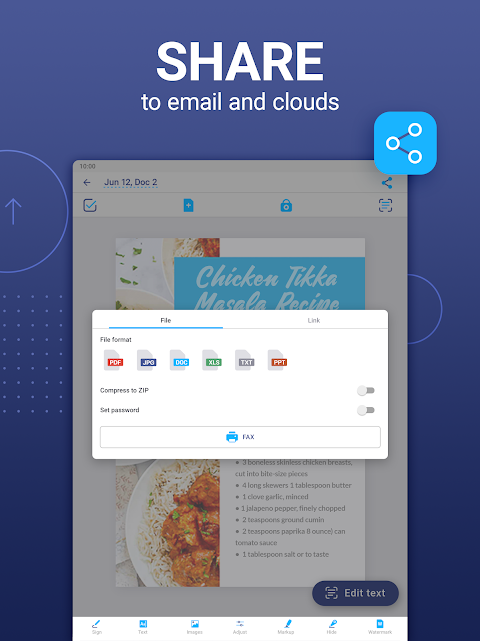
Our smart scanner app is a must-have for those who work remotely or on the go and anyone starting their business or studying. Digitize the scans you need – contracts, tax forms, tickets, receipts, handwritten notes, assignments – and export them as the most common file formats with our PDF scanner!
CLOUD STORAGE
– Sync items and folders in real time
– Transfer and view files from any platform or web browser
– Use one subscription for all your devices
TOOLS WITH ARTIFICIAL INTELLIGENCE
– Get document borders detected and adjusted automatically with our powerful mobile scanner
– Recognize text in 20+ languages
– Refine your scans with AI tools–remove blur and erase fingers
– Ask AI anything–summarize and shorten text, check grammar and logic, and much more
– Polish documents–make your PDFs clean and neat
FULL PDF EDITOR & APP FILE MANAGER
– Edit scans using color correction
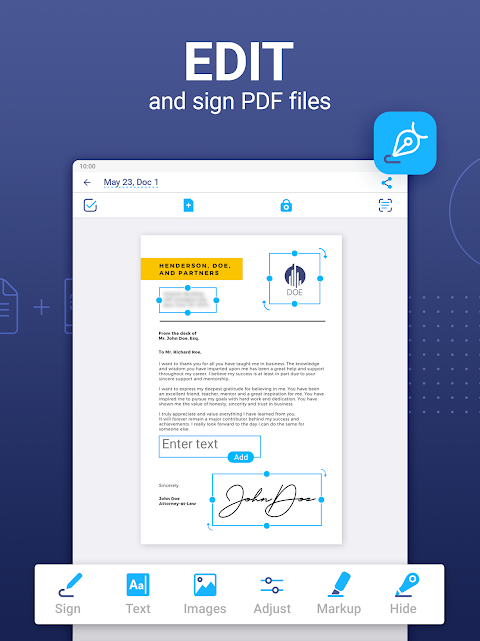
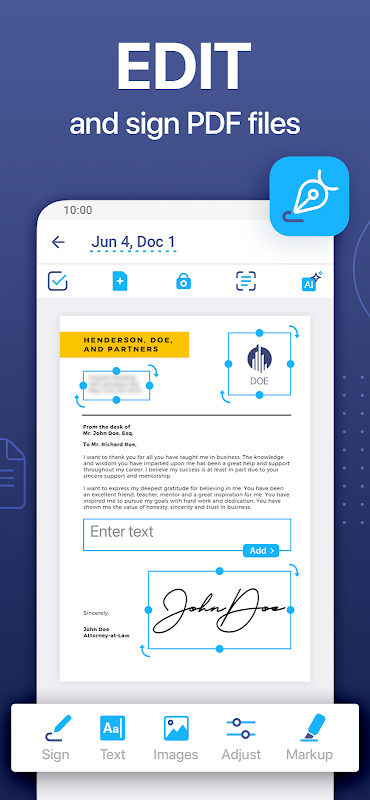
– Sign the scans manually or add a signature from an image
– Cover or blur text you don’t need to be seen and mark up documents
– Add text over the forms or autofill PDFs using custom templates
– Use the scanner file manager with folders and drag & drop
– Protect confidential scans by locking folders and files with PIN
– Merge several documents into one or split a PDF by pages
– Add watermarks right in the scanner app
VARIOUS SCANNER APP MODES
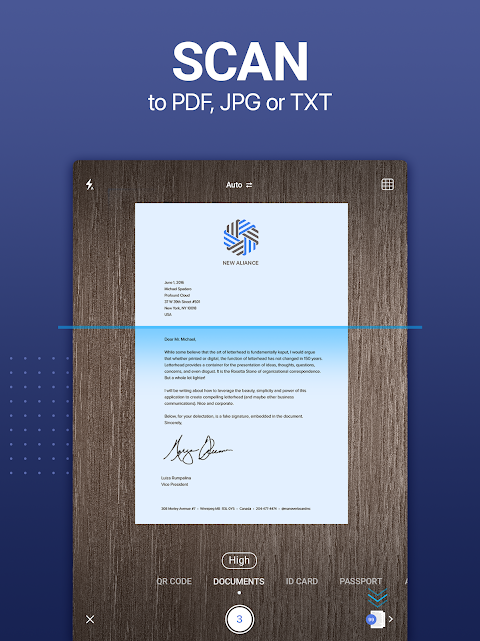
• DOCUMENTS – scan multipage PDF documents on the go
• ID-CARD & PASSPORT – create scans of personal documents
• AREA – measure object length and calculate its area
• MATH – solve math problems and complex equations
• COUNT – count similar objects automatically
• QR CODE – read any QR code with the mobile scanner camera
iScanner: Making your documents better than they are!
http://bpmob.com/scannerfree/privacy
http://bpmob.com/scannerfree/terms
We’d love to hear from you! Please help us make our PDF scanner app even better. You can also get in touch with us at http://iscannerapp.com/scanner/support.
Overview
iScanner is a versatile mobile scanning app that transforms your smartphone into a powerful document scanner. It seamlessly captures, organizes, and manages various documents, including contracts, receipts, invoices, presentations, and more.
Key Features
* Document Scanning: iScanner uses advanced image processing algorithms to accurately scan documents in high resolution. It automatically detects and crops edges, removes shadows and glare, and enhances text clarity.
* OCR (Optical Character Recognition): iScanner's built-in OCR technology extracts text from scanned documents, enabling you to search, edit, and share it digitally.
* Multi-Page Scanning: The app allows you to scan multiple pages into a single PDF file, making it convenient for managing large documents.
* Document Management: iScanner provides a comprehensive document manager that organizes your scans into customizable folders and tags. It supports cloud storage integration for easy access and sharing.
* PDF Creation and Editing: You can create, edit, and annotate PDF files within the app. Features include text highlighting, note-taking, signature addition, and merging or splitting PDFs.
* Cloud Sync and Collaboration: iScanner seamlessly integrates with cloud services such as Google Drive, Dropbox, and OneDrive. This enables you to access and share documents across devices and collaborate with others in real-time.
* Advanced Scanning Modes: The app offers specialized scanning modes for specific document types, such as ID cards, passports, and QR codes. It automatically detects and optimizes settings for optimal results.
* AI-Powered Features: iScanner leverages artificial intelligence (AI) to enhance its scanning capabilities. It can identify and classify documents, extract key information, and even translate scanned text into different languages.
Benefits
* Increased Productivity: iScanner eliminates the need for traditional scanners and photocopying, saving time and effort.
* Enhanced Organization: It provides a central hub for all your documents, keeping them organized and easily accessible.
* Improved Collaboration: Cloud integration and real-time collaboration features facilitate seamless document sharing and teamwork.
* Space Saving: By digitizing documents, iScanner helps declutter your physical space and reduces the need for storage cabinets.
* Increased Accuracy: OCR technology ensures accurate text extraction, eliminating the risk of errors associated with manual transcription.
Conclusion
iScanner is an indispensable tool for professionals, students, and anyone who needs to manage documents efficiently. Its powerful scanning capabilities, OCR functionality, and comprehensive document management features make it the ultimate mobile scanner solution. By leveraging advanced technology and AI-powered enhancements, iScanner empowers users to capture, organize, and share documents with ease and accuracy.
Looking for a portable PDF scanner?
iScanner is a #1 advanced scanning tool to create ideal-looking documents by scanning on the go fast. iScanner allows for working and studying anywhere effortlessly, even if you don’t have access to a laptop or a scanner.
DOCUMENT SCANNER
Our smart scanner app is a must-have for those who work remotely or on the go and anyone starting their business or studying. Digitize the scans you need – contracts, tax forms, tickets, receipts, handwritten notes, assignments – and export them as the most common file formats with our PDF scanner!
CLOUD STORAGE
– Sync items and folders in real time
– Transfer and view files from any platform or web browser
– Use one subscription for all your devices
TOOLS WITH ARTIFICIAL INTELLIGENCE
– Get document borders detected and adjusted automatically with our powerful mobile scanner
– Recognize text in 20+ languages
– Refine your scans with AI tools–remove blur and erase fingers
– Ask AI anything–summarize and shorten text, check grammar and logic, and much more
– Polish documents–make your PDFs clean and neat
FULL PDF EDITOR & APP FILE MANAGER
– Edit scans using color correction
– Sign the scans manually or add a signature from an image
– Cover or blur text you don’t need to be seen and mark up documents
– Add text over the forms or autofill PDFs using custom templates
– Use the scanner file manager with folders and drag & drop
– Protect confidential scans by locking folders and files with PIN
– Merge several documents into one or split a PDF by pages
– Add watermarks right in the scanner app
VARIOUS SCANNER APP MODES
• DOCUMENTS – scan multipage PDF documents on the go
• ID-CARD & PASSPORT – create scans of personal documents
• AREA – measure object length and calculate its area
• MATH – solve math problems and complex equations
• COUNT – count similar objects automatically
• QR CODE – read any QR code with the mobile scanner camera
iScanner: Making your documents better than they are!
http://bpmob.com/scannerfree/privacy
http://bpmob.com/scannerfree/terms
We’d love to hear from you! Please help us make our PDF scanner app even better. You can also get in touch with us at http://iscannerapp.com/scanner/support.
Overview
iScanner is a versatile mobile scanning app that transforms your smartphone into a powerful document scanner. It seamlessly captures, organizes, and manages various documents, including contracts, receipts, invoices, presentations, and more.
Key Features
* Document Scanning: iScanner uses advanced image processing algorithms to accurately scan documents in high resolution. It automatically detects and crops edges, removes shadows and glare, and enhances text clarity.
* OCR (Optical Character Recognition): iScanner's built-in OCR technology extracts text from scanned documents, enabling you to search, edit, and share it digitally.
* Multi-Page Scanning: The app allows you to scan multiple pages into a single PDF file, making it convenient for managing large documents.
* Document Management: iScanner provides a comprehensive document manager that organizes your scans into customizable folders and tags. It supports cloud storage integration for easy access and sharing.
* PDF Creation and Editing: You can create, edit, and annotate PDF files within the app. Features include text highlighting, note-taking, signature addition, and merging or splitting PDFs.
* Cloud Sync and Collaboration: iScanner seamlessly integrates with cloud services such as Google Drive, Dropbox, and OneDrive. This enables you to access and share documents across devices and collaborate with others in real-time.
* Advanced Scanning Modes: The app offers specialized scanning modes for specific document types, such as ID cards, passports, and QR codes. It automatically detects and optimizes settings for optimal results.
* AI-Powered Features: iScanner leverages artificial intelligence (AI) to enhance its scanning capabilities. It can identify and classify documents, extract key information, and even translate scanned text into different languages.
Benefits
* Increased Productivity: iScanner eliminates the need for traditional scanners and photocopying, saving time and effort.
* Enhanced Organization: It provides a central hub for all your documents, keeping them organized and easily accessible.
* Improved Collaboration: Cloud integration and real-time collaboration features facilitate seamless document sharing and teamwork.
* Space Saving: By digitizing documents, iScanner helps declutter your physical space and reduces the need for storage cabinets.
* Increased Accuracy: OCR technology ensures accurate text extraction, eliminating the risk of errors associated with manual transcription.
Conclusion
iScanner is an indispensable tool for professionals, students, and anyone who needs to manage documents efficiently. Its powerful scanning capabilities, OCR functionality, and comprehensive document management features make it the ultimate mobile scanner solution. By leveraging advanced technology and AI-powered enhancements, iScanner empowers users to capture, organize, and share documents with ease and accuracy.





