






Browse the Web with the easiest Web Browser for TVs. Access the full Internet!
The easy way to browse the Internet on a TV!
The Web Browser by Vewd looks great, loads pages super fast, and renders pages adapted to your TV.
Browse the Web, search the Internet, watch news and sports, stream movies, series and video clips, or check social media pages from anyone anywhere
Search, watch video, check mail and social media feeds
The Web Browser Home Screen keeps the sites you love close at hand. Add your favorites directly to the Home Screen with a click, go directly to recent and frequently visited pages.
Download the Web Browser for free and get:
- An interface that’s light, uncluttered and easy to use
- Zoom feature for reading small text on the big screen
- Quick access to frequently and recently visited sites
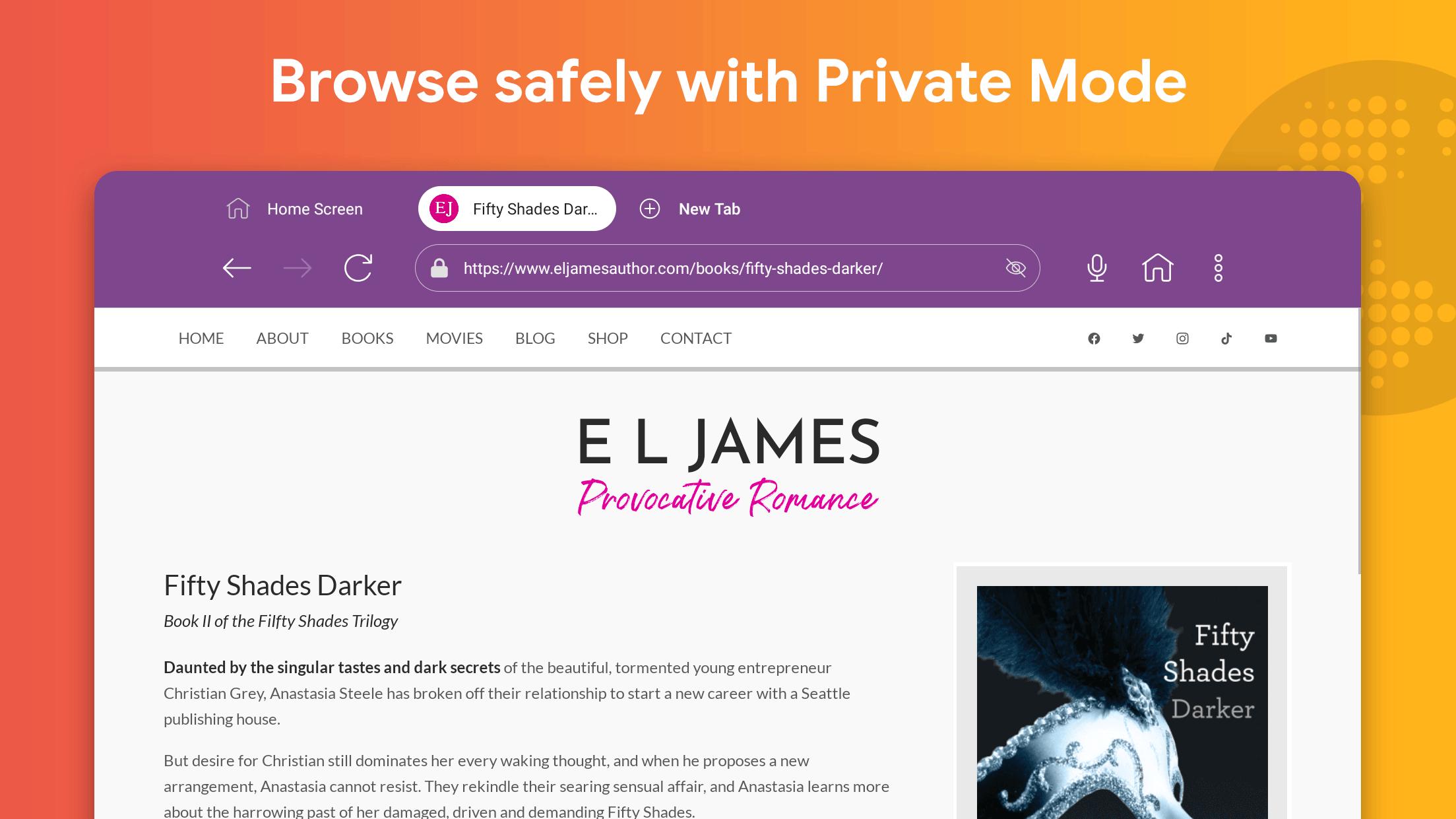
- Private browsing or incognito mode
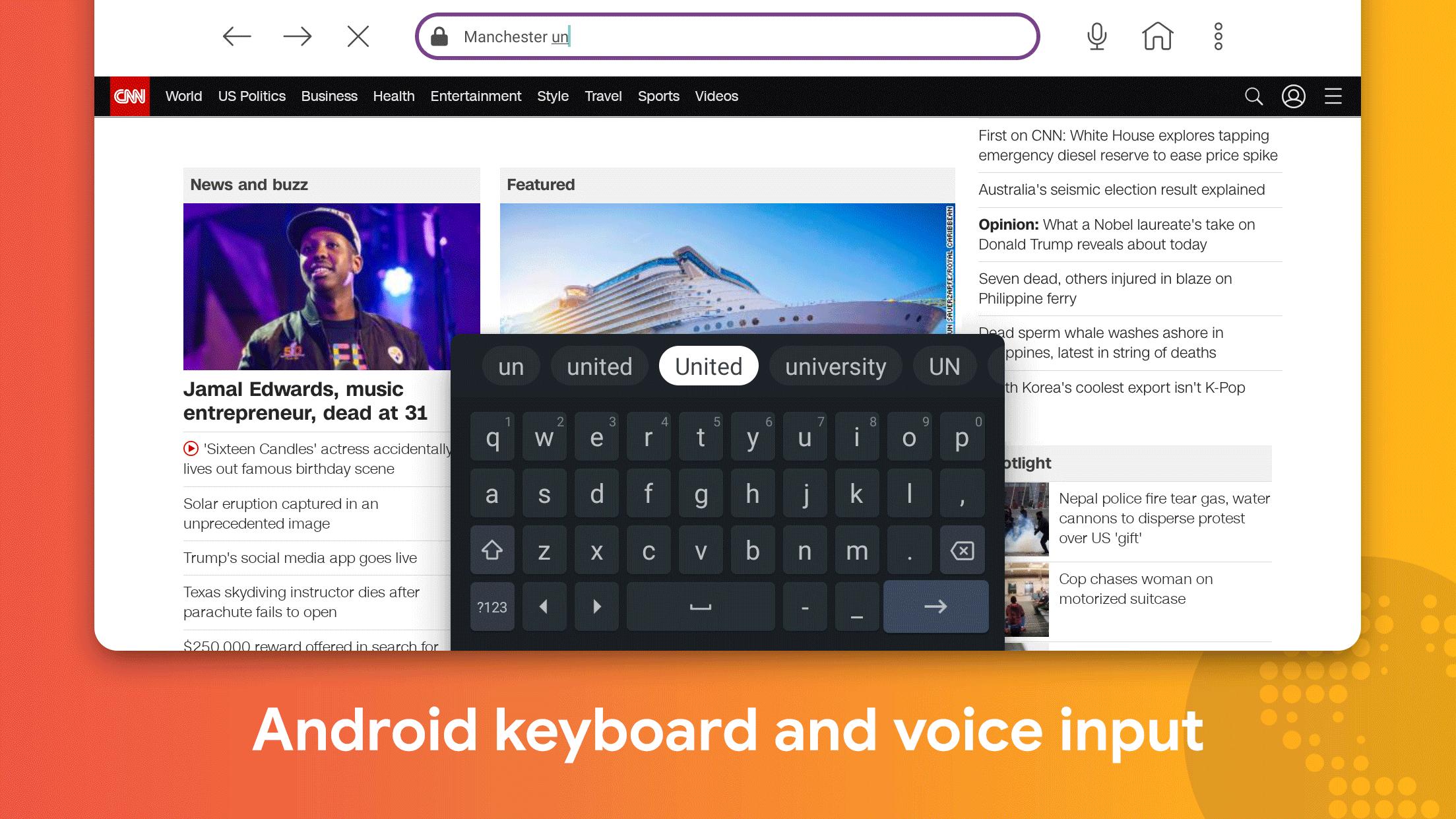
- Voice search and input
- Optimised video playback
- Full web experience
- Playback of protected videos and content
- Option to use an external keyboard
Your TV is not a PC!
Other Web Browsers, such as Chrome, Safari, Internet Explorer, Microsoft Edge and Opera are designed for a full keyboard and a screen 50cm from your nose.
Web Browser by Vewd is carefully designed to provide an easy and intuitive browsing experience, laidback sitting in a living room, watching content on a big screen, relaxing with friends and family
The Web Browser is designed specifically to work well with a standard TV remote, it does not require a mouse or a keyboard attached
What's New in the Latest Version 4.25.0.50.StableAVB_Sony.10
Last updated on Jun 28, 2024
Thank you for using our app!
This release focuses on fixing bugs and improving overall app stability.
An internet browser, also known as a web browser, is a software application that allows users to access and interact with websites on the internet. It provides a graphical user interface (GUI) for browsing the World Wide Web (WWW), and includes features such as address bar, search bar, navigation buttons, and tabbed browsing.
Functions of an Internet Browser
The primary function of an internet browser is to render web pages, which are documents written in Hypertext Markup Language (HTML). HTML defines the structure and content of a web page, and browsers use this information to display the page on the user's screen. Browsers also interpret other web technologies, such as Cascading Style Sheets (CSS) and JavaScript, which control the appearance and behavior of web pages.
Components of an Internet Browser
* Address bar: Displays the Uniform Resource Locator (URL) of the current web page and allows users to enter a new URL to navigate to a different page.
* Search bar: Allows users to enter search queries and perform searches on search engines.
* Navigation buttons: Includes buttons for back, forward, and refresh, which allow users to navigate through their browsing history and reload the current page.
* Tabbed browsing: Allows users to open multiple web pages in separate tabs within the same browser window.
* Bookmarks: Allows users to save and organize their favorite websites for easy access.
* History: Stores a list of recently visited websites for quick recall.
* Developer tools: Provides tools for web developers to inspect and debug web pages.
Popular Internet Browsers
Some of the most popular internet browsers include:
* Google Chrome: Developed by Google, Chrome is the most widely used browser in the world. It is known for its speed, simplicity, and extensive extension library.
* Mozilla Firefox: Developed by the Mozilla Foundation, Firefox is an open-source browser that emphasizes privacy and customization.
* Microsoft Edge: Developed by Microsoft, Edge is the default browser for Windows 10 and Windows 11. It is based on the Chromium engine, which is also used by Chrome.
* Apple Safari: Developed by Apple, Safari is the default browser for macOS and iOS devices. It is known for its integration with Apple's ecosystem.
* Opera: Developed by Opera Software, Opera is a feature-rich browser that includes a built-in ad blocker and a virtual private network (VPN).
Choosing an Internet Browser
The best internet browser for a particular user depends on their individual needs and preferences. Factors to consider include speed, privacy, customization, and extension support. It is recommended to try out different browsers to find the one that best suits the user's requirements.
Browse the Web with the easiest Web Browser for TVs. Access the full Internet!
The easy way to browse the Internet on a TV!
The Web Browser by Vewd looks great, loads pages super fast, and renders pages adapted to your TV.
Browse the Web, search the Internet, watch news and sports, stream movies, series and video clips, or check social media pages from anyone anywhere
Search, watch video, check mail and social media feeds
The Web Browser Home Screen keeps the sites you love close at hand. Add your favorites directly to the Home Screen with a click, go directly to recent and frequently visited pages.
Download the Web Browser for free and get:
- An interface that’s light, uncluttered and easy to use
- Zoom feature for reading small text on the big screen
- Quick access to frequently and recently visited sites
- Private browsing or incognito mode
- Voice search and input
- Optimised video playback
- Full web experience
- Playback of protected videos and content
- Option to use an external keyboard
Your TV is not a PC!
Other Web Browsers, such as Chrome, Safari, Internet Explorer, Microsoft Edge and Opera are designed for a full keyboard and a screen 50cm from your nose.
Web Browser by Vewd is carefully designed to provide an easy and intuitive browsing experience, laidback sitting in a living room, watching content on a big screen, relaxing with friends and family
The Web Browser is designed specifically to work well with a standard TV remote, it does not require a mouse or a keyboard attached
What's New in the Latest Version 4.25.0.50.StableAVB_Sony.10
Last updated on Jun 28, 2024
Thank you for using our app!
This release focuses on fixing bugs and improving overall app stability.
An internet browser, also known as a web browser, is a software application that allows users to access and interact with websites on the internet. It provides a graphical user interface (GUI) for browsing the World Wide Web (WWW), and includes features such as address bar, search bar, navigation buttons, and tabbed browsing.
Functions of an Internet Browser
The primary function of an internet browser is to render web pages, which are documents written in Hypertext Markup Language (HTML). HTML defines the structure and content of a web page, and browsers use this information to display the page on the user's screen. Browsers also interpret other web technologies, such as Cascading Style Sheets (CSS) and JavaScript, which control the appearance and behavior of web pages.
Components of an Internet Browser
* Address bar: Displays the Uniform Resource Locator (URL) of the current web page and allows users to enter a new URL to navigate to a different page.
* Search bar: Allows users to enter search queries and perform searches on search engines.
* Navigation buttons: Includes buttons for back, forward, and refresh, which allow users to navigate through their browsing history and reload the current page.
* Tabbed browsing: Allows users to open multiple web pages in separate tabs within the same browser window.
* Bookmarks: Allows users to save and organize their favorite websites for easy access.
* History: Stores a list of recently visited websites for quick recall.
* Developer tools: Provides tools for web developers to inspect and debug web pages.
Popular Internet Browsers
Some of the most popular internet browsers include:
* Google Chrome: Developed by Google, Chrome is the most widely used browser in the world. It is known for its speed, simplicity, and extensive extension library.
* Mozilla Firefox: Developed by the Mozilla Foundation, Firefox is an open-source browser that emphasizes privacy and customization.
* Microsoft Edge: Developed by Microsoft, Edge is the default browser for Windows 10 and Windows 11. It is based on the Chromium engine, which is also used by Chrome.
* Apple Safari: Developed by Apple, Safari is the default browser for macOS and iOS devices. It is known for its integration with Apple's ecosystem.
* Opera: Developed by Opera Software, Opera is a feature-rich browser that includes a built-in ad blocker and a virtual private network (VPN).
Choosing an Internet Browser
The best internet browser for a particular user depends on their individual needs and preferences. Factors to consider include speed, privacy, customization, and extension support. It is recommended to try out different browsers to find the one that best suits the user's requirements.





