



The open source note taking and to-do app with synchronisation capabilities
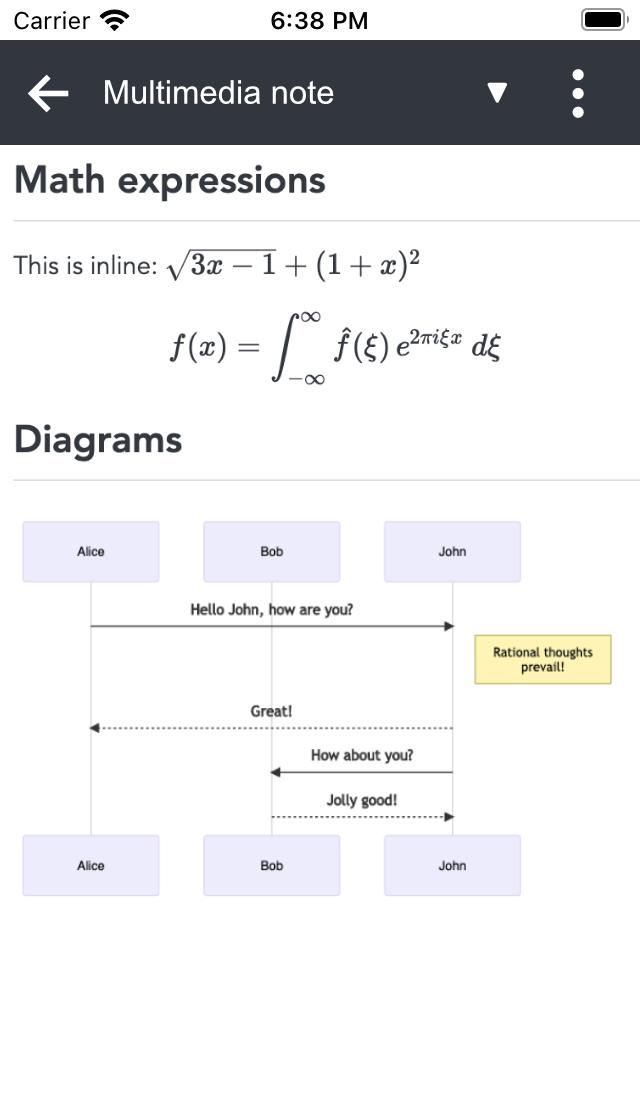
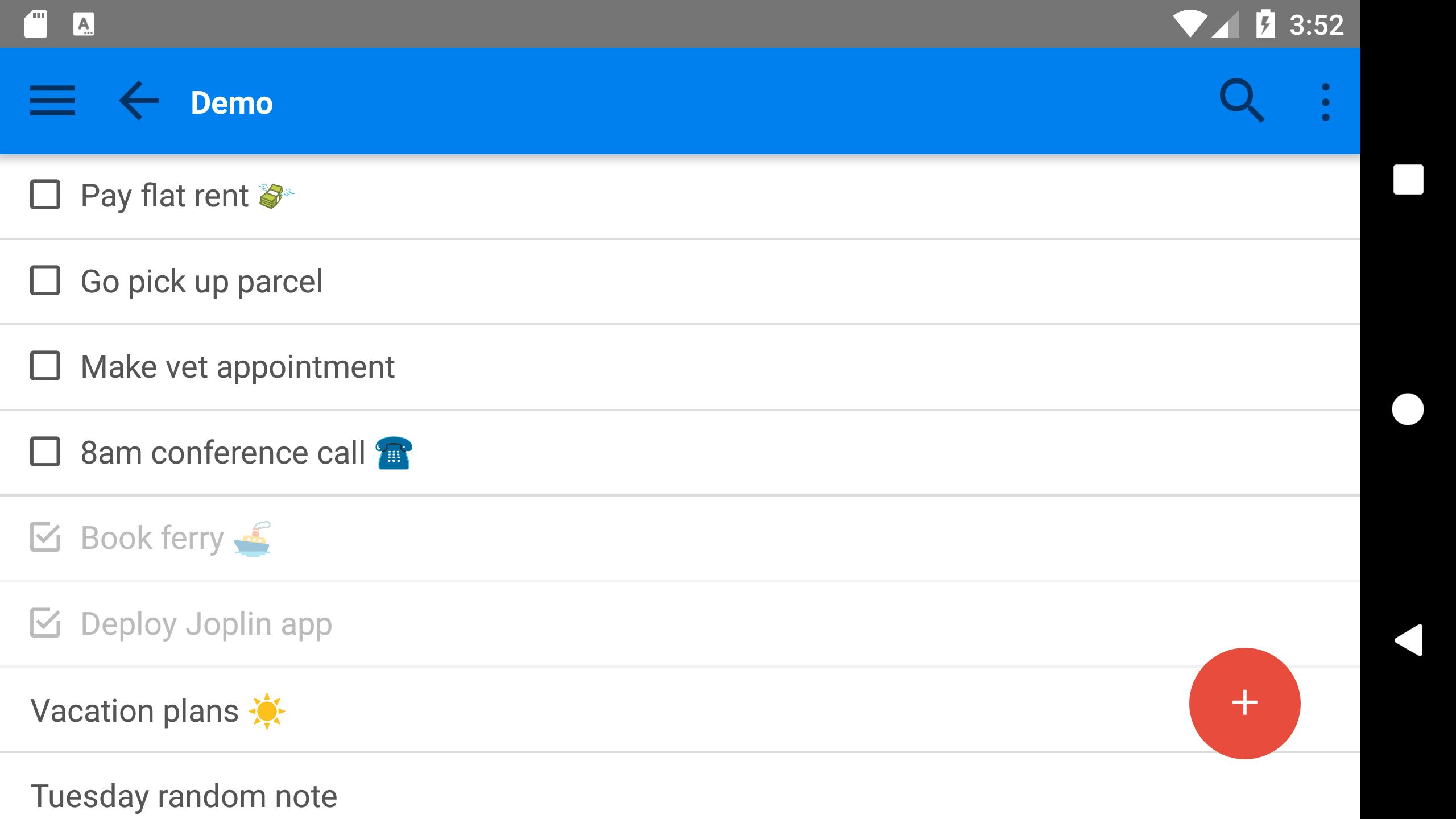
Joplin is a secure, open source note taking and to-do application, which can handle a large number of notes organised into notebooks. The notes are searchable, can be copied, tagged and modified. The Android application supports markdown rendering.
The note can be securely synchronised using Joplin Cloud so that your notes are available on all your devices. It also lets you publish notes, and collaborate on notebooks with your friends, family or colleagues. Synchronisation is secured using end-to-end encryption (E2EE).
Besides Joplin Cloud, the notes can be synchronised with your other services, such as Dropbox, OneDrive, Nextcloud, S3 or WebDAV. Joplin is also available for Windows, macOS and Linux and all can synchronise with each others so your notes can be available on your mobile phone, computer, tablet, etc. Please see the official website for the list of available applications: https://joplinapp.org/
The desktop applications can be used to import notes from Evenote via .enex files, including the formatted content (which is converted to markdown), resources (images, attachments, etc.) and complete metadata (geolocation, updated time, created time, etc.). These imported notes can then be synchronised with the Android app.
Getting support: To get support please use the forum at https://discourse.joplinapp.org/
What's New in the Latest Version 3.0.7
Last updated on Jul 2, 2024
List of changes at https://joplinapp.org/help/about/changelog/android/
JoplinJoplin is a note-taking and organization application that is available for a variety of platforms, including Windows, macOS, Linux, iOS, and Android. It is known for its clean and intuitive interface, powerful search capabilities, and support for a variety of file formats.
Features
* Note taking: Joplin allows users to create and organize notes in a variety of ways. Notes can be organized into notebooks, and each note can have multiple tags. Notes can also be linked to each other, which can be useful for creating complex hierarchies of information.
* Markdown support: Joplin supports Markdown, a lightweight markup language that is used for formatting text. This makes it easy to create formatted notes with headings, lists, and code blocks.
* Synchronization: Joplin can synchronize notes across multiple devices using a variety of methods, including Dropbox, OneDrive, and WebDAV. This ensures that users can access their notes from anywhere, and that their notes are always up to date.
* Search: Joplin has a powerful search engine that can be used to find notes by keyword, tag, or notebook. The search engine can also be used to find notes that contain specific types of content, such as images or attachments.
* File attachments: Joplin supports the attachment of files to notes. This can be useful for storing images, documents, or other types of files that are related to a note.
* Collaboration: Joplin allows multiple users to collaborate on notes. This can be useful for teams that need to share and work on notes together.
* Open source: Joplin is an open source application, which means that it is free to use and modify. This makes it a good choice for users who want to have control over their data and who want to be able to customize the application to their own needs.
Benefits
* Improved organization: Joplin can help users to organize their notes more effectively. The ability to create notebooks, tags, and links between notes makes it easy to keep track of even large and complex collections of notes.
* Increased productivity: Joplin can help users to be more productive by providing them with a variety of tools for creating, organizing, and searching their notes. The powerful search engine makes it easy to find the information that users need quickly and easily.
* Enhanced collaboration: Joplin can help teams to collaborate more effectively by providing them with a shared space for creating and working on notes. The ability to comment on notes and track changes makes it easy to keep track of the progress of a project.
* Peace of mind: Joplin can give users peace of mind by providing them with a secure and reliable way to store their notes. The synchronization feature ensures that users' notes are always backed up, and the open source nature of the application means that users can be confident that their data is safe.
Overall
Joplin is a powerful and versatile note-taking and organization application that is suitable for a variety of users. Its clean and intuitive interface, powerful search capabilities, and support for a variety of file formats make it a great choice for anyone who needs to manage and organize their notes.
The open source note taking and to-do app with synchronisation capabilities
Joplin is a secure, open source note taking and to-do application, which can handle a large number of notes organised into notebooks. The notes are searchable, can be copied, tagged and modified. The Android application supports markdown rendering.
The note can be securely synchronised using Joplin Cloud so that your notes are available on all your devices. It also lets you publish notes, and collaborate on notebooks with your friends, family or colleagues. Synchronisation is secured using end-to-end encryption (E2EE).
Besides Joplin Cloud, the notes can be synchronised with your other services, such as Dropbox, OneDrive, Nextcloud, S3 or WebDAV. Joplin is also available for Windows, macOS and Linux and all can synchronise with each others so your notes can be available on your mobile phone, computer, tablet, etc. Please see the official website for the list of available applications: https://joplinapp.org/
The desktop applications can be used to import notes from Evenote via .enex files, including the formatted content (which is converted to markdown), resources (images, attachments, etc.) and complete metadata (geolocation, updated time, created time, etc.). These imported notes can then be synchronised with the Android app.
Getting support: To get support please use the forum at https://discourse.joplinapp.org/
What's New in the Latest Version 3.0.7
Last updated on Jul 2, 2024
List of changes at https://joplinapp.org/help/about/changelog/android/
JoplinJoplin is a note-taking and organization application that is available for a variety of platforms, including Windows, macOS, Linux, iOS, and Android. It is known for its clean and intuitive interface, powerful search capabilities, and support for a variety of file formats.
Features
* Note taking: Joplin allows users to create and organize notes in a variety of ways. Notes can be organized into notebooks, and each note can have multiple tags. Notes can also be linked to each other, which can be useful for creating complex hierarchies of information.
* Markdown support: Joplin supports Markdown, a lightweight markup language that is used for formatting text. This makes it easy to create formatted notes with headings, lists, and code blocks.
* Synchronization: Joplin can synchronize notes across multiple devices using a variety of methods, including Dropbox, OneDrive, and WebDAV. This ensures that users can access their notes from anywhere, and that their notes are always up to date.
* Search: Joplin has a powerful search engine that can be used to find notes by keyword, tag, or notebook. The search engine can also be used to find notes that contain specific types of content, such as images or attachments.
* File attachments: Joplin supports the attachment of files to notes. This can be useful for storing images, documents, or other types of files that are related to a note.
* Collaboration: Joplin allows multiple users to collaborate on notes. This can be useful for teams that need to share and work on notes together.
* Open source: Joplin is an open source application, which means that it is free to use and modify. This makes it a good choice for users who want to have control over their data and who want to be able to customize the application to their own needs.
Benefits
* Improved organization: Joplin can help users to organize their notes more effectively. The ability to create notebooks, tags, and links between notes makes it easy to keep track of even large and complex collections of notes.
* Increased productivity: Joplin can help users to be more productive by providing them with a variety of tools for creating, organizing, and searching their notes. The powerful search engine makes it easy to find the information that users need quickly and easily.
* Enhanced collaboration: Joplin can help teams to collaborate more effectively by providing them with a shared space for creating and working on notes. The ability to comment on notes and track changes makes it easy to keep track of the progress of a project.
* Peace of mind: Joplin can give users peace of mind by providing them with a secure and reliable way to store their notes. The synchronization feature ensures that users' notes are always backed up, and the open source nature of the application means that users can be confident that their data is safe.
Overall
Joplin is a powerful and versatile note-taking and organization application that is suitable for a variety of users. Its clean and intuitive interface, powerful search capabilities, and support for a variety of file formats make it a great choice for anyone who needs to manage and organize their notes.





