


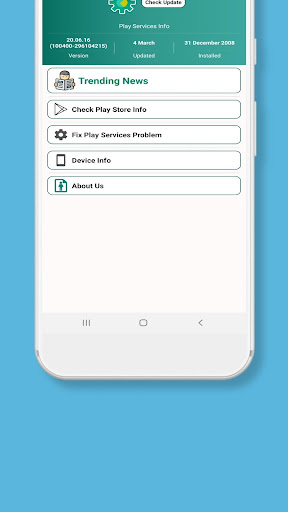

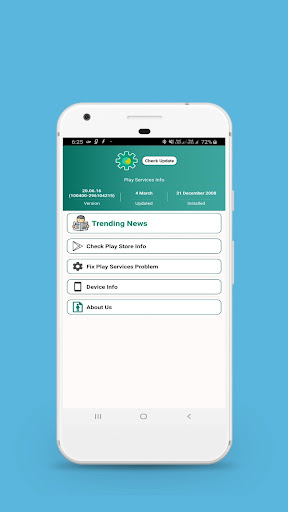
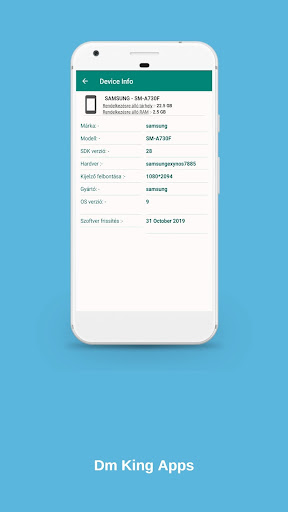
A little utility app that allows you to easily check the status of Play services. It displays the version number, installation date, and last update date. It includes leads to the App Store, developer release notes, and the application information dialog.
To resolve “Play Services has stopped” issues, open the app info and select “clear data.” If it does not work, try “uninstall updates.” Then, download and reinstall the most recent version of the Play service using the Play Store link.
Overview
Only Check Play Services Info is a lightweight and efficient utility app that provides comprehensive information about Google Play services installed on your Android device. It offers a clear and concise overview of the Play services version, build number, and any available updates.
Features
* Play Services Version Check: The app displays the current version of Google Play services installed on your device, allowing you to quickly determine if it's up-to-date.
* Build Number Information: It provides the build number associated with your Play services installation, which can be useful for troubleshooting or compatibility purposes.
* Update Availability Check: The app checks for any available updates to Play services and notifies you if an update is pending. This helps you stay updated with the latest features and security enhancements.
* Quick and Easy Interface: The app features a simple and intuitive interface that makes it easy to access the information you need with just a few taps.
* Compact Size: Despite its comprehensive functionality, the app maintains a small footprint on your device, ensuring minimal resource consumption.
Benefits
* Ensure Play Services Up-to-Date: By keeping track of the Play services version, you can ensure that your device has the latest security patches and functionality.
* Troubleshoot Compatibility Issues: Knowing the build number can help identify potential compatibility issues with apps or other system components.
* Stay Informed of Updates: The update notification feature keeps you informed of any available Play services updates, allowing you to promptly install them for enhanced performance and security.
* Lightweight and Efficient: The app's compact size and efficient operation ensure minimal impact on your device's resources.
* Simple and User-Friendly: The intuitive interface makes it easy to access the information you need without any technical knowledge or navigation complexity.
A little utility app that allows you to easily check the status of Play services. It displays the version number, installation date, and last update date. It includes leads to the App Store, developer release notes, and the application information dialog.
To resolve “Play Services has stopped” issues, open the app info and select “clear data.” If it does not work, try “uninstall updates.” Then, download and reinstall the most recent version of the Play service using the Play Store link.
Overview
Only Check Play Services Info is a lightweight and efficient utility app that provides comprehensive information about Google Play services installed on your Android device. It offers a clear and concise overview of the Play services version, build number, and any available updates.
Features
* Play Services Version Check: The app displays the current version of Google Play services installed on your device, allowing you to quickly determine if it's up-to-date.
* Build Number Information: It provides the build number associated with your Play services installation, which can be useful for troubleshooting or compatibility purposes.
* Update Availability Check: The app checks for any available updates to Play services and notifies you if an update is pending. This helps you stay updated with the latest features and security enhancements.
* Quick and Easy Interface: The app features a simple and intuitive interface that makes it easy to access the information you need with just a few taps.
* Compact Size: Despite its comprehensive functionality, the app maintains a small footprint on your device, ensuring minimal resource consumption.
Benefits
* Ensure Play Services Up-to-Date: By keeping track of the Play services version, you can ensure that your device has the latest security patches and functionality.
* Troubleshoot Compatibility Issues: Knowing the build number can help identify potential compatibility issues with apps or other system components.
* Stay Informed of Updates: The update notification feature keeps you informed of any available Play services updates, allowing you to promptly install them for enhanced performance and security.
* Lightweight and Efficient: The app's compact size and efficient operation ensure minimal impact on your device's resources.
* Simple and User-Friendly: The intuitive interface makes it easy to access the information you need without any technical knowledge or navigation complexity.





