


ProfiMail is a full-featured powerful email client.
ProfiMail is email client offering many interesting functions, and it is provided completely for free.
Features:
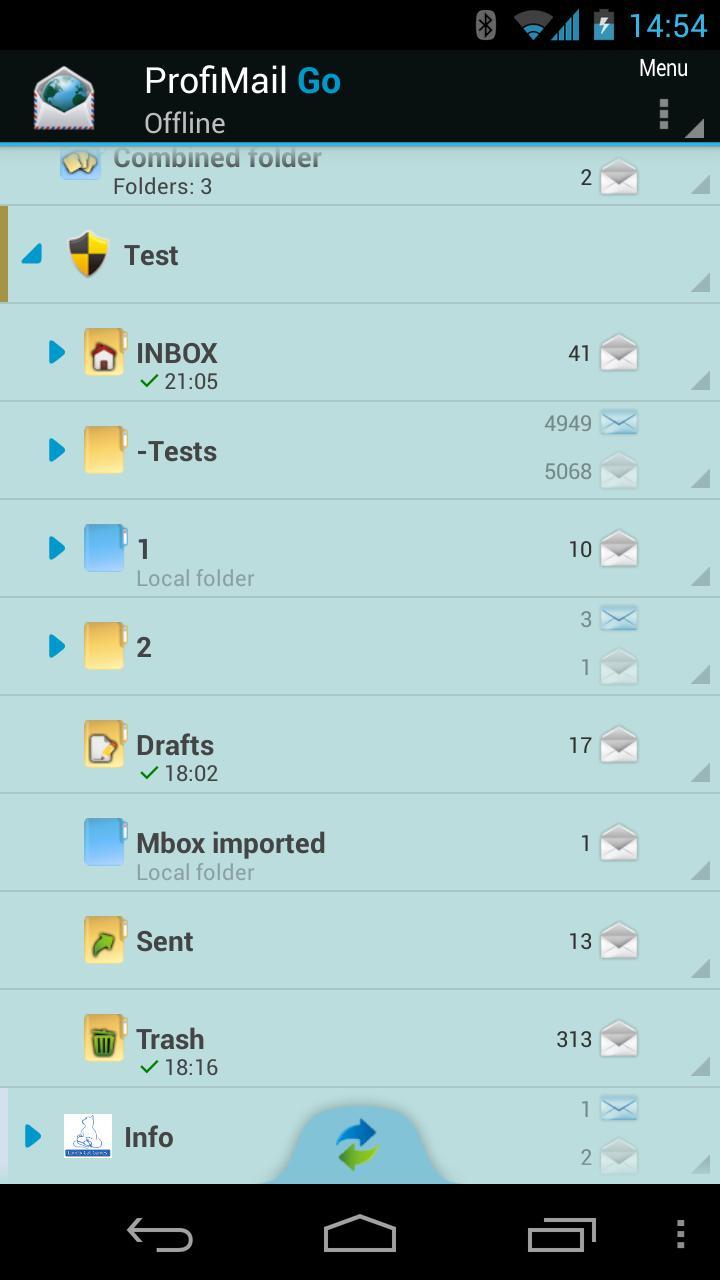
● Folders tree hierarchy - see all accounts and their folders in a tree view
● Signatures - add your signature to composed message, automatically or manually
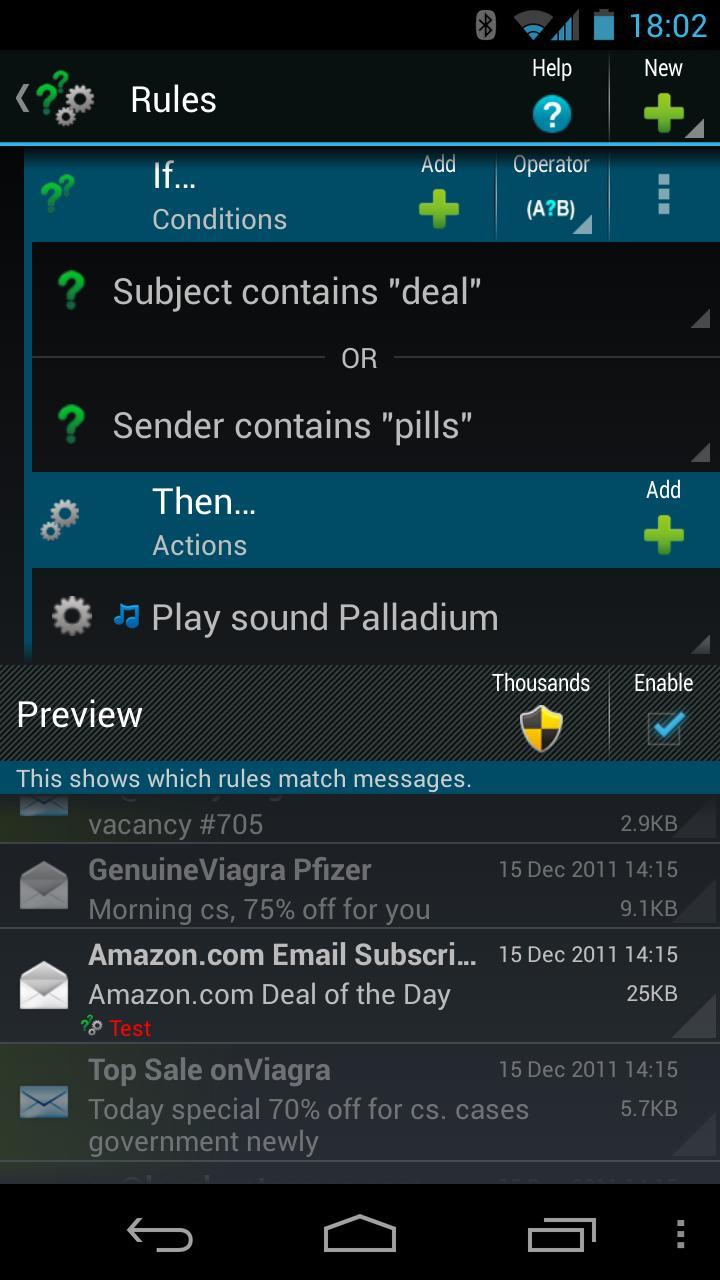
● Rules - conditions and actions applied automatically on incoming messages
● S/MIME cryptography - mail encryption and digital signatures
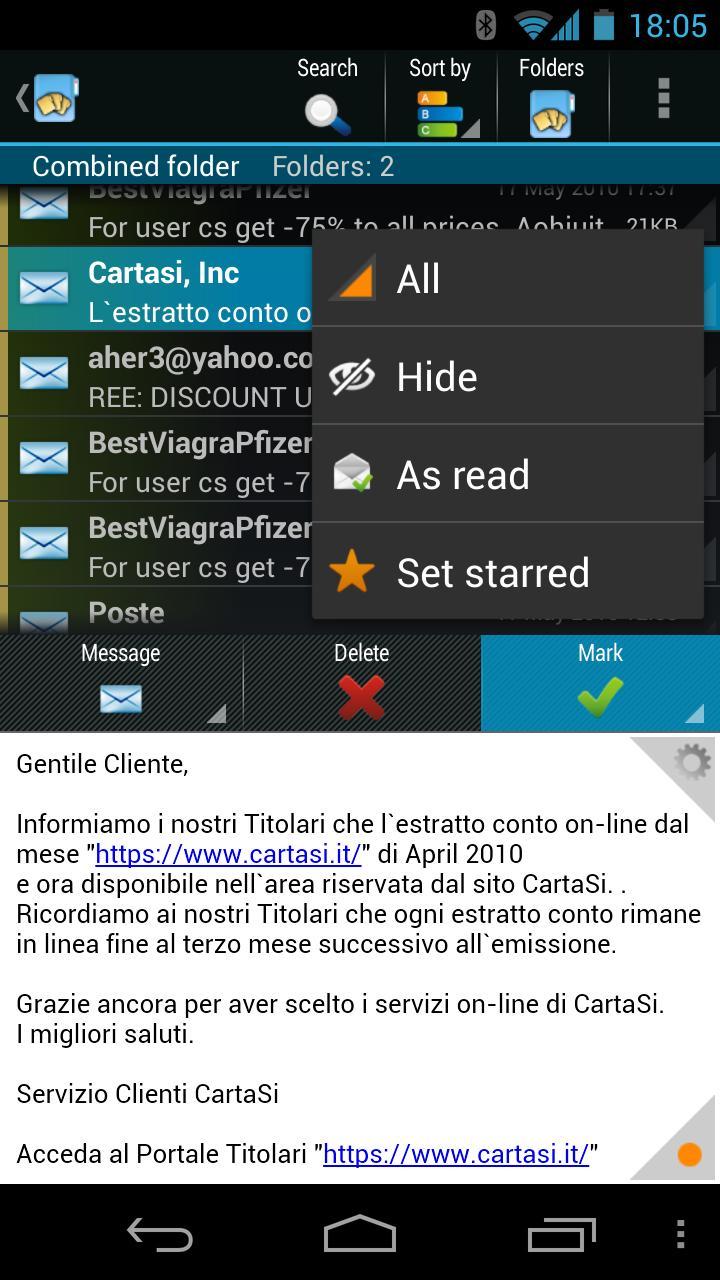
● Combined folder - see messages from multiple folders in one place
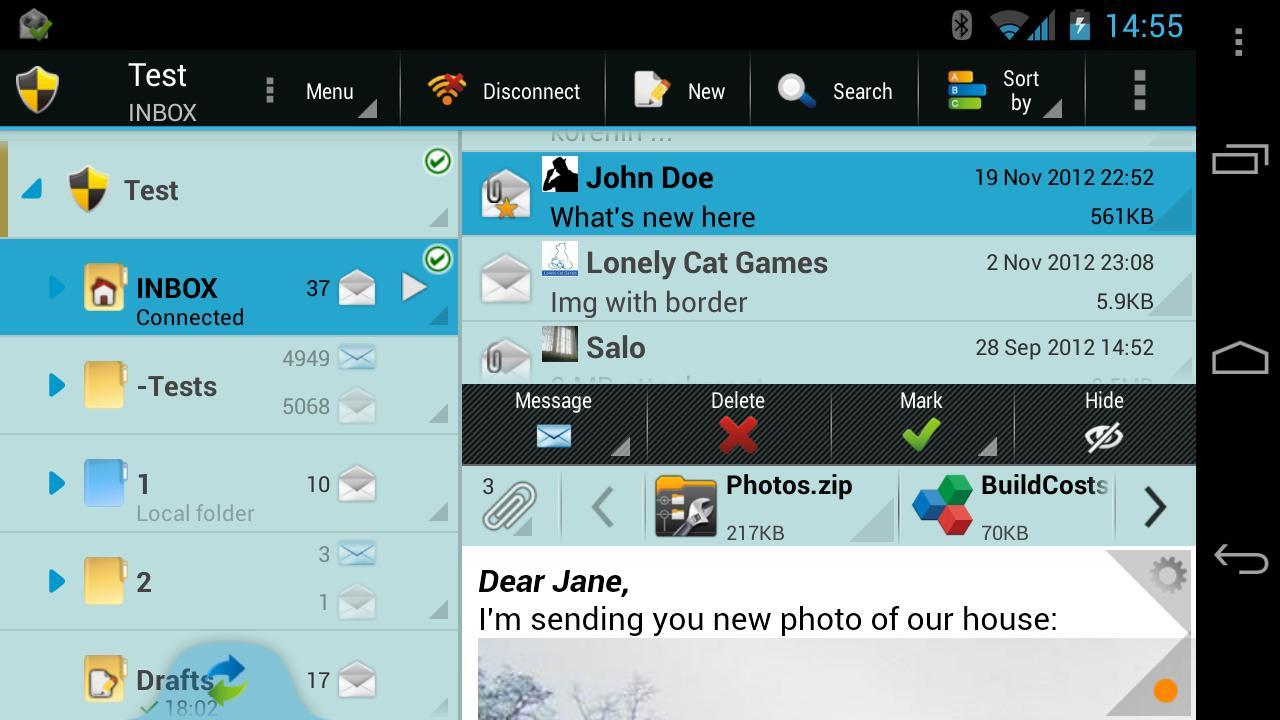
● Conversations and Threads - see related messages in a conversation in a tree view
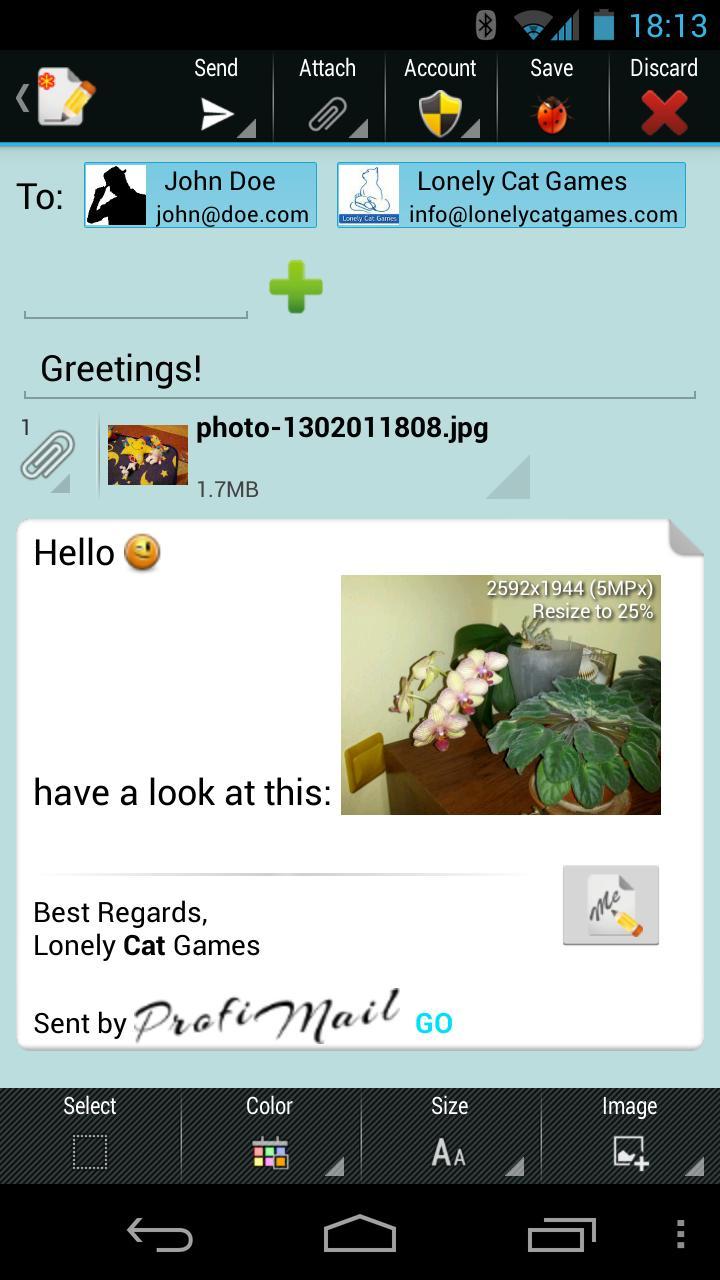
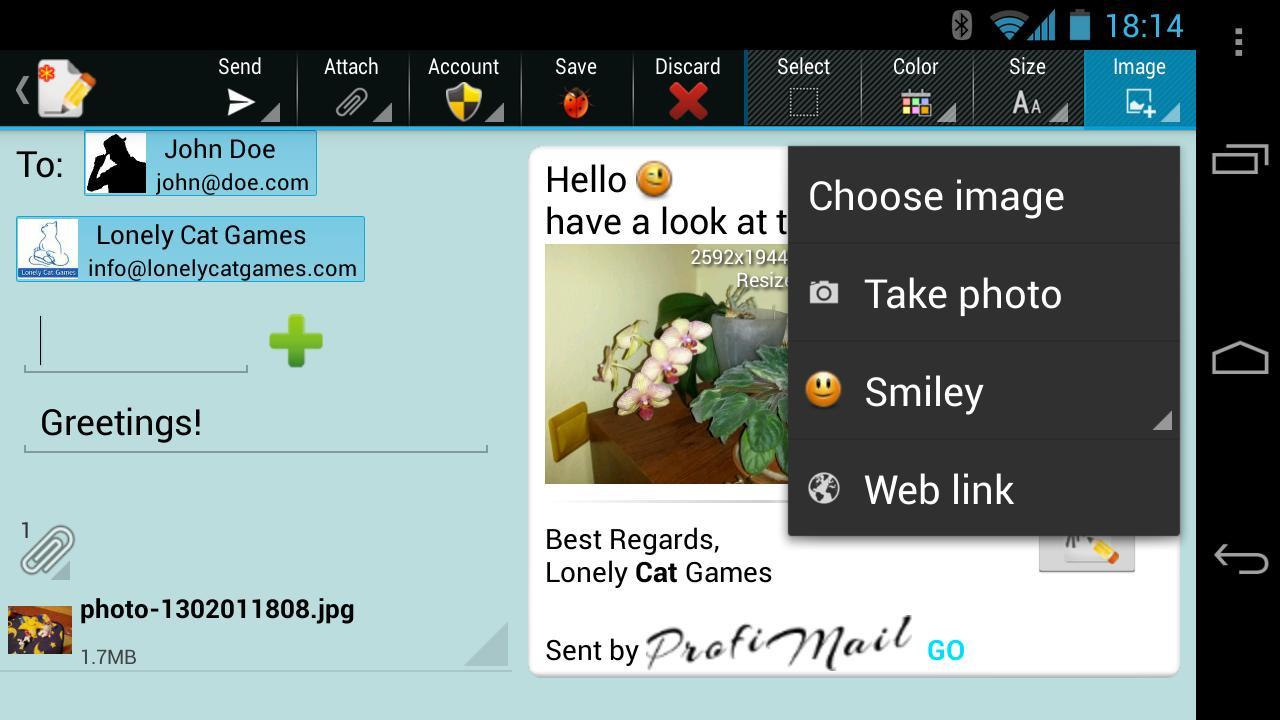
● Rich text message composer - add images, colors and smileys to your messages
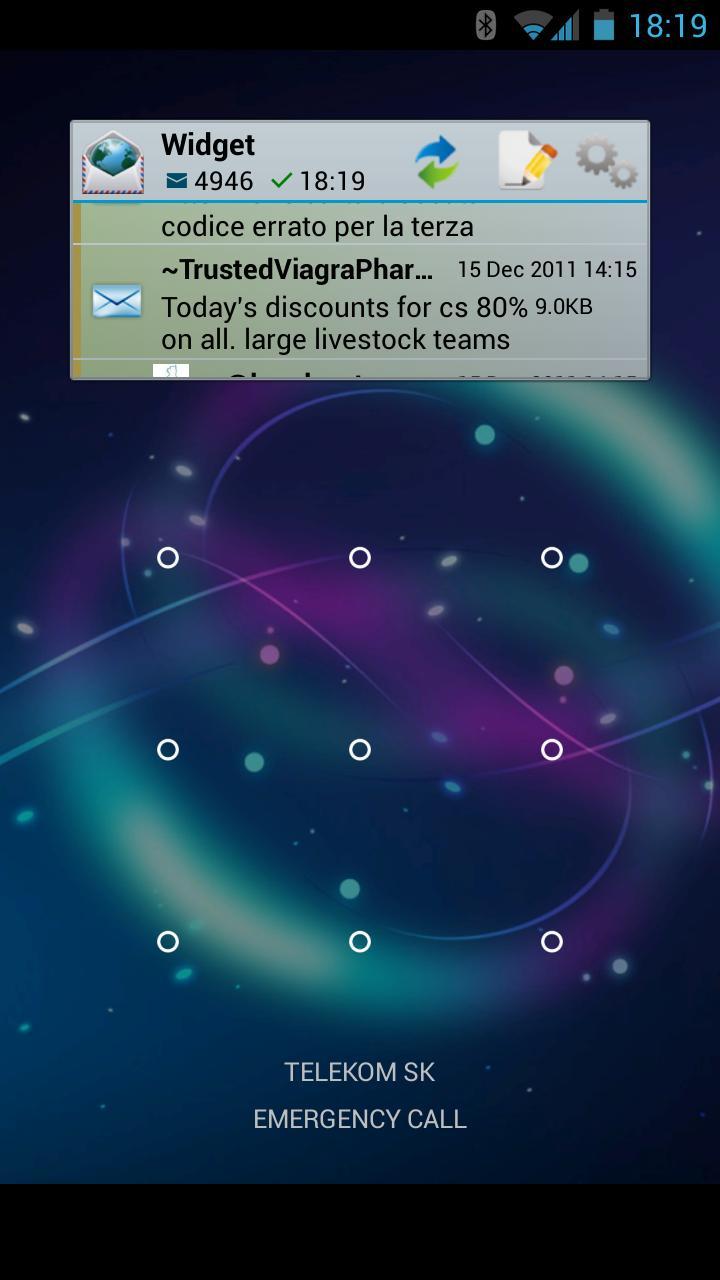
● Widget - see new messages on Home screen or lock screen
● Multiple panes - see more on large screens
● Full-text search - find any message on your device
● Integration with X-plore - uses our free file manager for working with images, sounds, and other files
● Tight integration with Android - make calls, open websites, share content, whatever
● Fully automatic or manual work - check mail any way you like
● Push mail - using IMAP IDLE to connect to any IMAP folders that you wish
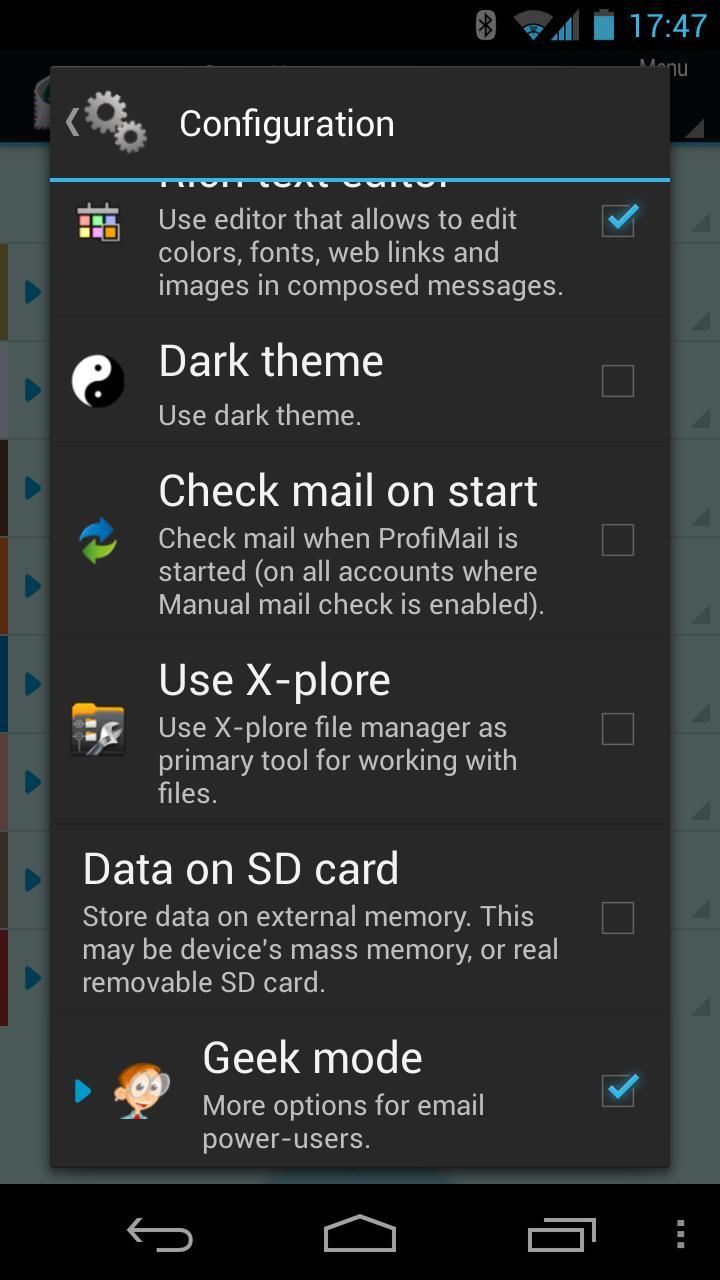
● Configurable - you choose how much/what/when to download and how to be notified about it
● Attachments - shown in nice list, with icons, images with thumbnails
● Works in background - you can do other tasks while mail is downloaded or sent
ProfiMail Go: A Comprehensive GuideProfiMail Go is a highly customizable and user-friendly email client that empowers users to manage multiple email accounts efficiently. This guide provides a comprehensive overview of its features and functionalities.
Key Features:
* Multi-Account Management: ProfiMail Go seamlessly integrates multiple email accounts, allowing users to access and manage them from a single platform.
* Unified Inbox: The unified inbox feature consolidates all incoming emails into a single view, providing a comprehensive overview of all communications.
* Customizable Interface: Users can personalize their email experience by adjusting the interface, including the color scheme, font size, and layout.
* Smart Filtering and Sorting: ProfiMail Go employs advanced filtering and sorting mechanisms to organize emails effectively, ensuring important messages are easily accessible.
* Integrated Calendar and Contacts: The built-in calendar and contacts module allows users to manage their schedules and contacts within the email client, enhancing productivity.
* Spam and Malware Protection: ProfiMail Go incorporates robust spam and malware filters to safeguard users from unwanted and malicious emails.
* Cross-Platform Compatibility: The application is compatible with various platforms, including Windows, macOS, iOS, and Android, enabling seamless access from multiple devices.
User Interface and Functionality:
ProfiMail Go's user interface is intuitive and user-friendly, featuring a sleek design and straightforward navigation. The main screen displays the unified inbox, with options for composing new emails, managing folders, and accessing the calendar and contacts. The customization options allow users to tailor the interface to their preferences, creating a personalized email experience.
Account Management and Settings:
Adding and managing multiple email accounts in ProfiMail Go is effortless. Users can configure accounts using various protocols, including POP3, IMAP, and Exchange. The application supports SSL/TLS encryption for secure email communication. Additionally, users can fine-tune account settings to adjust fetch intervals, enable notifications, and customize signatures.
Email Composition and Management:
ProfiMail Go provides a rich text editor for composing emails. Users can format text, insert images and attachments, and use emoticons. The application also offers advanced features such as spell-checking, automatic text replacement, and message scheduling. Emails can be organized into folders and labeled for easy retrieval.
Integrated Calendar and Contacts:
The integrated calendar allows users to create events, manage appointments, and schedule meetings. The contacts module enables users to store and manage contacts, including names, addresses, and phone numbers. The calendar and contacts can be synchronized with external services for seamless integration with other productivity tools.
Security and Privacy:
ProfiMail Go prioritizes security and privacy. It employs SSL/TLS encryption to protect email communications and prevent unauthorized access. The application also includes built-in spam and malware filters to block unwanted and malicious emails. Users can further enhance security by enabling two-factor authentication.
Conclusion:
ProfiMail Go is an exceptional email client that offers a comprehensive suite of features for efficient email management. Its customizable interface, multi-account support, advanced filtering and sorting mechanisms, integrated calendar and contacts, and robust security measures make it an ideal solution for both personal and professional use.
ProfiMail is a full-featured powerful email client.
ProfiMail is email client offering many interesting functions, and it is provided completely for free.
Features:
● Folders tree hierarchy - see all accounts and their folders in a tree view
● Signatures - add your signature to composed message, automatically or manually
● Rules - conditions and actions applied automatically on incoming messages
● S/MIME cryptography - mail encryption and digital signatures
● Combined folder - see messages from multiple folders in one place
● Conversations and Threads - see related messages in a conversation in a tree view
● Rich text message composer - add images, colors and smileys to your messages
● Widget - see new messages on Home screen or lock screen
● Multiple panes - see more on large screens
● Full-text search - find any message on your device
● Integration with X-plore - uses our free file manager for working with images, sounds, and other files
● Tight integration with Android - make calls, open websites, share content, whatever
● Fully automatic or manual work - check mail any way you like
● Push mail - using IMAP IDLE to connect to any IMAP folders that you wish
● Configurable - you choose how much/what/when to download and how to be notified about it
● Attachments - shown in nice list, with icons, images with thumbnails
● Works in background - you can do other tasks while mail is downloaded or sent
ProfiMail Go: A Comprehensive GuideProfiMail Go is a highly customizable and user-friendly email client that empowers users to manage multiple email accounts efficiently. This guide provides a comprehensive overview of its features and functionalities.
Key Features:
* Multi-Account Management: ProfiMail Go seamlessly integrates multiple email accounts, allowing users to access and manage them from a single platform.
* Unified Inbox: The unified inbox feature consolidates all incoming emails into a single view, providing a comprehensive overview of all communications.
* Customizable Interface: Users can personalize their email experience by adjusting the interface, including the color scheme, font size, and layout.
* Smart Filtering and Sorting: ProfiMail Go employs advanced filtering and sorting mechanisms to organize emails effectively, ensuring important messages are easily accessible.
* Integrated Calendar and Contacts: The built-in calendar and contacts module allows users to manage their schedules and contacts within the email client, enhancing productivity.
* Spam and Malware Protection: ProfiMail Go incorporates robust spam and malware filters to safeguard users from unwanted and malicious emails.
* Cross-Platform Compatibility: The application is compatible with various platforms, including Windows, macOS, iOS, and Android, enabling seamless access from multiple devices.
User Interface and Functionality:
ProfiMail Go's user interface is intuitive and user-friendly, featuring a sleek design and straightforward navigation. The main screen displays the unified inbox, with options for composing new emails, managing folders, and accessing the calendar and contacts. The customization options allow users to tailor the interface to their preferences, creating a personalized email experience.
Account Management and Settings:
Adding and managing multiple email accounts in ProfiMail Go is effortless. Users can configure accounts using various protocols, including POP3, IMAP, and Exchange. The application supports SSL/TLS encryption for secure email communication. Additionally, users can fine-tune account settings to adjust fetch intervals, enable notifications, and customize signatures.
Email Composition and Management:
ProfiMail Go provides a rich text editor for composing emails. Users can format text, insert images and attachments, and use emoticons. The application also offers advanced features such as spell-checking, automatic text replacement, and message scheduling. Emails can be organized into folders and labeled for easy retrieval.
Integrated Calendar and Contacts:
The integrated calendar allows users to create events, manage appointments, and schedule meetings. The contacts module enables users to store and manage contacts, including names, addresses, and phone numbers. The calendar and contacts can be synchronized with external services for seamless integration with other productivity tools.
Security and Privacy:
ProfiMail Go prioritizes security and privacy. It employs SSL/TLS encryption to protect email communications and prevent unauthorized access. The application also includes built-in spam and malware filters to block unwanted and malicious emails. Users can further enhance security by enabling two-factor authentication.
Conclusion:
ProfiMail Go is an exceptional email client that offers a comprehensive suite of features for efficient email management. Its customizable interface, multi-account support, advanced filtering and sorting mechanisms, integrated calendar and contacts, and robust security measures make it an ideal solution for both personal and professional use.





