


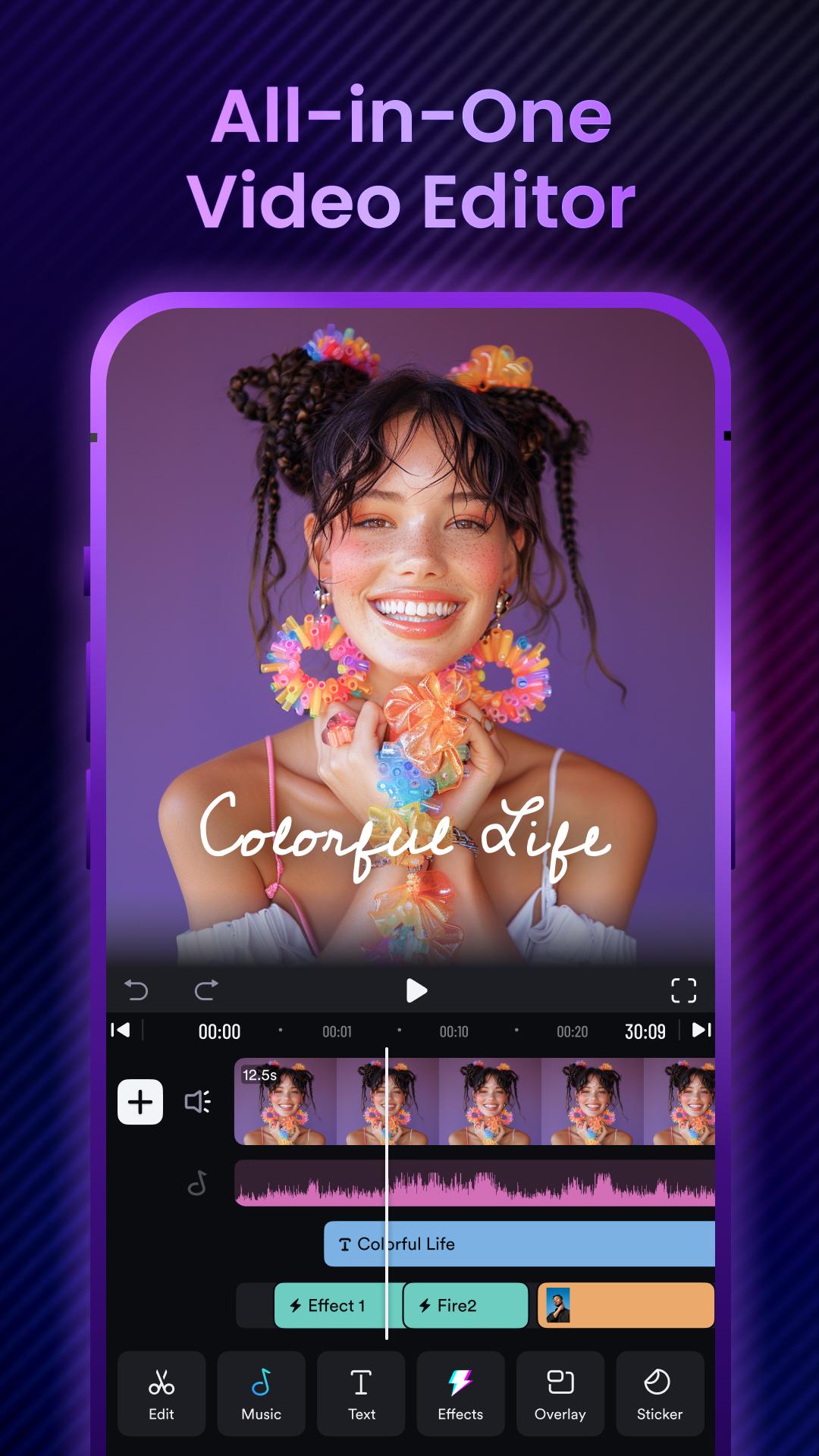


AI editing app for videos, slideshows, and movies.Pro video editor & maker.
ShotCut - a pro AI video editor, offers intuitive AI tools and the most trending content to cater to diverse user needs. Whether a seasoned creator or a novice editor, you can use shotcut to craft unique works.
★ AI Video Editor Tool
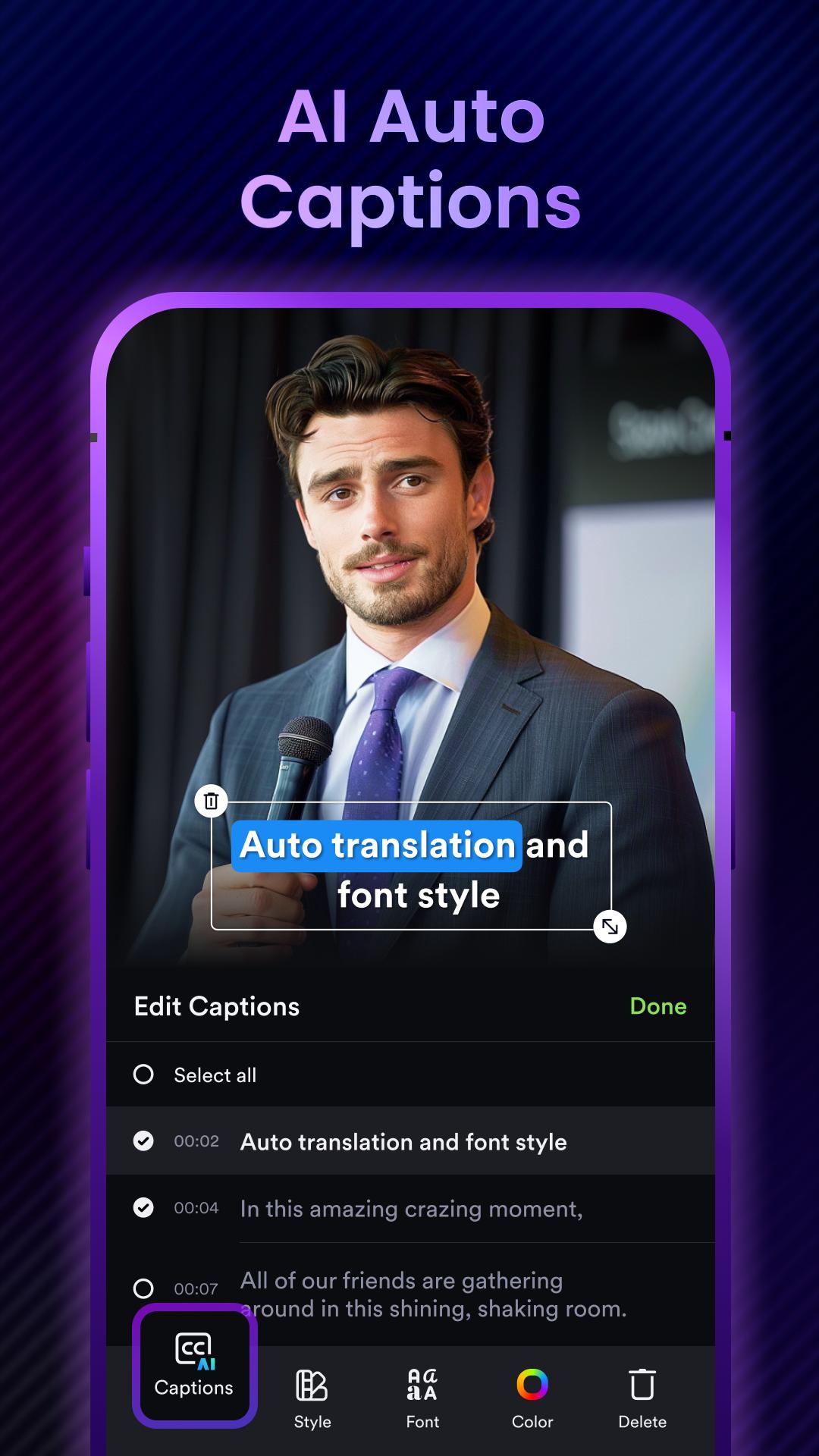
- AI Captions
Free trial for transcribing your videos to text is now live! Experience our latest ai technology, smarter sentence segmentation, precise word segmentations, and full support across all major languages!
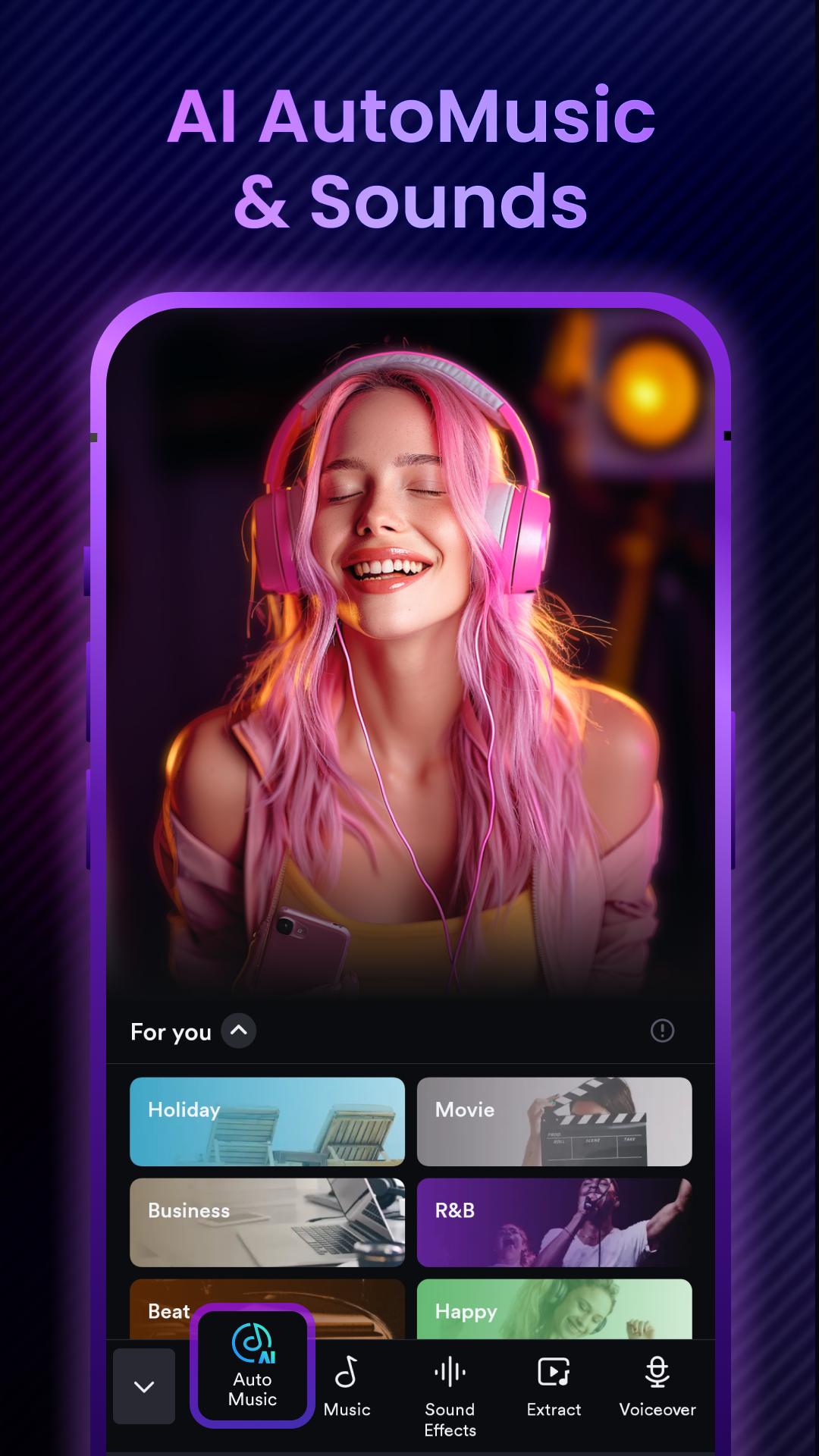
- AI Automusic
Post your videos to shotcut and enrich them with auto-generated music. We'll match a music set suitable for your video's style.
- Ai Text Generation
Simply upload your video, specify the platform, and our Ai crafts powerful titles, hashtags, and descriptions for maximum engagement.
★ Basic Video Editing
- Video reverser
Reverse/rewind vid and play video backwards in seconds.
- Video cropper
Crop your video for free. Easily crop your video to any aspect ratios.
- Video cutter & splitter
Cut and split larger video into clips.
- Video merger & combiner
A free merge tool to combine video clips together.
- Video converter
Convert video to HD quality or MP3 audio. Export video without watermark.
- Video eraser
Video editor no watermark. Remove watermark from video.
- Video sound/audio editor
Extract audio from video and edit audio track of your video.
★ Pro Video Editing
- Add music to video
Add audio, songs, voice over, and sound effects to video for free. The best video maker with music.
- Stop motion
Create easy stop motion video animations with just your phone!
- Slow motion
Slow down your videos and create cool slo mo effects online.
- Blur video
Add blur/mosaic to video. Pixelate videos.
- PIP
Create a Picture in Picture and overlay video like a pro.
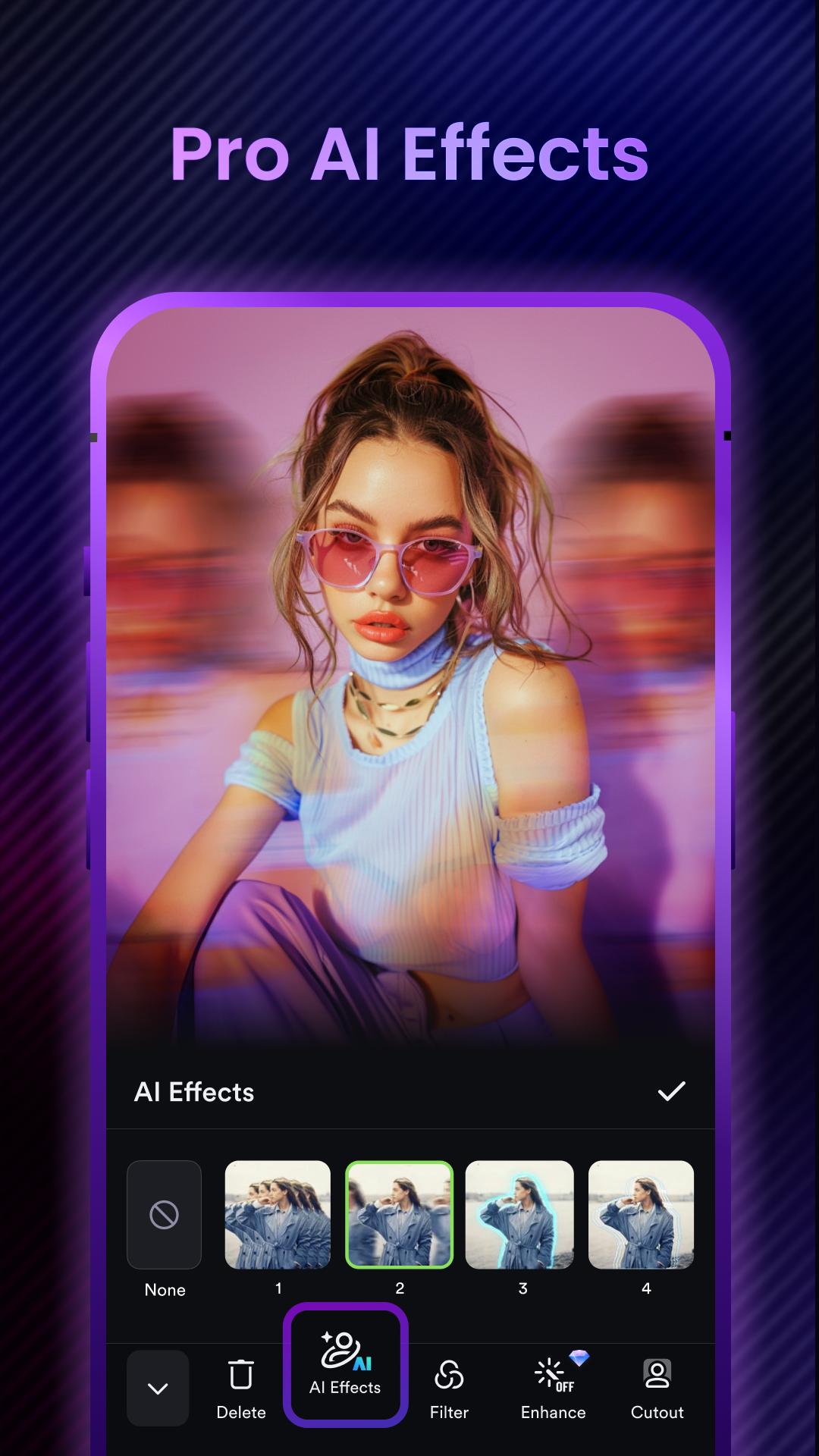
- Video effects & filters
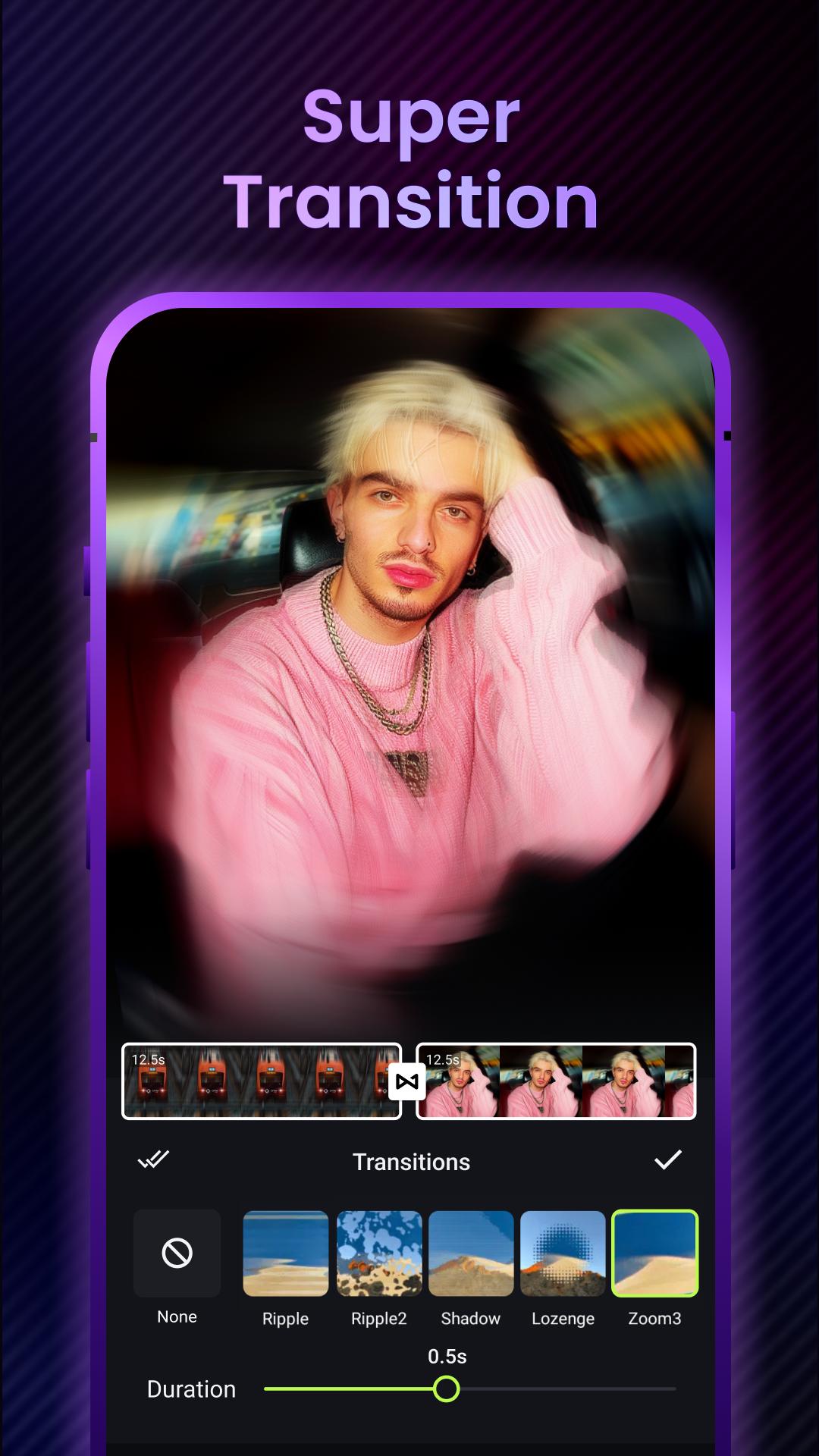
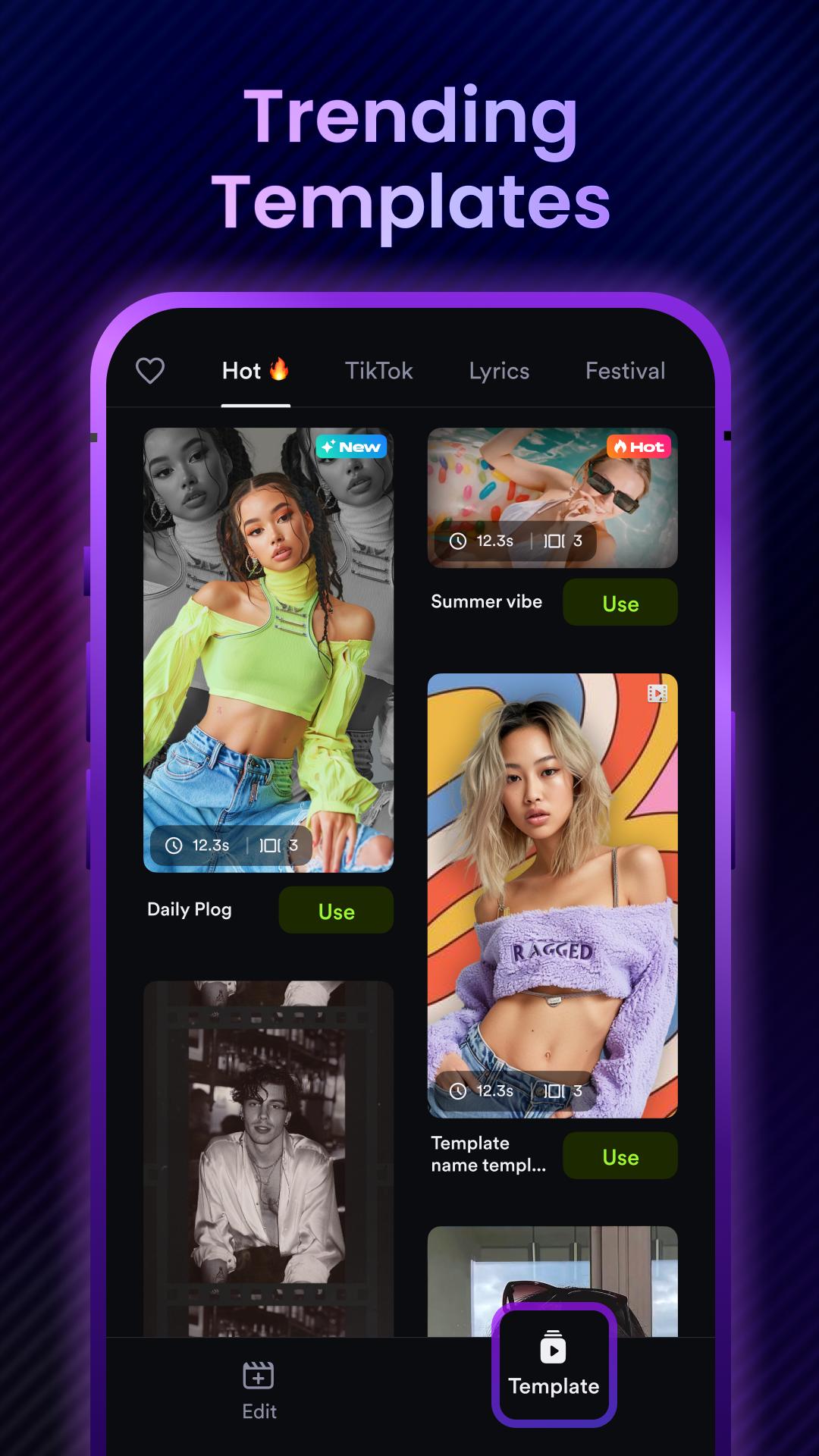
Transition effects for videos, slow mo fx, bold glamour filter, hyperlapse, and etc. ShotCut is loaded with reel templates for Instagram & effect house templates for TikTok.
- Video stabilizer
Stabilize shaky footage for free. Remove the effect of camera shake from captured videos.
- Green screen editor
Remove a selected color from video with the chroma key tehnique.
- Video background remover
Video cutout. Remove background from video without green screen.
As a full-featured editing app for videos, ShotCut can be used for multi purposes:
Free video editor, maker, and creator
A free video maker to generate slideshows, movies, vlogs for TikTok, YouTube, and Instagram platforms.
Movie maker & editor
Make a movie for free with a standard 24 fps frame rate. Edit films or movies like a pro.
Slideshow maker
Free photo video slideshow maker with music and voice over. Picture video maker: convert live photo to video.
Free collage maker
Make video collage for free, layout video and photo collage as you want.
Slow motion video editor
Make slow and fast motion video from normal frame rate footage.
Video speed editor
Adjust video velocity with fast & slow motion fx. Speed up or slow down video without losing video quality.
Reels maker & editor
Instagram reel maker, Instagram editor, free reel maker, instagram video editor.
YouTube editor
The best editing app for YouTube. Easily create vlogs and music videos.
TikTok editor
Edit videos for TikTok without CapCut video editor and Effect House.
Instagram post maker
Create Instagram posts with a plethora of reel templates.
Make the most of ShotCut as a video editor, movie maker, slideshow maker, or whatever you need it for!
Disclaimer:
ShotCut is not affiliated, associated, sponsored, endorsed by, or in any way officially connected with YouTube, Instagram, TikTok, WhatsApp, Facebook, Twitter.
Stay connected with us on: https://discord.gg/DYHA9W7Xaa"
What's New in the Latest Version 1.73.1
Last updated on Jun 21, 2024
- Adjusted the boot page for new users
AI Video Editor: ShotCut AIIntroduction
ShotCut AI is an advanced video editing software powered by artificial intelligence. It simplifies complex video editing tasks, making it accessible to users of all skill levels. This comprehensive guide provides an in-depth overview of ShotCut AI's features, capabilities, and benefits.
Features and Capabilities
* AI-Assisted Editing: ShotCut AI harnesses the power of AI to automate time-consuming tasks, such as scene detection, shot selection, and color correction. It analyzes footage and suggests optimal edits based on user preferences.
* Auto-Generated Themes: ShotCut AI offers a wide range of pre-designed themes that can be applied to videos with a single click. These themes include transitions, effects, and music that complement different video styles.
* Intelligent Timeline: The timeline in ShotCut AI is equipped with smart features that simplify editing. It automatically adjusts clip lengths, aligns transitions, and provides visual cues for easy navigation.
* Advanced Color Grading: ShotCut AI's color grading tools empower users to enhance the visual appeal of their videos. It offers a range of presets and manual controls for precise color adjustments.
* Extensive Effects Library: The software boasts a comprehensive library of video effects, including filters, transitions, and animations. Users can easily add these effects to their videos to enhance their visual impact.
* Multi-Track Editing: ShotCut AI supports multi-track editing, allowing users to work with multiple video, audio, and image tracks simultaneously. This enables the creation of complex and layered videos.
* Cross-Platform Compatibility: ShotCut AI is compatible with Windows, macOS, and Linux operating systems. This cross-platform support ensures that users can access the software from any device.
Benefits
* Simplified Editing: ShotCut AI's AI-assisted editing capabilities streamline the video editing process, making it accessible to both beginners and experienced users.
* Enhanced Productivity: The software's automation features save time and effort, allowing users to focus on creative aspects of video production.
* Improved Video Quality: ShotCut AI's advanced color grading and effects library empower users to create professional-looking videos with enhanced visual appeal.
* Versatility: The software's multi-track editing capabilities and cross-platform compatibility make it suitable for a wide range of video editing projects.
* Cost-Effectiveness: ShotCut AI is an affordable video editing solution that provides a comprehensive set of features and capabilities.
Conclusion
ShotCut AI is a groundbreaking video editing software that combines the power of artificial intelligence with user-friendly features. Its AI-assisted editing, intelligent timeline, and extensive effects library empower users to create professional-quality videos with ease. Whether you're a beginner or an experienced editor, ShotCut AI offers an accessible and versatile solution for all your video editing needs.
AI editing app for videos, slideshows, and movies.Pro video editor & maker.
ShotCut - a pro AI video editor, offers intuitive AI tools and the most trending content to cater to diverse user needs. Whether a seasoned creator or a novice editor, you can use shotcut to craft unique works.
★ AI Video Editor Tool
- AI Captions
Free trial for transcribing your videos to text is now live! Experience our latest ai technology, smarter sentence segmentation, precise word segmentations, and full support across all major languages!
- AI Automusic
Post your videos to shotcut and enrich them with auto-generated music. We'll match a music set suitable for your video's style.
- Ai Text Generation
Simply upload your video, specify the platform, and our Ai crafts powerful titles, hashtags, and descriptions for maximum engagement.
★ Basic Video Editing
- Video reverser
Reverse/rewind vid and play video backwards in seconds.
- Video cropper
Crop your video for free. Easily crop your video to any aspect ratios.
- Video cutter & splitter
Cut and split larger video into clips.
- Video merger & combiner
A free merge tool to combine video clips together.
- Video converter
Convert video to HD quality or MP3 audio. Export video without watermark.
- Video eraser
Video editor no watermark. Remove watermark from video.
- Video sound/audio editor
Extract audio from video and edit audio track of your video.
★ Pro Video Editing
- Add music to video
Add audio, songs, voice over, and sound effects to video for free. The best video maker with music.
- Stop motion
Create easy stop motion video animations with just your phone!
- Slow motion
Slow down your videos and create cool slo mo effects online.
- Blur video
Add blur/mosaic to video. Pixelate videos.
- PIP
Create a Picture in Picture and overlay video like a pro.
- Video effects & filters
Transition effects for videos, slow mo fx, bold glamour filter, hyperlapse, and etc. ShotCut is loaded with reel templates for Instagram & effect house templates for TikTok.
- Video stabilizer
Stabilize shaky footage for free. Remove the effect of camera shake from captured videos.
- Green screen editor
Remove a selected color from video with the chroma key tehnique.
- Video background remover
Video cutout. Remove background from video without green screen.
As a full-featured editing app for videos, ShotCut can be used for multi purposes:
Free video editor, maker, and creator
A free video maker to generate slideshows, movies, vlogs for TikTok, YouTube, and Instagram platforms.
Movie maker & editor
Make a movie for free with a standard 24 fps frame rate. Edit films or movies like a pro.
Slideshow maker
Free photo video slideshow maker with music and voice over. Picture video maker: convert live photo to video.
Free collage maker
Make video collage for free, layout video and photo collage as you want.
Slow motion video editor
Make slow and fast motion video from normal frame rate footage.
Video speed editor
Adjust video velocity with fast & slow motion fx. Speed up or slow down video without losing video quality.
Reels maker & editor
Instagram reel maker, Instagram editor, free reel maker, instagram video editor.
YouTube editor
The best editing app for YouTube. Easily create vlogs and music videos.
TikTok editor
Edit videos for TikTok without CapCut video editor and Effect House.
Instagram post maker
Create Instagram posts with a plethora of reel templates.
Make the most of ShotCut as a video editor, movie maker, slideshow maker, or whatever you need it for!
Disclaimer:
ShotCut is not affiliated, associated, sponsored, endorsed by, or in any way officially connected with YouTube, Instagram, TikTok, WhatsApp, Facebook, Twitter.
Stay connected with us on: https://discord.gg/DYHA9W7Xaa"
What's New in the Latest Version 1.73.1
Last updated on Jun 21, 2024
- Adjusted the boot page for new users
AI Video Editor: ShotCut AIIntroduction
ShotCut AI is an advanced video editing software powered by artificial intelligence. It simplifies complex video editing tasks, making it accessible to users of all skill levels. This comprehensive guide provides an in-depth overview of ShotCut AI's features, capabilities, and benefits.
Features and Capabilities
* AI-Assisted Editing: ShotCut AI harnesses the power of AI to automate time-consuming tasks, such as scene detection, shot selection, and color correction. It analyzes footage and suggests optimal edits based on user preferences.
* Auto-Generated Themes: ShotCut AI offers a wide range of pre-designed themes that can be applied to videos with a single click. These themes include transitions, effects, and music that complement different video styles.
* Intelligent Timeline: The timeline in ShotCut AI is equipped with smart features that simplify editing. It automatically adjusts clip lengths, aligns transitions, and provides visual cues for easy navigation.
* Advanced Color Grading: ShotCut AI's color grading tools empower users to enhance the visual appeal of their videos. It offers a range of presets and manual controls for precise color adjustments.
* Extensive Effects Library: The software boasts a comprehensive library of video effects, including filters, transitions, and animations. Users can easily add these effects to their videos to enhance their visual impact.
* Multi-Track Editing: ShotCut AI supports multi-track editing, allowing users to work with multiple video, audio, and image tracks simultaneously. This enables the creation of complex and layered videos.
* Cross-Platform Compatibility: ShotCut AI is compatible with Windows, macOS, and Linux operating systems. This cross-platform support ensures that users can access the software from any device.
Benefits
* Simplified Editing: ShotCut AI's AI-assisted editing capabilities streamline the video editing process, making it accessible to both beginners and experienced users.
* Enhanced Productivity: The software's automation features save time and effort, allowing users to focus on creative aspects of video production.
* Improved Video Quality: ShotCut AI's advanced color grading and effects library empower users to create professional-looking videos with enhanced visual appeal.
* Versatility: The software's multi-track editing capabilities and cross-platform compatibility make it suitable for a wide range of video editing projects.
* Cost-Effectiveness: ShotCut AI is an affordable video editing solution that provides a comprehensive set of features and capabilities.
Conclusion
ShotCut AI is a groundbreaking video editing software that combines the power of artificial intelligence with user-friendly features. Its AI-assisted editing, intelligent timeline, and extensive effects library empower users to create professional-quality videos with ease. Whether you're a beginner or an experienced editor, ShotCut AI offers an accessible and versatile solution for all your video editing needs.





