




Wifi password show of all connected wifi, wifi master key to connect wifi by QR
Do you want to:
- Save and show all password of connected wifi
- Auto connect to wifi networks with ease.
- View and manage wifi list
So, this show wifi password app is the perfect solution for you. This wifi password show app is a useful tool that allows users to view and display passwords for previously connected WiFi networks. With its simplicity and effectiveness, this wifi master app makes it easy for users to reconnect their devices without the need to remember the WiFi password.
Key features in wifi manager app:
👉 WiFi Password Display:
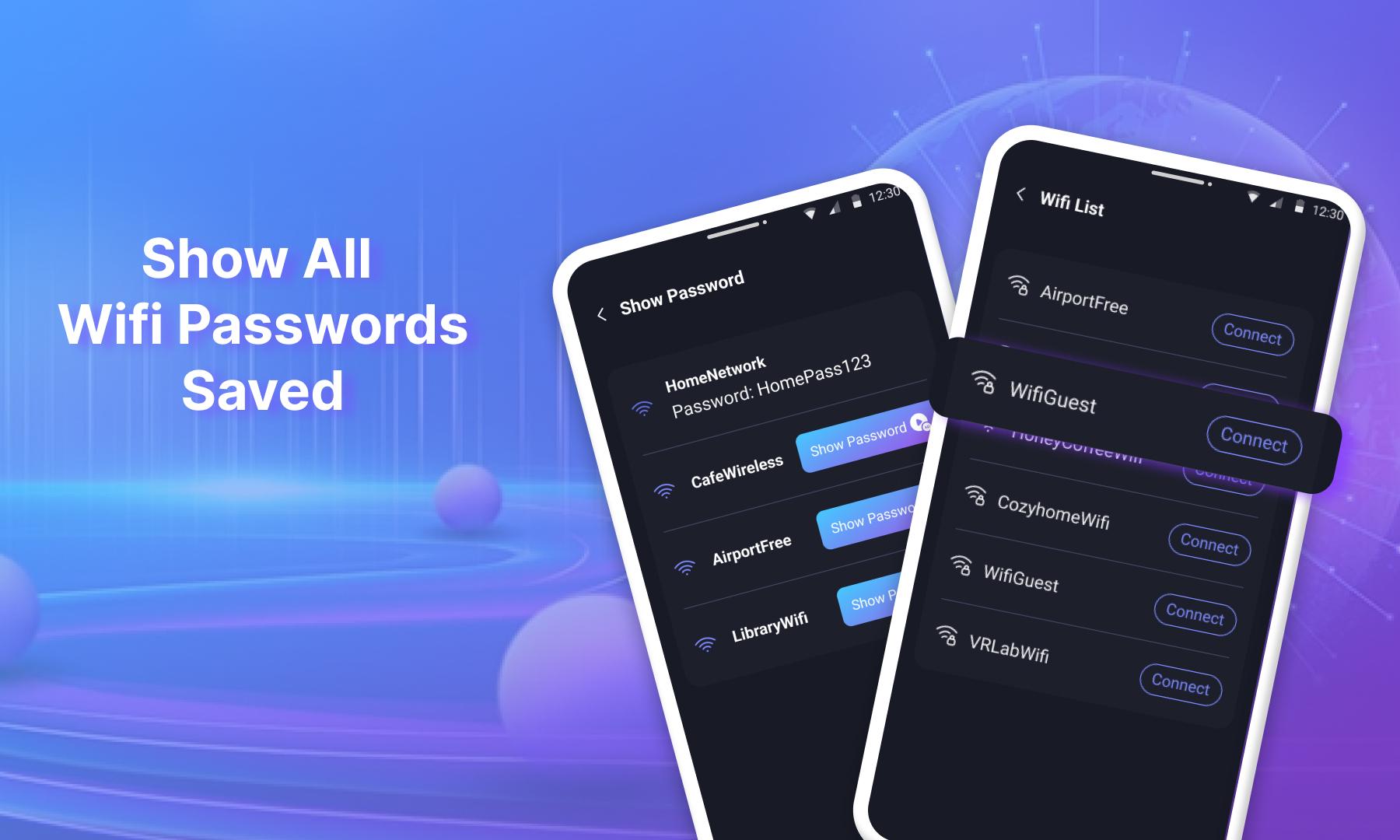
- The wifi master key app enables users to view passwords for WiFi networks which their mobile phones have connected to before.
- Easily review WiFi passwords with just a few quick steps, facilitating convenient reconnection to all previously connected WiFi networks.
- Show all wifi password
👉 WiFi List:
- Swiftly search for WiFi networks by selecting the WiFi list section, which displays nearby WiFi networks, making it easy to connect to the desired WiFi.
👉 Generate WiFi Password:
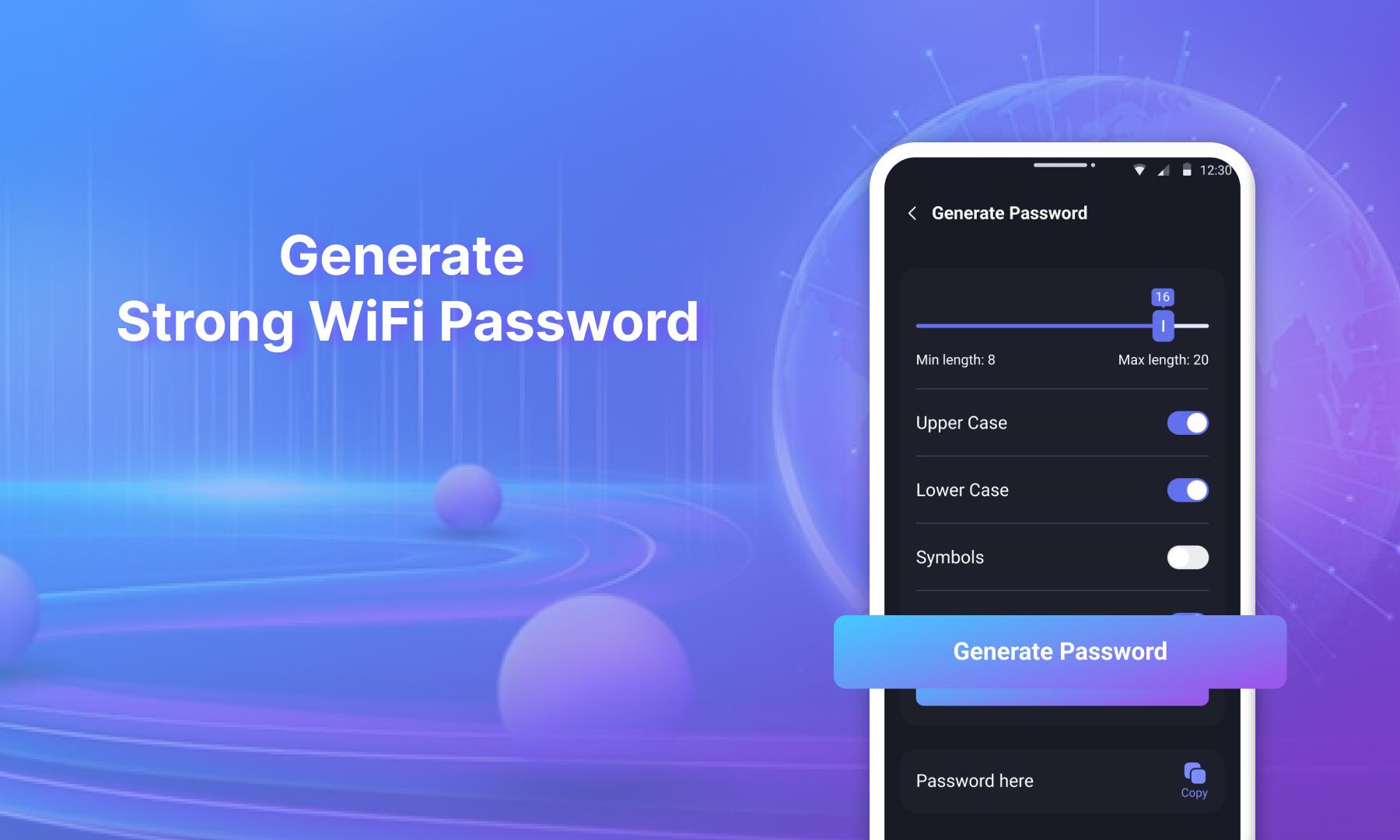
- Create your strong password, including uppercase and lowercase letters, symbols, and numbers. The wifi password finder app will generate passwords in a simple and convenient way.
👉 WiFi QR Code Connection:
- Connect to WiFi using the QR code of that WiFi. With this feature, you can easily connect to WiFi through the QR code without the hassle of entering a password.
👉 User-Friendly Interface:
- The simple and user-friendly interface helps users easily navigate the wifi qr code scanner app.
With numerous exciting features, why wait? Experience the wifi password key app now!
This wifi password generator app is useful for those who want to manage and easily reconnect to WiFi networks stored on their phones. The wifi connected password show app is an efficient tool that quickly and conveniently solves network connection issues.
Our wifi password viewer app is continually improving and being updated. Therefore, user feedback is incredibly important to our wifi password master key app development team. Thank you!
What's New in the Latest Version 1.0.2
Last updated on Jul 13, 2024
Minor bug fixes and improvements. Install or update to the newest version to check it out!
Show WiFi Password is a lightweight and user-friendly utility designed to unveil the hidden WiFi passwords stored on your Windows computer. This tool comes in handy when you need to quickly retrieve a forgotten password or share your WiFi credentials with others.Upon launching Show WiFi Password, you'll be presented with a straightforward interface that lists all the WiFi networks you've previously connected to. Each network entry displays essential information such as its name (SSID), signal strength, security type, and most importantly, the hidden password.
To reveal the password for a specific network, simply click on its name. Show WiFi Password will instantly decrypt the password and display it in plain text, allowing you to easily copy or share it. The tool supports various encryption types, including WEP, WPA, and WPA2, ensuring compatibility with most modern WiFi networks.
One of the key advantages of Show WiFi Password is its ease of use. The intuitive interface makes it accessible to users of all skill levels. Moreover, the tool is portable, meaning you can run it directly from a USB drive without the need for installation. This portability makes it convenient for use on multiple computers or when troubleshooting WiFi issues on the go.
It's important to note that Show WiFi Password does not recover passwords for networks you've never connected to before. It only reveals the passwords for networks that have been previously stored on your computer. Additionally, the tool requires administrator privileges to run, as it needs to access the Windows Credential Manager to retrieve the stored passwords.
Overall, Show WiFi Password is a valuable tool for anyone who needs to quickly and easily retrieve forgotten WiFi passwords or share their WiFi credentials. Its simple interface, wide compatibility, and portability make it a must-have utility for home users, IT professionals, and anyone who relies on WiFi connectivity.
Wifi password show of all connected wifi, wifi master key to connect wifi by QR
Do you want to:
- Save and show all password of connected wifi
- Auto connect to wifi networks with ease.
- View and manage wifi list
So, this show wifi password app is the perfect solution for you. This wifi password show app is a useful tool that allows users to view and display passwords for previously connected WiFi networks. With its simplicity and effectiveness, this wifi master app makes it easy for users to reconnect their devices without the need to remember the WiFi password.
Key features in wifi manager app:
👉 WiFi Password Display:
- The wifi master key app enables users to view passwords for WiFi networks which their mobile phones have connected to before.
- Easily review WiFi passwords with just a few quick steps, facilitating convenient reconnection to all previously connected WiFi networks.
- Show all wifi password
👉 WiFi List:
- Swiftly search for WiFi networks by selecting the WiFi list section, which displays nearby WiFi networks, making it easy to connect to the desired WiFi.
👉 Generate WiFi Password:
- Create your strong password, including uppercase and lowercase letters, symbols, and numbers. The wifi password finder app will generate passwords in a simple and convenient way.
👉 WiFi QR Code Connection:
- Connect to WiFi using the QR code of that WiFi. With this feature, you can easily connect to WiFi through the QR code without the hassle of entering a password.
👉 User-Friendly Interface:
- The simple and user-friendly interface helps users easily navigate the wifi qr code scanner app.
With numerous exciting features, why wait? Experience the wifi password key app now!
This wifi password generator app is useful for those who want to manage and easily reconnect to WiFi networks stored on their phones. The wifi connected password show app is an efficient tool that quickly and conveniently solves network connection issues.
Our wifi password viewer app is continually improving and being updated. Therefore, user feedback is incredibly important to our wifi password master key app development team. Thank you!
What's New in the Latest Version 1.0.2
Last updated on Jul 13, 2024
Minor bug fixes and improvements. Install or update to the newest version to check it out!
Show WiFi Password is a lightweight and user-friendly utility designed to unveil the hidden WiFi passwords stored on your Windows computer. This tool comes in handy when you need to quickly retrieve a forgotten password or share your WiFi credentials with others.Upon launching Show WiFi Password, you'll be presented with a straightforward interface that lists all the WiFi networks you've previously connected to. Each network entry displays essential information such as its name (SSID), signal strength, security type, and most importantly, the hidden password.
To reveal the password for a specific network, simply click on its name. Show WiFi Password will instantly decrypt the password and display it in plain text, allowing you to easily copy or share it. The tool supports various encryption types, including WEP, WPA, and WPA2, ensuring compatibility with most modern WiFi networks.
One of the key advantages of Show WiFi Password is its ease of use. The intuitive interface makes it accessible to users of all skill levels. Moreover, the tool is portable, meaning you can run it directly from a USB drive without the need for installation. This portability makes it convenient for use on multiple computers or when troubleshooting WiFi issues on the go.
It's important to note that Show WiFi Password does not recover passwords for networks you've never connected to before. It only reveals the passwords for networks that have been previously stored on your computer. Additionally, the tool requires administrator privileges to run, as it needs to access the Windows Credential Manager to retrieve the stored passwords.
Overall, Show WiFi Password is a valuable tool for anyone who needs to quickly and easily retrieve forgotten WiFi passwords or share their WiFi credentials. Its simple interface, wide compatibility, and portability make it a must-have utility for home users, IT professionals, and anyone who relies on WiFi connectivity.





