


For teachers who want an easier life
For teachers made by a teacher.
WHAT IS TEACHER GRADEBOOK?
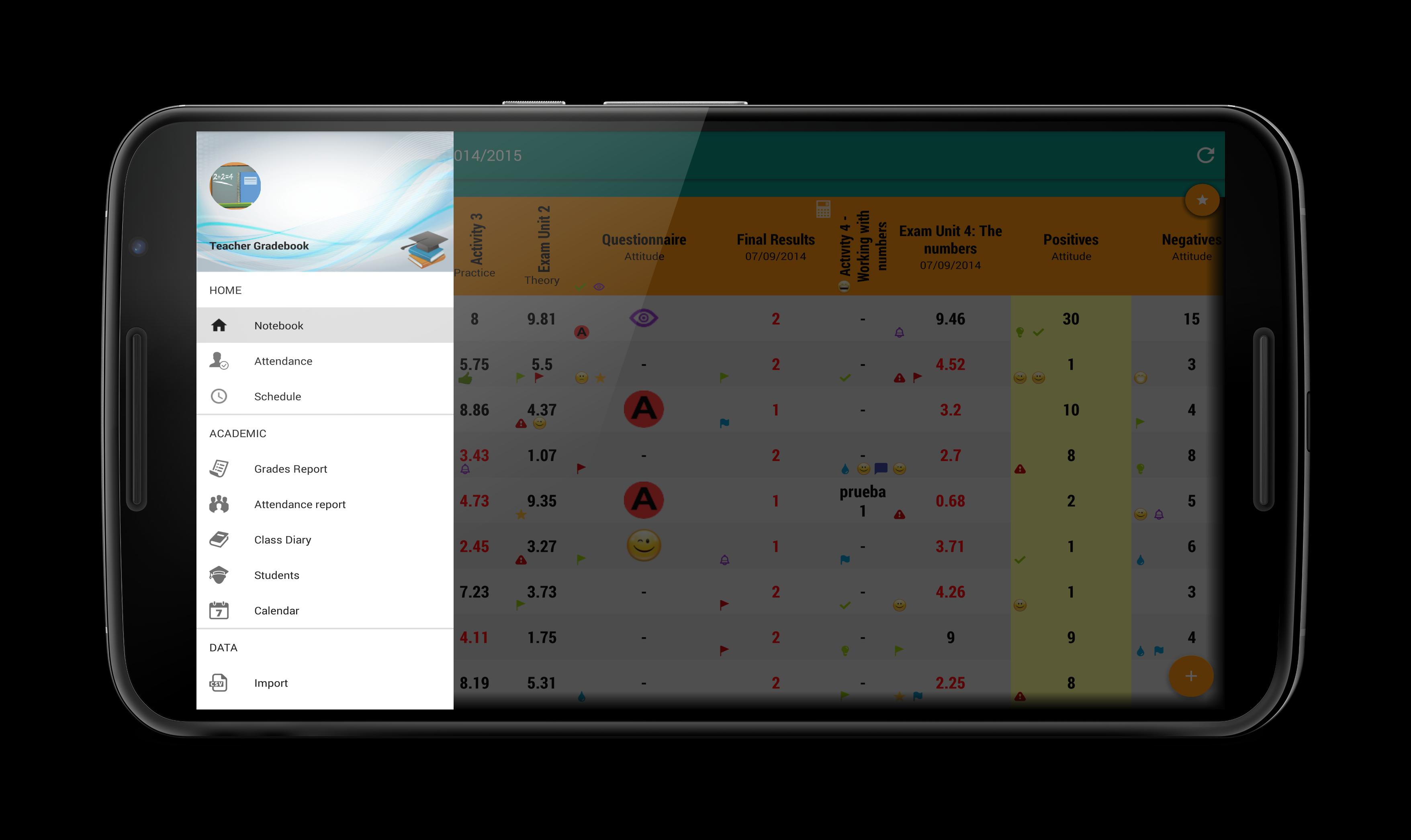
Teacher Gradebook is a friendly and powerful digital gradebook for teachers.
The app is not longer free as it used to be. The non-premium version has some limitations as you can only manage 1 group and 1 term.
Keep your students and theit marks organized and auto calculate the final score.
Teacher Gradebook is a digital notebook that will SAVE you lot of TIME.
FEATURES:
- Manage marks
- Different grade types
- Rubrics assessement
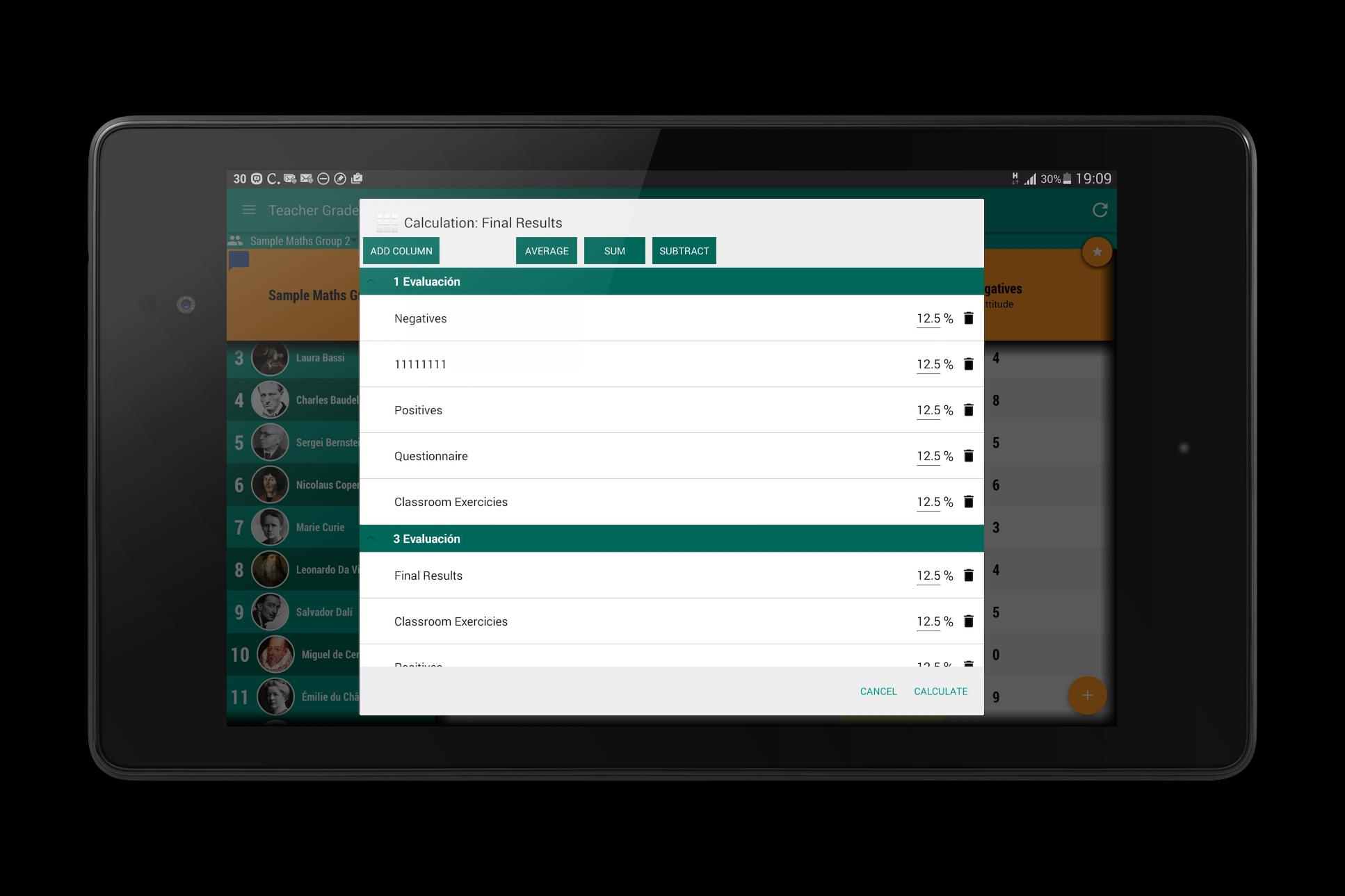
- Authomatic final score calculation
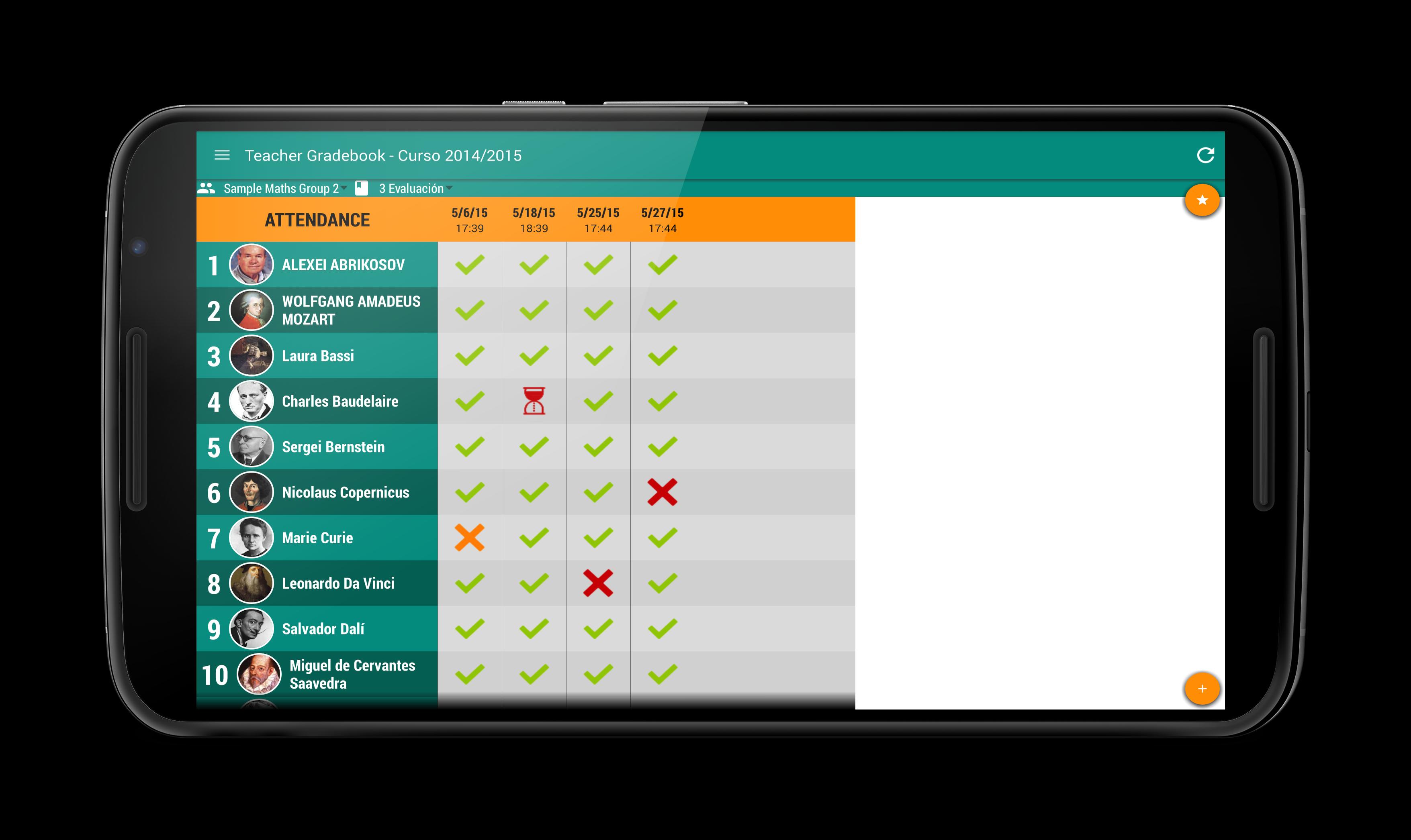
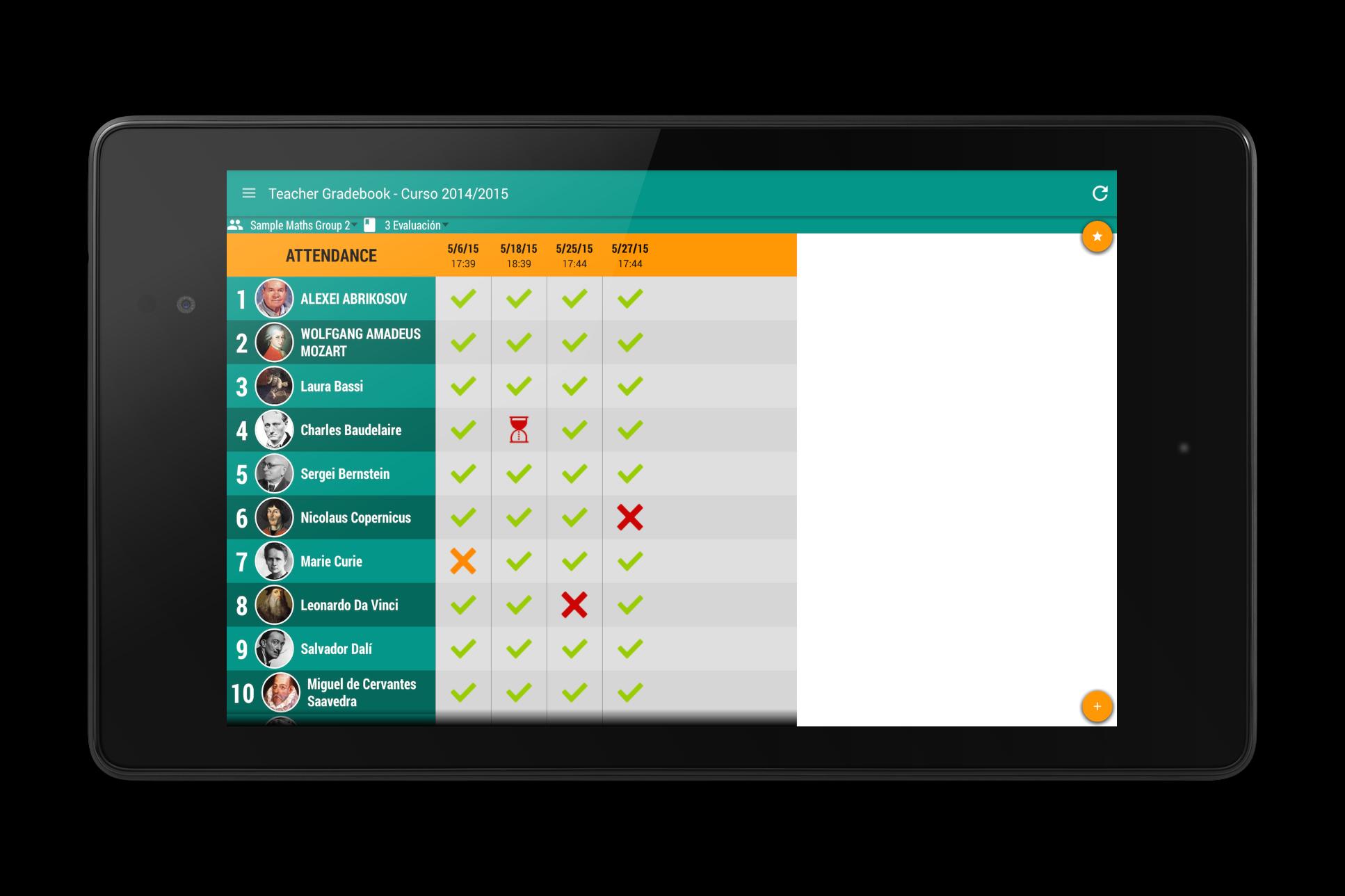
- Attendance list
- Auto sync among devices
- Team work assessment
- Class map with quick attendance
- Manage students and their info
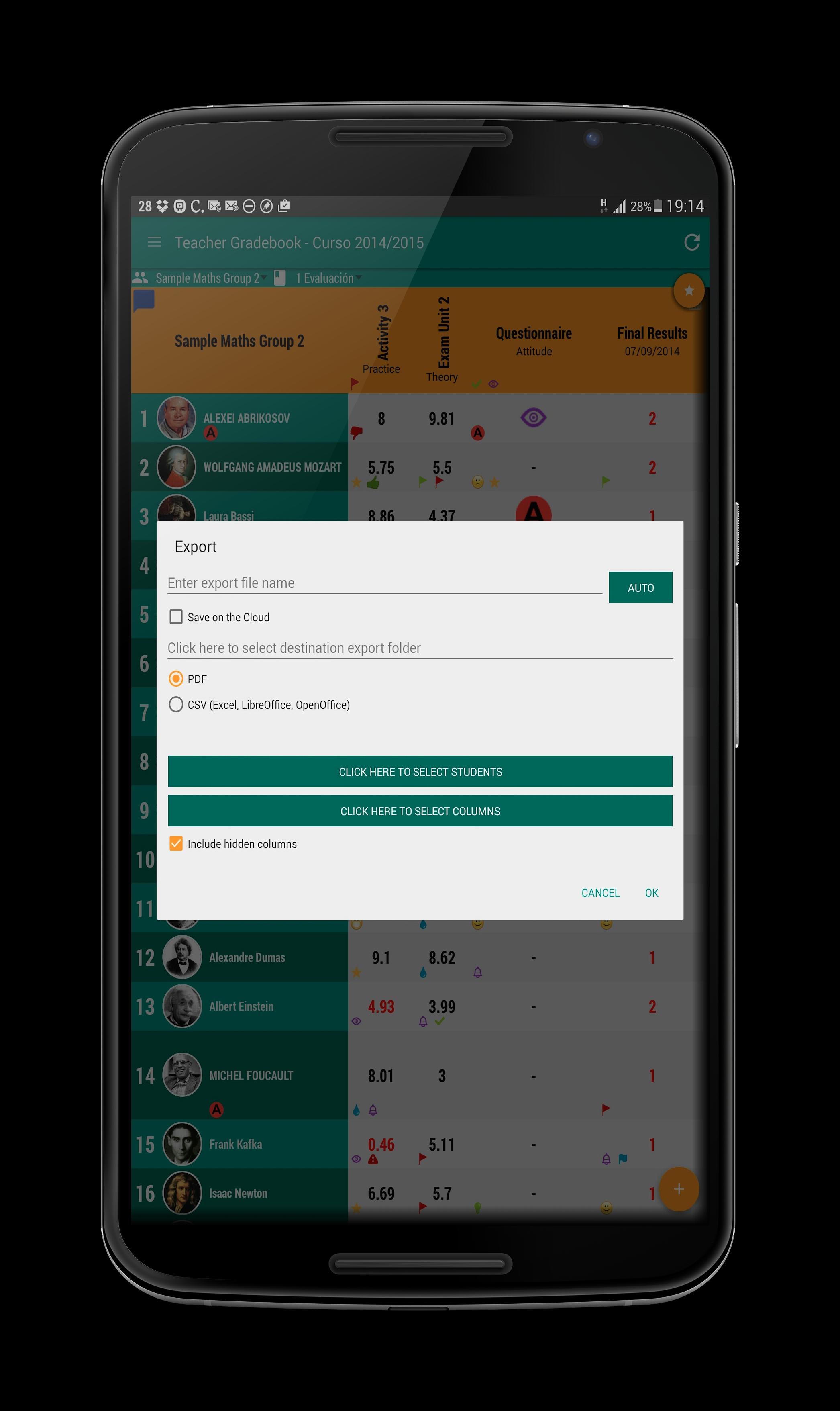
- PDF and CSV export
- Schedule/Timetable
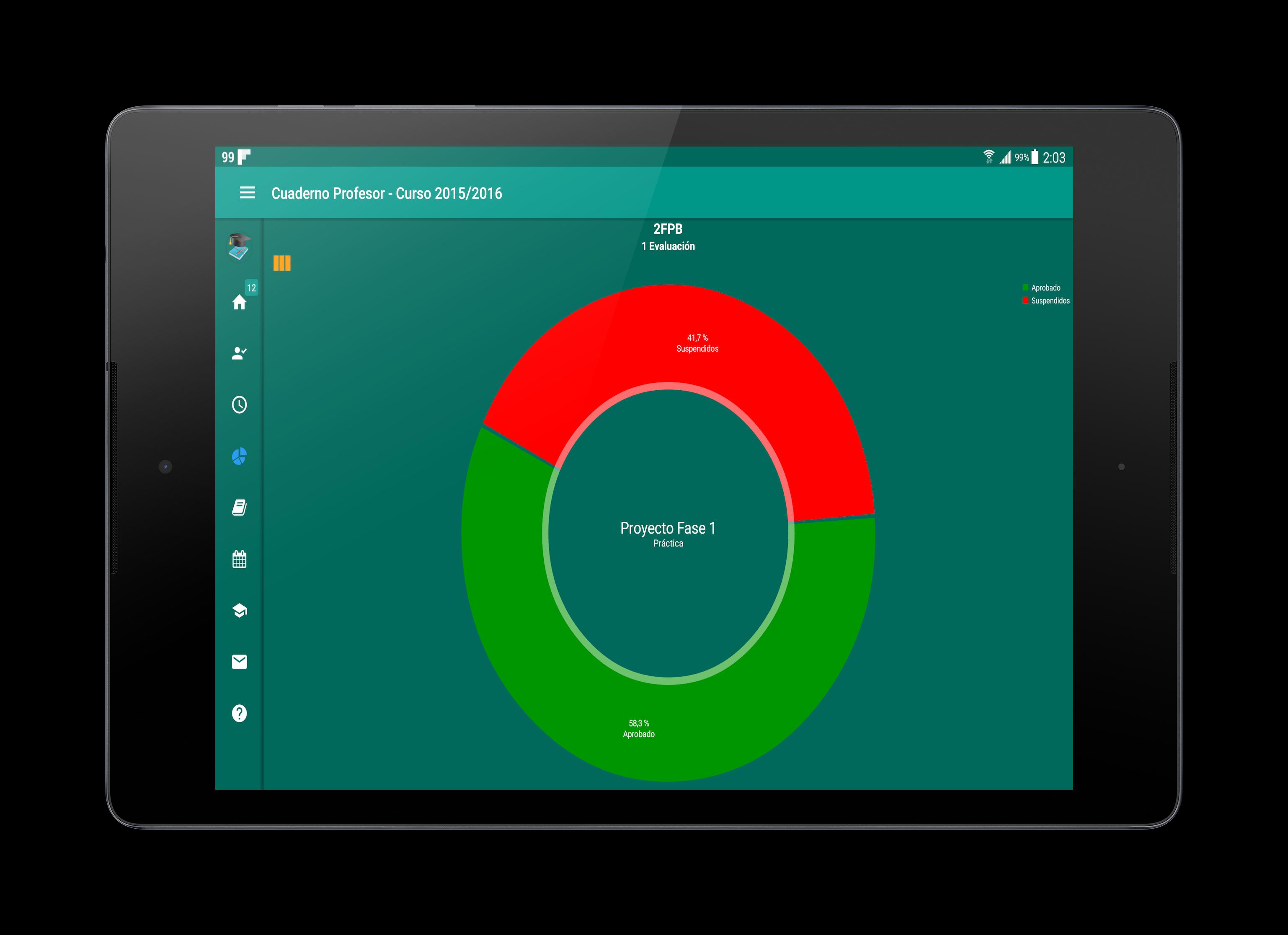
- Charts
- Encrypted database.
- Conditional grade colors
- Configurable grade symbols: A, A+, F, etc...
- Icons
- Manage groups.
- Manage terms/trimesters
- Manage different tabs
- Reports
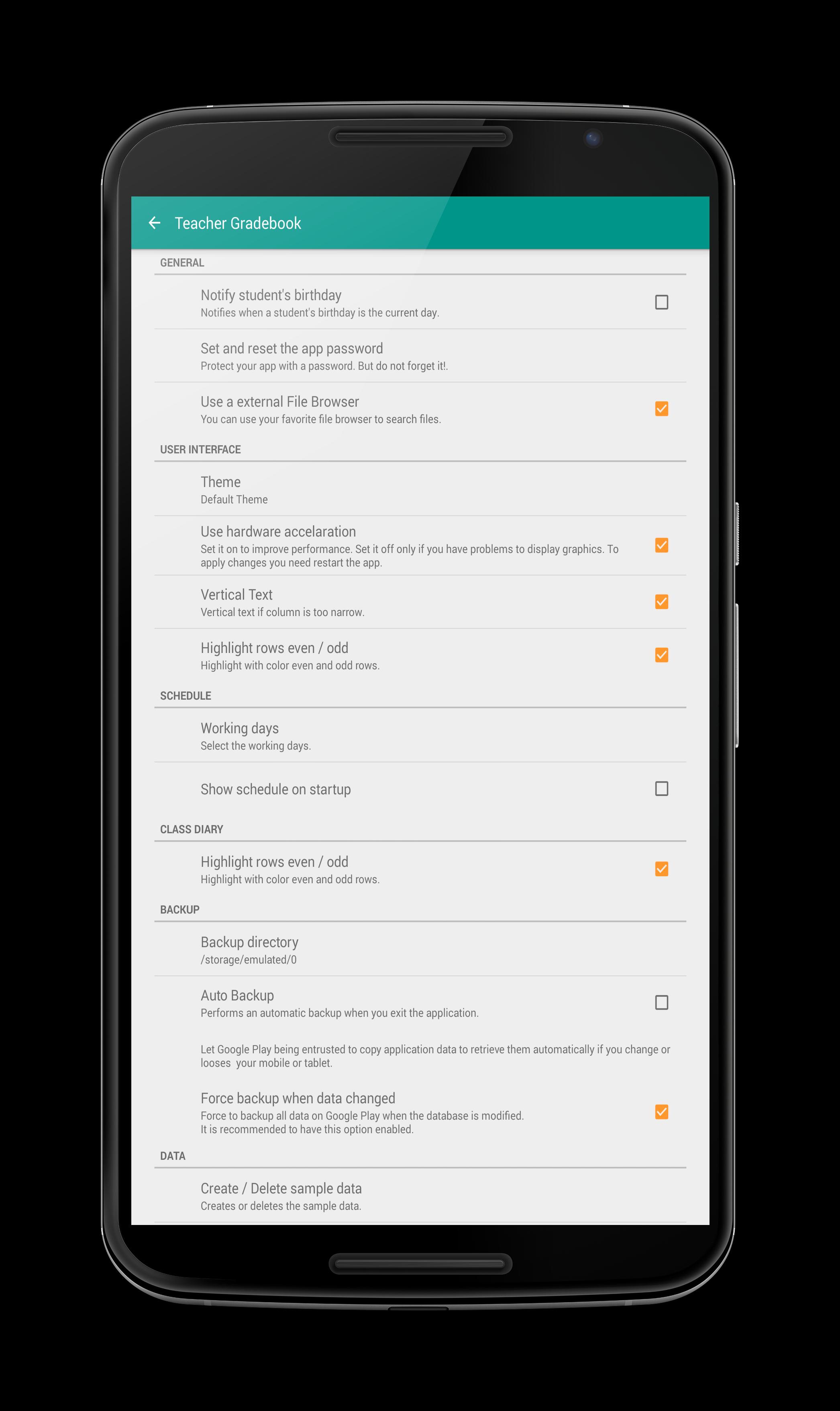
- Backups: manual, auto, cloud backups.
- Import students from a CSV file.
- Classroom diary
- Specially designed for Tablets
- .... much more...
APP PERMISSIONS
- Photos/Media/Files: to select a picture for the student
- Storage: for backups and export reports
- In-app purchases: to become premium
- View networks connections: to make auto backups in Dropbox or Google Drive, for auto sync and check Internet availability
🕸 WEB: https://www.cuadernodelprofesor.com
🫂 Twitter: https://twitter.com/cuadernoprofes
🫂 Facebook: https://www.facebook.com/cuadernoprofes
🫂 Youtube: https://www.youtube.com/c/CuadernoprofesorNet
What's New in the Latest Version 7.2.8
Last updated on Jul 9, 2024
- Added linked columns
- Added % of passed and failed on the average row
- Some errors fixed
Content
Teacher Gradebook, a genre typically found on mobile platforms, simulates the administrative tasks and responsibilities of a teacher, specifically focusing on managing student grades and performance. The core gameplay revolves around accurately inputting student scores for various assignments, quizzes, tests, and projects. This data entry forms the basis for calculating overall grades, often weighted according to predefined criteria set by the player or inherent in the game's design.
The appeal of Teacher Gradebook lies in its structured, organized approach to managing data, offering a sense of control and accomplishment as the player meticulously tracks student progress. Some iterations of the game introduce elements of customization, allowing players to create their own grading scales, assign weights to different assessment types, and even generate reports to analyze class performance. This customization adds a layer of personalization, enabling players to tailor the experience to their preferred methods of grading and assessment.
Beyond the basic data entry, some versions of Teacher Gradebook incorporate elements of classroom management. This can include tracking student attendance, managing disciplinary actions, and even communicating with parents through virtual messaging systems. These features broaden the scope of the game, providing a more holistic simulation of the teacher's role beyond simply managing grades.
The visual presentation of Teacher Gradebook games typically adopts a clean, user-friendly interface resembling a traditional gradebook or spreadsheet. This clear visual layout facilitates easy navigation and data input, enhancing the overall user experience. The use of color-coding and visual cues can further aid in identifying students who are excelling, struggling, or require additional attention.
The progression in Teacher Gradebook games often involves advancing through academic terms or school years, unlocking new features, or achieving specific performance targets for the virtual students. This sense of progression adds a layer of motivation, encouraging players to maintain accurate records and strive for improved student outcomes.
Different versions of Teacher Gradebook cater to various player preferences. Some prioritize simplicity and focus solely on grade management, while others incorporate more complex features like lesson planning, student interaction, and even classroom decoration. This diversity ensures that players can find a version that aligns with their desired level of engagement and complexity.
The target audience for Teacher Gradebook games is broad, encompassing individuals who enjoy organizational tasks, data management, and simulation games. The game can also appeal to aspiring teachers seeking a glimpse into the administrative aspects of the profession. Furthermore, the structured nature of the game can provide a sense of relaxation and satisfaction for players who appreciate order and precision.
While the core gameplay of Teacher Gradebook remains consistent across different versions, the specific features and mechanics can vary significantly. Some games might incorporate elements of gamification, such as awarding points for accurate grading or achieving specific student performance goals. Others might focus on realism, simulating the challenges and complexities of managing a diverse classroom.
Teacher Gradebook games often offer a sandbox mode, allowing players to experiment with different grading systems, student profiles, and classroom scenarios without any predefined objectives. This sandbox environment provides a space for free exploration and experimentation, allowing players to discover their preferred methods of grade management and classroom organization.
The educational value of Teacher Gradebook games, while not explicitly intended as educational tools, can be found in their ability to familiarize players with the principles of data management, grading systems, and the administrative aspects of teaching. The game can also foster an appreciation for the complexities of the teaching profession and the importance of accurate record-keeping.
The longevity of Teacher Gradebook games is often determined by the depth of features and the level of customization offered. Games with more complex mechanics and customization options tend to offer greater replayability, allowing players to experiment with different scenarios and approaches to grade management.
The accessibility of Teacher Gradebook games is typically high, due to their simple mechanics and user-friendly interfaces. This accessibility makes them suitable for players of all ages and skill levels, regardless of prior experience with similar games.
The overall experience of playing Teacher Gradebook can be described as relaxing, organized, and rewarding. The act of meticulously inputting grades and tracking student progress can provide a sense of accomplishment and control, while the clean visual presentation and intuitive interface contribute to a calming and enjoyable gameplay experience.
In conclusion, Teacher Gradebook games offer a unique blend of simulation and data management, appealing to players who enjoy organized tasks, precise record-keeping, and the administrative aspects of teaching. The diverse range of features and customization options ensures that players can find a version that caters to their specific preferences and desired level of complexity. Whether seeking a relaxing pastime or a glimpse into the world of education, Teacher Gradebook provides a structured and engaging gameplay experience.
For teachers who want an easier life
For teachers made by a teacher.
WHAT IS TEACHER GRADEBOOK?
Teacher Gradebook is a friendly and powerful digital gradebook for teachers.
The app is not longer free as it used to be. The non-premium version has some limitations as you can only manage 1 group and 1 term.
Keep your students and theit marks organized and auto calculate the final score.
Teacher Gradebook is a digital notebook that will SAVE you lot of TIME.
FEATURES:
- Manage marks
- Different grade types
- Rubrics assessement
- Authomatic final score calculation
- Attendance list
- Auto sync among devices
- Team work assessment
- Class map with quick attendance
- Manage students and their info
- PDF and CSV export
- Schedule/Timetable
- Charts
- Encrypted database.
- Conditional grade colors
- Configurable grade symbols: A, A+, F, etc...
- Icons
- Manage groups.
- Manage terms/trimesters
- Manage different tabs
- Reports
- Backups: manual, auto, cloud backups.
- Import students from a CSV file.
- Classroom diary
- Specially designed for Tablets
- .... much more...
APP PERMISSIONS
- Photos/Media/Files: to select a picture for the student
- Storage: for backups and export reports
- In-app purchases: to become premium
- View networks connections: to make auto backups in Dropbox or Google Drive, for auto sync and check Internet availability
🕸 WEB: https://www.cuadernodelprofesor.com
🫂 Twitter: https://twitter.com/cuadernoprofes
🫂 Facebook: https://www.facebook.com/cuadernoprofes
🫂 Youtube: https://www.youtube.com/c/CuadernoprofesorNet
What's New in the Latest Version 7.2.8
Last updated on Jul 9, 2024
- Added linked columns
- Added % of passed and failed on the average row
- Some errors fixed
Content
Teacher Gradebook, a genre typically found on mobile platforms, simulates the administrative tasks and responsibilities of a teacher, specifically focusing on managing student grades and performance. The core gameplay revolves around accurately inputting student scores for various assignments, quizzes, tests, and projects. This data entry forms the basis for calculating overall grades, often weighted according to predefined criteria set by the player or inherent in the game's design.
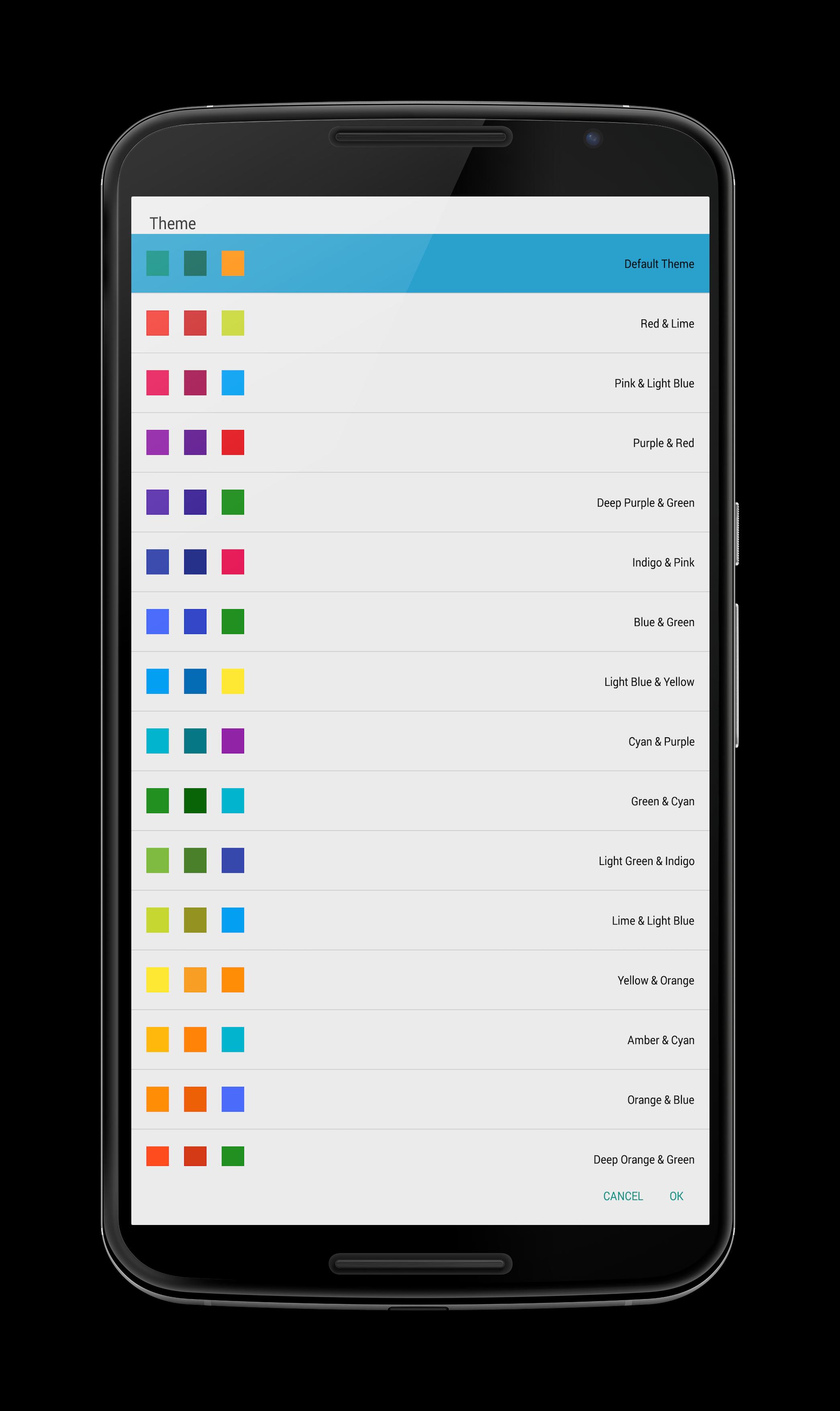
The appeal of Teacher Gradebook lies in its structured, organized approach to managing data, offering a sense of control and accomplishment as the player meticulously tracks student progress. Some iterations of the game introduce elements of customization, allowing players to create their own grading scales, assign weights to different assessment types, and even generate reports to analyze class performance. This customization adds a layer of personalization, enabling players to tailor the experience to their preferred methods of grading and assessment.
Beyond the basic data entry, some versions of Teacher Gradebook incorporate elements of classroom management. This can include tracking student attendance, managing disciplinary actions, and even communicating with parents through virtual messaging systems. These features broaden the scope of the game, providing a more holistic simulation of the teacher's role beyond simply managing grades.
The visual presentation of Teacher Gradebook games typically adopts a clean, user-friendly interface resembling a traditional gradebook or spreadsheet. This clear visual layout facilitates easy navigation and data input, enhancing the overall user experience. The use of color-coding and visual cues can further aid in identifying students who are excelling, struggling, or require additional attention.
The progression in Teacher Gradebook games often involves advancing through academic terms or school years, unlocking new features, or achieving specific performance targets for the virtual students. This sense of progression adds a layer of motivation, encouraging players to maintain accurate records and strive for improved student outcomes.
Different versions of Teacher Gradebook cater to various player preferences. Some prioritize simplicity and focus solely on grade management, while others incorporate more complex features like lesson planning, student interaction, and even classroom decoration. This diversity ensures that players can find a version that aligns with their desired level of engagement and complexity.
The target audience for Teacher Gradebook games is broad, encompassing individuals who enjoy organizational tasks, data management, and simulation games. The game can also appeal to aspiring teachers seeking a glimpse into the administrative aspects of the profession. Furthermore, the structured nature of the game can provide a sense of relaxation and satisfaction for players who appreciate order and precision.
While the core gameplay of Teacher Gradebook remains consistent across different versions, the specific features and mechanics can vary significantly. Some games might incorporate elements of gamification, such as awarding points for accurate grading or achieving specific student performance goals. Others might focus on realism, simulating the challenges and complexities of managing a diverse classroom.
Teacher Gradebook games often offer a sandbox mode, allowing players to experiment with different grading systems, student profiles, and classroom scenarios without any predefined objectives. This sandbox environment provides a space for free exploration and experimentation, allowing players to discover their preferred methods of grade management and classroom organization.
The educational value of Teacher Gradebook games, while not explicitly intended as educational tools, can be found in their ability to familiarize players with the principles of data management, grading systems, and the administrative aspects of teaching. The game can also foster an appreciation for the complexities of the teaching profession and the importance of accurate record-keeping.
The longevity of Teacher Gradebook games is often determined by the depth of features and the level of customization offered. Games with more complex mechanics and customization options tend to offer greater replayability, allowing players to experiment with different scenarios and approaches to grade management.
The accessibility of Teacher Gradebook games is typically high, due to their simple mechanics and user-friendly interfaces. This accessibility makes them suitable for players of all ages and skill levels, regardless of prior experience with similar games.
The overall experience of playing Teacher Gradebook can be described as relaxing, organized, and rewarding. The act of meticulously inputting grades and tracking student progress can provide a sense of accomplishment and control, while the clean visual presentation and intuitive interface contribute to a calming and enjoyable gameplay experience.
In conclusion, Teacher Gradebook games offer a unique blend of simulation and data management, appealing to players who enjoy organized tasks, precise record-keeping, and the administrative aspects of teaching. The diverse range of features and customization options ensures that players can find a version that caters to their specific preferences and desired level of complexity. Whether seeking a relaxing pastime or a glimpse into the world of education, Teacher Gradebook provides a structured and engaging gameplay experience.





