


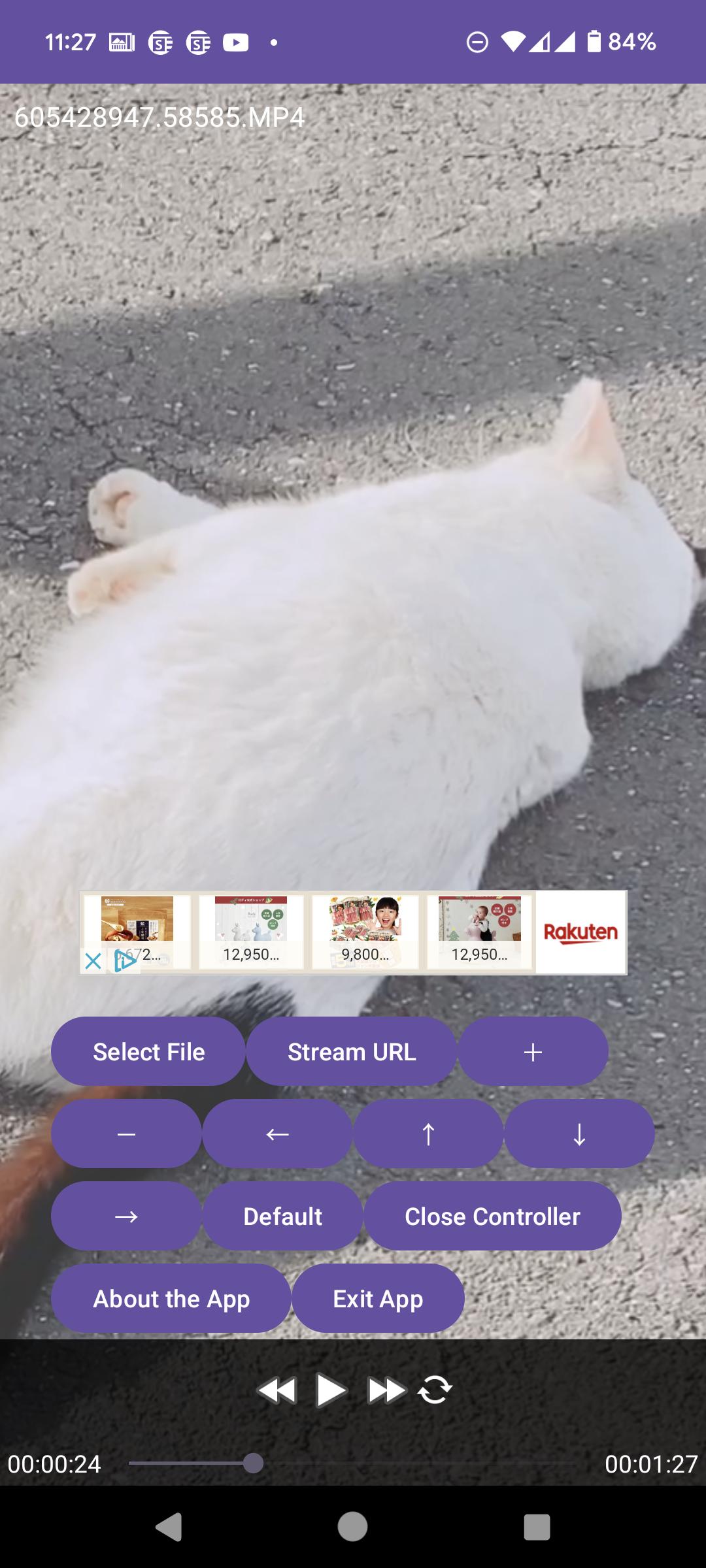


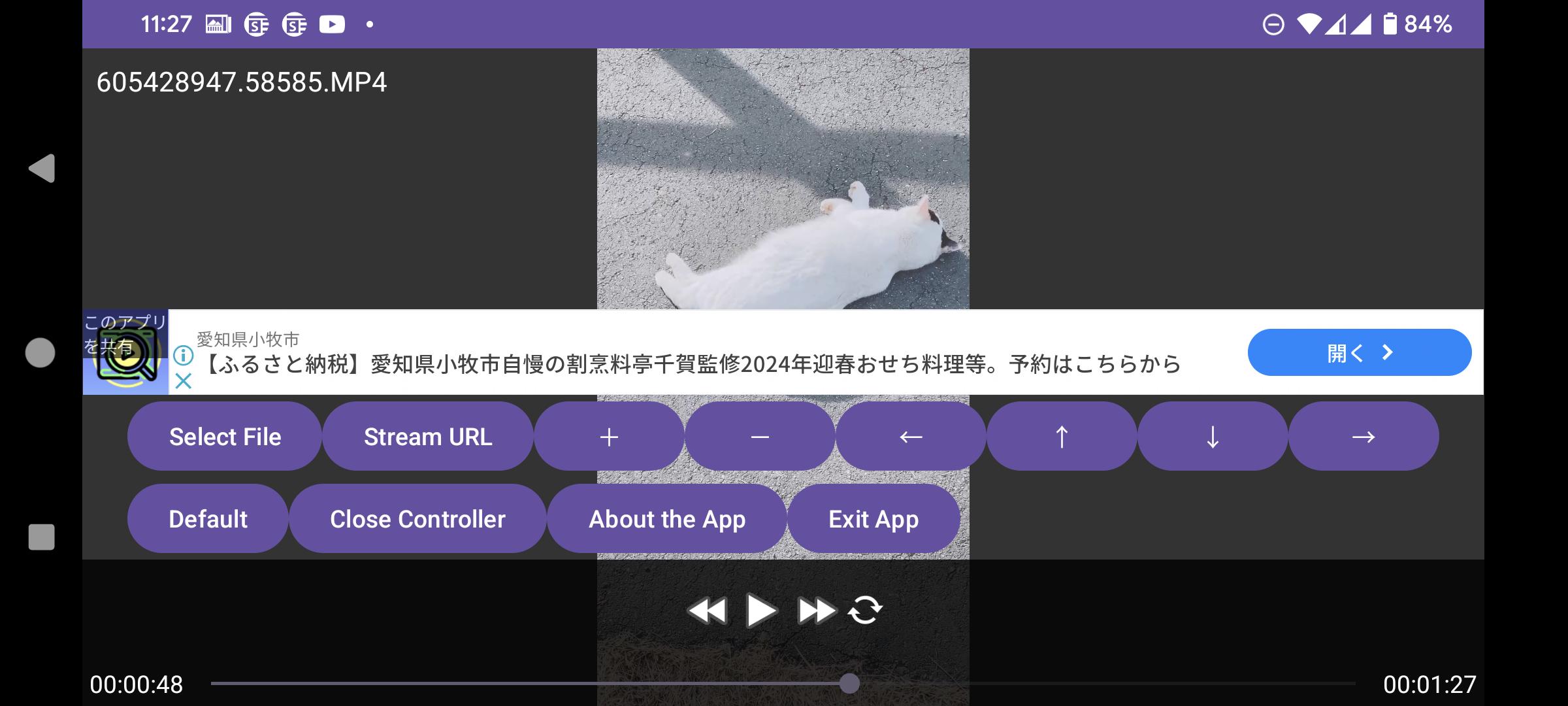
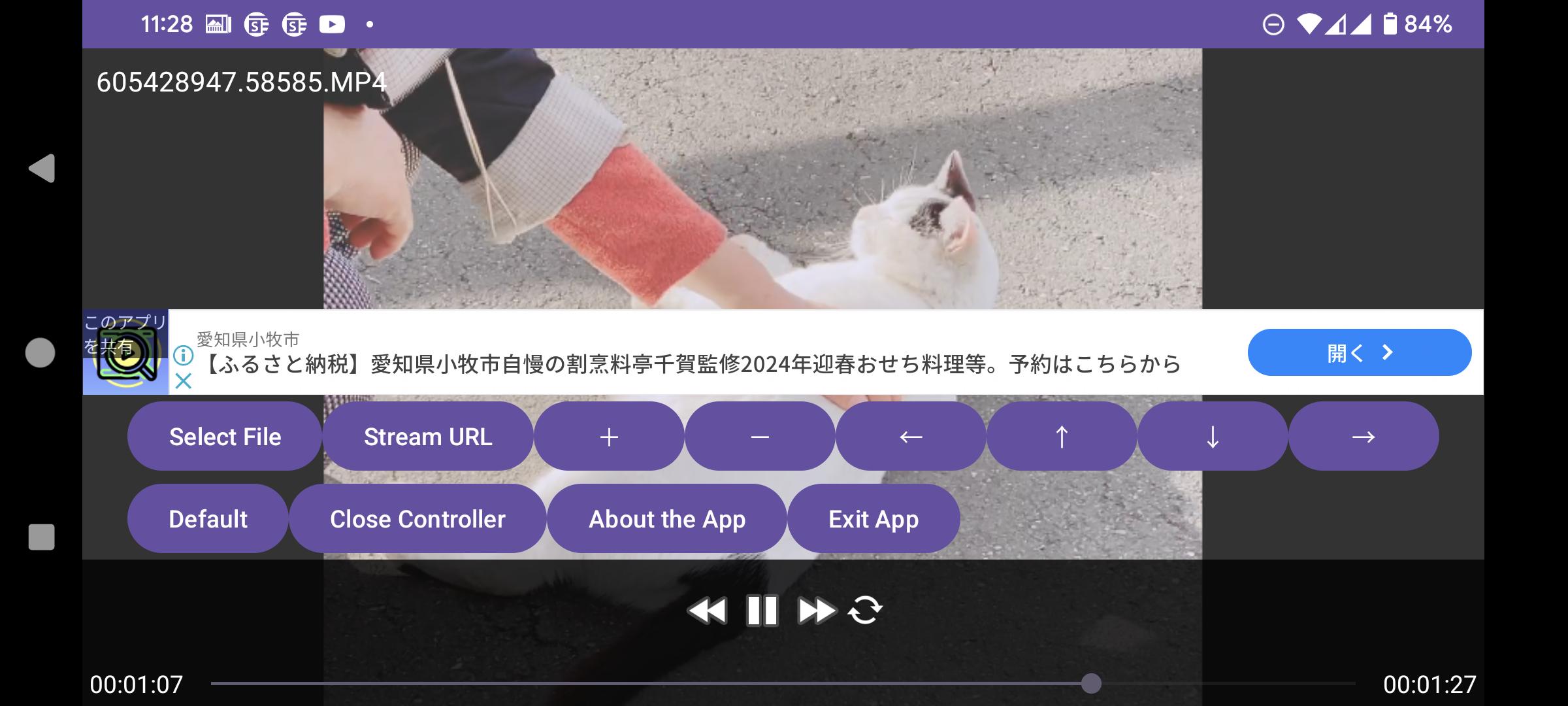



It's a video player that allows for easy zooming in and out.
A convenient video player that can easily zoom in and out has been introduced! Have you ever wanted to magnify a part of a video while playing it? This player is designed to perform screen magnification operations as standard, without requiring complicated actions. Although it might not be used frequently, it's definitely handy when needed.
※This app does not have a login authentication feature and does not provide video content. Please select a video file from your device via the file selector to play it, or select a video file using a file manager (separate app) and play it with this app.
The video playback engine uses the reputable LibVLC, so it can also be used as a regular video player. It's free, so feel free to use it.
[Operation Instructions]
○ Touch Control
When controller is hidden: Move screen: Swipe
Select execution: Single tap
Zoom in/out: Two-finger gesture.
Play/Pause: Tap play/pause button on the controller
Fast forward: Tap fast forward button on the controller
Rewind: Tap rewind button on the controller
Show controller: Single tap the screen (when controller is hidden)
Hide controller: Single tap an empty area of the screen (when controller is visible)
Zoom in: Double tap
Zoom out: Long press
Exit (when controller is hidden) | Hide controller (when visible): Tap the "BACK" button
○ Remote Control
When controller is hidden: Move screen | When controller is visible: Directional control: [Directional buttons]
Show controller (single press)/Zoom in (double press)/Zoom out (long press) | When controller is visible: Execute selection: ["CENTER" button]
Play/Pause: ["MEDIA_PLAY_PAUSE" button]
Play: ["MEDIA_PLAY" button]
Pause: ["MEDIA_PAUSE" key] ["MEDIA_STOP" key]
Fast forward: ["MEDIA_FAST_FORWARD" button] ["MEDIA_SKIP_FORWARD" button] ["MEDIA_STEP_FORWARD" button]
Rewind: ["MEDIA_SKIP_BACKWARD" button] ["MEDIA_STEP_BACKWARD" button]
Show controller: (when hidden) ["CENTER" button]
Hide controller: (when visible) ["BACK" button]
Zoom in: Double press ["CENTER" button]
Zoom out: Long press ["CENTER" button]
Exit (when controller is hidden) | Hide controller (when visible): ["BACK" button]
○ Gamepad Control
When controller is hidden: Move screen | When controller is visible: Directional control: [Cursor buttons]
Show controller (single press)/Zoom in (double press)/Zoom out (long press) | When controller is visible: Execute selection: ["A" button]
Play/Pause: ["START" button] ["SELECT" button]
Fast forward: ["R1" button]
Rewind: ["L1" button]
Show controller: ["L2" button]
Hide controller: ["R2" button]
Zoom in: ["X" button]
Zoom out: ["Y" button]
Exit (when controller is hidden) | Hide controller (when visible): ["B" button]
○ Hard Key Control
When controller is hidden: Move screen | When controller is visible: Directional control: [Cursor keys] / Up ["E" key] ["8" key] / Down ["C" key] ["2" key] / Left ["S" key] ["4" key] / Right ["F" key] ["6" key]
Show controller (single press)/Zoom in (double press)/Zoom out (long press) | When controller is visible: Execute selection: ["ENTER" key] ["SPACE" key] ["D" key] ["5" key]
Play/Pause: ["R" key] ["0" key]
Play: ["T" key]
Pause: ["G" key]
Fast forward: ["V" key] ["3" key]
Rewind: ["X" key] ["1" key]
Show controller: ["Q" key] ["/" key] ["#" key]
Hide controller: ["W" key] ["*" key]
Zoom in: ["A" key] ["+" key] ["9" key]
Zoom out: ["Z" key] ["-" key] ["7" key]
Exit (when controller is hidden) | Hide controller (when visible): ["ESCAPE" key] ["." key]
What's New in the Latest Version 1.0.15
Last updated on Jun 23, 2024
*** Ver1.0.15 ***
- Modified about Ads.
*** Ver1.0.14 ***
- Modified about Ads.
*** Ver1.0.13 ***
- Modified about Ads.
*** Ver1.0.12 ***
- Improvement of stability.
*** Ver1.0.11 ***
- Crash fixes.
*** Ver1.0.10 ***
- Modified about Ads.
*** Ver1.0.9 ***
- Adjustment of ad display locations.
*** Ver1.0.8 ***
- Modified about Ads.
*** Ver1.0.7 ***
- Crash fixes.
*** Ver1.0.6 ***
- Change the English Name of the App.
*** Ver1.0.5 ***
- We have expanded the supported formats.
Introduction
Useful Zoom V-Player is a feature-rich and versatile video player for Windows operating systems. It offers a wide range of capabilities, including video playback, editing, and screen recording, making it a valuable tool for both casual users and professionals alike.
Key Features
* Video Playback: Supports a wide variety of video formats, including AVI, MP4, MKV, FLV, and more.
* Video Editing: Basic editing tools allow users to trim, crop, and rotate videos.
* Screen Recording: Capture screen activity, including audio, for creating tutorials, presentations, or gameplay videos.
* Screen Capture: Take screenshots of the entire screen or selected areas.
* Media Converter: Convert videos between different formats to ensure compatibility with various devices and platforms.
* Audio Extraction: Extract audio tracks from videos to create MP3 or WAV files.
* Subtitles Support: Display subtitles in multiple languages for enhanced accessibility.
* Playback Speed Control: Adjust video playback speed for faster or slower viewing.
* Bookmarks: Create bookmarks to mark important moments in videos for easy retrieval.
* Customizable Interface: Tailor the player's appearance and functionality to suit individual preferences.
Ease of Use
Useful Zoom V-Player is designed with user-friendliness in mind. Its intuitive interface and simple navigation make it accessible to users of all levels. The well-organized menu structure provides quick access to all the essential features.
Additional Features
In addition to its core capabilities, Useful Zoom V-Player offers several additional features that enhance its functionality:
* Batch Processing: Process multiple videos or images simultaneously for efficient editing or conversion.
* Batch Renaming: Rename multiple files at once to save time and maintain consistency.
* File Encryption: Protect sensitive videos with password encryption for added security.
* File Splitting: Divide large video files into smaller segments for easier management or sharing.
* Video Watermarking: Add custom watermarks to videos to protect intellectual property or enhance branding.
Conclusion
Useful Zoom V-Player is an indispensable tool for anyone who regularly works with videos. Its comprehensive feature set, ease of use, and affordable price make it an excellent choice for both personal and professional use. Whether you need to playback, edit, record, or convert videos, Useful Zoom V-Player has you covered.
It's a video player that allows for easy zooming in and out.
A convenient video player that can easily zoom in and out has been introduced! Have you ever wanted to magnify a part of a video while playing it? This player is designed to perform screen magnification operations as standard, without requiring complicated actions. Although it might not be used frequently, it's definitely handy when needed.
※This app does not have a login authentication feature and does not provide video content. Please select a video file from your device via the file selector to play it, or select a video file using a file manager (separate app) and play it with this app.
The video playback engine uses the reputable LibVLC, so it can also be used as a regular video player. It's free, so feel free to use it.
[Operation Instructions]
○ Touch Control
When controller is hidden: Move screen: Swipe
Select execution: Single tap
Zoom in/out: Two-finger gesture.
Play/Pause: Tap play/pause button on the controller
Fast forward: Tap fast forward button on the controller
Rewind: Tap rewind button on the controller
Show controller: Single tap the screen (when controller is hidden)
Hide controller: Single tap an empty area of the screen (when controller is visible)
Zoom in: Double tap
Zoom out: Long press
Exit (when controller is hidden) | Hide controller (when visible): Tap the "BACK" button
○ Remote Control
When controller is hidden: Move screen | When controller is visible: Directional control: [Directional buttons]
Show controller (single press)/Zoom in (double press)/Zoom out (long press) | When controller is visible: Execute selection: ["CENTER" button]
Play/Pause: ["MEDIA_PLAY_PAUSE" button]
Play: ["MEDIA_PLAY" button]
Pause: ["MEDIA_PAUSE" key] ["MEDIA_STOP" key]
Fast forward: ["MEDIA_FAST_FORWARD" button] ["MEDIA_SKIP_FORWARD" button] ["MEDIA_STEP_FORWARD" button]
Rewind: ["MEDIA_SKIP_BACKWARD" button] ["MEDIA_STEP_BACKWARD" button]
Show controller: (when hidden) ["CENTER" button]
Hide controller: (when visible) ["BACK" button]
Zoom in: Double press ["CENTER" button]
Zoom out: Long press ["CENTER" button]
Exit (when controller is hidden) | Hide controller (when visible): ["BACK" button]
○ Gamepad Control
When controller is hidden: Move screen | When controller is visible: Directional control: [Cursor buttons]
Show controller (single press)/Zoom in (double press)/Zoom out (long press) | When controller is visible: Execute selection: ["A" button]
Play/Pause: ["START" button] ["SELECT" button]
Fast forward: ["R1" button]
Rewind: ["L1" button]
Show controller: ["L2" button]
Hide controller: ["R2" button]
Zoom in: ["X" button]
Zoom out: ["Y" button]
Exit (when controller is hidden) | Hide controller (when visible): ["B" button]
○ Hard Key Control
When controller is hidden: Move screen | When controller is visible: Directional control: [Cursor keys] / Up ["E" key] ["8" key] / Down ["C" key] ["2" key] / Left ["S" key] ["4" key] / Right ["F" key] ["6" key]
Show controller (single press)/Zoom in (double press)/Zoom out (long press) | When controller is visible: Execute selection: ["ENTER" key] ["SPACE" key] ["D" key] ["5" key]
Play/Pause: ["R" key] ["0" key]
Play: ["T" key]
Pause: ["G" key]
Fast forward: ["V" key] ["3" key]
Rewind: ["X" key] ["1" key]
Show controller: ["Q" key] ["/" key] ["#" key]
Hide controller: ["W" key] ["*" key]
Zoom in: ["A" key] ["+" key] ["9" key]
Zoom out: ["Z" key] ["-" key] ["7" key]
Exit (when controller is hidden) | Hide controller (when visible): ["ESCAPE" key] ["." key]
What's New in the Latest Version 1.0.15
Last updated on Jun 23, 2024
*** Ver1.0.15 ***
- Modified about Ads.
*** Ver1.0.14 ***
- Modified about Ads.
*** Ver1.0.13 ***
- Modified about Ads.
*** Ver1.0.12 ***
- Improvement of stability.
*** Ver1.0.11 ***
- Crash fixes.
*** Ver1.0.10 ***
- Modified about Ads.
*** Ver1.0.9 ***
- Adjustment of ad display locations.
*** Ver1.0.8 ***
- Modified about Ads.
*** Ver1.0.7 ***
- Crash fixes.
*** Ver1.0.6 ***
- Change the English Name of the App.
*** Ver1.0.5 ***
- We have expanded the supported formats.
Introduction
Useful Zoom V-Player is a feature-rich and versatile video player for Windows operating systems. It offers a wide range of capabilities, including video playback, editing, and screen recording, making it a valuable tool for both casual users and professionals alike.
Key Features
* Video Playback: Supports a wide variety of video formats, including AVI, MP4, MKV, FLV, and more.
* Video Editing: Basic editing tools allow users to trim, crop, and rotate videos.
* Screen Recording: Capture screen activity, including audio, for creating tutorials, presentations, or gameplay videos.
* Screen Capture: Take screenshots of the entire screen or selected areas.
* Media Converter: Convert videos between different formats to ensure compatibility with various devices and platforms.
* Audio Extraction: Extract audio tracks from videos to create MP3 or WAV files.
* Subtitles Support: Display subtitles in multiple languages for enhanced accessibility.
* Playback Speed Control: Adjust video playback speed for faster or slower viewing.
* Bookmarks: Create bookmarks to mark important moments in videos for easy retrieval.
* Customizable Interface: Tailor the player's appearance and functionality to suit individual preferences.
Ease of Use
Useful Zoom V-Player is designed with user-friendliness in mind. Its intuitive interface and simple navigation make it accessible to users of all levels. The well-organized menu structure provides quick access to all the essential features.
Additional Features
In addition to its core capabilities, Useful Zoom V-Player offers several additional features that enhance its functionality:
* Batch Processing: Process multiple videos or images simultaneously for efficient editing or conversion.
* Batch Renaming: Rename multiple files at once to save time and maintain consistency.
* File Encryption: Protect sensitive videos with password encryption for added security.
* File Splitting: Divide large video files into smaller segments for easier management or sharing.
* Video Watermarking: Add custom watermarks to videos to protect intellectual property or enhance branding.
Conclusion
Useful Zoom V-Player is an indispensable tool for anyone who regularly works with videos. Its comprehensive feature set, ease of use, and affordable price make it an excellent choice for both personal and professional use. Whether you need to playback, edit, record, or convert videos, Useful Zoom V-Player has you covered.





