

Identify callers by name and block unwanted calls based on your risk level.
Your phone is your door to the world, and you shouldn't open it for just anyone. With Call Filter, you can screen incoming calls, auto-block spam and report any unwanted numbers. Or, upgrade to Call Filter Plus with Caller ID for added security. Put a name to the unknown numbers, make your own personal block list, and even assess the risk level of incoming calls. Enroll today and start answering with confidence.
Key Features:
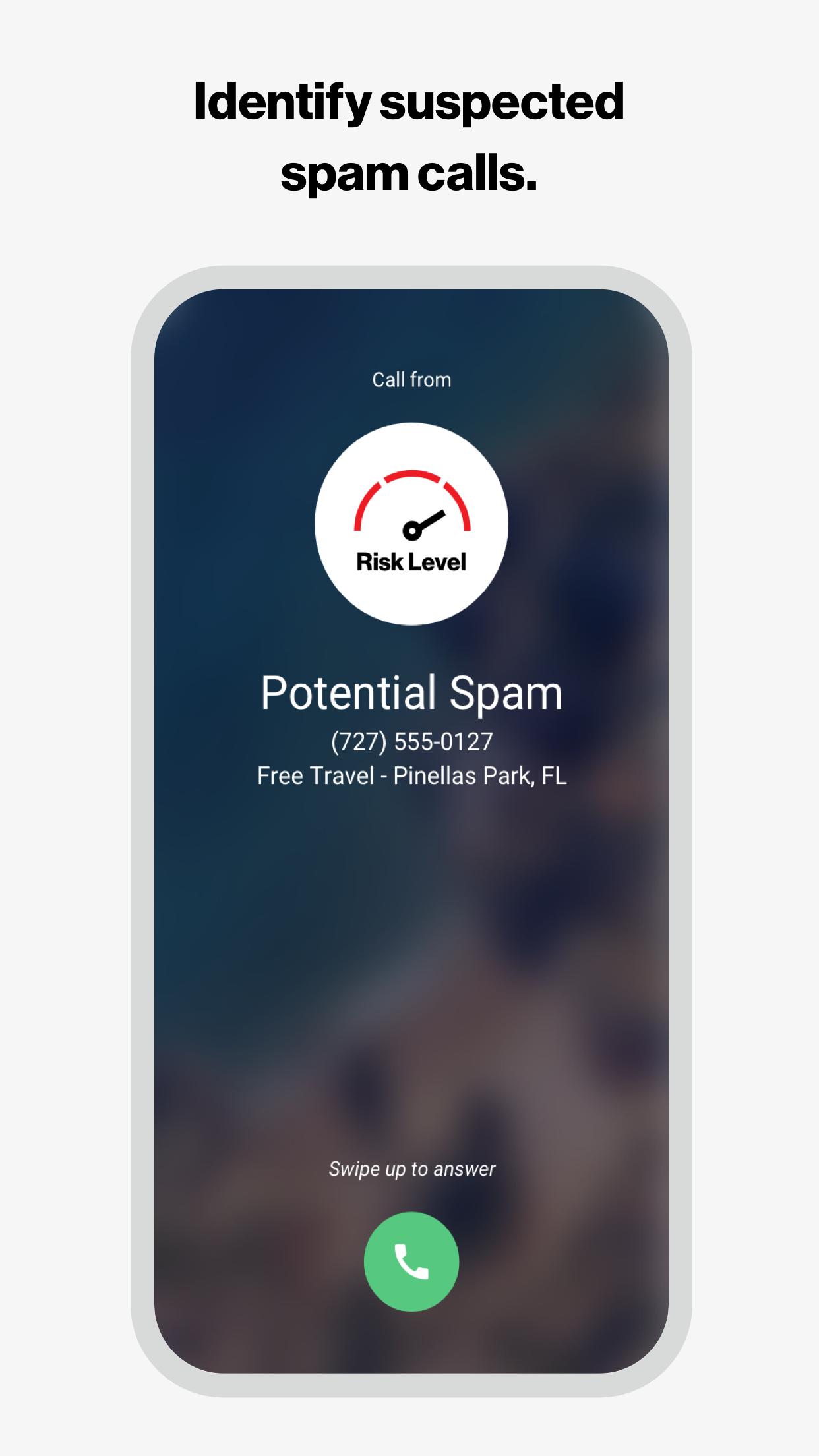
• Get real-time alerts on your incoming call screen so you can better avoid spam calls
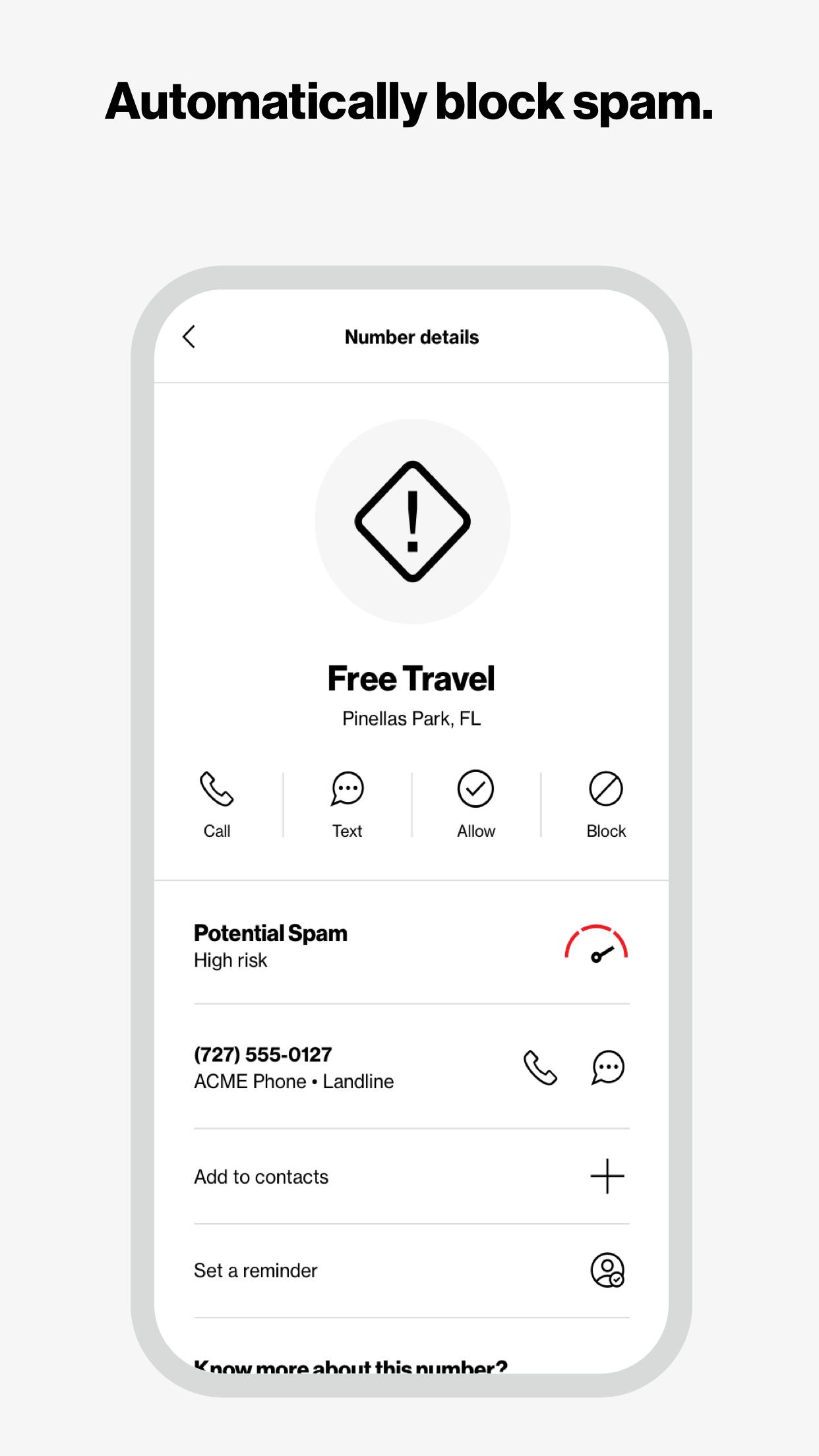
• Automatically send spam callers to voicemail with the spam filter
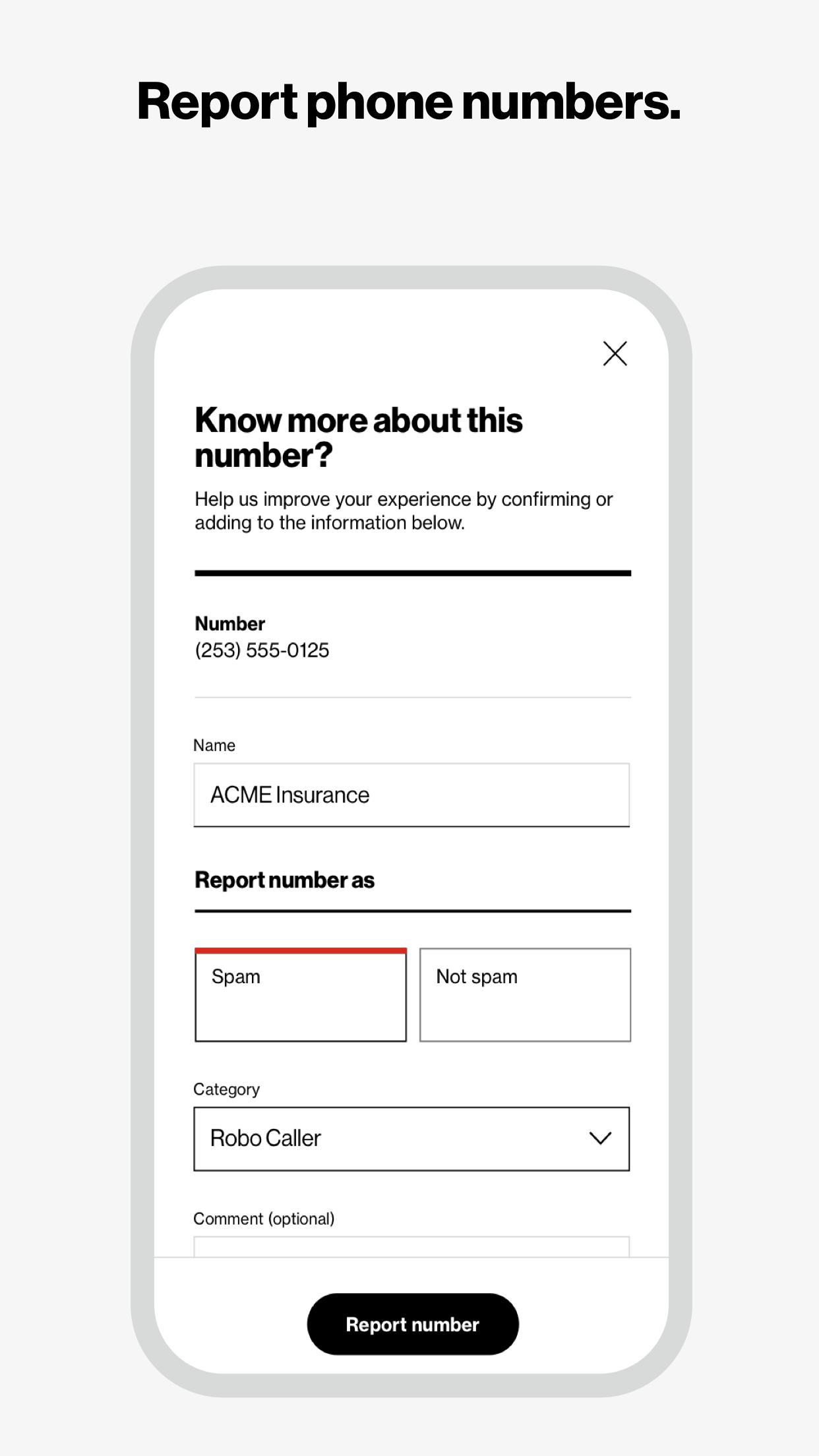
• Report a number as spam so you can help improve our algorithm
• Block calls from phone numbers similar to your own or from a specific NPA-NXX
• See each spam call’s level of risk so that you can learn more about the caller
• Manage other unwanted calls with a personal block list
• Block all incoming calls from international numbers
• Search our spam database to see if a number has already been identified as spam
• Identify unknown numbers by name on the incoming call screen, call log and eligible messaging apps, even if the caller is not saved to your contacts
• Seamlessly update your contacts with newly identified numbers
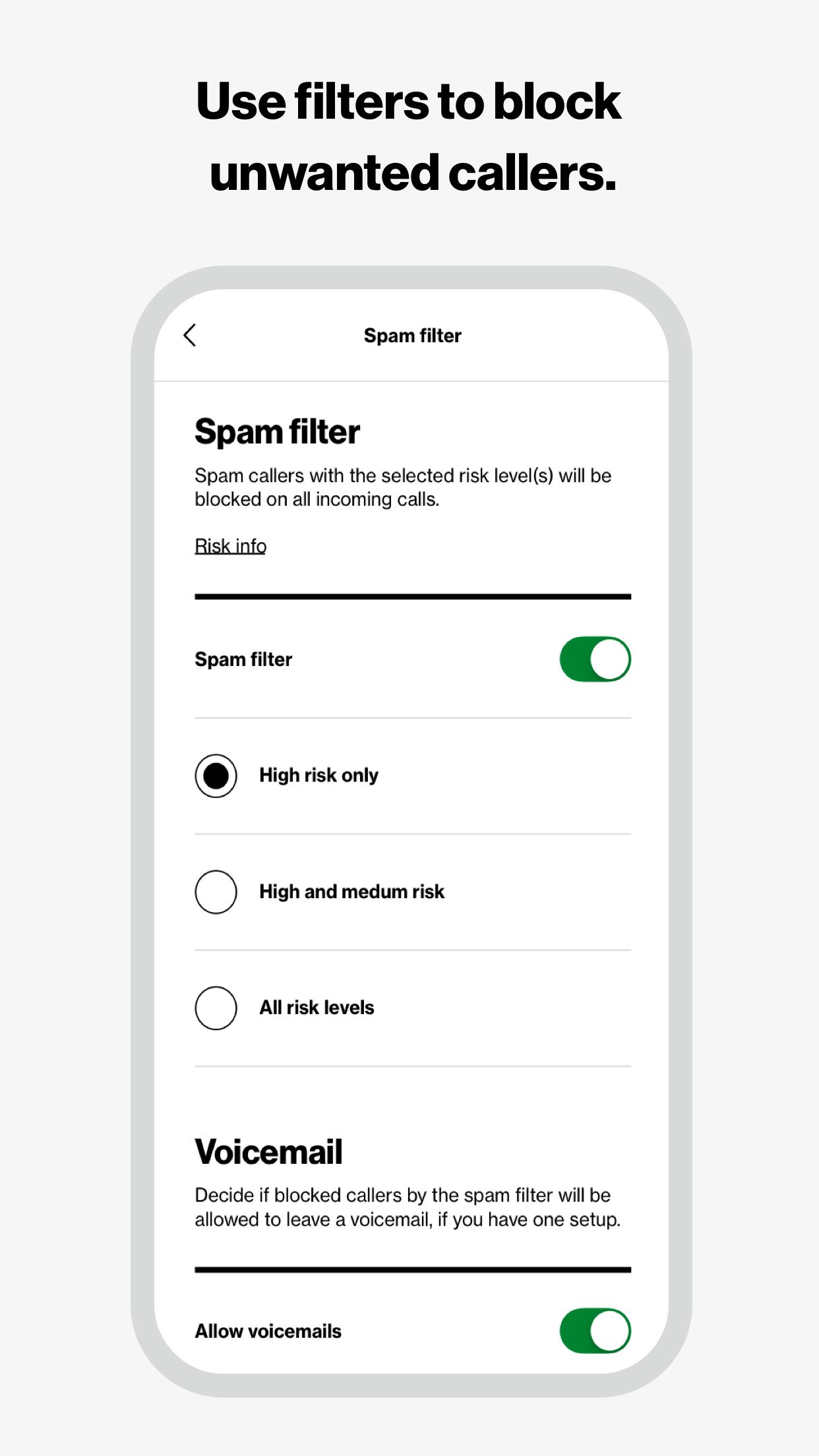
Eligible customers get a 15-day trial of Call Filter Plus. Customers can choose to enroll in Call Filter to get the basics (spam detection, blocking and reporting) for free, or subscribe to Call Filter Plus for all that and more for $2.99 per month, per line. Accounts with 3 or more eligible lines can subscribe to Call Filter Plus (Multi-line) for $7.99/mo by logging in to My Verizon. If you choose to enroll in Call Filter or Call Filter Plus, the spam filter will be automatically set to block high-risk spam callers, but you can change your block settings at any time. Data charges apply.
Please reference https://www.vzw.com/support/how-to-use-call-filter/ and https://www.vzw.com/support/call-filter-faqs/ for step-by-step instructions on how to use the app
Verizon Call Filter: A Comprehensive GuideVerizon Call Filter is a robust call-blocking and spam-filtering service designed to protect users from unwanted and potentially fraudulent calls. It utilizes advanced technology to identify and block robocalls, telemarketers, and other nuisance callers.
Features and Benefits:
* Automatic Call Blocking: Verizon Call Filter automatically blocks known spam and fraud calls before they reach your phone.
* Spam Risk Indicator: The service displays a "Spam Risk" indicator on incoming calls, alerting users to potential spam or fraud.
* Customizable Blocking: Users can manually block specific numbers or add them to a trusted list to allow calls from desired contacts.
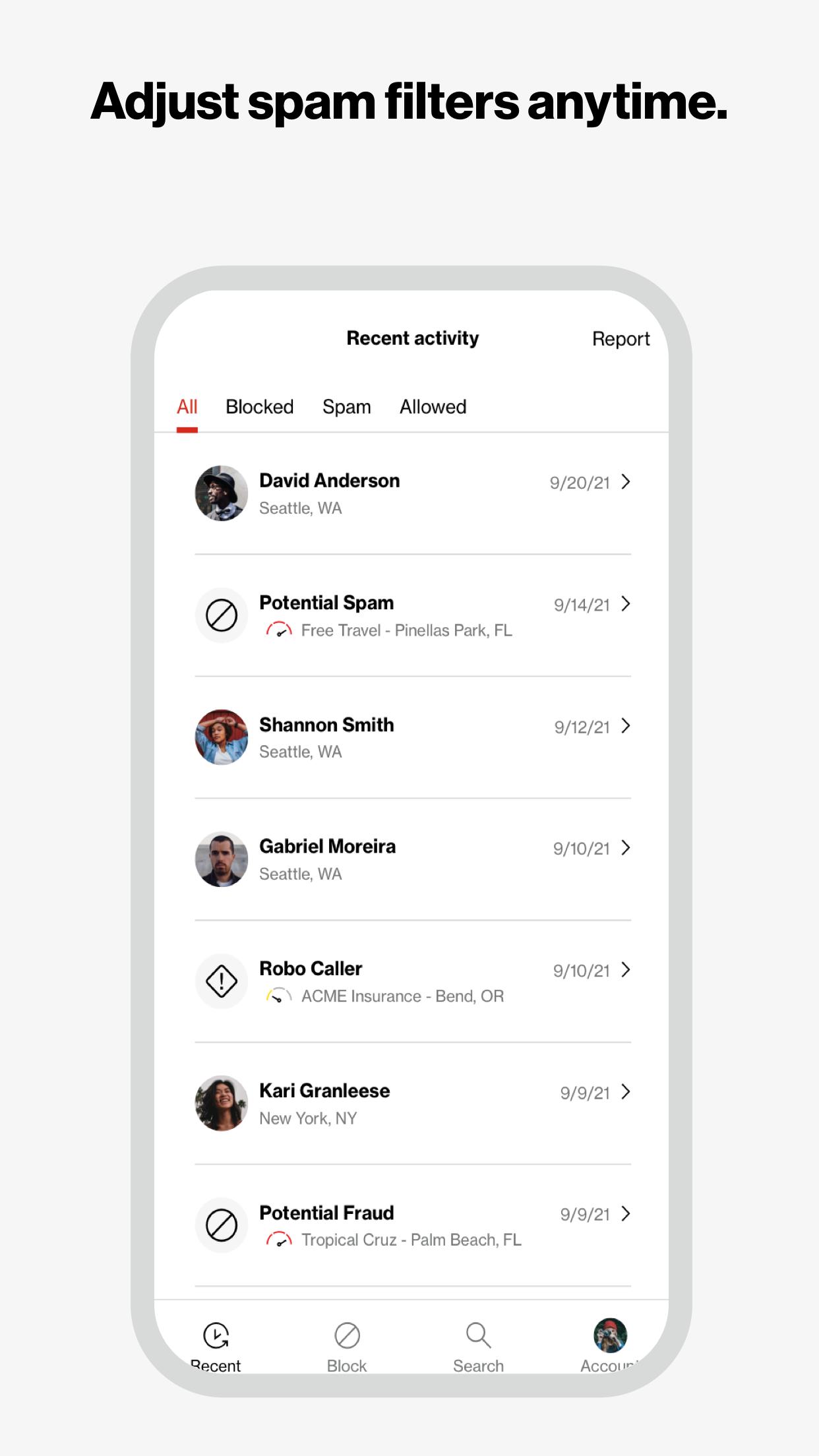
* Detailed Call History: Verizon Call Filter provides a comprehensive call history that includes blocked calls, spam calls, and trusted contacts.
* Caller ID Lookup: The service allows users to look up caller information, including the caller's name, location, and potential spam status.
* Spam Reporting: Users can report spam or fraud calls directly to Verizon, contributing to the improvement of the call-blocking database.
How it Works:
Verizon Call Filter utilizes a combination of technologies to identify and block spam calls. These technologies include:
* Caller ID Analysis: The service analyzes caller ID information, including the phone number, area code, and carrier, to identify potential spam or fraud callers.
* Robocall Detection: Advanced algorithms detect robocalls based on voice patterns, call duration, and other factors.
* Community Reporting: Verizon Call Filter relies on a community of users to report spam and fraud calls, which helps improve the accuracy of the call-blocking database.
Setup and Configuration:
Setting up Verizon Call Filter is simple and straightforward:
1. Open the My Verizon app on your mobile device.
2. Navigate to the "Services" section.
3. Select "Call Filter" and follow the on-screen instructions.
Once activated, Verizon Call Filter will automatically start blocking spam and fraud calls. Users can customize the service's settings to adjust the level of call blocking and manage their trusted contacts.
Pricing and Availability:
Verizon Call Filter is available to Verizon wireless customers as an add-on service. The pricing varies depending on the specific plan and device.
Identify callers by name and block unwanted calls based on your risk level.
Your phone is your door to the world, and you shouldn't open it for just anyone. With Call Filter, you can screen incoming calls, auto-block spam and report any unwanted numbers. Or, upgrade to Call Filter Plus with Caller ID for added security. Put a name to the unknown numbers, make your own personal block list, and even assess the risk level of incoming calls. Enroll today and start answering with confidence.
Key Features:
• Get real-time alerts on your incoming call screen so you can better avoid spam calls
• Automatically send spam callers to voicemail with the spam filter
• Report a number as spam so you can help improve our algorithm
• Block calls from phone numbers similar to your own or from a specific NPA-NXX
• See each spam call’s level of risk so that you can learn more about the caller
• Manage other unwanted calls with a personal block list
• Block all incoming calls from international numbers
• Search our spam database to see if a number has already been identified as spam
• Identify unknown numbers by name on the incoming call screen, call log and eligible messaging apps, even if the caller is not saved to your contacts
• Seamlessly update your contacts with newly identified numbers
Eligible customers get a 15-day trial of Call Filter Plus. Customers can choose to enroll in Call Filter to get the basics (spam detection, blocking and reporting) for free, or subscribe to Call Filter Plus for all that and more for $2.99 per month, per line. Accounts with 3 or more eligible lines can subscribe to Call Filter Plus (Multi-line) for $7.99/mo by logging in to My Verizon. If you choose to enroll in Call Filter or Call Filter Plus, the spam filter will be automatically set to block high-risk spam callers, but you can change your block settings at any time. Data charges apply.
Please reference https://www.vzw.com/support/how-to-use-call-filter/ and https://www.vzw.com/support/call-filter-faqs/ for step-by-step instructions on how to use the app
Verizon Call Filter: A Comprehensive GuideVerizon Call Filter is a robust call-blocking and spam-filtering service designed to protect users from unwanted and potentially fraudulent calls. It utilizes advanced technology to identify and block robocalls, telemarketers, and other nuisance callers.
Features and Benefits:
* Automatic Call Blocking: Verizon Call Filter automatically blocks known spam and fraud calls before they reach your phone.
* Spam Risk Indicator: The service displays a "Spam Risk" indicator on incoming calls, alerting users to potential spam or fraud.
* Customizable Blocking: Users can manually block specific numbers or add them to a trusted list to allow calls from desired contacts.
* Detailed Call History: Verizon Call Filter provides a comprehensive call history that includes blocked calls, spam calls, and trusted contacts.
* Caller ID Lookup: The service allows users to look up caller information, including the caller's name, location, and potential spam status.
* Spam Reporting: Users can report spam or fraud calls directly to Verizon, contributing to the improvement of the call-blocking database.
How it Works:
Verizon Call Filter utilizes a combination of technologies to identify and block spam calls. These technologies include:
* Caller ID Analysis: The service analyzes caller ID information, including the phone number, area code, and carrier, to identify potential spam or fraud callers.
* Robocall Detection: Advanced algorithms detect robocalls based on voice patterns, call duration, and other factors.
* Community Reporting: Verizon Call Filter relies on a community of users to report spam and fraud calls, which helps improve the accuracy of the call-blocking database.
Setup and Configuration:
Setting up Verizon Call Filter is simple and straightforward:
1. Open the My Verizon app on your mobile device.
2. Navigate to the "Services" section.
3. Select "Call Filter" and follow the on-screen instructions.
Once activated, Verizon Call Filter will automatically start blocking spam and fraud calls. Users can customize the service's settings to adjust the level of call blocking and manage their trusted contacts.
Pricing and Availability:
Verizon Call Filter is available to Verizon wireless customers as an add-on service. The pricing varies depending on the specific plan and device.





