



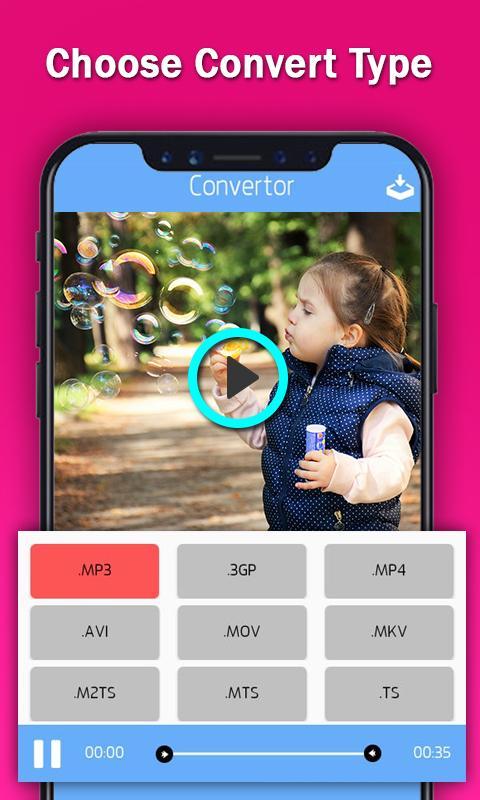
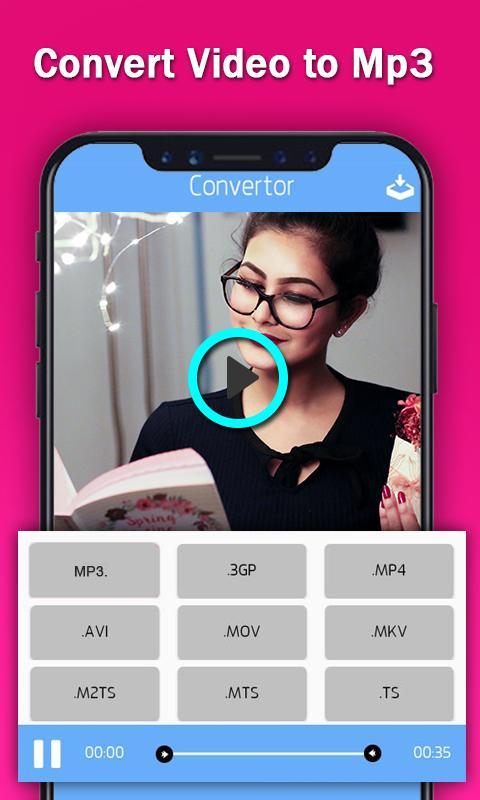
Total Video Converter is application from one format to other different format.
Effortlessly transform your multimedia files with our versatile "Video Converter" app! Seamlessly convert between popular formats like MP3, MP4, AVI, and more, ensuring compatibility across all your devices and platforms. Whether you need to extract audio from a video or convert between different video formats, our app provides fast, reliable, and user-friendly conversion tools.
Key Features:
- Multi-Format Support: Convert your files between a wide range of formats, including MP3, MP4, AVI, MPEG, MOV, and many others.
- Batch Conversion: Save time by converting multiple files simultaneously, streamlining your workflow and enhancing productivity.
- High-Quality Output: Enjoy crisp audio and video quality with our advanced conversion algorithms that preserve the integrity of your multimedia files.
- Customization Options: Tailor your conversions with adjustable settings such as bitrate, resolution, codec, and more, ensuring optimal results for your specific needs.
- Intuitive Interface: With a user-friendly interface, our app makes converting files a breeze, even for those with minimal technical expertise.
- Fast and Reliable: Experience swift conversion speeds without compromising quality, thanks to our efficient processing engine.
Unlock the full potential of your media library with the "Video Converter" app. Download now and effortlessly convert your files to the formats you need!
SEO Keywords:
- Video converter app
- MP3 converter
- MP4 to AVI converter
- Multimedia file conversion
- Video format converter
- Audio extractor
- Batch video conversion
- High-quality file conversion
- Video codec converter
- Fast file conversion
What's New in the Latest Version 3.4
Last updated on Jul 4, 2024
Minor bug fixes and improvements. Install or update to the newest version to check it out!
Video Converter to MP4, MP3, AVIOverview:
Video Converter to MP4, MP3, AVI is a comprehensive and user-friendly software application designed to convert video and audio files between various popular formats. With its intuitive interface and advanced features, it caters to both novice and experienced users, enabling them to effortlessly transform their media files for optimal compatibility with different devices and platforms.
Key Features:
* Versatile Format Conversion: Supports a wide range of input and output formats, including MP4, MP3, AVI, MOV, MKV, FLV, WMV, and many more.
* High-Quality Output: Preserves the original quality of the converted files, ensuring crisp visuals and pristine audio.
* Customizable Settings: Allows users to adjust video and audio parameters such as resolution, bitrate, frame rate, and audio codec for precise control over the output quality.
* Batch Processing: Enables simultaneous conversion of multiple files, saving time and effort.
* Built-in Media Player: Facilitates previewing of input and output files within the application, providing a convenient way to assess the conversion results.
* Easy-to-Use Interface: Streamlined and intuitive design makes the software accessible to users of all skill levels.
Benefits:
* Compatibility Enhancement: Convert media files to formats compatible with various devices, including smartphones, tablets, laptops, and smart TVs.
* Space Optimization: Compress video files without sacrificing quality, freeing up storage space on devices.
* Enhanced Video Experience: Adjust video settings to optimize playback for specific devices or platforms, ensuring a seamless viewing experience.
* Audio Extraction: Extract audio tracks from video files to create MP3 or other audio formats for listening on the go.
* Time Efficiency: Batch processing capabilities save valuable time by converting multiple files simultaneously.
How to Use:
1. Install and Launch: Download and install the software on your computer.
2. Add Files: Click the "Add Files" button to select the media files you want to convert.
3. Select Output Format: Choose the desired output format from the drop-down menu.
4. Customize Settings: Adjust video and audio parameters as needed.
5. Start Conversion: Click the "Convert" button to initiate the conversion process.
6. Save Converted Files: Specify the destination folder for the converted files.
Conclusion:
Video Converter to MP4, MP3, AVI is an indispensable tool for managing and converting media files. Its versatility, high-quality output, customizable settings, and ease of use make it the perfect solution for users seeking to enhance the compatibility, quality, and accessibility of their video and audio content.
Total Video Converter is application from one format to other different format.
Effortlessly transform your multimedia files with our versatile "Video Converter" app! Seamlessly convert between popular formats like MP3, MP4, AVI, and more, ensuring compatibility across all your devices and platforms. Whether you need to extract audio from a video or convert between different video formats, our app provides fast, reliable, and user-friendly conversion tools.
Key Features:
- Multi-Format Support: Convert your files between a wide range of formats, including MP3, MP4, AVI, MPEG, MOV, and many others.
- Batch Conversion: Save time by converting multiple files simultaneously, streamlining your workflow and enhancing productivity.
- High-Quality Output: Enjoy crisp audio and video quality with our advanced conversion algorithms that preserve the integrity of your multimedia files.
- Customization Options: Tailor your conversions with adjustable settings such as bitrate, resolution, codec, and more, ensuring optimal results for your specific needs.
- Intuitive Interface: With a user-friendly interface, our app makes converting files a breeze, even for those with minimal technical expertise.
- Fast and Reliable: Experience swift conversion speeds without compromising quality, thanks to our efficient processing engine.
Unlock the full potential of your media library with the "Video Converter" app. Download now and effortlessly convert your files to the formats you need!
SEO Keywords:
- Video converter app
- MP3 converter
- MP4 to AVI converter
- Multimedia file conversion
- Video format converter
- Audio extractor
- Batch video conversion
- High-quality file conversion
- Video codec converter
- Fast file conversion
What's New in the Latest Version 3.4
Last updated on Jul 4, 2024
Minor bug fixes and improvements. Install or update to the newest version to check it out!
Video Converter to MP4, MP3, AVIOverview:
Video Converter to MP4, MP3, AVI is a comprehensive and user-friendly software application designed to convert video and audio files between various popular formats. With its intuitive interface and advanced features, it caters to both novice and experienced users, enabling them to effortlessly transform their media files for optimal compatibility with different devices and platforms.
Key Features:
* Versatile Format Conversion: Supports a wide range of input and output formats, including MP4, MP3, AVI, MOV, MKV, FLV, WMV, and many more.
* High-Quality Output: Preserves the original quality of the converted files, ensuring crisp visuals and pristine audio.
* Customizable Settings: Allows users to adjust video and audio parameters such as resolution, bitrate, frame rate, and audio codec for precise control over the output quality.
* Batch Processing: Enables simultaneous conversion of multiple files, saving time and effort.
* Built-in Media Player: Facilitates previewing of input and output files within the application, providing a convenient way to assess the conversion results.
* Easy-to-Use Interface: Streamlined and intuitive design makes the software accessible to users of all skill levels.
Benefits:
* Compatibility Enhancement: Convert media files to formats compatible with various devices, including smartphones, tablets, laptops, and smart TVs.
* Space Optimization: Compress video files without sacrificing quality, freeing up storage space on devices.
* Enhanced Video Experience: Adjust video settings to optimize playback for specific devices or platforms, ensuring a seamless viewing experience.
* Audio Extraction: Extract audio tracks from video files to create MP3 or other audio formats for listening on the go.
* Time Efficiency: Batch processing capabilities save valuable time by converting multiple files simultaneously.
How to Use:
1. Install and Launch: Download and install the software on your computer.
2. Add Files: Click the "Add Files" button to select the media files you want to convert.
3. Select Output Format: Choose the desired output format from the drop-down menu.
4. Customize Settings: Adjust video and audio parameters as needed.
5. Start Conversion: Click the "Convert" button to initiate the conversion process.
6. Save Converted Files: Specify the destination folder for the converted files.
Conclusion:
Video Converter to MP4, MP3, AVI is an indispensable tool for managing and converting media files. Its versatility, high-quality output, customizable settings, and ease of use make it the perfect solution for users seeking to enhance the compatibility, quality, and accessibility of their video and audio content.





