


Download video, image, GIF and meme for Imgur with one click
🚀 Download Imgur videos, image, GIF and meme. Super fast, free & automatic video downloader for Imgur.
👉 No need to log in, enjoy saving videos to watch offline anytime anywhere, easily Share and Repost to other social networks.
🔥Free Video Downloader for Imgur🔥
⛑️ HOW TO DOWNLOAD
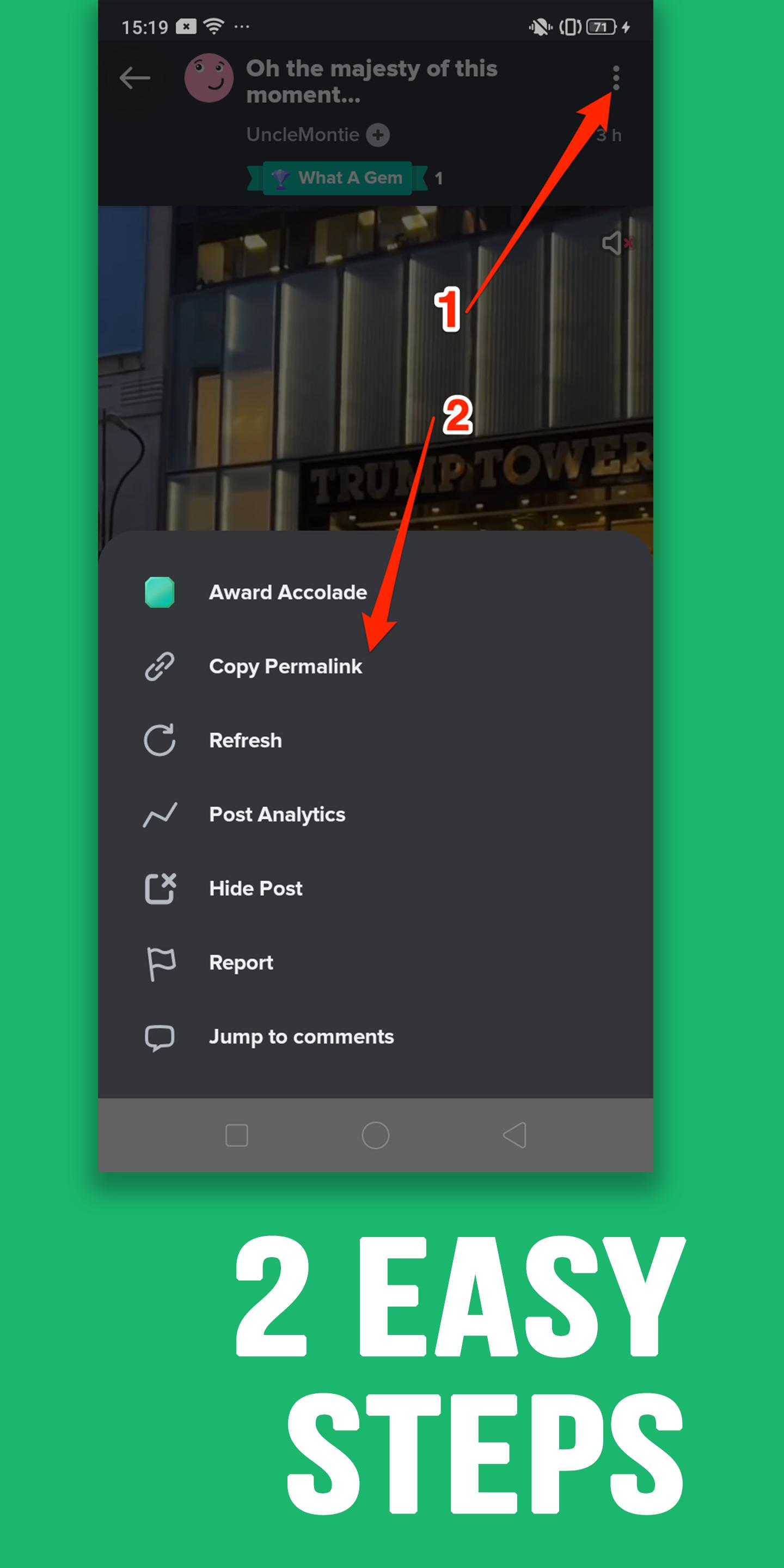
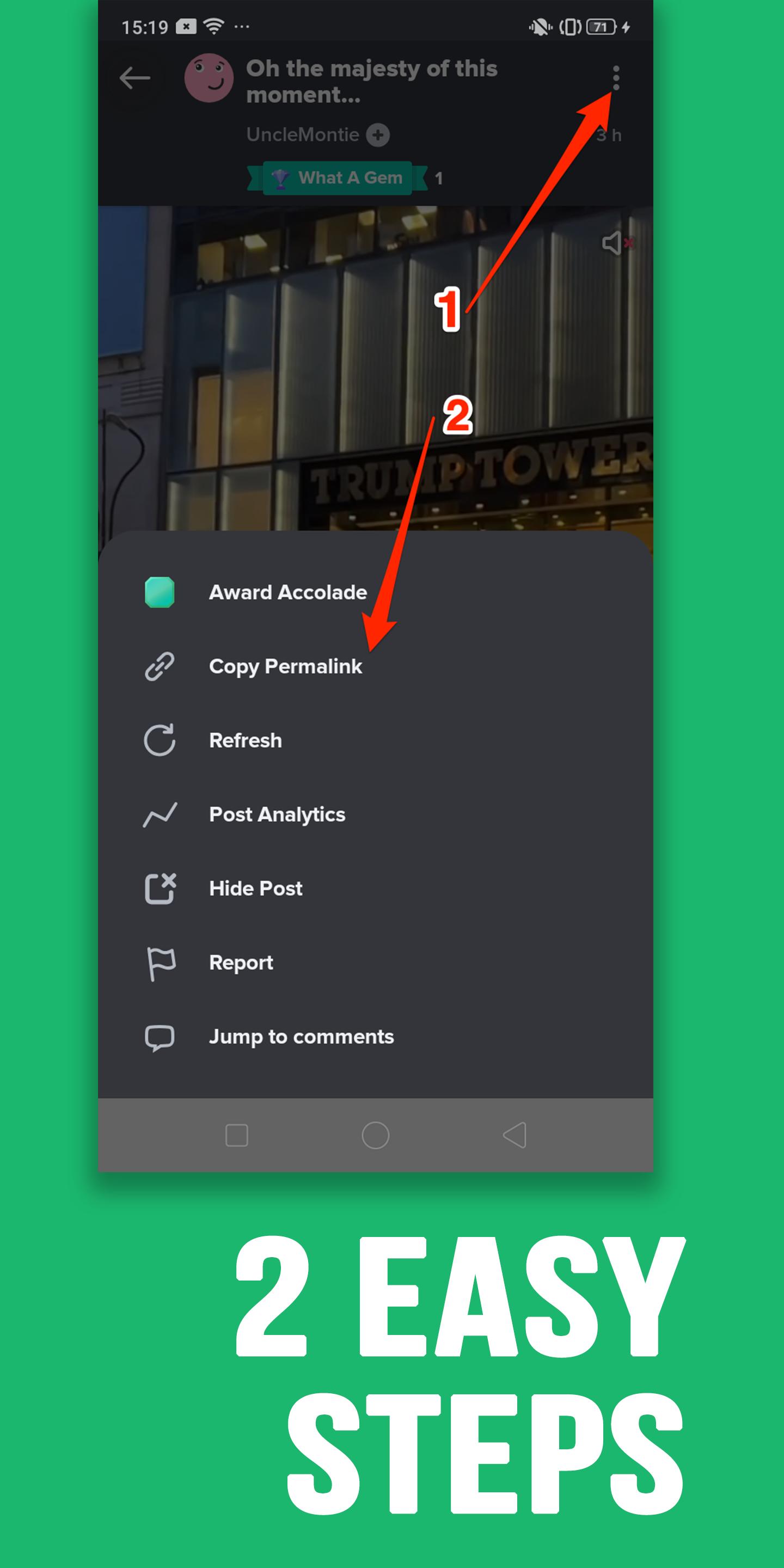
1. Open Imgur app or website and click view the video or the post you want to download, then choose the Share button or 3-dot button, then choose "Copy Link".
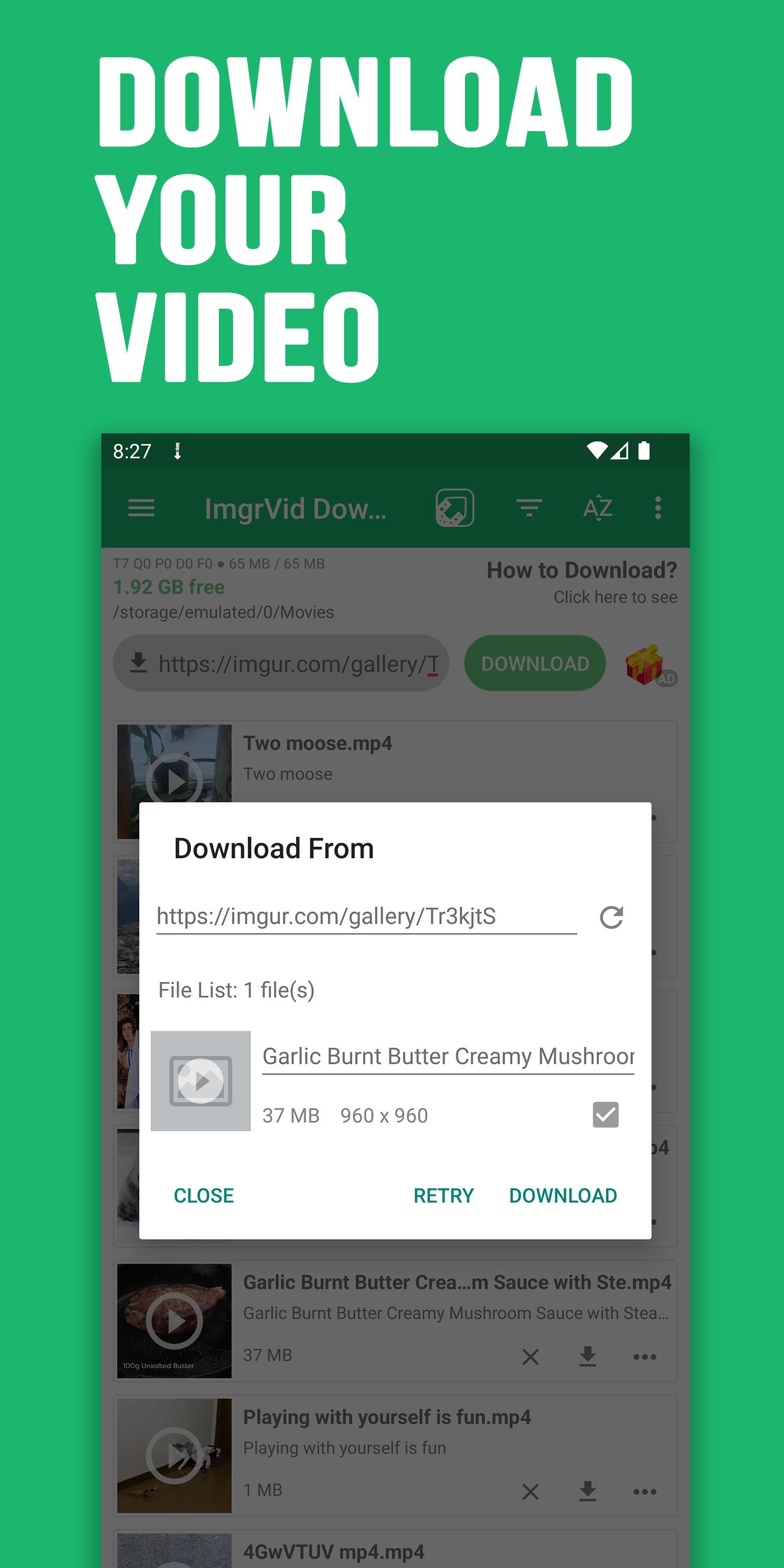
2. Open our downloader app, download starts automatically
Features:
* Download your favorite videos and clips
* Download HD Video
* NO login is required
* Repost to other social networks
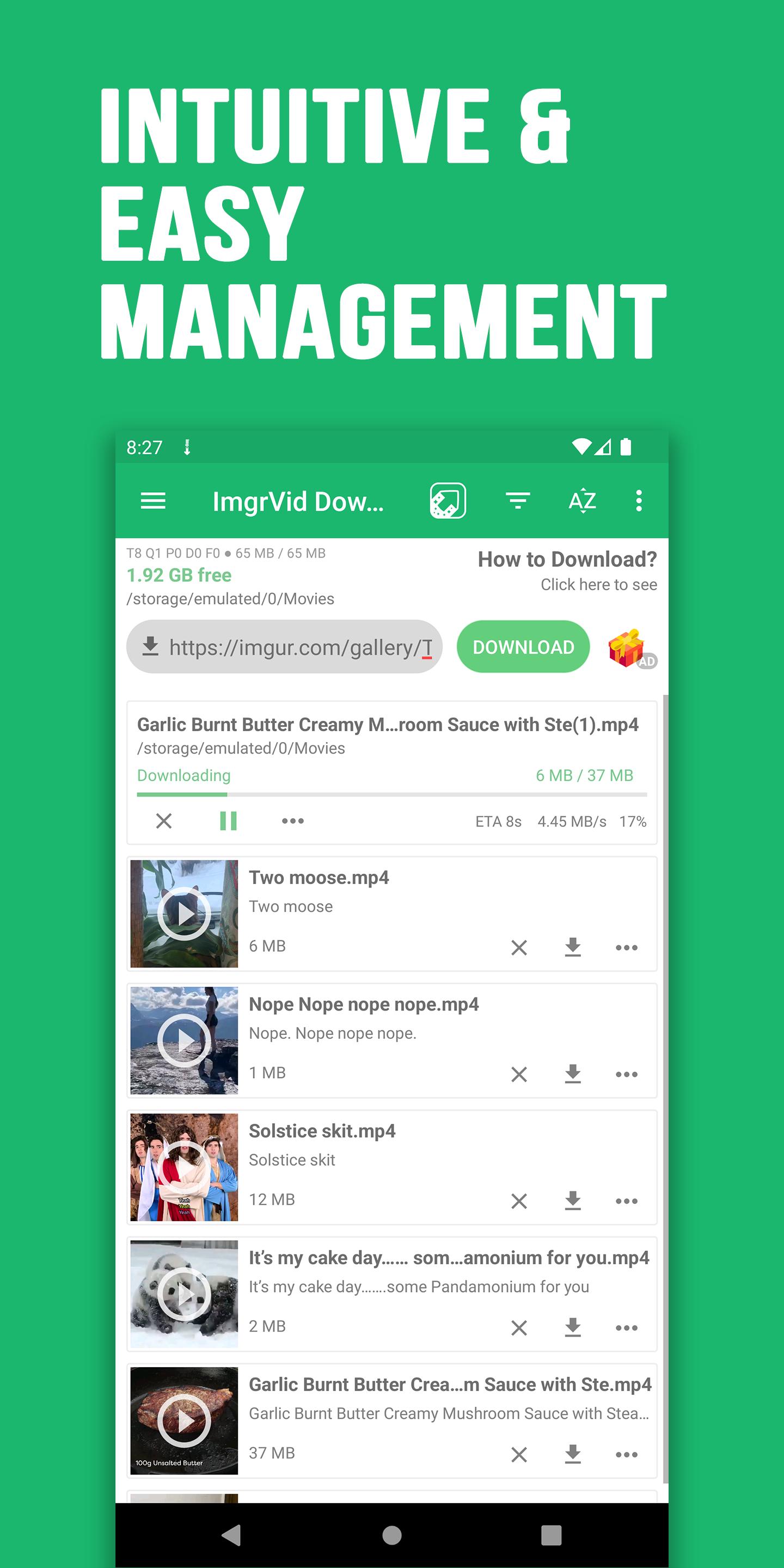
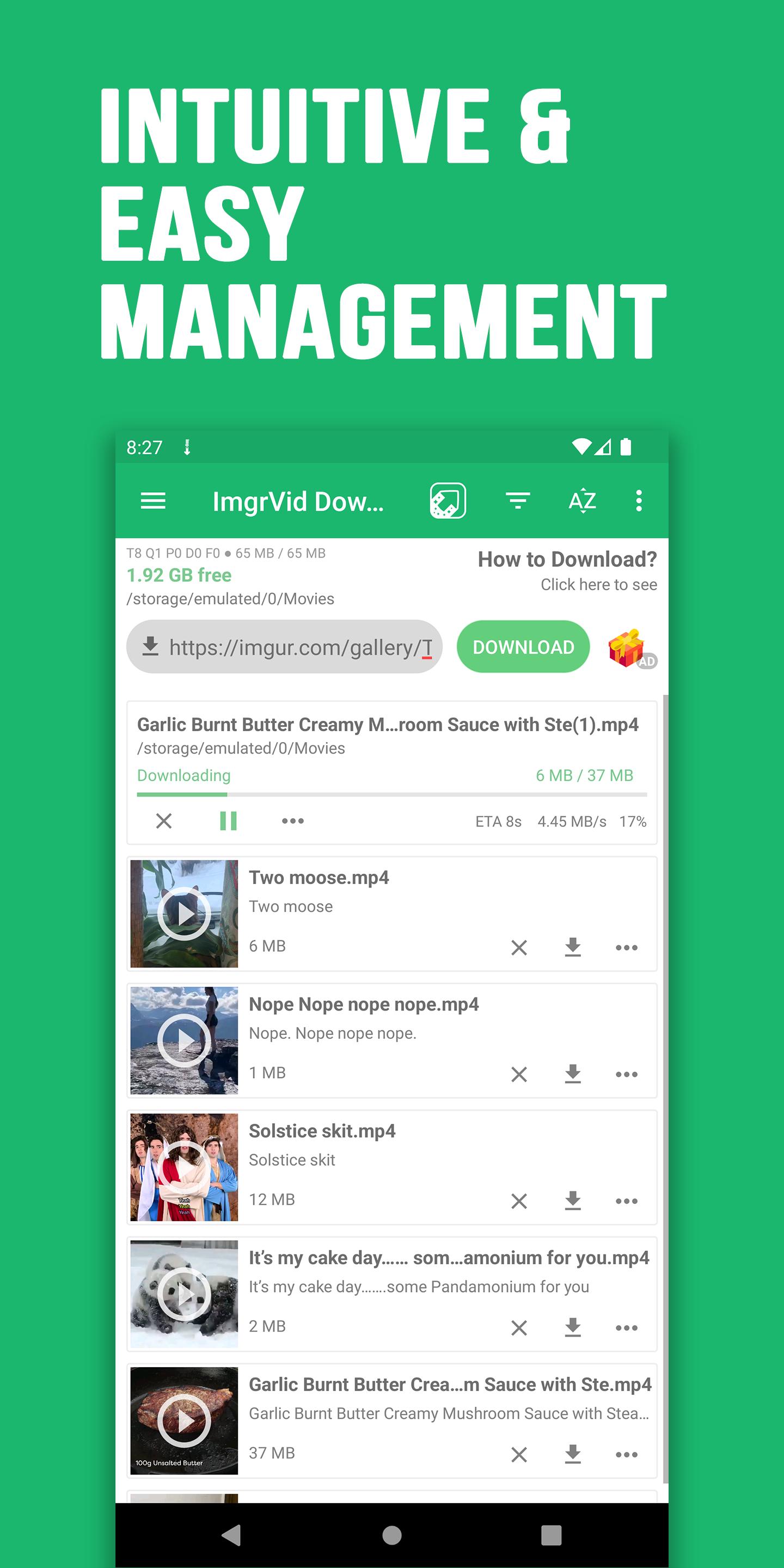
* Manage download Queue, Pause, Resume, Retry when fail
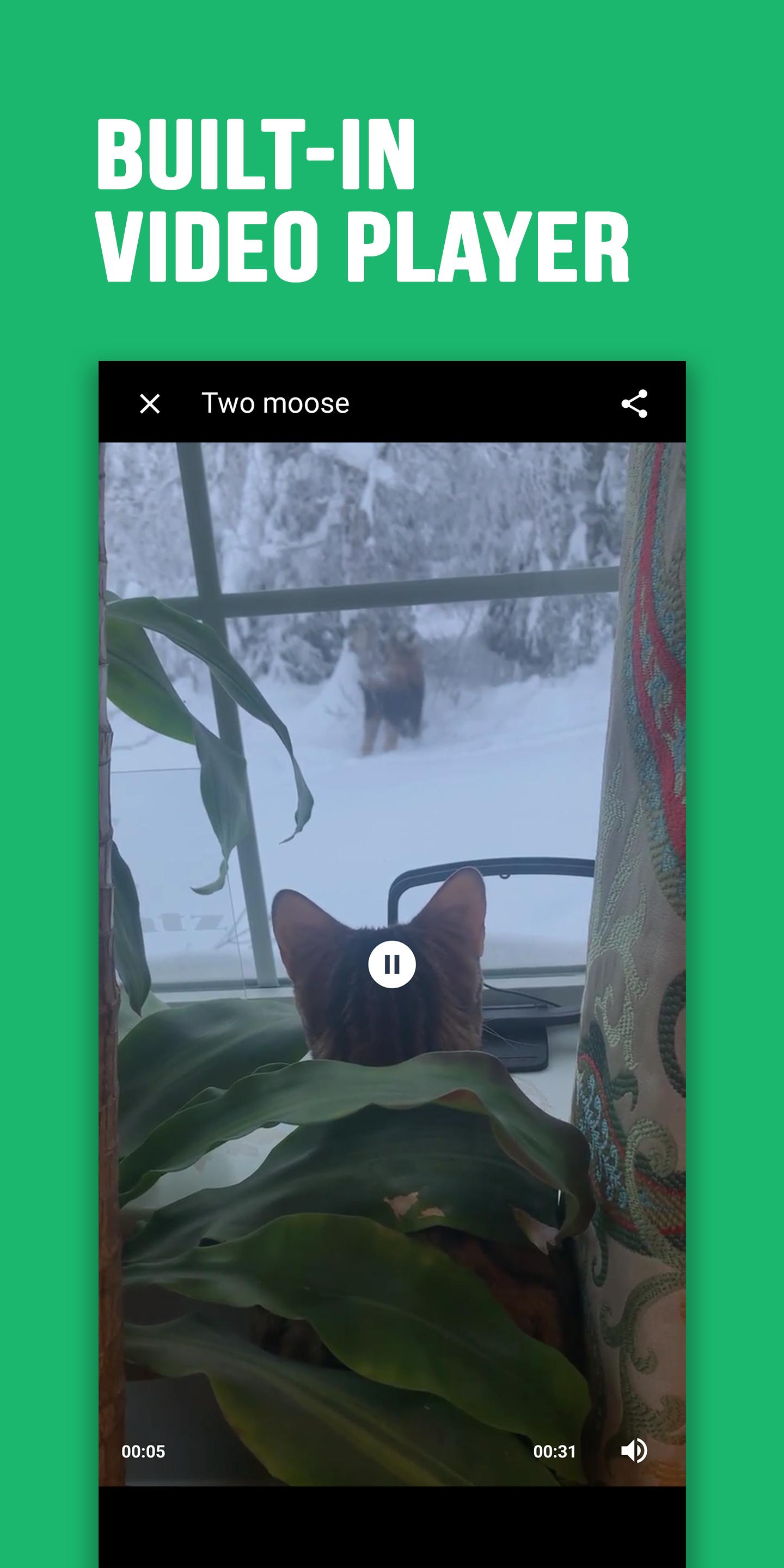
* Built-in video player
* Play and share
* Background multi threads download
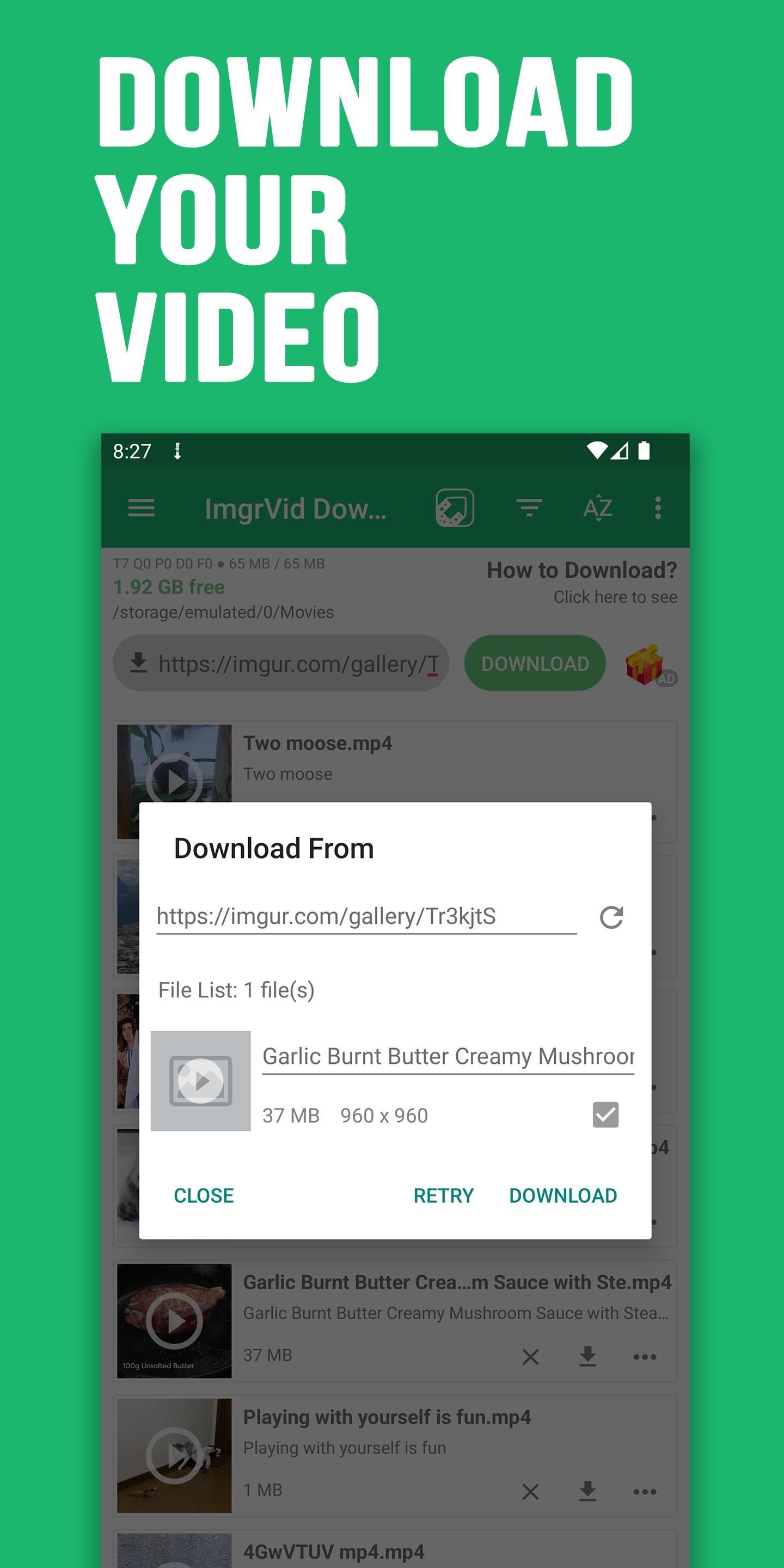
* Rename file before downloading
* Multi threads downloading, up to 8 files simultaneously
* Smart download, accelerate speed
* Accelerated downloading by using multi-threading, no speed limit
* Auto resume after errors and break of connection
* Save videos and pictures to custom folder
* Setting to download only on WIFI or both
* Download everything on WIFI or 3G, 4G and 5G
* Support files all file size
* Information about downloading: speed, size, ETA
* Sync to Gallery
* Notification download fail or completed
* Select download location in external drives, SDcard
Interface Feature:
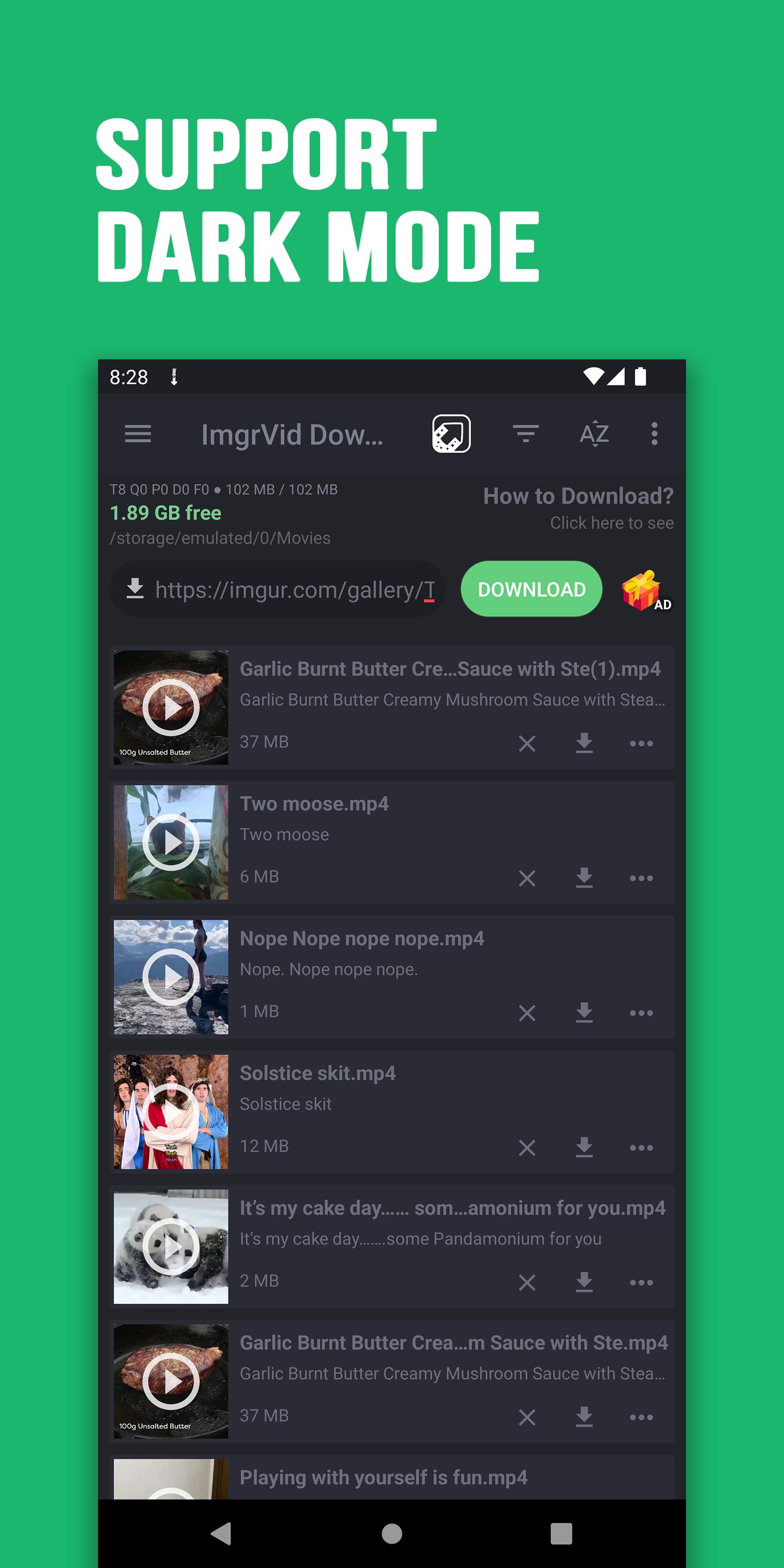
- Night mode supported
- Change the folder for downloaded files and every file
- Save different file in different folders
- Pre-fetch file name and size to change as desired
- Powerful download manager
- Material theme, easy to use
- Filter by types and status
- Sorting downloads by order and name;
- Open completed files through favorite apps
Disclaimers:
* Our app is NOT affiliated with or endorsed by Imgur.
* Re-uploading and/or violations of intellectual property rights is the sole responsibility of the user.
What's New in the Latest Version 24.3.8
Last updated on Mar 11, 2024
Video, Image, Meme and GIF downloader for Imgur
- Bug fix and improvement
Video Downloader for Imgur is an easy-to-use and efficient tool that allows users to quickly and effortlessly download videos from the popular image-sharing platform, Imgur. With its user-friendly interface and intuitive features, this tool streamlines the process of saving videos for offline viewing, sharing, or further editing.
Key Features:
* Simple and Intuitive Interface: The tool boasts a straightforward design that makes it accessible to users of all skill levels. The drag-and-drop functionality simplifies the downloading process, allowing users to download multiple videos simultaneously.
* High-Quality Downloads: Video Downloader for Imgur maintains the original quality of the downloaded videos, ensuring that users can enjoy them without any loss of clarity or resolution.
* Support for Various Formats: The tool supports a wide range of video formats, including MP4, AVI, and MOV, providing users with flexibility in choosing the format that best suits their needs.
* Batch Downloading: Users can download multiple videos at once, saving time and effort. This feature is particularly useful for downloading large collections of videos.
* No Registration or Installation Required: Video Downloader for Imgur is a web-based tool that does not require any registration or software installation. Users can access the tool from any device with an internet connection.
How to Use Video Downloader for Imgur:
1. Visit the Imgur website and locate the video you wish to download.
2. Copy the video's URL from the address bar.
3. Go to the Video Downloader for Imgur website.
4. Paste the video's URL into the designated field.
5. Click the "Download" button.
6. Choose the desired video format and click "Download" again.
The downloaded video will be saved to your computer's default download folder.
Benefits of Using Video Downloader for Imgur:
* Offline Viewing: Downloading videos from Imgur allows users to watch them offline, even without an internet connection.
* Sharing: Downloaded videos can be easily shared with friends, family, or colleagues through email, social media, or file-sharing services.
* Editing and Re-purposing: Downloaded videos can be used for editing purposes, such as creating highlight reels, tutorials, or other video content.
Conclusion:
Video Downloader for Imgur is an indispensable tool for anyone who regularly downloads videos from Imgur. Its user-friendly interface, high-quality downloads, and support for various formats make it an ideal solution for saving videos for offline viewing, sharing, or further editing. Whether you are a casual user or a professional content creator, Video Downloader for Imgur has everything you need to download videos from Imgur quickly and efficiently.
Download video, image, GIF and meme for Imgur with one click
🚀 Download Imgur videos, image, GIF and meme. Super fast, free & automatic video downloader for Imgur.
👉 No need to log in, enjoy saving videos to watch offline anytime anywhere, easily Share and Repost to other social networks.
🔥Free Video Downloader for Imgur🔥
⛑️ HOW TO DOWNLOAD
1. Open Imgur app or website and click view the video or the post you want to download, then choose the Share button or 3-dot button, then choose "Copy Link".
2. Open our downloader app, download starts automatically
Features:
* Download your favorite videos and clips
* Download HD Video
* NO login is required
* Repost to other social networks
* Manage download Queue, Pause, Resume, Retry when fail
* Built-in video player
* Play and share
* Background multi threads download
* Rename file before downloading
* Multi threads downloading, up to 8 files simultaneously
* Smart download, accelerate speed
* Accelerated downloading by using multi-threading, no speed limit
* Auto resume after errors and break of connection
* Save videos and pictures to custom folder
* Setting to download only on WIFI or both
* Download everything on WIFI or 3G, 4G and 5G
* Support files all file size
* Information about downloading: speed, size, ETA
* Sync to Gallery
* Notification download fail or completed
* Select download location in external drives, SDcard
Interface Feature:
- Night mode supported
- Change the folder for downloaded files and every file
- Save different file in different folders
- Pre-fetch file name and size to change as desired
- Powerful download manager
- Material theme, easy to use
- Filter by types and status
- Sorting downloads by order and name;
- Open completed files through favorite apps
Disclaimers:
* Our app is NOT affiliated with or endorsed by Imgur.
* Re-uploading and/or violations of intellectual property rights is the sole responsibility of the user.
What's New in the Latest Version 24.3.8
Last updated on Mar 11, 2024
Video, Image, Meme and GIF downloader for Imgur
- Bug fix and improvement
Video Downloader for Imgur is an easy-to-use and efficient tool that allows users to quickly and effortlessly download videos from the popular image-sharing platform, Imgur. With its user-friendly interface and intuitive features, this tool streamlines the process of saving videos for offline viewing, sharing, or further editing.
Key Features:
* Simple and Intuitive Interface: The tool boasts a straightforward design that makes it accessible to users of all skill levels. The drag-and-drop functionality simplifies the downloading process, allowing users to download multiple videos simultaneously.
* High-Quality Downloads: Video Downloader for Imgur maintains the original quality of the downloaded videos, ensuring that users can enjoy them without any loss of clarity or resolution.
* Support for Various Formats: The tool supports a wide range of video formats, including MP4, AVI, and MOV, providing users with flexibility in choosing the format that best suits their needs.
* Batch Downloading: Users can download multiple videos at once, saving time and effort. This feature is particularly useful for downloading large collections of videos.
* No Registration or Installation Required: Video Downloader for Imgur is a web-based tool that does not require any registration or software installation. Users can access the tool from any device with an internet connection.
How to Use Video Downloader for Imgur:
1. Visit the Imgur website and locate the video you wish to download.
2. Copy the video's URL from the address bar.
3. Go to the Video Downloader for Imgur website.
4. Paste the video's URL into the designated field.
5. Click the "Download" button.
6. Choose the desired video format and click "Download" again.
The downloaded video will be saved to your computer's default download folder.
Benefits of Using Video Downloader for Imgur:
* Offline Viewing: Downloading videos from Imgur allows users to watch them offline, even without an internet connection.
* Sharing: Downloaded videos can be easily shared with friends, family, or colleagues through email, social media, or file-sharing services.
* Editing and Re-purposing: Downloaded videos can be used for editing purposes, such as creating highlight reels, tutorials, or other video content.
Conclusion:
Video Downloader for Imgur is an indispensable tool for anyone who regularly downloads videos from Imgur. Its user-friendly interface, high-quality downloads, and support for various formats make it an ideal solution for saving videos for offline viewing, sharing, or further editing. Whether you are a casual user or a professional content creator, Video Downloader for Imgur has everything you need to download videos from Imgur quickly and efficiently.





