



Play, record and mix a variety of musical instruments on a virtual simulator.
This app brings you complete entertainment, productivity, and helps you become a professional musician with just the tips of your fingers.
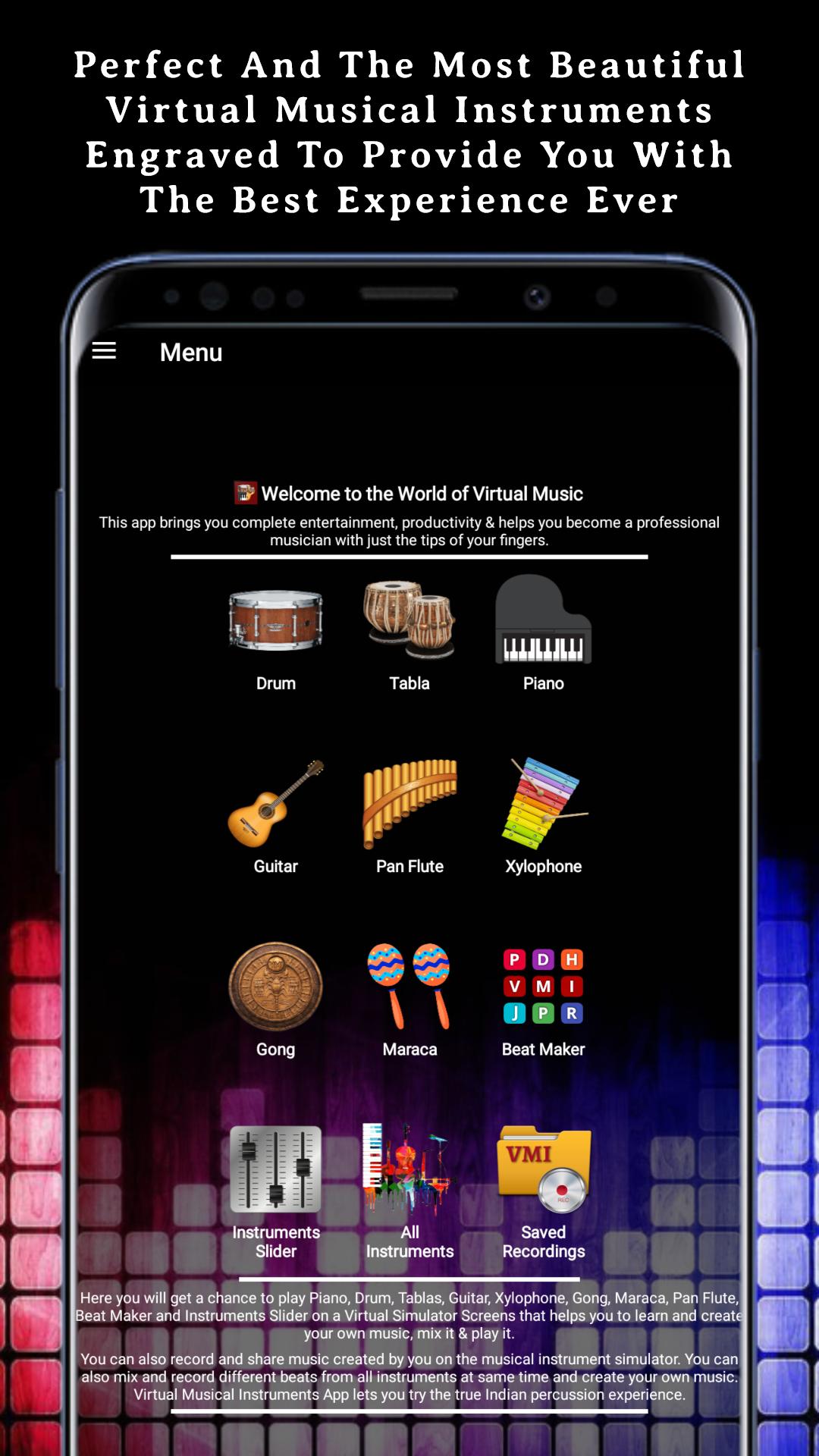
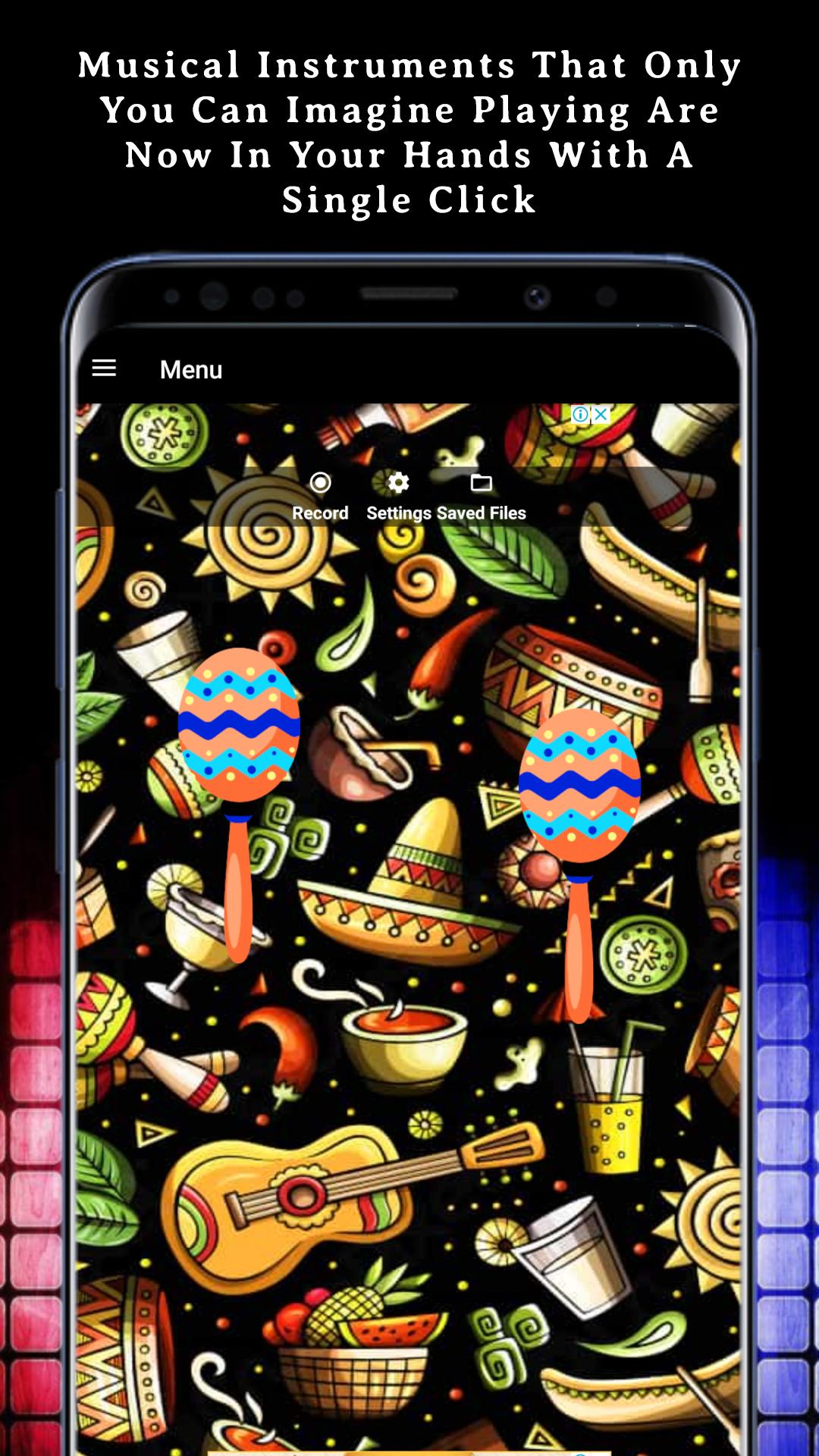
Here you will get a chance to play Piano, Drum, Tablas, Guitar, Xylophone, Pan Flute, Beat Maker, Maraca, Gong & Instruments Slider on a virtual simulator screen that helps you to learn and create your own music, mix it & play it. You can also record and share music created by you on the musical instrument simulator. You can also mix and record different beats from all instruments at same time and create your own music. The Virtual Musical Instruments App lets you try the true Indian percussion experience! A Complete FREE, fun, user-friendly app! Download it now and enjoy!
How does this app work?
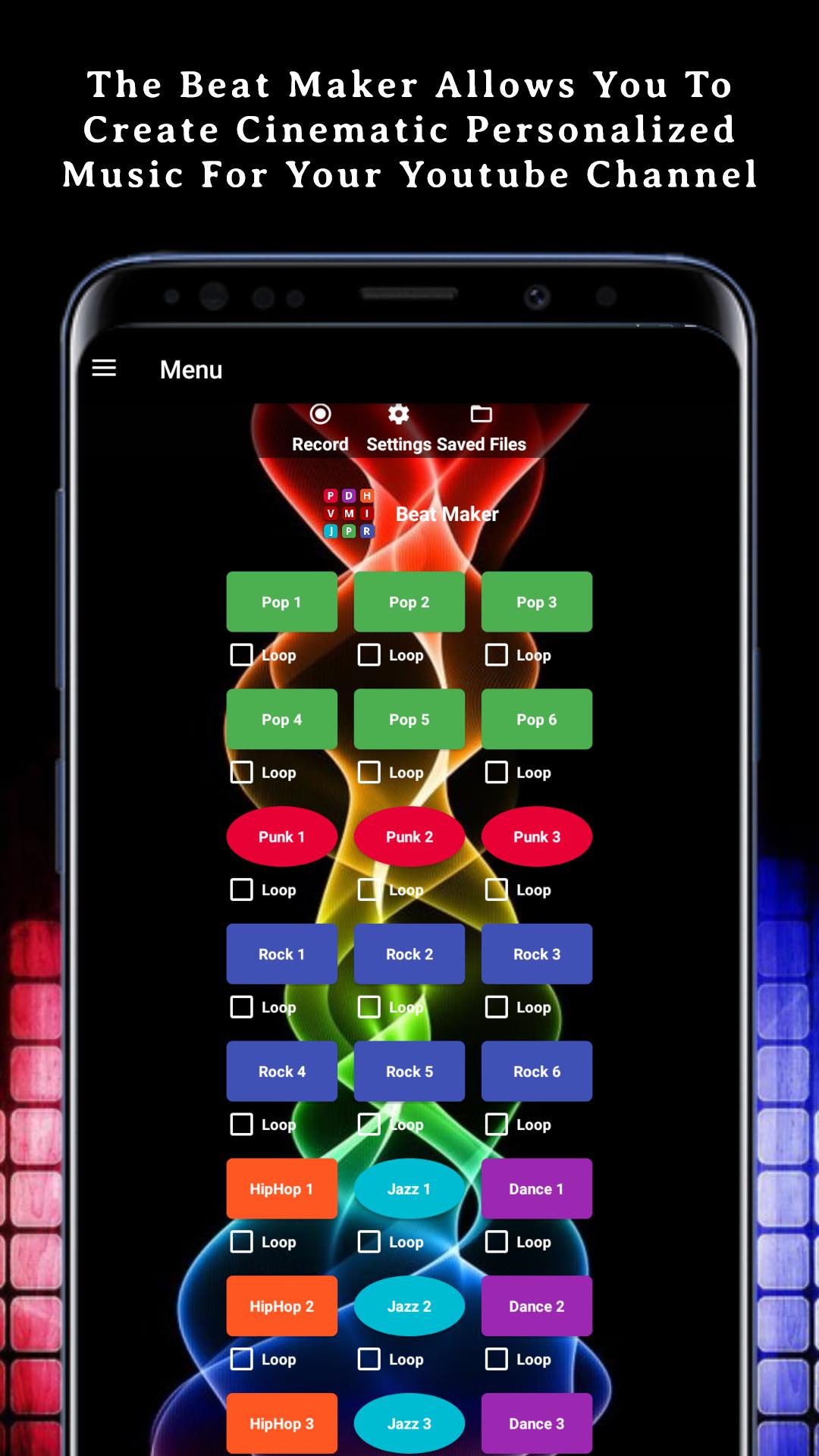
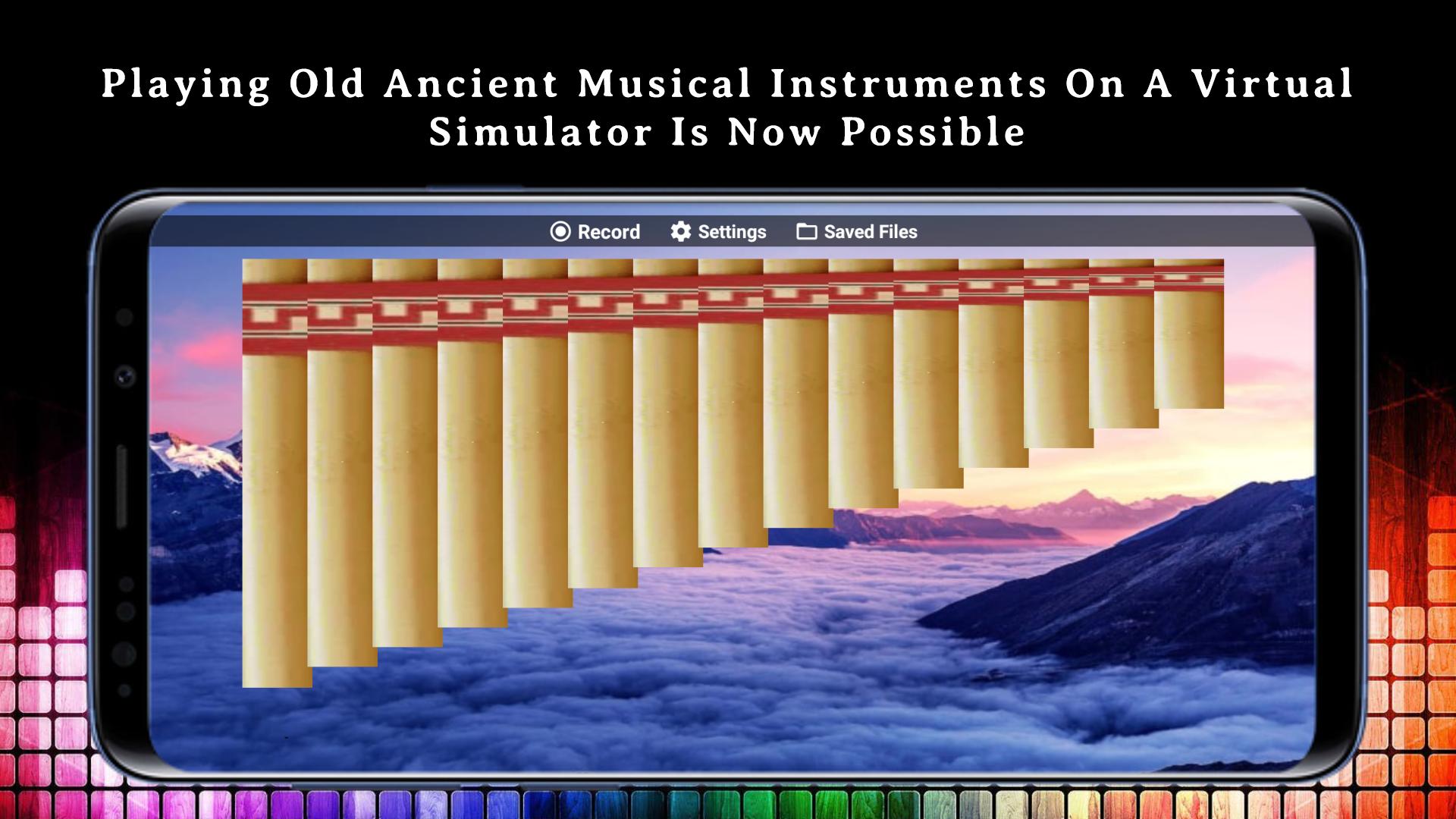
The app transforms your phone or tablet screen into a life-like simulation of a percussion kit. For instant playback, all you need do is tap on the Drum pads to play Drum, Piano keys to play Piano, Tablas pads to play Tablas, Guitar strings to play Guitar, Xylophone key to play Xylophone, Pan Flute Keys to play Pan Flute. Beat Maker to create music from many different beats.
Using the app is simple in itself. Play anywhere, anytime and put your skills to the test!
This is a set of virtual music tools for those who love music and want to practice on their phone or tablet.
It helps you to practice your skills anywhere with just a smartphone.
Features:
• 10 musical instruments to play and record.
• Record beats from different musical instruments at the same time.
• This app works in offline mode without using any internet connection.
• In all simulators, mix music.
• Mode of recording.
• Share and export your recordings.
• Works with all screen resolutions.
• The app is completely free.
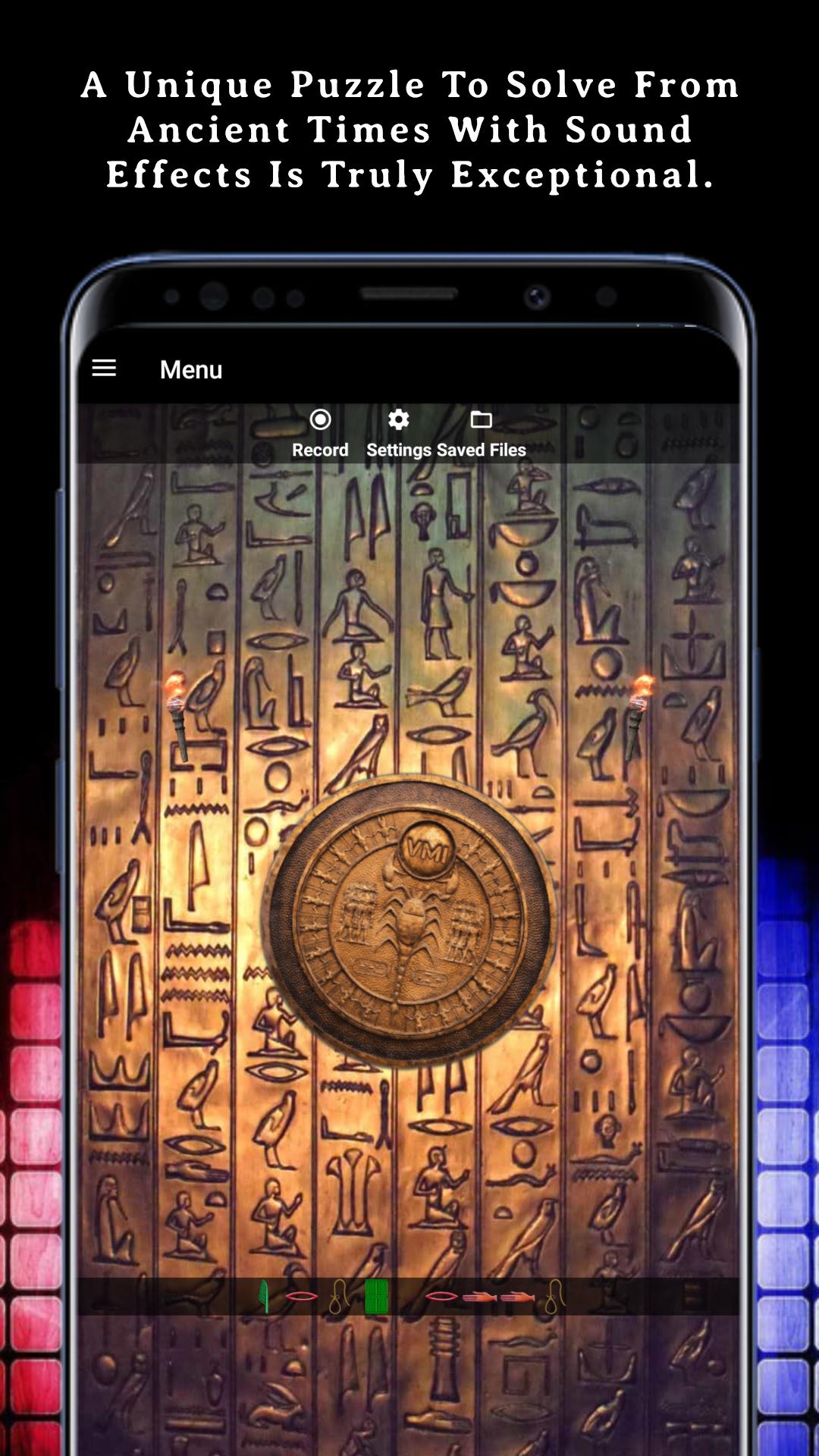
• Ancient Puzzle to solve.
Play around and have fun with the best and most comprehensive Indian percussion app on Google Play!
Perfect for drummers, guitar players, percussionists, professional musicians, amateurs or beginners.
Touch, Play, Learn, and Enjoy!
Problems or feedback?
We strive for excellence, and we're always eager to improve your app experience! Please do not post bug reports or feature requests as a review. Let us help you in person—contact our development team at , and we'll do our best to meet your requests.
Stay in touch:
Website: https://aapkesawal.com
Facebook: https://www.facebook.com/westechworld
LinkedIn: https://in.linkedin.com/company/westechworld
Twitter: https://twitter.com/westechworld
Instagram: https://www.instagram.com/westechworld
Westechworld created the app.
What's New in the Latest Version 4.3
Last updated on Jul 8, 2024
We update the app to make it more reliable for you by making continuous improvements and enhancing features.
Some New Features:
Biggest Update is here, now you can swipe your finger left to right or vice-versa to play any instrument music.
Play Guitar with Zero String
Lots of Bug Now Fixed.
1. Volume bug now fixed.
Show Love. Rate our App! Your feedback keeps us motivated to serve you better.
Virtual musical instruments (VMIs) are digital representations of traditional musical instruments that allow musicians to play and create music using a computer or mobile device. VMIs offer a wide range of benefits, including the ability to practice and perform without the need for physical instruments, access to a vast library of sounds and effects, and the ability to collaborate with other musicians remotely.
Types of VMIs
There are many different types of VMIs available, each with its own unique features and capabilities. Some of the most popular types of VMIs include:
* Digital audio workstations (DAWs): DAWs are software programs that allow musicians to record, edit, and mix music. They typically include a variety of virtual instruments, as well as tools for sequencing, sampling, and effects processing.
* Synthesizers: Synthesizers are electronic instruments that generate sound using digital waveforms. They can be used to create a wide range of sounds, from classic analog synths to modern digital soundscapes.
* Samplers: Samplers are instruments that allow musicians to record and playback audio samples. They can be used to create realistic sounds of traditional instruments, or to create new and innovative sounds.
* Drum machines: Drum machines are electronic instruments that generate drum sounds. They can be used to create a wide range of drum patterns, from simple beats to complex grooves.
Benefits of Using VMIs
VMIs offer a number of benefits over traditional musical instruments, including:
* Convenience: VMIs can be used anywhere, at any time. They don't require any physical space, and they can be easily transported.
* Affordability: VMIs are often much more affordable than traditional musical instruments. This makes them a great option for musicians on a budget.
* Versatility: VMIs can be used to create a wide range of sounds, from traditional instrument sounds to new and innovative sounds. They can also be used to create music in a variety of genres.
* Collaboration: VMIs make it easy to collaborate with other musicians remotely. Musicians can share files, work on projects together, and even perform live together from different locations.
Choosing the Right VMI
Choosing the right VMI depends on your individual needs and preferences. If you're just starting out, you may want to choose a VMI that is easy to use and has a wide range of features. If you're a more experienced musician, you may want to choose a VMI that offers more advanced features and capabilities.
Here are a few things to consider when choosing a VMI:
* Your skill level: If you're a beginner, you may want to choose a VMI that is easy to use and has a wide range of features. If you're a more experienced musician, you may want to choose a VMI that offers more advanced features and capabilities.
* Your budget: VMIs can range in price from free to thousands of dollars. It's important to set a budget before you start shopping for a VMI.
* Your musical needs: What types of music do you want to create? Do you need a VMI that can create realistic sounds of traditional instruments, or do you want a VMI that can create new and innovative sounds?
* Your computer or mobile device: Make sure that your computer or mobile device meets the minimum requirements for the VMI that you want to use.
Getting Started with VMIs
Once you've chosen a VMI, you'll need to install it on your computer or mobile device. Once it's installed, you can start learning how to use it. There are many resources available online and in libraries that can help you get started.
Here are a few tips for getting started with VMIs:
* Start with the basics: Learn the basics of how to use your VMI, including how to create and edit sounds, how to sequence patterns, and how to mix your music.
* Experiment: Don't be afraid to experiment with different sounds and effects. The best way to learn how to use a VMI is to experiment and find out what you can create.
* Collaborate with others: Collaborating with other musicians is a great way to learn and grow as a musician. There are many online communities where you can find other musicians to collaborate with.
Play, record and mix a variety of musical instruments on a virtual simulator.
This app brings you complete entertainment, productivity, and helps you become a professional musician with just the tips of your fingers.
Here you will get a chance to play Piano, Drum, Tablas, Guitar, Xylophone, Pan Flute, Beat Maker, Maraca, Gong & Instruments Slider on a virtual simulator screen that helps you to learn and create your own music, mix it & play it. You can also record and share music created by you on the musical instrument simulator. You can also mix and record different beats from all instruments at same time and create your own music. The Virtual Musical Instruments App lets you try the true Indian percussion experience! A Complete FREE, fun, user-friendly app! Download it now and enjoy!
How does this app work?
The app transforms your phone or tablet screen into a life-like simulation of a percussion kit. For instant playback, all you need do is tap on the Drum pads to play Drum, Piano keys to play Piano, Tablas pads to play Tablas, Guitar strings to play Guitar, Xylophone key to play Xylophone, Pan Flute Keys to play Pan Flute. Beat Maker to create music from many different beats.
Using the app is simple in itself. Play anywhere, anytime and put your skills to the test!
This is a set of virtual music tools for those who love music and want to practice on their phone or tablet.
It helps you to practice your skills anywhere with just a smartphone.
Features:
• 10 musical instruments to play and record.
• Record beats from different musical instruments at the same time.
• This app works in offline mode without using any internet connection.
• In all simulators, mix music.
• Mode of recording.
• Share and export your recordings.
• Works with all screen resolutions.
• The app is completely free.
• Ancient Puzzle to solve.
Play around and have fun with the best and most comprehensive Indian percussion app on Google Play!
Perfect for drummers, guitar players, percussionists, professional musicians, amateurs or beginners.
Touch, Play, Learn, and Enjoy!
Problems or feedback?
We strive for excellence, and we're always eager to improve your app experience! Please do not post bug reports or feature requests as a review. Let us help you in person—contact our development team at , and we'll do our best to meet your requests.
Stay in touch:
Website: https://aapkesawal.com
Facebook: https://www.facebook.com/westechworld
LinkedIn: https://in.linkedin.com/company/westechworld
Twitter: https://twitter.com/westechworld
Instagram: https://www.instagram.com/westechworld
Westechworld created the app.
What's New in the Latest Version 4.3
Last updated on Jul 8, 2024
We update the app to make it more reliable for you by making continuous improvements and enhancing features.
Some New Features:
Biggest Update is here, now you can swipe your finger left to right or vice-versa to play any instrument music.
Play Guitar with Zero String
Lots of Bug Now Fixed.
1. Volume bug now fixed.
Show Love. Rate our App! Your feedback keeps us motivated to serve you better.
Virtual musical instruments (VMIs) are digital representations of traditional musical instruments that allow musicians to play and create music using a computer or mobile device. VMIs offer a wide range of benefits, including the ability to practice and perform without the need for physical instruments, access to a vast library of sounds and effects, and the ability to collaborate with other musicians remotely.
Types of VMIs
There are many different types of VMIs available, each with its own unique features and capabilities. Some of the most popular types of VMIs include:
* Digital audio workstations (DAWs): DAWs are software programs that allow musicians to record, edit, and mix music. They typically include a variety of virtual instruments, as well as tools for sequencing, sampling, and effects processing.
* Synthesizers: Synthesizers are electronic instruments that generate sound using digital waveforms. They can be used to create a wide range of sounds, from classic analog synths to modern digital soundscapes.
* Samplers: Samplers are instruments that allow musicians to record and playback audio samples. They can be used to create realistic sounds of traditional instruments, or to create new and innovative sounds.
* Drum machines: Drum machines are electronic instruments that generate drum sounds. They can be used to create a wide range of drum patterns, from simple beats to complex grooves.
Benefits of Using VMIs
VMIs offer a number of benefits over traditional musical instruments, including:
* Convenience: VMIs can be used anywhere, at any time. They don't require any physical space, and they can be easily transported.
* Affordability: VMIs are often much more affordable than traditional musical instruments. This makes them a great option for musicians on a budget.
* Versatility: VMIs can be used to create a wide range of sounds, from traditional instrument sounds to new and innovative sounds. They can also be used to create music in a variety of genres.
* Collaboration: VMIs make it easy to collaborate with other musicians remotely. Musicians can share files, work on projects together, and even perform live together from different locations.
Choosing the Right VMI
Choosing the right VMI depends on your individual needs and preferences. If you're just starting out, you may want to choose a VMI that is easy to use and has a wide range of features. If you're a more experienced musician, you may want to choose a VMI that offers more advanced features and capabilities.
Here are a few things to consider when choosing a VMI:
* Your skill level: If you're a beginner, you may want to choose a VMI that is easy to use and has a wide range of features. If you're a more experienced musician, you may want to choose a VMI that offers more advanced features and capabilities.
* Your budget: VMIs can range in price from free to thousands of dollars. It's important to set a budget before you start shopping for a VMI.
* Your musical needs: What types of music do you want to create? Do you need a VMI that can create realistic sounds of traditional instruments, or do you want a VMI that can create new and innovative sounds?
* Your computer or mobile device: Make sure that your computer or mobile device meets the minimum requirements for the VMI that you want to use.
Getting Started with VMIs
Once you've chosen a VMI, you'll need to install it on your computer or mobile device. Once it's installed, you can start learning how to use it. There are many resources available online and in libraries that can help you get started.
Here are a few tips for getting started with VMIs:
* Start with the basics: Learn the basics of how to use your VMI, including how to create and edit sounds, how to sequence patterns, and how to mix your music.
* Experiment: Don't be afraid to experiment with different sounds and effects. The best way to learn how to use a VMI is to experiment and find out what you can create.
* Collaborate with others: Collaborating with other musicians is a great way to learn and grow as a musician. There are many online communities where you can find other musicians to collaborate with.





