

Easily record anything with the app Xiaomi Recorder. No matter if you need to record conversations, interviews, songs, or voice notes, you can easily record anything happening around you with this app. It was developed by Xiaomi, and it can only be used on their devices.
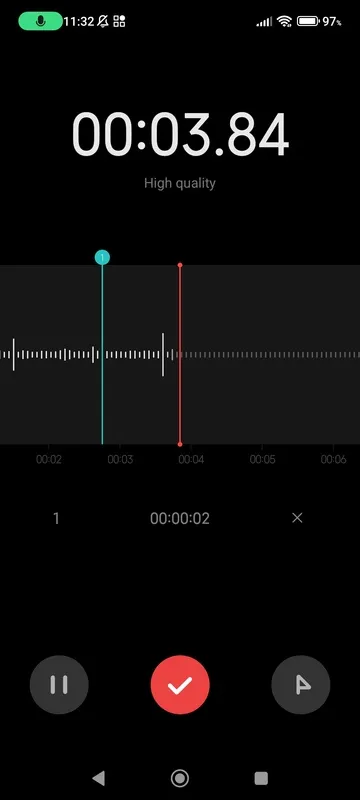
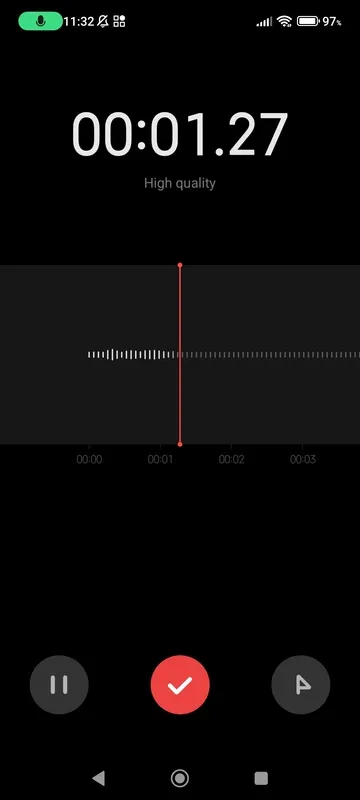
Xiaomi Recorder has a very intuitive interface, and you can start recording right from the app's main screen. Simply tap on the button on the bottom of the screen to start recording, and how long you've been recording will be shown in the center of the screen. After that, you can stop the recording at any time by tapping on the button on the bottom of the screen again, and then choose to continue recording, save the file, or delete it.
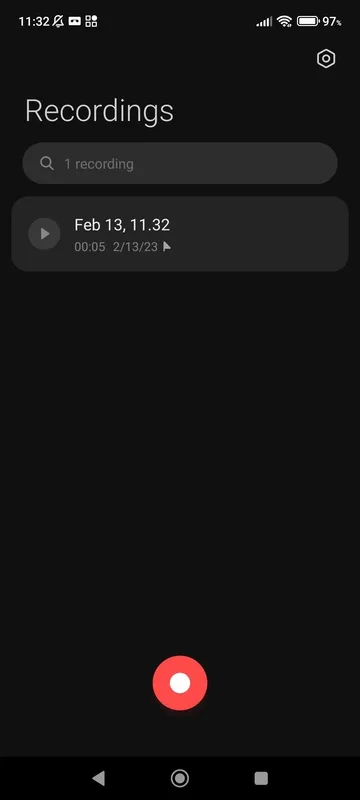
Once you're done recording, you can listen to the audio file as many times as you'd like from the app's recording list. The list contains all the tracks you've recorded, as well as the time and date they were created, their duration, and file size. This makes it easy to find whatever recording you're looking for.
Xiaomi Recorder is a great app for recording just about anything. Easily create voice notes or other recordings and listen to them anytime with this app's easy-to-use interface.
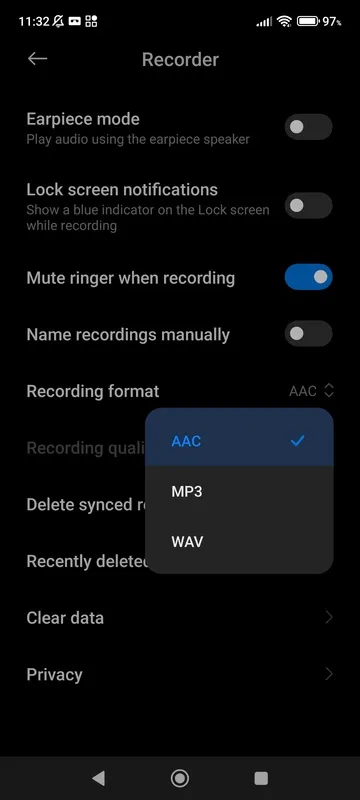
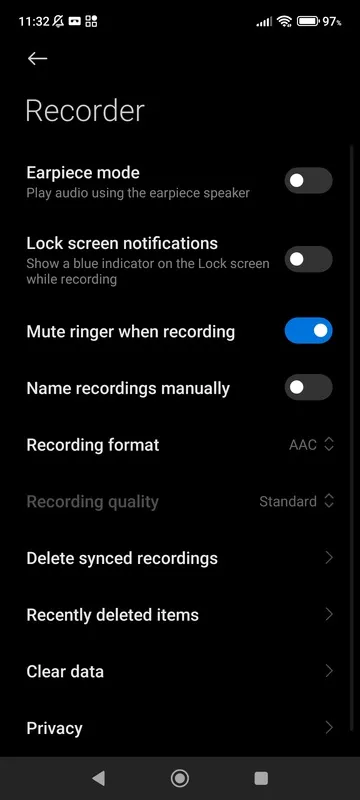
Xiaomi Recorder is a pre-installed audio recording application found on Xiaomi devices running MIUI. Its primary function is to record audio from the device's microphone, offering a straightforward and user-friendly interface for capturing voice notes, interviews, lectures, meetings, and other audio sources. The app typically features basic recording controls such as start, stop, and pause, along with options for adjusting audio quality settings to balance file size and clarity. Users can typically choose between different audio formats, like MP3 or AAC, depending on their needs and preferences. Recorded files are stored locally on the device's internal storage or external SD card, organized for easy access and management.
Beyond basic recording, Xiaomi Recorder often includes additional features to enhance the recording experience. These may include noise reduction capabilities to minimize background distractions, automatic gain control (AGC) to maintain consistent audio levels, and the ability to add markers or timestamps during recording for easy navigation. Some versions of the app might also offer cloud backup integration, allowing users to securely store their recordings and access them across multiple devices. The application's simplicity and accessibility make it a convenient tool for everyday audio recording tasks on Xiaomi smartphones and tablets.
Easily record anything with the app Xiaomi Recorder. No matter if you need to record conversations, interviews, songs, or voice notes, you can easily record anything happening around you with this app. It was developed by Xiaomi, and it can only be used on their devices.
Xiaomi Recorder has a very intuitive interface, and you can start recording right from the app's main screen. Simply tap on the button on the bottom of the screen to start recording, and how long you've been recording will be shown in the center of the screen. After that, you can stop the recording at any time by tapping on the button on the bottom of the screen again, and then choose to continue recording, save the file, or delete it.
Once you're done recording, you can listen to the audio file as many times as you'd like from the app's recording list. The list contains all the tracks you've recorded, as well as the time and date they were created, their duration, and file size. This makes it easy to find whatever recording you're looking for.
Xiaomi Recorder is a great app for recording just about anything. Easily create voice notes or other recordings and listen to them anytime with this app's easy-to-use interface.
Xiaomi Recorder is a pre-installed audio recording application found on Xiaomi devices running MIUI. Its primary function is to record audio from the device's microphone, offering a straightforward and user-friendly interface for capturing voice notes, interviews, lectures, meetings, and other audio sources. The app typically features basic recording controls such as start, stop, and pause, along with options for adjusting audio quality settings to balance file size and clarity. Users can typically choose between different audio formats, like MP3 or AAC, depending on their needs and preferences. Recorded files are stored locally on the device's internal storage or external SD card, organized for easy access and management.
Beyond basic recording, Xiaomi Recorder often includes additional features to enhance the recording experience. These may include noise reduction capabilities to minimize background distractions, automatic gain control (AGC) to maintain consistent audio levels, and the ability to add markers or timestamps during recording for easy navigation. Some versions of the app might also offer cloud backup integration, allowing users to securely store their recordings and access them across multiple devices. The application's simplicity and accessibility make it a convenient tool for everyday audio recording tasks on Xiaomi smartphones and tablets.